
Open Note Scanner
Download for Android This app is available for Android only.- Category:Productivity
- Rating: 4.7
- Language:English
- Updated:2026-10-03
Screenshots
Introduction
Open Note Scanner is an excellent productivity app. Designed specifically for scanning handwritten notes and printed documents, it offers an efficient way to digitize, organize, and store various types of documents. Open Note Scanner allows users to turn their Android device's camera into a professional document scanner, scanning photos and saving them locally. Meanwhile, the app offers powerful features that can correct tilted photos, convert them into a top-down view, and save the results clearly.
Highlights:
With Open Note Scanner you can capture documents, handwritten notes, arts, shopping receipts, etcetera.
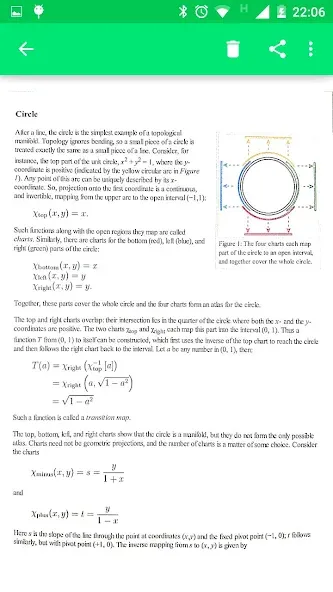
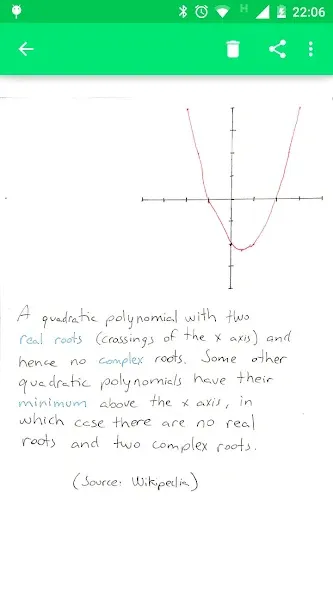
It will automatically adjust the image aspect, contrast and save it. It will allow browsing, view and share the scanned documents.
It also supports the automatic scan of preformatted pages with QR Code and action indicators.
PDF file with the pages are available on the application website, in the releases section.
Features:
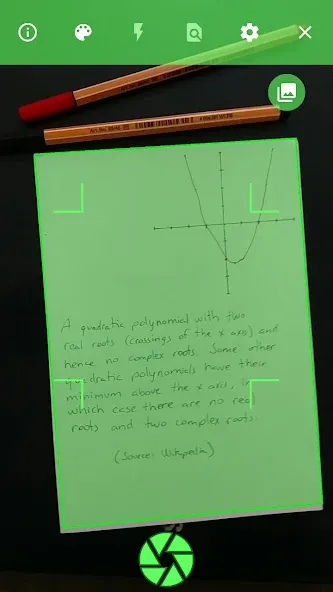
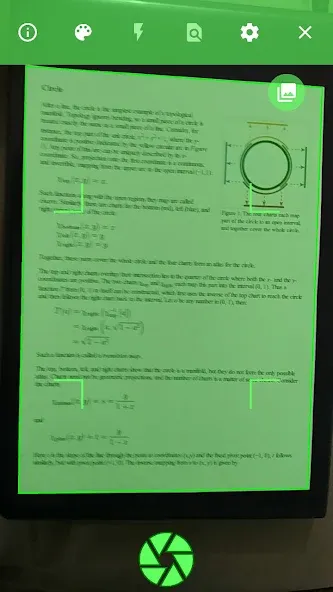
The primary function of Open Note Scanner is its ability to automatically detect the edges of a paper document against a contrasting surface. This feature simplifies the scanning process, as users do not need to manually adjust the framing of their documents. The app enhances the user experience by streamlining the steps involved in capturing clear images of notes and printed materials.
For users who utilize RocketBook Wave notebooks or print their pages at home, Open Note Scanner offers an additional convenience. The application can recognize the QR code that is printed in the bottom right corner of these pages, enabling it to scan the document instantly. This automatic detection reduces the time needed to prepare the document for scanning, making it an ideal solution for individuals who frequently use these specific types of notebooks.
Once a page is detected, the application employs perspective correction techniques. This adjustment ensures that the scanned image is transformed into a 90-degree top view, which enhances the clarity and usability of the captured document. The resulting images are saved in a designated folder on the device, allowing users to easily access and manage their scanned materials.
Pros & Cons:
Pros
Corrects perspective to create a top-down document view
Automatically recognizes RocketBook Wave QR codes
Saves scans to a folder on the device
Ad-free, with publicly available source code
Cons
Page detection can fail and capture the full camera view
Image processing may make text harder to read
Changelog:
Custom Scan Topic
PDF Export
Turkish translation
Persian translation
Indonesian translation
Final Words:
After the page is detected, it compensates any perspective from the image adjusting it to a 90 degree top view and saves it on a folder on the device. It is also possible to launch the application from any other application that asks for a picture, just make sure that there is no default application associated with this action.
More Information
- Size:42.30MB
- Version:1.0.36-gplay
- Requirements:Android 5.0+
- Votes:105
- Package Name:com.todobom.opennotescanner
- Signature:643b20241c787814937a838e52c95d25
Related topics
-
Feeling that there aren’t enough hours in the day? That you’re fighting a losing battle with your agenda? That each time you look up from your desk another year has rolled by? Well don’t worry, you’re not alone, and in today’s hyperconnected world, people are busier than ever before. On Android, there are countless productivity apps to help take control of your time and make your work more efficient. From a simple plugin for Chrome to a full-fledged app, picking the right productivity apps on Android can mean the difference between having a clear to-do list at the end of the day or having it overflowing with missed deadlines and projects that are off schedule. Productivity apps aren’t just about work, though. Using a productivity app in your personal life can keep you on top of deadlines for vacations, home repairs, and other family responsibilities.
-
![ZSMobile POS]()
ZSMobile POS
-
![Meest China]()
Meest China
-
![SlideShare]()
SlideShare
-
![ATK Pro]()
ATK Pro
-
![neutriNote]()
neutriNote
-
![Open Note Scanner]()
Open Note Scanner
-
![LIC Digital]()
LIC Digital
-
-
Office Apps is a comprehensive and user - friendly platform that aggregates a wide array of office - related applications, catering to the diverse needs of modern professionals, students, and anyone who engages in office - based tasks. Whether you're working on a crucial business project, preparing academic papers, or handling daily administrative work, this aggregation page serves as your one - stop - shop.
-
![HiHello]()
HiHello
-
![ZSMobile POS]()
ZSMobile POS
-
![Zenput]()
Zenput
-
![SlideShare]()
SlideShare
-
![ATK Pro]()
ATK Pro
-
![SarkariExam App , Sarkari Result App]()
SarkariExam App , Sarkari Result App
-
![Open Note Scanner]()
Open Note Scanner
-
![Boat Browser]()
Boat Browser
-







Latest Updated


Popular Apps







Popular News
More+-
![Tomie Wants to Get Married Full Walkthrough, All Choices and Ending Guide]()
Tomie Wants to Get Married Full Walkthrough, All Choices and Ending Guide
2026-05-22
-
![Karryn’s Prison Gameplay Walkthrough & Strategy Guide]()
Karryn’s Prison Gameplay Walkthrough & Strategy Guide
2025-10-28
-
![Life in Santa County Game Guide & Complete Walkthrough]()
Life in Santa County Game Guide & Complete Walkthrough
2025-10-28
-
![Dreams of Desire Complete Walkthrough and Game Guide]()
Dreams of Desire Complete Walkthrough and Game Guide
2025-10-28
-
![Era Hunter Gameplay Guide & Full Walkthrough]()
Era Hunter Gameplay Guide & Full Walkthrough
2025-10-28




