

Google Keep
Download for Android This app is available for Android only.- Category:Tools
- Rating:
- Language:English
- Updated:2026-11-04
Screenshots
Introduction
Google Keep is a full-featured note-taking tool. Designed for Android devices, the app offers features such as voice memos, color-coding, and real-time collaboration, allowing users to easily jot down to-do lists, capture inspiration, and share ideas with friends and family. With Google Keep, you can quickly record your thoughts by adding notes, checklists, and photos. You can also set location-based reminders and sync your content across multiple devices, ensuring that you never miss anything important.
Highlights:
Capture Ideas Instantly, Anywhere
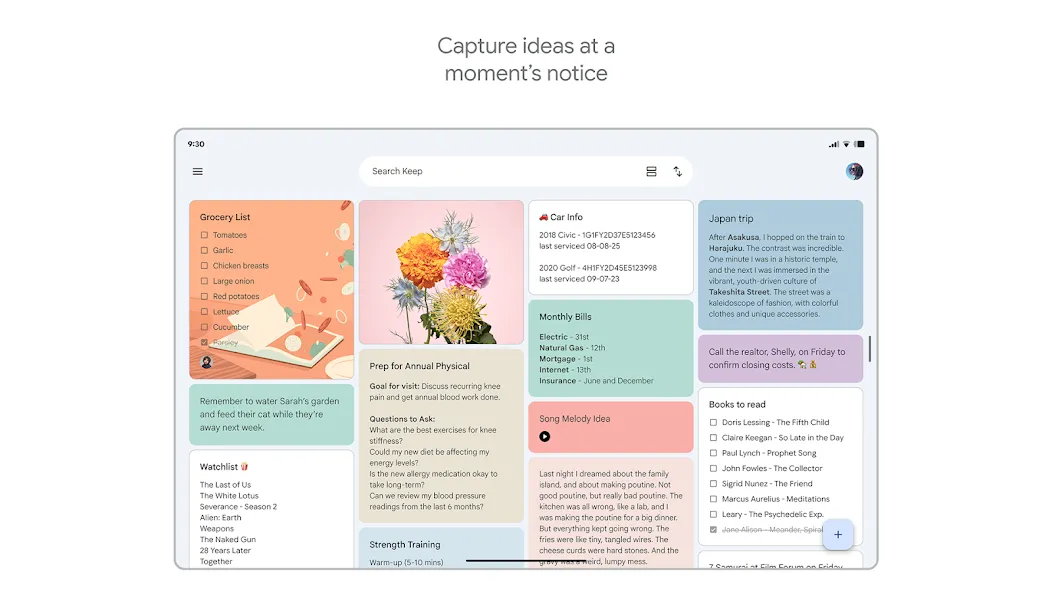
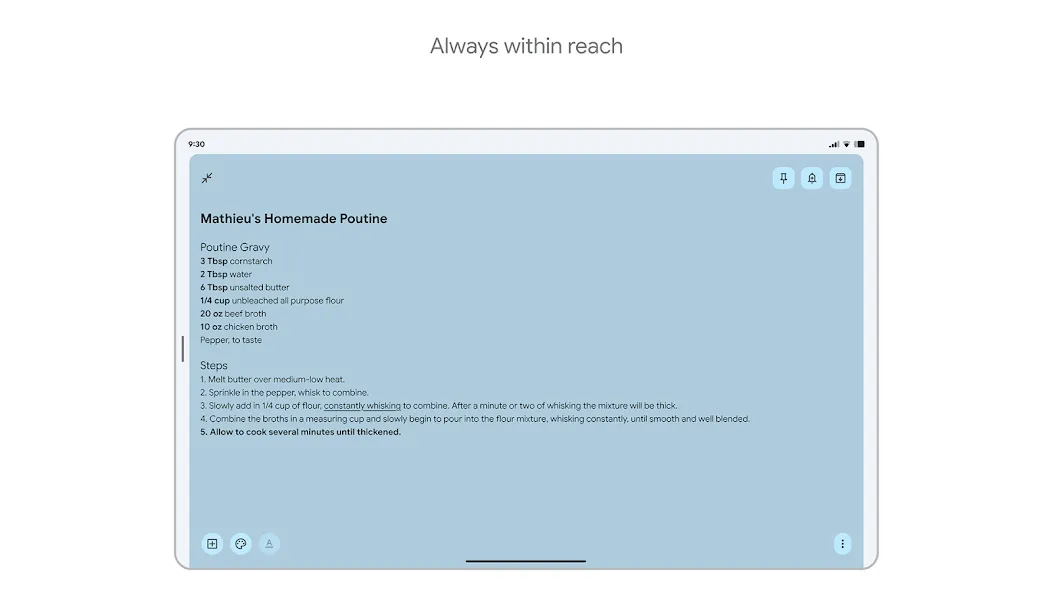
Google Keep excels at capturing your thoughts as they arise. Whether it’s a quick idea, a web link, or a photo of something inspiring, you can instantly save it to Keep. The app is designed for speed and efficiency, ensuring you never miss a fleeting moment of inspiration. Access your notes from any device, ensuring your ideas are always within reach.
Organize with Labels and Colors
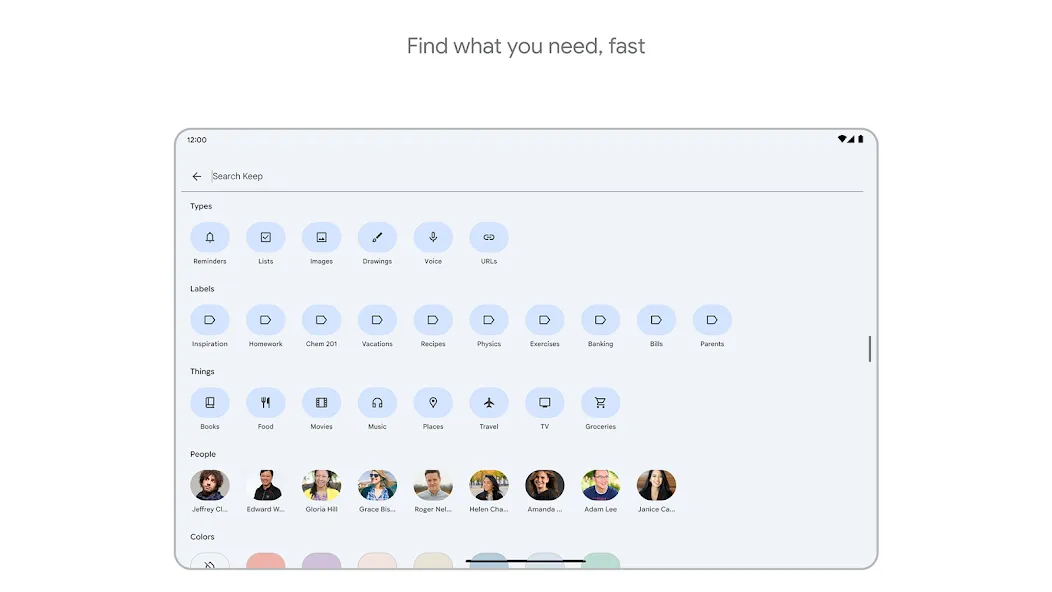
Staying organized is effortless with Google Keep’s labeling and color-coding system. Categorize your notes by project, topic, or any other criteria that suits your workflow. Visual cues make it easy to quickly identify and retrieve the information you need, saving you time and frustration. This system enhances productivity and helps you maintain a clear overview of your tasks and ideas.
Set Reminders for Important Tasks
Never miss a deadline or appointment with Google Keep’s reminder feature. Set time-based or location-based reminders to ensure you’re always on track. Receive notifications on your phone or computer, keeping you informed and prepared for upcoming events and tasks. This proactive approach helps you stay organized and manage your time effectively.
Features:
Capture thoughts quickly with notes, lists, photos, and voice memos.
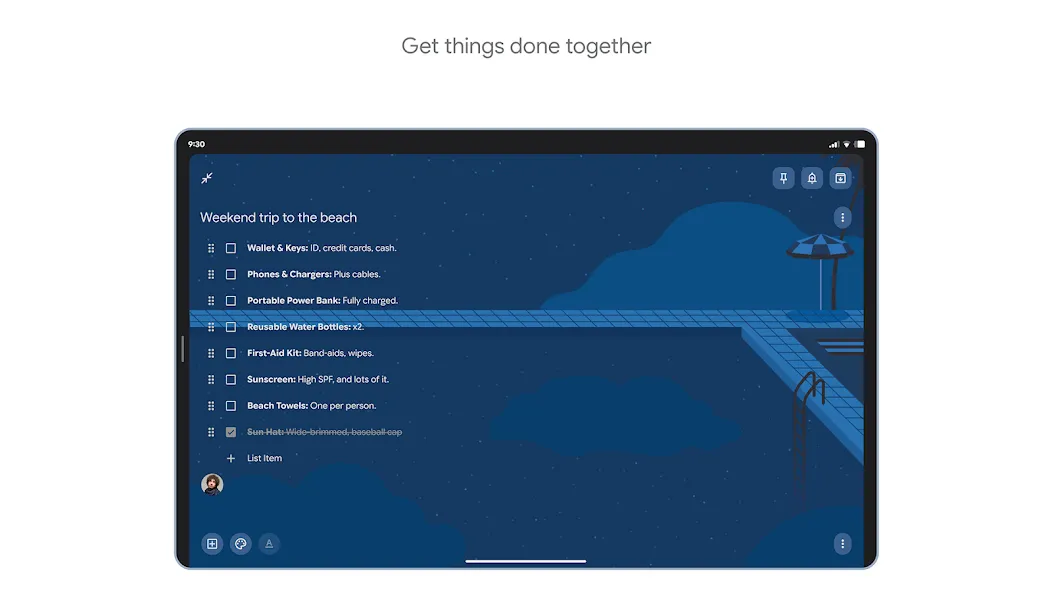
Easily share notes with friends and family for collaboration in real time.
Organize notes efficiently by adding colors and labels for quick access.
Access your notes on multiple devices, including phone, tablet, computer, and wearable device.
Set location-based reminders to stay on track with tasks and errands.
Available on the web and in the Chrome Web Store for easy access across platforms.
Tips and Tricks:
Utilize Voice Memos: Pressed for time? Record voice memos instead of typing out notes for quick and easy capture of thoughts.
Take Advantage of Widgets: Use widgets on your phone and tablet, as well as tiles on your Wear OS device, to quickly access and add to your notes.
Set Location-Based Reminders: Need to remember something when you reach a specific location? Google Keep allows you to set location-based reminders for convenience.
FAQs:
Can I use Google Keep offline?
Yes, Google Keep allows you to create and edit notes even when you’re offline. Changes will be synced automatically when you regain internet connectivity. This ensures you can stay productive regardless of your internet access.
Is Google Keep secure?
Google Keep benefits from Google’s robust security infrastructure, protecting your notes with industry-leading encryption and security measures. Your data is stored securely and accessible only to you and those you choose to share it with.
Does Google Keep integrate with other Google services?
Absolutely. Google Keep integrates seamlessly with Google Docs, Calendar, and other Google services, enhancing your overall productivity and workflow. This integration allows for a cohesive and efficient user experience across the Google ecosystem.
Conclusion:
Download the Google Keep APK and discover an excellent note-taking app so that, with a bit of luck, you never forget to make an appointment or buy milk at the supermarket again. An almost perfect alternative to the classic physical notepad that is becoming more and more obsolete with each passing day. Thanks to the various customization options, the app also looks very neat and polished.
More Information
- Size:31.41MB
- Version:5.26.431.02.90
- Requirements:Android 10.0+
- Package Name:com.google.android.keep
- Signature:94fd7414fa6eab2ec7a7dd6bda838dc7
Related Versions
-
 Download
Version:5.26.201.03.90Size:26.2MB
Related topics
-
Utility apps are indispensable in our lives, making our daily routines more convenient. To help you find these apps more easily, this site has created a collection. This collection brings together a series of practical tools covering various aspects of life, work, and education, meeting all your needs. What are you waiting for? Try these apps now and make your life easier!
-
![Adobe Photo Lightroom]()
Adobe Photo Lightroom
-
![Google PDF Viewer]()
Google PDF Viewer
-
![Calorie Counter by FatSecret]()
Calorie Counter by FatSecret
-
![Samsung Smart Switch Mobile]()
Samsung Smart Switch Mobile
-
![UgPhone - Android Cloud Phone]()
UgPhone - Android Cloud Phone
-
![Google Keep]()
Google Keep
-
![HP Print Service Plugin]()
HP Print Service Plugin
-
![GTA: San Andreas Cheater]()
GTA: San Andreas Cheater
-
-
Transform your mobile device into a powerhouse of efficiency with these handpicked essential tools. Whether you need professional-grade photo editing, seamless file organization, smart task management, or real-time weather updates, our curated selection of premium apps delivers unbeatable performance. Streamline your daily routine, automate repetitive tasks, and boost your productivity with intuitive interfaces and powerful features. Designed for both professionals and casual users, these editor-approved applications will revolutionize how you work and play. Don't settle for an ordinary phone - upgrade your digital experience today and unlock your device's full potential!
-
![Adobe Photo Lightroom]()
Adobe Photo Lightroom
-
![Google PDF Viewer]()
Google PDF Viewer
-
![Calorie Counter by FatSecret]()
Calorie Counter by FatSecret
-
![Samsung Smart Switch Mobile]()
Samsung Smart Switch Mobile
-
![UgPhone - Android Cloud Phone]()
UgPhone - Android Cloud Phone
-
![Google Keep]()
Google Keep
-
![Dubsmash]()
Dubsmash
-
![SetEdit SettingsDatabaseEditor]()
SetEdit SettingsDatabaseEditor
-









Latest Updated


Popular Apps








Popular News
More+-
![Tomie Wants to Get Married Full Walkthrough, All Choices and Ending Guide]()
Tomie Wants to Get Married Full Walkthrough, All Choices and Ending Guide
2026-05-22
-
![Karryn’s Prison Gameplay Walkthrough & Strategy Guide]()
Karryn’s Prison Gameplay Walkthrough & Strategy Guide
2025-10-28
-
![Life in Santa County Game Guide & Complete Walkthrough]()
Life in Santa County Game Guide & Complete Walkthrough
2025-10-28
-
![Dreams of Desire Complete Walkthrough and Game Guide]()
Dreams of Desire Complete Walkthrough and Game Guide
2025-10-28
-
![Era Hunter Gameplay Guide & Full Walkthrough]()
Era Hunter Gameplay Guide & Full Walkthrough
2025-10-28




