

µTorrent®
Download for Android This app is available for Android only.- Category:Tools
- Rating:
- Language:English
- Updated:2026-11-05
Screenshots
Introduction
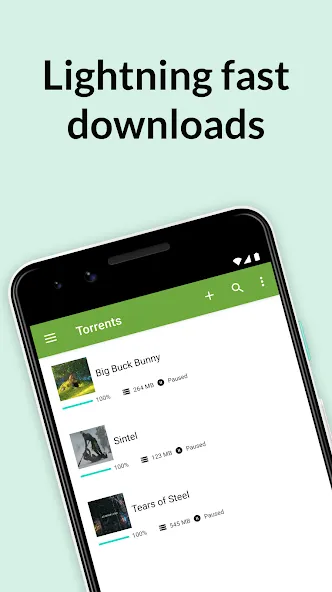
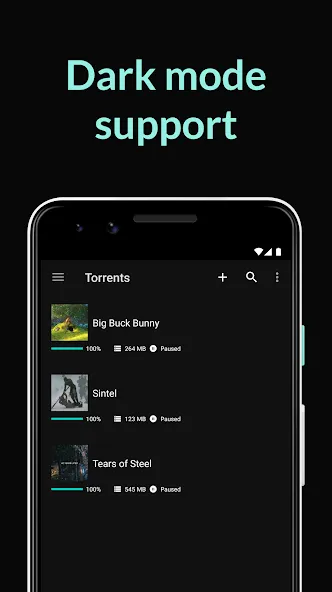
µTorrent® is a powerful file downloader. It allows users to download a wide variety of large files and supports the use of torrent files. Utilizing a robust protocol, the tool ensures efficient downloading and data transfer. Files can be managed and downloaded directly via your browser. There are no restrictions on download speeds or file sizes, and the app supports various compressed file formats; you can also monitor your download progress in the background. The app offers both Wi-Fi-only and mobile data download modes, allowing you to choose the option that best suits your needs. Additionally, it features a built-in audio and video player, enabling you to enjoy the content you have downloaded.
Features
Official BitTorrent Client with High-Speed P2P Support
The µTorrent® downloader uses the BitTorrent peer-to-peer protocol to break files into smaller segments, facilitating efficient transfer. By connecting to multiple nodes and "seeds," it ensures stable and rapid download speeds. This official client reliably handles magnet links and torrent files on Android devices. Simply add tasks via your browser or file manager, and let the app take care of the rest.
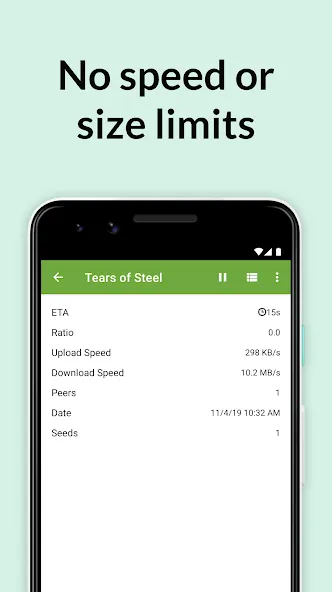
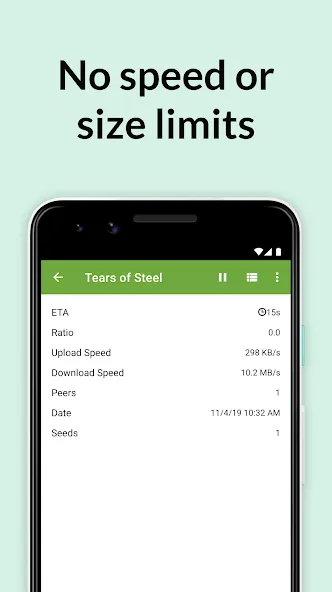
No Speed or File Size Limits
Download torrent files within the app with no speed caps. There are no limits on file size, making it perfect for large videos and compressed archives—even when your download queue contains a mix of small and large files. You can keep long-running downloads active in the background and check their progress at any time.
Mobile Control and Storage Options
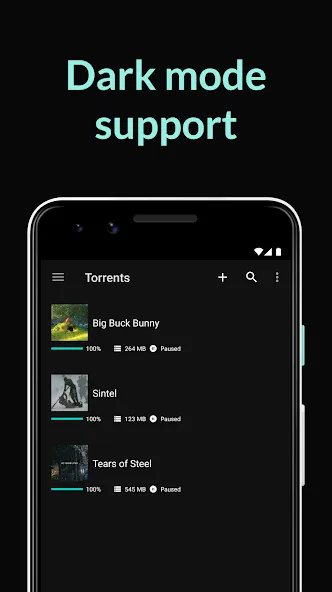
Before starting a download, you can select individual files from within a torrent. The app allows you to choose the storage location on your device based on available space. You can easily pause, resume, or set priorities for your files as needed. These convenient controls help you manage your storage space while keeping your downloads organized.
Built-in Audio and Video Playback
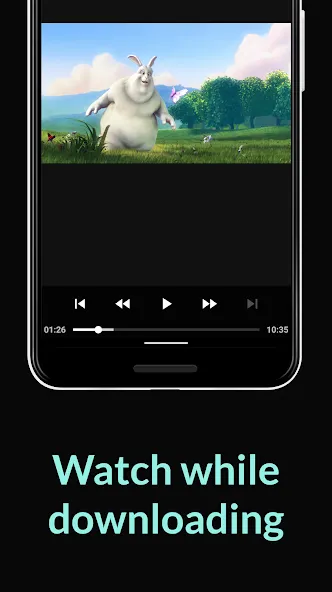
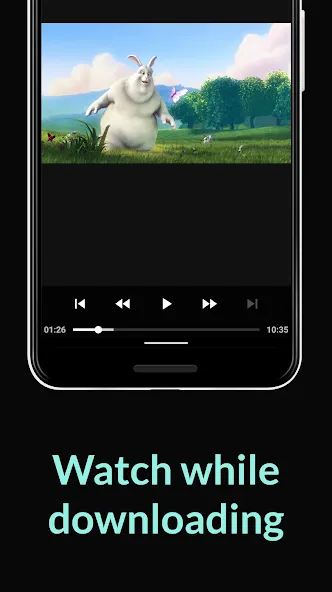
µTorrent® includes an integrated media player for quick viewing and browsing. You can listen to music or watch videos directly within the app—no need to switch to another program. If a torrent contains multiple tracks, you can play them as a playlist. Playback controls are simple and accessible directly from the download interface.
Data-Saving Options and Easy Discovery
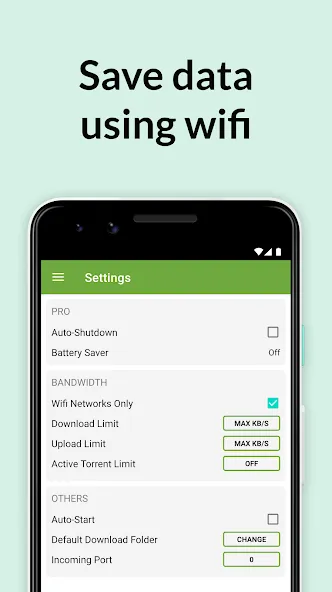
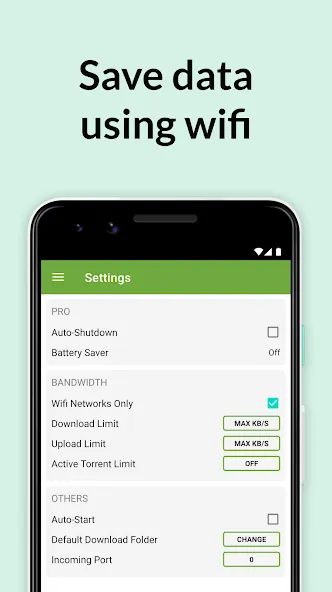
You can enable a Wi-Fi-only mode to ensure that downloads do not consume your mobile data. When cleaning up, you can choose to delete just the torrent entry, or remove both the torrent entry and its associated files to free up storage space. Adding content is straightforward: simply click on a magnet link in your browser or open a .torrent file from your device's storage. The app supports sharing files or torrents directly from your device, offers a multi-language interface, and provides access to legitimate media content via BitTorrent Now.
Usage
Open the app, review any prompts, and adjust your settings—for example, you can switch to "Wi-Fi only" mode if you want to save on mobile data.
Next, add a torrent by clicking a magnet link in your browser or opening a .torrent file from your device's storage.
Select the specific files you want to download from the torrent and choose a download location that fits your available storage space.
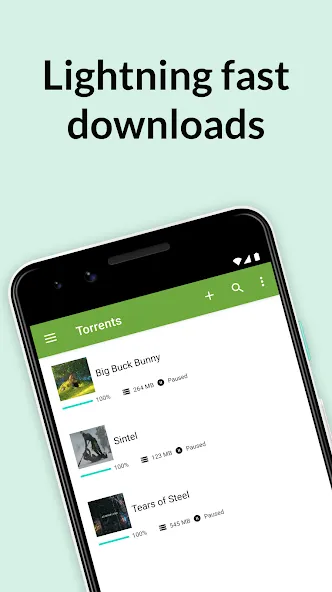
Start the download and monitor its progress via the progress bar. You can pause, resume, or reorder downloads as needed.
Finally, you can check your files by playing audio or video directly within the app. Once finished, you can choose to delete either just the torrent entry or both the torrent entry and all its associated files.
Pros and Cons
Pros:
Extremely low impact on system memory
Advanced scheduling for automated file management
Remote access via web browser
Robust bulk downloading and bandwidth optimization
Cons:
The free version contains distracting advertisements
User Reviews
Still my favorite torrent client for Android! It hasn't changed a bit since I first started using uTorrent for Android on my very first Android phone—the Galaxy S1—back in the day, lol.
The best torrent app out there; I always recommend it for downloading movies and videos of memorable events. 10 stars!
I like uTorrent because it’s simple enough for anyone with a little bit of experience to use for fast downloads. Many thanks to the torrent community for providing high-quality media to users online.
Conclusion
µTorrent® helps you download large files directly to your phone, eliminating the need for a computer. It follows the familiar peer-to-peer download model and is simple and intuitive to use. Designed with a focus on practical controls and straightforward media playback, it is well-suited for everyday use.
More Information
- Size:129.56MB
- Version:8.3.20
- Requirements:Android 4.4+
- Package Name:com.utorrent.client
- Signature:0c70184e2136c17f3813670bb3a19caf
Related topics
-
Utility apps are indispensable in our lives, making our daily routines more convenient. To help you find these apps more easily, this site has created a collection. This collection brings together a series of practical tools covering various aspects of life, work, and education, meeting all your needs. What are you waiting for? Try these apps now and make your life easier!
-
![Test DPC]()
Test DPC
-
![Samsung Internet Browser]()
Samsung Internet Browser
-
![µTorrent®]()
µTorrent®
-
![Adobe Photo Lightroom]()
Adobe Photo Lightroom
-
![Google PDF Viewer]()
Google PDF Viewer
-
![Calorie Counter by FatSecret]()
Calorie Counter by FatSecret
-
![Samsung Clock]()
Samsung Clock
-
![Memes.co.in]()
Memes.co.in
-
-
Transform your mobile device into a powerhouse of efficiency with these handpicked essential tools. Whether you need professional-grade photo editing, seamless file organization, smart task management, or real-time weather updates, our curated selection of premium apps delivers unbeatable performance. Streamline your daily routine, automate repetitive tasks, and boost your productivity with intuitive interfaces and powerful features. Designed for both professionals and casual users, these editor-approved applications will revolutionize how you work and play. Don't settle for an ordinary phone - upgrade your digital experience today and unlock your device's full potential!
-
![Samsung Internet Browser]()
Samsung Internet Browser
-
![µTorrent®]()
µTorrent®
-
![Adobe Photo Lightroom]()
Adobe Photo Lightroom
-
![Aiming Master]()
Aiming Master
-
![Google PDF Viewer]()
Google PDF Viewer
-
![Calorie Counter by FatSecret]()
Calorie Counter by FatSecret
-
![Samsung Clock]()
Samsung Clock
-
![Samsung Smart Switch Mobile]()
Samsung Smart Switch Mobile
-
-
With the development of mobile hardware and software, many practical tool software have emerged, covering a wide range of aspects and becoming a good helper for everyone in work and life. Today, the editor provides you with a list of useful tool software downloads. These tools are not particularly complex types, and after reading them, everyone can quickly learn how to use them. Proper use can bring great convenience to life and work.
-
![Test DPC]()
Test DPC
-
![Samsung Internet Browser]()
Samsung Internet Browser
-
![µTorrent®]()
µTorrent®
-
![Adobe Photo Lightroom]()
Adobe Photo Lightroom
-
![Google PDF Viewer]()
Google PDF Viewer
-
![Calorie Counter by FatSecret]()
Calorie Counter by FatSecret
-
![Samsung Clock]()
Samsung Clock
-
![Memes.co.in]()
Memes.co.in
-





Latest Updated




Popular Apps








Popular News
More+-
![Tomie Wants to Get Married Full Walkthrough, All Choices and Ending Guide]()
Tomie Wants to Get Married Full Walkthrough, All Choices and Ending Guide
2026-05-22
-
![Karryn’s Prison Gameplay Walkthrough & Strategy Guide]()
Karryn’s Prison Gameplay Walkthrough & Strategy Guide
2025-10-28
-
![Life in Santa County Game Guide & Complete Walkthrough]()
Life in Santa County Game Guide & Complete Walkthrough
2025-10-28
-
![Dreams of Desire Complete Walkthrough and Game Guide]()
Dreams of Desire Complete Walkthrough and Game Guide
2025-10-28
-
![Era Hunter Gameplay Guide & Full Walkthrough]()
Era Hunter Gameplay Guide & Full Walkthrough
2025-10-28




