

vnROM
Download for Android This app is available for Android only.- Category:Tools
- Rating:
- Language:English
- Updated:2026-11-06
Screenshots
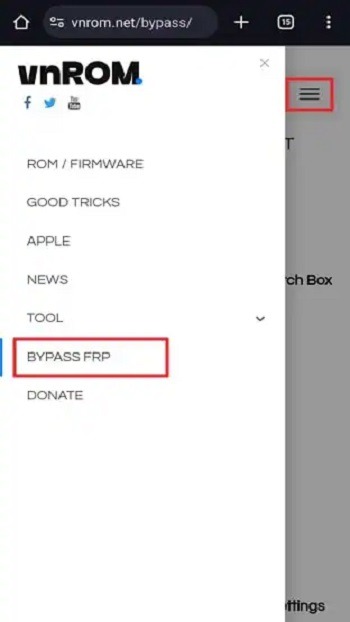
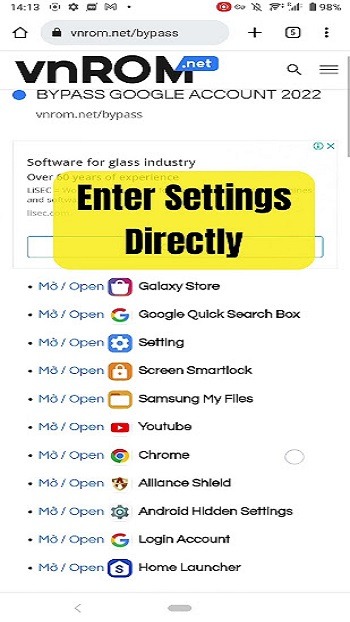
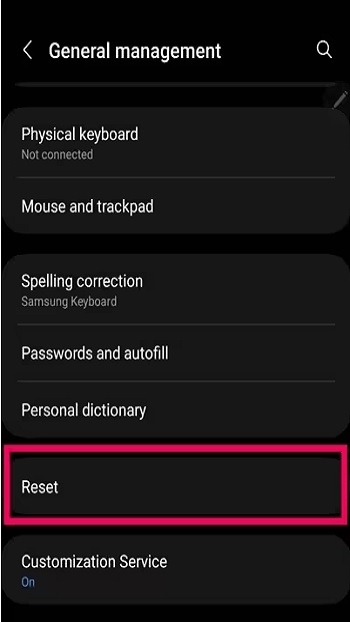
Introduction
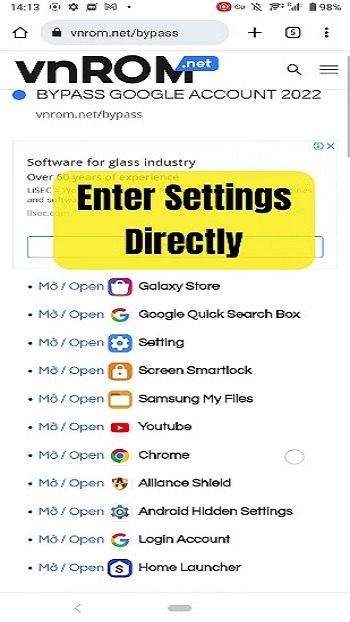
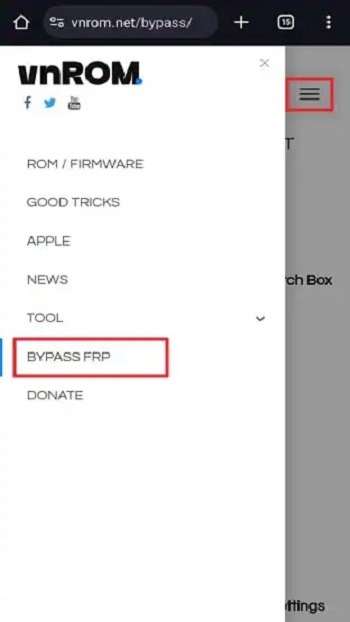
vnROM is a tool designed for the Android operating system. It allows users to bypass Factory Reset Protection (FRP) on their mobile devices. Furthermore, it can circumvent Google account authentication, enabling users to access their devices even when they are otherwise blocked by such verification requirements. Compatible with a wide range of Android devices, vnROM is a secure and reliable solution; it does not collect any user data, is completely free of charge, and contains no advertisements, ensuring a smooth user experience.
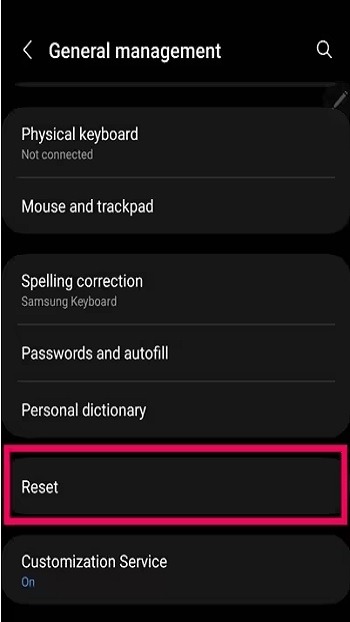
Features
Bypass FRP Lock: Factory Reset Protection (FRP) is a security feature designed to protect devices from theft, which typically makes it difficult to bypass. Screen locks are part of the FRP system, and vnROM can be used to unlock them.
Bypass Google Authentication: Accessing various apps and features on an Android device—such as YouTube, Facebook, Gmail, or even core functions like SMS and calls—often requires Google account authentication. With vnROM, you can easily bypass this Google verification.
Access Apps Without a Password: If you have forgotten the password for an application, you can use this tool to bypass the lock and set a new password.
Supports All Android Devices: This tool is compatible with all Android devices (though it does not support Apple/iOS devices).
Secure and Reliable: vnROM is safe and secure; it does not collect any data from your device. It manages the security settings and credentials necessary to bypass encryption.
Free to Use: There are no paid subscriptions required. The app is entirely free and contains no advertisements.
No Login Required: You do not need to sign in or register to use vnROM. While you can use it to manage locks and passwords for other applications, the tool itself requires no account login.
Pros and Cons
Pros:
Supports multiple Android versions.
Completely free.
Simple, user-friendly interface with a clear layout—no learning curve required.
Provides access to a vast library of Android apps and games.
No technical skills required.
24/7 customer support.
A legitimate and responsible application.
Fast response times.
Regular and timely updates.
100% safe and reliable.
Cons:
It only supports a specific range of Android versions: Android 5.1 through 8.1. Provides a complex method for bypassing the Factory Reset Protection (FRP) lock.
FAQs
Can vnROM be used on a non-rooted phone?
No, the application requires root access to modify system-level settings and cannot function on a device that has not been rooted.
Is it safe to use vnROM?
While root access is generally safe when managed correctly by an experienced user, it always carries inherent risks.
Which Android devices are supported by vnROM for bypassing the FRP lock?
The application supports a wide range of Android versions and brands—including Samsung—though support for certain Chinese-manufactured models is limited.
Conclusion
vnROM is a utility tool designed for Android devices, falling under the category of system and device management. It is intended specifically for technical users who need to remove Factory Reset Protection (FRP) following a device reset. It is not a game, nor does it offer any entertainment-related features.
More Information
- Size:28.47MB
- Version:1.1
- Requirements:Android 5.1+
- Package Name:com.google.android.gmt
- Signature:f7ff802075396a8f9070e4447f345ca3
Related topics
-
Utility apps are indispensable in our lives, making our daily routines more convenient. To help you find these apps more easily, this site has created a collection. This collection brings together a series of practical tools covering various aspects of life, work, and education, meeting all your needs. What are you waiting for? Try these apps now and make your life easier!
-
![Test DPC]()
Test DPC
-
![Calculator Lock]()
Calculator Lock
-
![vnROM]()
vnROM
-
![JW Library]()
JW Library
-
![Gspace]()
Gspace
-
![Hide App]()
Hide App
-
![Flashlight]()
Flashlight
-
![Samsung Internet Browser]()
Samsung Internet Browser
-
-
Transform your mobile device into a powerhouse of efficiency with these handpicked essential tools. Whether you need professional-grade photo editing, seamless file organization, smart task management, or real-time weather updates, our curated selection of premium apps delivers unbeatable performance. Streamline your daily routine, automate repetitive tasks, and boost your productivity with intuitive interfaces and powerful features. Designed for both professionals and casual users, these editor-approved applications will revolutionize how you work and play. Don't settle for an ordinary phone - upgrade your digital experience today and unlock your device's full potential!
-
![Android Switch]()
Android Switch
-
![vnROM]()
vnROM
-
![JW Library]()
JW Library
-
![Game Launcher]()
Game Launcher
-
![Gspace]()
Gspace
-
![Hide App]()
Hide App
-
![Add Reminder]()
Add Reminder
-
![Samsung Internet Browser]()
Samsung Internet Browser
-
-
With the development of mobile hardware and software, many practical tool software have emerged, covering a wide range of aspects and becoming a good helper for everyone in work and life. Today, the editor provides you with a list of useful tool software downloads. These tools are not particularly complex types, and after reading them, everyone can quickly learn how to use them. Proper use can bring great convenience to life and work.
-
![Test DPC]()
Test DPC
-
![Android Switch]()
Android Switch
-
![Calculator Lock]()
Calculator Lock
-
![vnROM]()
vnROM
-
![JW Library]()
JW Library
-
![Game Launcher]()
Game Launcher
-
![Gspace]()
Gspace
-
![Hide App]()
Hide App
-










Latest Updated


Popular Apps








Popular News
More+-
![Tomie Wants to Get Married Full Walkthrough, All Choices and Ending Guide]()
Tomie Wants to Get Married Full Walkthrough, All Choices and Ending Guide
2026-05-22
-
![Karryn’s Prison Gameplay Walkthrough & Strategy Guide]()
Karryn’s Prison Gameplay Walkthrough & Strategy Guide
2025-10-28
-
![Life in Santa County Game Guide & Complete Walkthrough]()
Life in Santa County Game Guide & Complete Walkthrough
2025-10-28
-
![Dreams of Desire Complete Walkthrough and Game Guide]()
Dreams of Desire Complete Walkthrough and Game Guide
2025-10-28
-
![Era Hunter Gameplay Guide & Full Walkthrough]()
Era Hunter Gameplay Guide & Full Walkthrough
2025-10-28




