

Outline VPN
Download for Android This app is available for Android only.- Category:Tools
- Rating:
- Language:English
- Updated:2026-11-06
Screenshots
Introduction
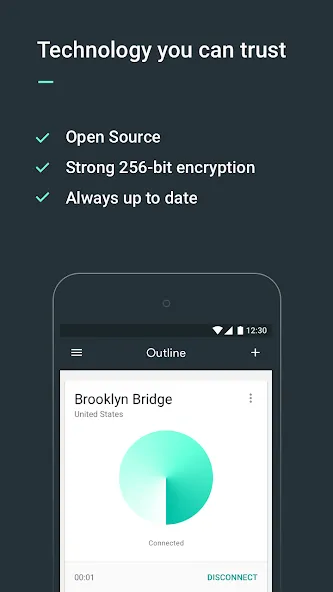
Outline VPN is a network server tool designed specifically for the Android operating system.It allows users not only to connect to existing servers but also to create their own private servers. The setup process is remarkably simple, enabling users to create and manage their own servers in just a few minutes. Once a server is created, you can share access with friends and family using unique access keys. The tool offers excellent connection stability, minimizing the risk of disconnections during use. Furthermore, the underlying technology is open-source, allowing users to understand exactly how the tool functions. With its clean, minimalist interface and low memory footprint, it is well-suited for all types of users.
Features
With Outline VPN, you can create and manage your own VPN server in just a few minutes. You have full control over the server's location and who is permitted to join. Once set up, you can generate access keys—which can be organized into groups—making it easy to invite colleagues or family members.
Invite and connect using access keys.
Instead of relying on usernames and passwords, you can grant access via unique keys. The Outline VPN client uses these keys to establish a connection without ever exposing your actual credentials. If someone no longer requires access, you can simply revoke or rotate their key, ensuring that only trusted users can connect.
Fast connections powered by the Shadowsocks protocol:
Outline VPN utilizes the Shadowsocks protocol to ensure stable browsing and rapid page loading, helping to reduce interruptions during daily use. Built-in encryption keeps your traffic private as you navigate between different apps and websites.
The Outline VPN project is open-source.
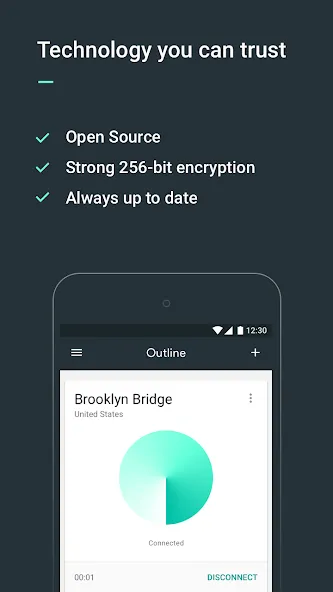
This means its code and design are publicly available for review. The project has been audited by an independent, non-profit security firm to verify its protective measures. This transparency provides clear insight into how Outline VPN works and how your data is handled.
The Outline VPN client works across various devices and servers.
It is compatible with both mobile and desktop platforms, allowing you to stay connected across all your devices. If you already have a Shadowsocks server, you can easily import its details into Outline VPN to establish a connection. This flexibility makes it simple to utilize existing configurations or migrate between different servers.
Usage
To get started, download the Outline VPN app and open it on your Android phone. Next, if you are an administrator, create a server using Outline VPN Manager; otherwise, obtain an access key from a trusted contact.
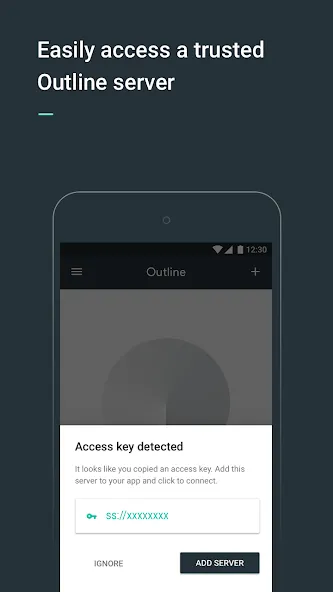
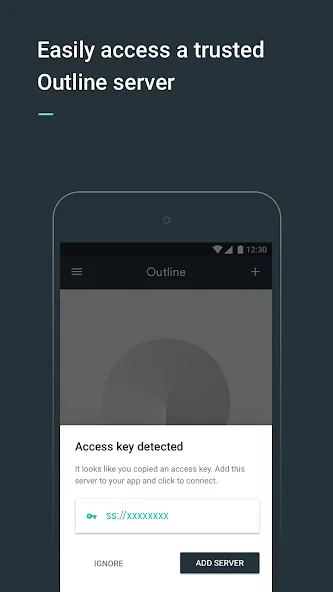
Then, in the Outline VPN Client, click "Add Server" and paste your access key to import the connection details.
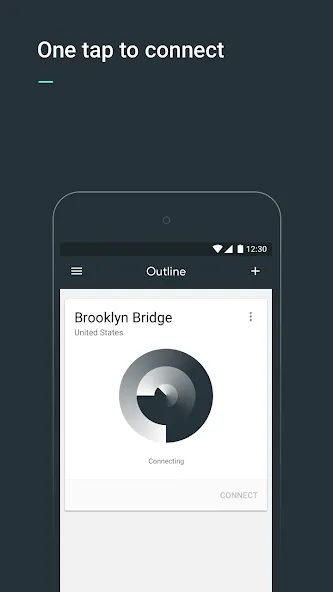
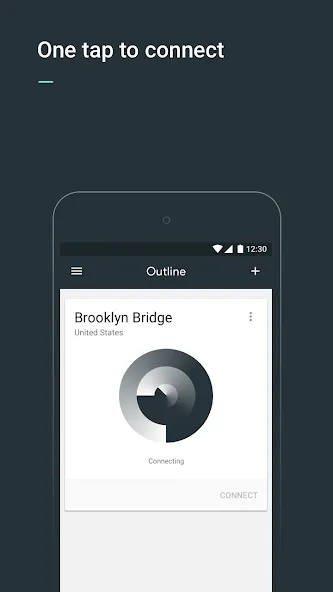
After that, click "Connect" to establish a secure tunnel, and verify that the status indicator shows you are connected.
Finally, you can switch servers by selecting a different key as needed, and remove old keys to keep your list organized.
Pros and Cons
Pros:
Supports third-party security audits
Multi-device integration
Open-source and free
Provides full control over your internet server
Allows users to either set up their own servers or join existing ones
Bypasses internet and government censorship
One-click connection
Enhances privacy and security
Cons:
Steep learning curve
Does not support advanced protocols or custom tunneling configurations
User Reviews
It effectively meets my needs for anonymity—truly excellent. Since my router is already configured to bypass censorship, this SS-based (Shadowsocks) technology is a perfect match for protecting my privacy.
Very good; I set up my own server, and it works across all my devices.
Fast connections, a clean interface, and simple operation! Just purchase a VPS that supports SS (Shadowsocks), and you’re ready to connect.
Conclusion
Outline VPN is well-suited for users who want to access the open internet more securely while keeping their communications private. Instead of relying on commercial service providers, it allows you to run a server under your own control and share access with people you trust.
More Information
- Size:12.40MB
- Version:1.22.5
- Requirements:Android
- Package Name:org.outline.android.client
- Signature:08421813c1fb382f8b3c27b4d610f14f
Related topics
-
With more and more of our lives happening online, smartphones have become an essential component of our daily routines. Whether you’re shopping, banking, or socializing – everything can be tracked online, even on Androids. This information can then be used by third-parties profiting off your data or your ISP to slow down your internet speed. An easy way to increase online privacy and security of your Android smartphone is to start using a VPN. At Cybernews, we have over 5 years of experience testing VPN services, so we know what makes a great VPN app. To make your search for a reliable VPN easier, together with our research team, I tested both free and paid Android VPN apps, and summarized the results of our research below.
-
![Outline VPN]()
Outline VPN
-
![3X VPN]()
3X VPN
-
![PandaVPN Lite]()
PandaVPN Lite
-
![Insta VPN]()
Insta VPN
-
![Tomato VPN | VPN Proxy]()
Tomato VPN | VPN Proxy
-
![VPN Space]()
VPN Space
-
![FireVPN]()
FireVPN
-
![VPN India]()
VPN India
-
-
Enjoy unrestricted internet access anywhere in the world with these top-rated free VPNs for Android. Securely browse in private, bypass geo-blocks, and unlock censored websites in just a few taps. These powerful apps encrypt your connection, mask your IP address, and protect your data-especially on risky public Wi-Fi. Whether you're streaming global content, accessing restricted platforms, or simply safeguarding your privacy, these trusted VPNs deliver fast, reliable performance. Discover the most popular free VPN downloads and experience true online freedom today-no limits, no compromises!
-
![Outline VPN]()
Outline VPN
-
![3X VPN]()
3X VPN
-
![PandaVPN Lite]()
PandaVPN Lite
-
![Insta VPN]()
Insta VPN
-
![Tomato VPN | VPN Proxy]()
Tomato VPN | VPN Proxy
-
![Gaming VPN]()
Gaming VPN
-
![Free VPN by Free VPN .org]()
Free VPN by Free VPN .org
-
-
In 2024, privacy and security on mobile devices are more important than ever, and a reliable VPN can help protect your data while browsing. The best free VPNs for Android offer a solid balance of speed, security, and user-friendly features without costing a dime. These VPNs allow you to browse anonymously, bypass geo-restrictions, and safeguard your personal information on public Wi-Fi networks. While free options may have certain limitations, such as data caps or fewer server locations, they still provide essential privacy protection. With strong encryption, zero-logging policies, and a simple setup, these free VPNs ensure your online activities remain private and secure while using your Android device.
-
![Outline VPN]()
Outline VPN
-
![3X VPN]()
3X VPN
-
![PandaVPN Lite]()
PandaVPN Lite
-
![Insta VPN]()
Insta VPN
-
![Gaming VPN]()
Gaming VPN
-
![Free VPN by Free VPN .org]()
Free VPN by Free VPN .org
-
![VPN Space]()
VPN Space
-






Latest Updated








Popular Apps








Popular News
More+-
![Tomie Wants to Get Married Full Walkthrough, All Choices and Ending Guide]()
Tomie Wants to Get Married Full Walkthrough, All Choices and Ending Guide
2026-05-22
-
![Karryn’s Prison Gameplay Walkthrough & Strategy Guide]()
Karryn’s Prison Gameplay Walkthrough & Strategy Guide
2025-10-28
-
![Life in Santa County Game Guide & Complete Walkthrough]()
Life in Santa County Game Guide & Complete Walkthrough
2025-10-28
-
![Dreams of Desire Complete Walkthrough and Game Guide]()
Dreams of Desire Complete Walkthrough and Game Guide
2025-10-28
-
![Era Hunter Gameplay Guide & Full Walkthrough]()
Era Hunter Gameplay Guide & Full Walkthrough
2025-10-28




