

Blink Home Monitor
Download for Android This app is available for Android only.- Category:Tools
- Rating:
- Language:English
- Updated:2026-11-12
Screenshots
Introduction
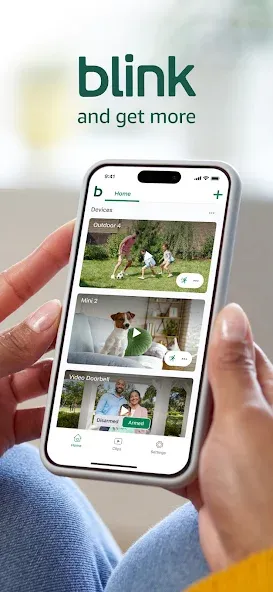
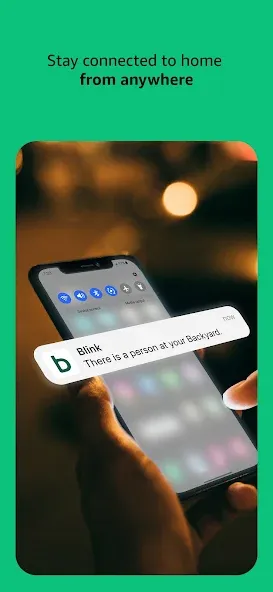
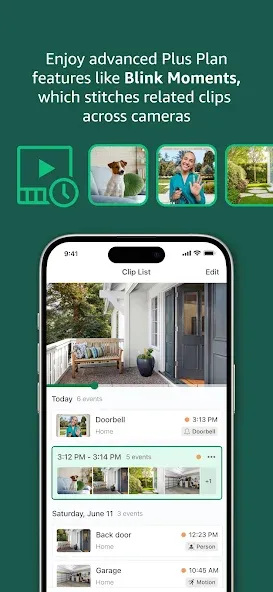
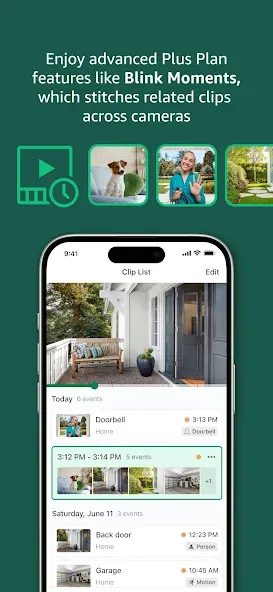
Blink Home Monitor is a smart security application designed for the home. By integrating with various Blink devices, it allows users to communicate remotely with family members at home, as well as control cameras, lights, and other connected equipment—giving users peace of mind while they are away. The app enables users to rotate cameras 360 degrees and provides security alerts if an unfamiliar person is detected, helping to keep the home safe. Footage captured by these devices is stored in the cloud, allowing users to view recordings at any time and share them with family members.
Features of Blink Home Monitor:
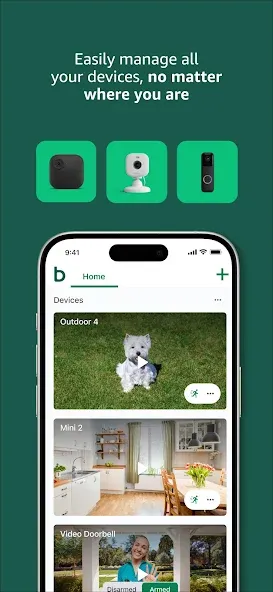
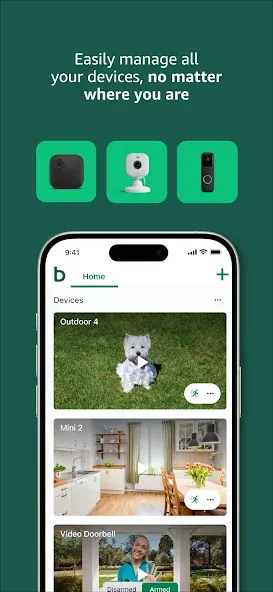
Multi-Camera Support: Manage and view multiple Blink Home Monitor cameras within one app, making home surveillance easier.
Real-Time Alerts: Receive instant notifications about any activity your cameras detect, ensuring you're always informed.
Easy Setup: Quickly set up your cameras and start monitoring without complicated procedures.
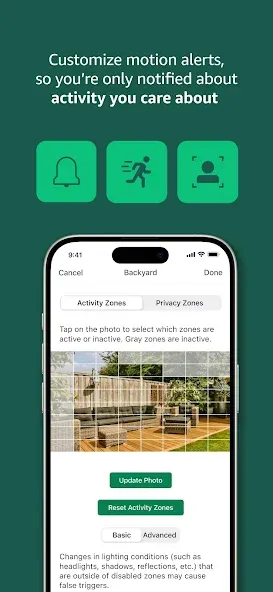
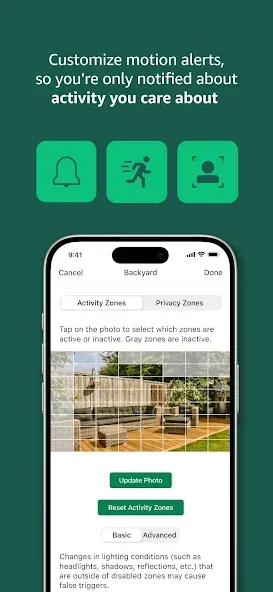
Motion Detection: Get alerts when motion is detected, helping you keep track of any unusual activities.
Night Vision: Monitor your property at night with night vision capabilities, ensuring 24/7 surveillance.
Cloud Storage: You can store your video clips in the cloud, allowing you to access and review footage whenever needed.
Highlights of Blink Home Monitor:
Live streaming HD video: View live, high-definition footage of your home from anywhere with the Blink app.
Motion detection and alerts: Receive instant notifications when motion is detected in any part of your home.
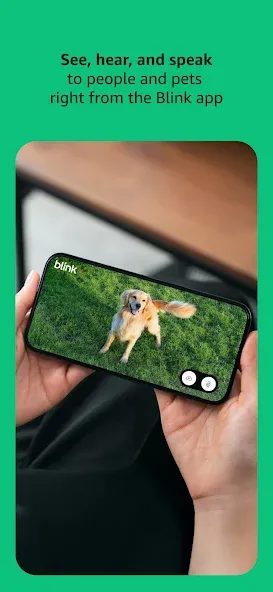
Two-way audio communication: Speak directly to anyone who’s at or near your property using two-way audio via the mobile device’s microphone and speakers.
Night vision monitoring capabilities: Keep an eye on what matters most even during low light conditions thanks to infrared night vision sensors built into each camera unit for 24/7 surveillance coverage.
Easy setup & installation process: Get up and running quickly with a simple plug & play design that requires no complicated wiring or professional help – just connect it all together wirelessly!
User Reviews of Blink Home Monitor:
great so far update 8/2026 theses cameras are basically low end and catch more bugs and animals than humans on them but I guess you get what you pay for in the end... they still are working batteries don't lasts as long as they say either. can't afford anything else.
I love the easibility of the blink system, the only thing it's missing is 24/7 continuous viewing. Great in all other aspects. if you're wanting continuous footage you'll have to look elsewhere, but as far as immediately notifying you of and detected camera info, it's the best.
I've been happy with photo quality. Always work when I need it. Battery life is very good. For example, I have one camera in front of my house. It records 1 photo every hour. Detects motion and records. I also take thumbnails several times during the day. I used the batteries that were packed with the camera when I received it. I got 2 years 8 months of operation before I had to change the batteries. Use the batteries listed with these cameras, and you will be happy with the service you get.
As of May 2026 things have greatly improved. No issues at the moment. April 2024 the app didn't delete all clips. Have reported it three times now. Downloading it afresh only cured it for a couple of days. This is not affecting the ios version or the android version on a Samsung tablet. May be linked to Xiaomi phone. Update- now back to normal.
FAQs of Blink Home Monitor:
Can I try a Blink Home Monitor plan before I purchase it?
Yes, a 30-day no-cost trial begins when you set up a new eligible Blink camera. Customers in the United States, Canada, and the United Kingdom receive a plus ai trial2. All other regions receive a plus trial.
Is a Blink Home Monitor plan required to use my Blink Home Monitor devices?
No, all Blink Home Monitor devices are automatically equipped with essential features such as live view, motion alerts, and two-way audio.
When will I be billed for my Blink Home Monitor plan?
If you purchased a plan during the 30-day no-cost trial, you will be billed when the trial ends.
How do I manage my Blink Home Monitor plan?
You can manage your Blink Home Monitor plan from Blink.com or Amazon, depending on where you purchased it. There, you can view a list of your active, canceled, and expired plans, along with details like renewal date and billing information.
How do I arm my Mini 2 to record motion?
Once your Mini 2 is set up, you can Arm and Disarm it from the Blink app Home screen. Mini 2 camera settings allow you to control if clips are saved, when you are notified, and what kinds of events create a notification. For more information, read the articles below.
Does Mini 2 have IR night vision?
Yes. Mini 2 produces details with an infrared (IR) LED light and a wider field of view. It also includes a spotlight for night view in color.
Conclusion:
With the Blink Home Monitor, users can engage with their home's security in full HD video, providing clarity and detail in surveillance activities. Whether securing a primary residence, secondary home, or business location, its versatility makes it an excellent choice for multi-system support and enhanced security monitoring.
More Information
- Size:186.88MB
- Version:62.0
- Requirements:Android
- Package Name:com.immediasemi.android.blink
- Signature:34592f85820dd76f2639871cd2a0e520
Related Versions
-
 Download
Version:0.55Size:500MB
Related topics
-
Utility apps are indispensable in our lives, making our daily routines more convenient. To help you find these apps more easily, this site has created a collection. This collection brings together a series of practical tools covering various aspects of life, work, and education, meeting all your needs. What are you waiting for? Try these apps now and make your life easier!
-
![Ubisoft Connect]()
Ubisoft Connect
-
![iFunny]()
iFunny
-
![ToonHQ for Toontown Rewritten]()
ToonHQ for Toontown Rewritten
-
![App Hider]()
App Hider
-
![GBA Emulator]()
GBA Emulator
-
![My Verizon]()
My Verizon
-
![Galaxy Wearable]()
Galaxy Wearable
-
![Prank Meme Sounds Soundboard]()
Prank Meme Sounds Soundboard
-
-
With the development of mobile hardware and software, many practical tool software have emerged, covering a wide range of aspects and becoming a good helper for everyone in work and life. Today, the editor provides you with a list of useful tool software downloads. These tools are not particularly complex types, and after reading them, everyone can quickly learn how to use them. Proper use can bring great convenience to life and work.
-
![Ubisoft Connect]()
Ubisoft Connect
-
![iFunny]()
iFunny
-
![App Hider]()
App Hider
-
![32bit or 64bit]()
32bit or 64bit
-
![Galaxy Wearable]()
Galaxy Wearable
-
![AirDroid Cast]()
AirDroid Cast
-
![Blink Home Monitor]()
Blink Home Monitor
-
![FreePrints]()
FreePrints
-








Latest Updated

Popular Apps







Popular News
More+-
![Tomie Wants to Get Married Full Walkthrough, All Choices and Ending Guide]()
Tomie Wants to Get Married Full Walkthrough, All Choices and Ending Guide
2026-05-22
-
![Karryn’s Prison Gameplay Walkthrough & Strategy Guide]()
Karryn’s Prison Gameplay Walkthrough & Strategy Guide
2025-10-28
-
![Life in Santa County Game Guide & Complete Walkthrough]()
Life in Santa County Game Guide & Complete Walkthrough
2025-10-28
-
![Dreams of Desire Complete Walkthrough and Game Guide]()
Dreams of Desire Complete Walkthrough and Game Guide
2025-10-28
-
![Era Hunter Gameplay Guide & Full Walkthrough]()
Era Hunter Gameplay Guide & Full Walkthrough
2025-10-28




