

Phone Doctor Plus
Download for Android This app is available for Android only.- Category:Tools
- Rating:
- Language:English
- Updated:2026-11-19
Screenshots
Introduction
Phone Doctor Plus is a device diagnostic tool for the Android operating system. It offers a wide range of diagnostic functions, allowing users to perform comprehensive checks on components such as the screen, sensors, and cameras. Its advanced, direct-inspection technology is highly effective at uncovering hidden issues, enabling users to take appropriate action based on the test results. The app also includes a dedicated battery health feature that monitors usage patterns and aging, helping users determine whether a battery replacement is necessary. Furthermore, it can assess the status of the CPU and storage, identify apps with high resource consumption, and track mobile data usage—providing a clear overview of your phone’s condition in daily use.
Features
Phone Doctor Plus offers over 40 device diagnostic functions.
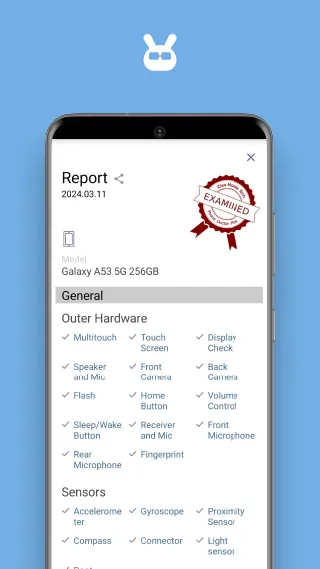
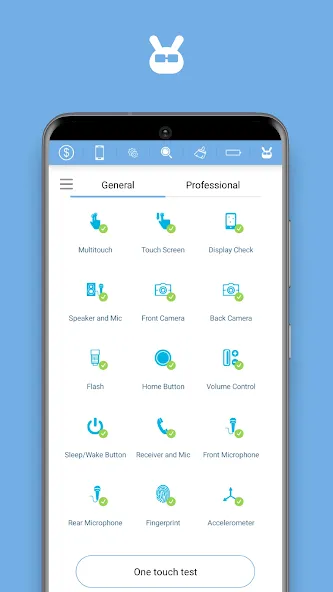
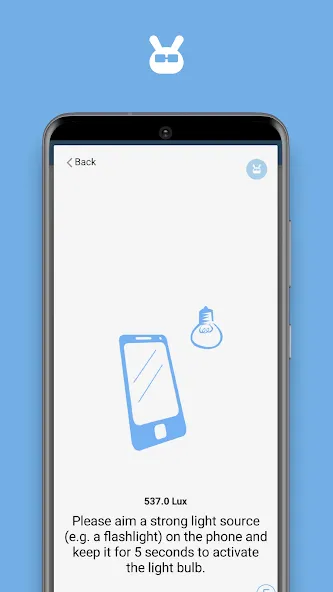
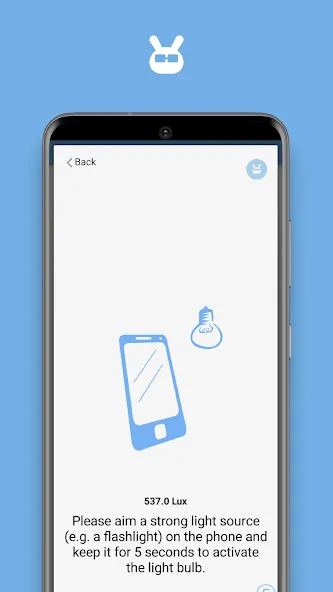
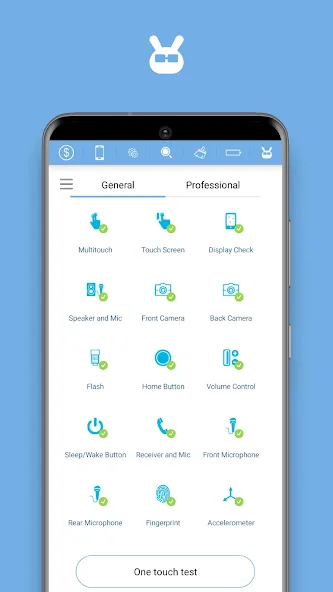
Perform checks on your screen, sensors, physical buttons, audio, cameras, and connectivity to gain a complete picture of your phone’s current state. These tests utilize patented technology capable of detecting issues that are easily overlooked during everyday use. Results are displayed quickly, helping you decide on the best next steps.
Includes both a guided one-tap scan and an individual component-testing mode.
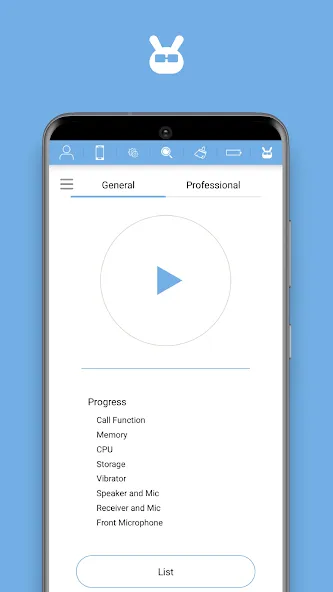
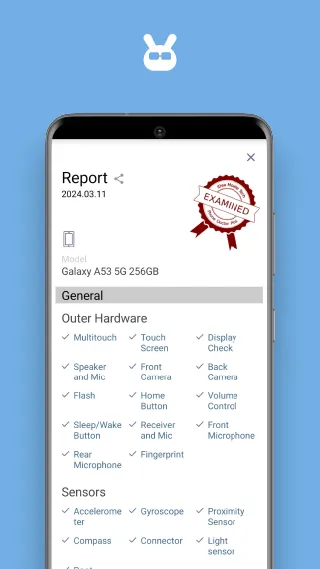
The "One-Tap Scan" mode offers a simple workflow, allowing you to complete a comprehensive scan of your phone in approximately 3 minutes. The "Touch Test" mode focuses specifically on the touchscreen, while the "Single-Item Diagnostic" mode lets you scan individual components as needed. Once the scan is complete, you will receive a clear diagnostic report that summarizes the results in an easy-to-share format.
Battery Health Tracking
A dedicated battery test feature displays capacity trends and charge cycles, making it easy to monitor battery aging. Daily logs help you determine when it might be time for a battery replacement. If you notice a decline in battery capacity, you can adjust your usage and charging habits to minimize further wear.
System and Network Monitoring
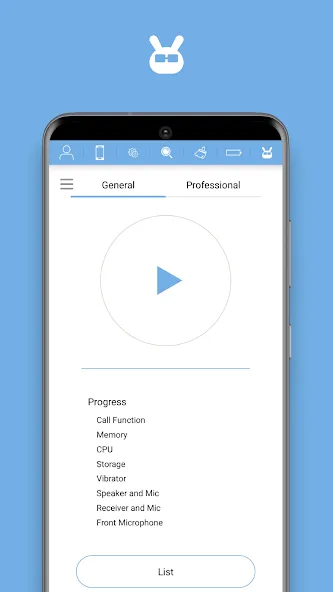
Monitor the status of your hardware, CPU, memory, and storage in real time to identify performance degradation or excessive storage pressure. You can also track mobile data and network usage to avoid exceeding your monthly data limits. This information helps inform your daily decisions—such as freeing up storage space or restricting background data usage.
Instant Valuation Feature in Phone Doctor Plus
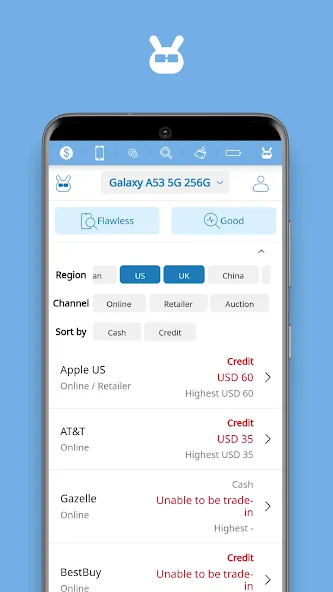
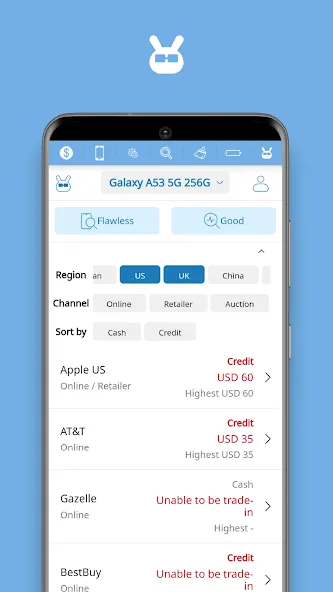
Get a market-based valuation for your device in about one minute, calculated based on diagnostic results and physical condition. A certified report helps minimize misunderstandings between parties by providing a detailed record of the device's condition. This process facilitates smoother negotiations for second-hand sales and helps users prepare before visiting a physical store or meeting with a potential buyer.
Usage
Open Phone Doctor Plus and grant the requested permissions so that the app can access your hardware, sensors, and storage.
If you plan to sync logs or request a valuation, ensure you are connected to a stable network, then place your phone on a flat surface to begin.
Tap "One-Tap Test" to start a full scan and follow the on-screen prompts. Keep the device stationary during sensor checks, and respond to button or voice prompts as requested.
Once the report appears, review the summary, then examine any items that require attention. Use "Touch Test" or "Single-Item Diagnostic" to re-test or verify specific components.
Next, open the battery test to view your battery capacity and cycle count, then check the system monitoring section to see... ...CPU, memory, and storage usage. If you are planning to sell your device, you can run a trade-in assessment and save the resulting report.
Pros and Cons
Pros:
Comprehensive diagnostics for hardware and system issues
Battery health tracking
Convenient trade-in valuation options
Monitoring of daily battery capacity and charge cycles
Cons:
Requires a stable internet connection
Occasional performance issues within the app
FAQs
Is this app free to use?
The app offers a free version, with additional features available for purchase.
Can I use this app to test my device's sensors?
Yes, the app includes sensor diagnostics, which can be used to test and evaluate your device's sensors.
Does the app provide information on battery health?
Yes, it provides detailed battery health information, including charge levels, operational status, and capacity.
Conclusion
Phone Doctor Plus is an essential tool for efficiently diagnosing and resolving smartphone issues. It not only helps extend the lifespan of your device but also ensures it continues to perform at its best. Whether you are troubleshooting problems or preparing for a trade-in, this app provides a seamless and informative experience.
More Information
- Size:14.93MB
- Version:2.0.219
- Requirements:Android
- Package Name:com.idea.PhoneDoctorPlus2
- Signature:90b1d834fb1636fdbd8e163ff6eb2c13
Related topics
-
Utility apps are indispensable in our lives, making our daily routines more convenient. To help you find these apps more easily, this site has created a collection. This collection brings together a series of practical tools covering various aspects of life, work, and education, meeting all your needs. What are you waiting for? Try these apps now and make your life easier!
-
![Trace Sketch & Draw On Paper]()
Trace Sketch & Draw On Paper
-
![EX File Manager]()
EX File Manager
-
![Apreço]()
Apreço
-
![Phone Doctor Plus]()
Phone Doctor Plus
-
![IMEI Changer Pro]()
IMEI Changer Pro
-
![CP PLUS gCMOB]()
CP PLUS gCMOB
-
![Yt5s All Media Video]()
Yt5s All Media Video
-
![Skin Editor 3D for Minecraft]()
Skin Editor 3D for Minecraft
-
-
Transform your mobile device into a powerhouse of efficiency with these handpicked essential tools. Whether you need professional-grade photo editing, seamless file organization, smart task management, or real-time weather updates, our curated selection of premium apps delivers unbeatable performance. Streamline your daily routine, automate repetitive tasks, and boost your productivity with intuitive interfaces and powerful features. Designed for both professionals and casual users, these editor-approved applications will revolutionize how you work and play. Don't settle for an ordinary phone - upgrade your digital experience today and unlock your device's full potential!
-
![Trace Sketch & Draw On Paper]()
Trace Sketch & Draw On Paper
-
![Apreço]()
Apreço
-
![Phone Doctor Plus]()
Phone Doctor Plus
-
![Seal Downloader]()
Seal Downloader
-
![IMEI Changer Pro]()
IMEI Changer Pro
-
![CP PLUS gCMOB]()
CP PLUS gCMOB
-
![Skin Editor 3D for Minecraft]()
Skin Editor 3D for Minecraft
-
![Dual Space Lite]()
Dual Space Lite
-
-
With the development of mobile hardware and software, many practical tool software have emerged, covering a wide range of aspects and becoming a good helper for everyone in work and life. Today, the editor provides you with a list of useful tool software downloads. These tools are not particularly complex types, and after reading them, everyone can quickly learn how to use them. Proper use can bring great convenience to life and work.
-
![EX File Manager]()
EX File Manager
-
![Phone Doctor Plus]()
Phone Doctor Plus
-
![Seal Downloader]()
Seal Downloader
-
![IMEI Changer Pro]()
IMEI Changer Pro
-
![CP PLUS gCMOB]()
CP PLUS gCMOB
-
![Yt5s All Media Video]()
Yt5s All Media Video
-
![Dual Space Lite]()
Dual Space Lite
-
![Bardi Smart Home]()
Bardi Smart Home
-







Latest Updated


Popular Apps








Popular News
More+-
![Tomie Wants to Get Married Full Walkthrough, All Choices and Ending Guide]()
Tomie Wants to Get Married Full Walkthrough, All Choices and Ending Guide
2026-05-22
-
![Karryn’s Prison Gameplay Walkthrough & Strategy Guide]()
Karryn’s Prison Gameplay Walkthrough & Strategy Guide
2025-10-28
-
![Life in Santa County Game Guide & Complete Walkthrough]()
Life in Santa County Game Guide & Complete Walkthrough
2025-10-28
-
![Dreams of Desire Complete Walkthrough and Game Guide]()
Dreams of Desire Complete Walkthrough and Game Guide
2025-10-28
-
![Era Hunter Gameplay Guide & Full Walkthrough]()
Era Hunter Gameplay Guide & Full Walkthrough
2025-10-28




