
Trace Sketch & Draw On Paper
Download for Android This app is available for Android only.- Category:Tools
- Rating:
- Language:English
- Updated:2026-11-19
Screenshots
Introduction
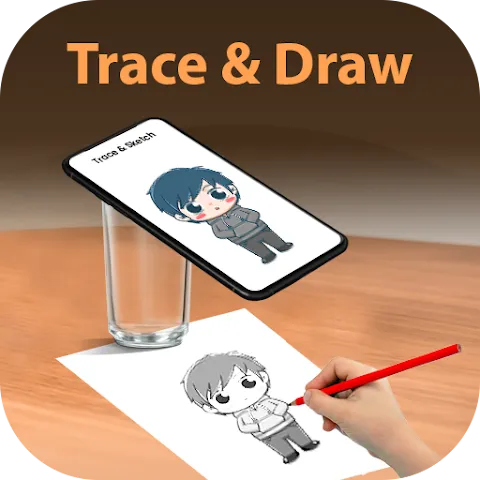
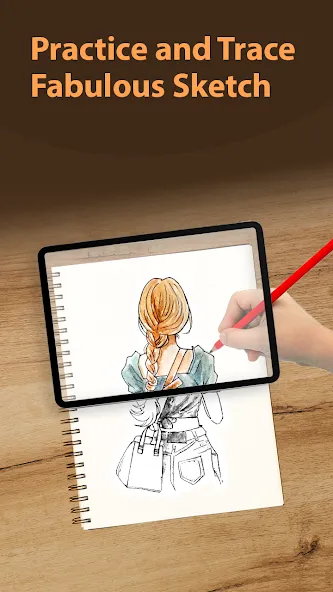
Trace Sketch & Draw On Paper not only offers an enjoyable way to pass the time, but also helps you improve your drawing skills. The app features a wide variety of attractive images to choose from, covering themes such as animals, landscapes, and festive celebrations. These images do not appear directly on the canvas; instead, you must trace the lines step-by-step. Once your drawing is complete, you can save it to your device or share it directly with friends. The app also provides various customization options—such as adjusting the canvas size, as well as the transparency and thickness of the tracing lines—offering users a range of engaging challenges.
Features of Trace Sketch & Draw On Paper:
Pick Images from Camera or Gallery: Snap a quick photo or pick anything from your gallery—maybe a cute pet, a favorite celeb, or your own selfie. It’s all fair game for tracing.
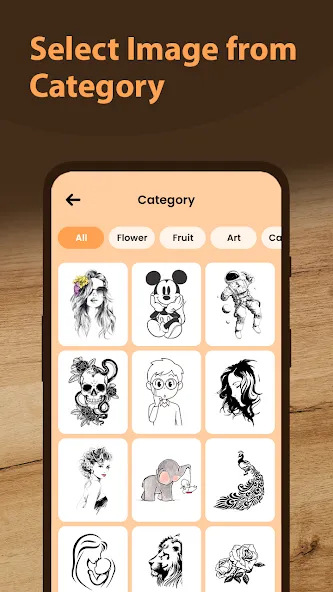
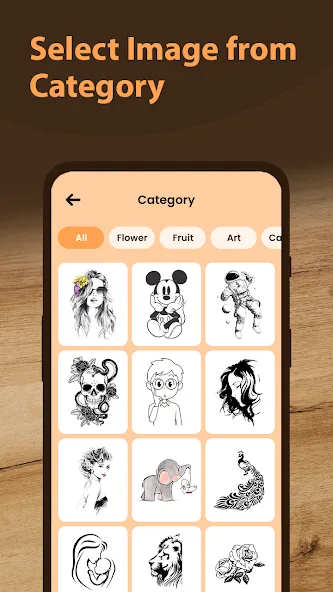
Lots of Image Categories: Stuck for ideas? Check out built-in image packs like Festivals, Sports, Mehndi, or Rangoli. You won’t run out of stuff to draw.
Custom Transparency & Easy Line Art: Adjust how see-through your image is, or switch it to a line drawing for an even easier time tracing fine details.
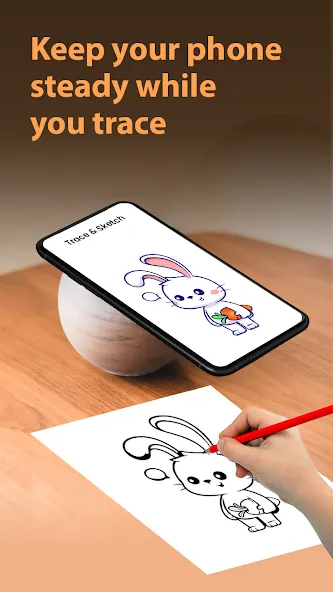
Handy Lock & Guide Tools: Once you line up your paper and phone, you can lock your chosen image to keep it steady. The app’s interface is clean and simple, offering just enough help without getting in your way.
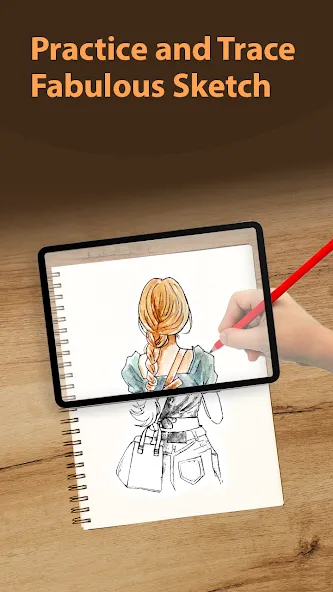
Trace Directly from Your Phone: Place your phone on a stand or table and set tracing paper over your sketchpad. The app displays your chosen image faded out, so your pencil follows every line as you see it on your screen.
How to Use Trace Sketch & Draw On Paper:
Launch the app and position your mobile device on a glass or similar surface as demonstrated in the accompanying image.
Select an image from the provided list to begin drawing.
Lock the chosen photo on the tracer screen for easy tracing.
Adjust the image transparency or convert it into a line drawing if desired.
Commence drawing by placing your pencil along the borders of the image.
The mobile screen will guide you through the drawing process, making it user-friendly and intuitive.
Player Comments of Trace Sketch & Draw On Paper:
Thank you so much for making this app . Because I like to colouring but I don't know how to draw ? So I saw ads and then i downloaded this app in my tablet and this very useful for couluring lovers. Tank you so much.
Thank u a lot whoever made this app first it given lots of opportunities to learn drawing and to do hard drawing it become easy because you have to just trace so thanks a lot.
It was quite good but one thing I like is that we can lock the screen so that it won't move. It was totally blur so this app is okay.
This game is really nice. It helps children's with creative skills. You can draw anything using using this app. It makes you a artist and also an offline with no ads. I draw many thing using this app. It look easy to draw really that's why I rate 5stars. It also help me draw my school projects. This app also help me like I was the beginner and this app help me make me Pro not ultra level pro. This app also help me improve my drawing skill. I am impressed with this app.
Conclusion:
For those looking to practice and perfect their drawing abilities, Trace Sketch & Draw On Paper is a valuable tool. With its easy-to-navigate interface and versatile functionality, the software ensures a seamless transition from digital guides to physical art creation, making drawing practice accessible anytime, anywhere.
More Information
- Size:45.22MB
- Version:1.11.0
- Requirements:Android
- Package Name:com.appmania.tracephoto.drawonpaper
- Signature:d408f6b46c8e463fb8426315eff407eb
Related topics
-
Utility apps are indispensable in our lives, making our daily routines more convenient. To help you find these apps more easily, this site has created a collection. This collection brings together a series of practical tools covering various aspects of life, work, and education, meeting all your needs. What are you waiting for? Try these apps now and make your life easier!
-
![Trace Sketch & Draw On Paper]()
Trace Sketch & Draw On Paper
-
![Yt5s All Media Video]()
Yt5s All Media Video
-
![Skin Editor 3D for Minecraft]()
Skin Editor 3D for Minecraft
-
![Dual Space Lite]()
Dual Space Lite
-
![Lovense Connect]()
Lovense Connect
-
![Firedown]()
Firedown
-
![MagTapp]()
MagTapp
-
![MixerBox Chat AI Browser]()
MixerBox Chat AI Browser
-
-
Transform your mobile device into a powerhouse of efficiency with these handpicked essential tools. Whether you need professional-grade photo editing, seamless file organization, smart task management, or real-time weather updates, our curated selection of premium apps delivers unbeatable performance. Streamline your daily routine, automate repetitive tasks, and boost your productivity with intuitive interfaces and powerful features. Designed for both professionals and casual users, these editor-approved applications will revolutionize how you work and play. Don't settle for an ordinary phone - upgrade your digital experience today and unlock your device's full potential!
-
![Trace Sketch & Draw On Paper]()
Trace Sketch & Draw On Paper
-
![Seal Downloader]()
Seal Downloader
-
![Skin Editor 3D for Minecraft]()
Skin Editor 3D for Minecraft
-
![Dual Space Lite]()
Dual Space Lite
-
![Wyze Camera App]()
Wyze Camera App
-
![Starlink]()
Starlink
-
![Lovense Connect]()
Lovense Connect
-
![G-Form Tools]()
G-Form Tools
-











Latest Updated



Popular Apps








Popular News
More+-
![Tomie Wants to Get Married Full Walkthrough, All Choices and Ending Guide]()
Tomie Wants to Get Married Full Walkthrough, All Choices and Ending Guide
2026-05-22
-
![Karryn’s Prison Gameplay Walkthrough & Strategy Guide]()
Karryn’s Prison Gameplay Walkthrough & Strategy Guide
2025-10-28
-
![Life in Santa County Game Guide & Complete Walkthrough]()
Life in Santa County Game Guide & Complete Walkthrough
2025-10-28
-
![Dreams of Desire Complete Walkthrough and Game Guide]()
Dreams of Desire Complete Walkthrough and Game Guide
2025-10-28
-
![Era Hunter Gameplay Guide & Full Walkthrough]()
Era Hunter Gameplay Guide & Full Walkthrough
2025-10-28




