

Nebo
Download for Android This app is available for Android only.- Category:Productivity
- Rating:
- Language:English
- Updated:2026-11-23
Screenshots
Introduction
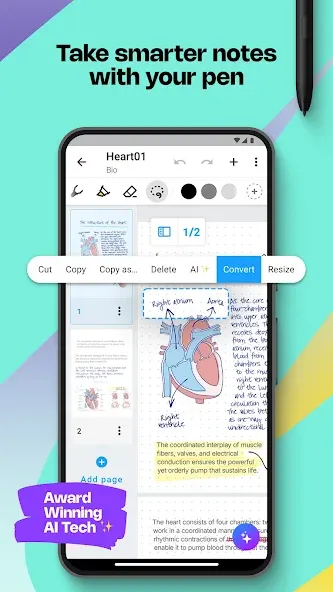
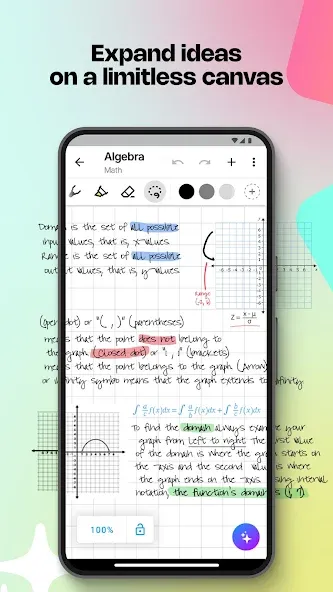
Nebo is the ultimate note-taking app. It offers a comprehensive suite of tools designed to meet your needs anytime, anywhere—allowing you to leave behind bulky notebooks and stacks of paper in favor of a modern, digital note-taking experience. With Nebo, there’s no longer any need to carry around physical notebooks or heavy books; it’s perfectly suited for both your professional and daily life. Furthermore, the app is powered by advanced AI technology that recognizes every word you handwrite, ensuring your note-taking is both accurate and highly efficient.
Highlights:
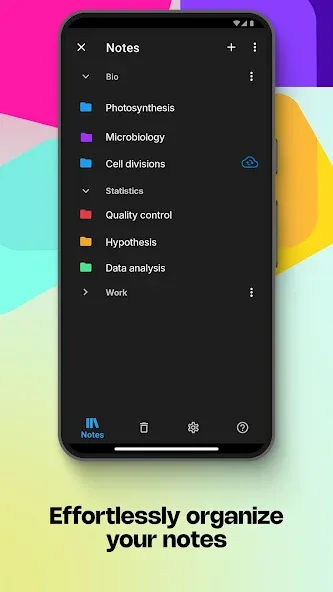
Create unlimited notebooks and fixed-size pages for your daily notes.
Take freeform notes on boards — the world's most advanced endless canvas.
Handwrite responsive documents, adding math calculations and diagrams.
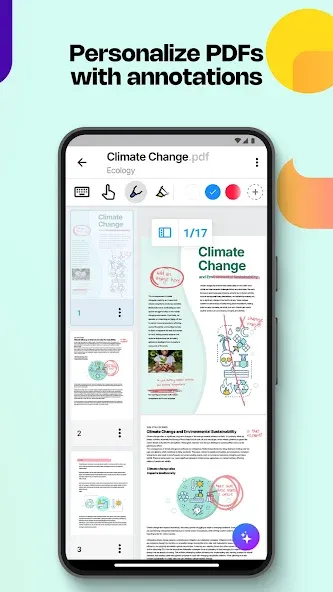
Import existing files as PDFs, ready to annotate.
Features:
Reflow Notes: Specially structured notes reflow when you make edits in this application.
Maintain Readability: Tools such as crop, rotate, adjust the original layout, or split the screen to facilitate the note-taking process without disrupting the readability of this application.
Seamless Edits: The app has a unique editing feature and customizes notes the way you want, seamlessly compared to the original notes.
Personalize Content: The application also allows you to change the background image of each page, add new photos, or personalize with the provided pens.
Write Math Equations: You can write mathematical equations by hand in LaTeX format, and then the application supports converting them into text or text equations.
Add Smart Objects: You are allowed to sketch new drawings, draw diagrams and other objects in the smartest way.
Tips and Tricks:
Experiment with Pen Styles and Layouts: It offers a variety of pen styles and layouts. Don't be afraid to experiment and find the ones that suit your writing style and preferences. This will make your notes more aesthetically pleasing and customized.
Explore Different Note Styles: Take advantage of it's wide selection of paper styles to create different note styles for different tasks. From mind maps to statistical charts, you can add various elements to make your main content stand out and clear.
Utilize PDF Annotation: It allows you to upload PDF files and take notes directly on them. This feature is particularly useful for students, as it reduces the need to carry multiple books and documents. Make the most of this tool to support your learning and stay organized.
Benefits:
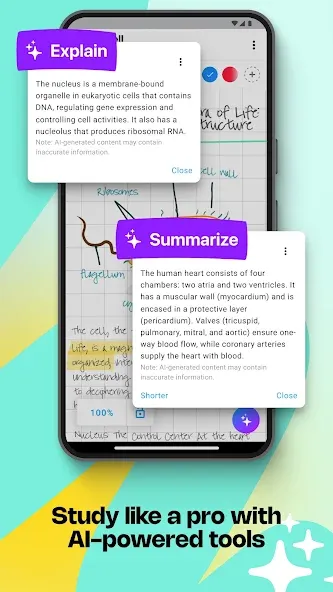
The app focuses on natural writing, quick conversion, and practical study tools.
Nobe offers a set of utilities that make classroom and remote learning more productive: clean ink rendering, multi-page documents, and straightforward sharing.
It supports pressure-sensitive pens, eraser gestures, and page management designed for long study sessions.
One of the defining strengths is the handwriting-to-text engine.
When you write notes, the system recognizes letters, symbols, and numbers with impressive accuracy, turning messy handwriting into typed text when needed.
Mathematical expressions are detected and can be reformatted or calculated, which is particularly helpful for STEM students who need to capture formulas and step-by-step solutions.
Final Words:
Students appreciate the balance between natural handwriting and digital convenience. Nebo preserves the feel of pen-and-paper notes while enabling organization, editing, and sharing that fit into modern study workflows. With accurate recognition, math support, and compact export options, it serves as a practical digital notebook for classroom and remote study alike.
More Information
- Size:759.71MB
- Version:7.3.10
- Requirements:Android 7.0+
- Package Name:com.myscript.nebo
- Signature:be47e369e5a0934dacd6ea6cf7ed0792
Related topics
-
Office Apps is a comprehensive and user - friendly platform that aggregates a wide array of office - related applications, catering to the diverse needs of modern professionals, students, and anyone who engages in office - based tasks. Whether you're working on a crucial business project, preparing academic papers, or handling daily administrative work, this aggregation page serves as your one - stop - shop.
-
![mParivahan]()
mParivahan
-
![Plantix]()
Plantix
-
![magicplan]()
magicplan
-
![Google Assistant]()
Google Assistant
-
![Nebo]()
Nebo
-
![CamScanner]()
CamScanner
-
![Intel® Unison™]()
Intel® Unison™
-
![Flipd]()
Flipd
-







Latest Updated

Popular Apps








Popular News
More+-
![Tomie Wants to Get Married Full Walkthrough, All Choices and Ending Guide]()
Tomie Wants to Get Married Full Walkthrough, All Choices and Ending Guide
2026-05-22
-
![Karryn’s Prison Gameplay Walkthrough & Strategy Guide]()
Karryn’s Prison Gameplay Walkthrough & Strategy Guide
2025-10-28
-
![Life in Santa County Game Guide & Complete Walkthrough]()
Life in Santa County Game Guide & Complete Walkthrough
2025-10-28
-
![Dreams of Desire Complete Walkthrough and Game Guide]()
Dreams of Desire Complete Walkthrough and Game Guide
2025-10-28
-
![Era Hunter Gameplay Guide & Full Walkthrough]()
Era Hunter Gameplay Guide & Full Walkthrough
2025-10-28




