

Samsung Game Launcher
Download for Android This app is available for Android only.- Category:Tools
- Rating:
- Language:English
- Updated:2026-11-27
Screenshots
Introduction
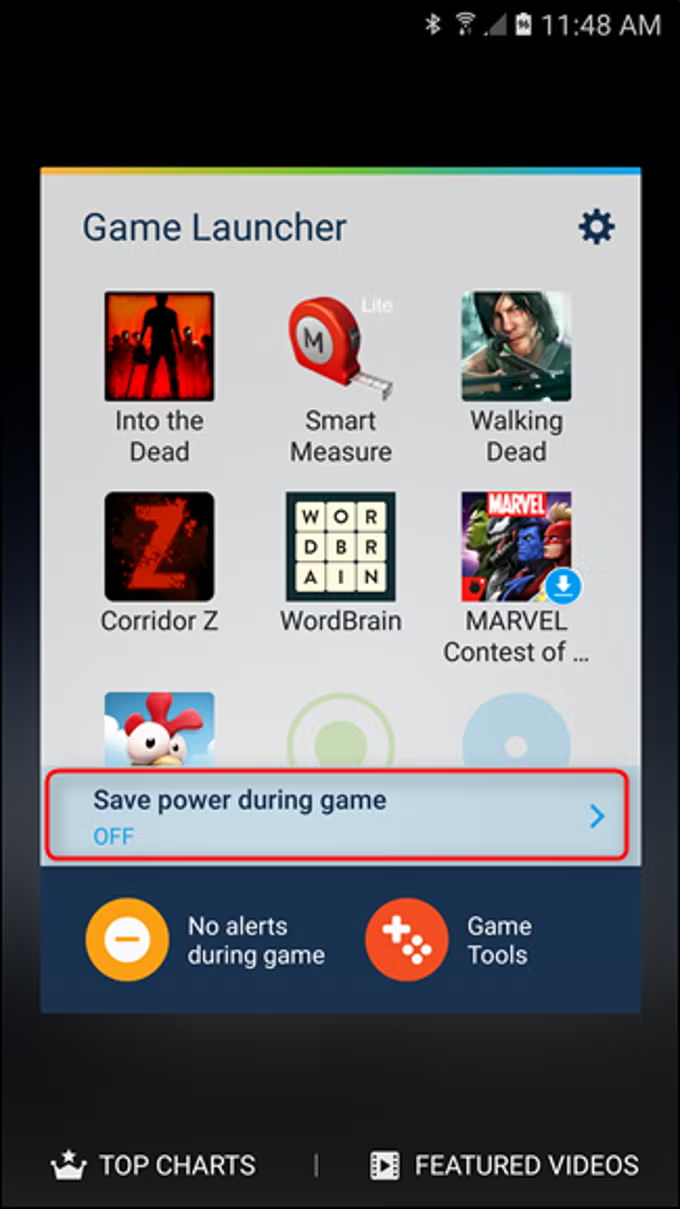
Samsung Game Launcher is a launcher tool designed specifically for gamers. Featuring a clean and intuitive user interface, the app includes an automatic update function, ensuring that users always have access to the latest versions. Samsung Game Launcher allows users to manage all their installed games in one place, making it easy and convenient to find and organize them. With just a single tap, users can enjoy new features and receive bug fixes, all while keeping their game progress and personal information secure.
Highlights:
Organize the game catalog.
Launch games from the application.
Data page with your own stats, global stats, screenshots and videos.
Make adjustments to device functioning to adapt it to each game.
Suggestions for trending and similar games.
Features:
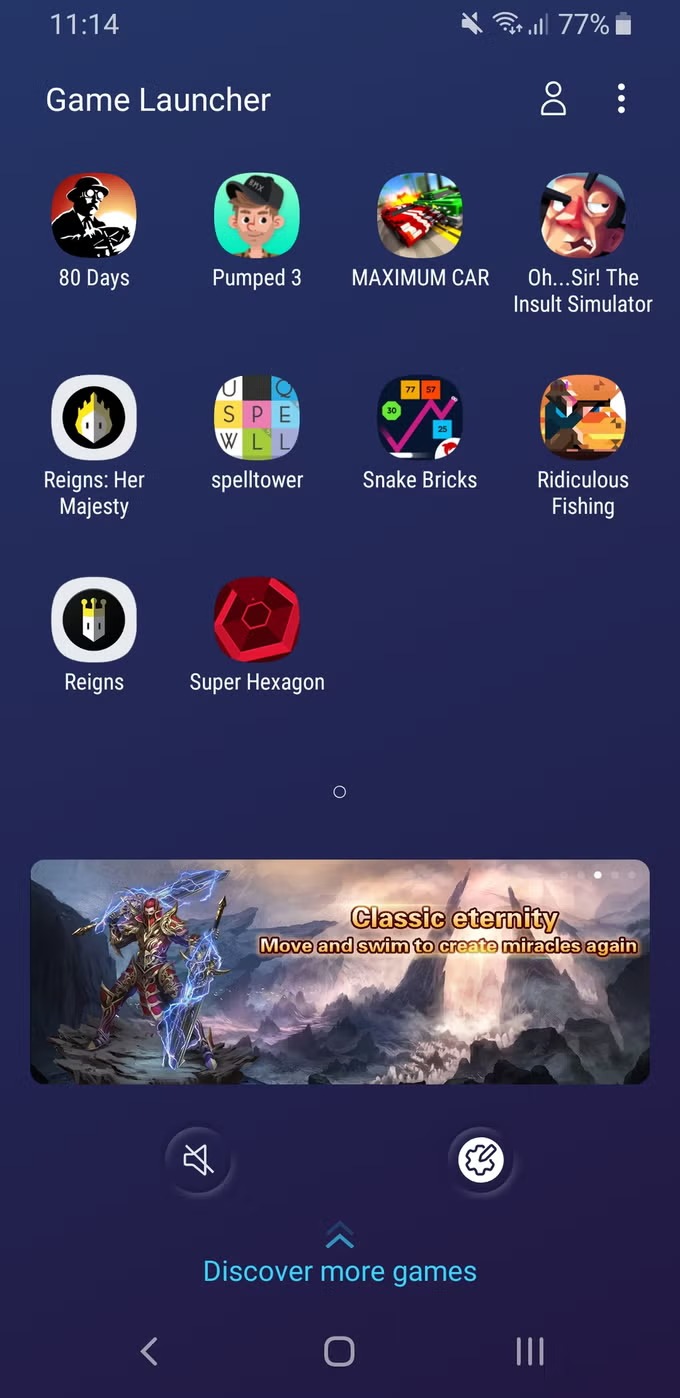
Auto game collect: Every game you play is automatically collected and organized in one folder.
One-stop game management: Run and manage everything you need for your games easily from Gaming Hub.
Rich and diverse game content: Discover a wide range of fresh content, from the latest news to awesome gameplay videos for your favorite games.
Instant Plays: Enjoy special games with a single click, no installation required.
Play History: You can view all your game records in one convenient place. Check your game history, including your daily, weekly, and monthly play time.
Pros & Cons:
Pros
Built-in screen recorder
Designed for an optimized gaming experience
Game resolution adjustment helps balance visuals and battery life
Cons
Slight learning curve
FAQs:
How do I add my installed games and apps to the Samsung Game Launcher?
To add your installed games and apps to the Samsung Game Launcher, simply navigate to the settings menu and select the option to add games. The Samsung Game Launcher will then scan your device for installed games and apps, and automatically add them to its library.
Can I customize the appearance and layout of the Samsung Game Launcher?
Yes, the Samsung Game Launcher offers customization options for its appearance and layout. You can change the theme, background, and icon styles to personalize your gaming experience.
Can I backup my game progress with the Samsung Game Launcher?
Yes, the Samsung Game Launcher provides cloud backup integration, allowing you to backup and restore your game progress. This ensures that even if you switch devices or uninstall and reinstall a game, you will not lose your progress.
Is the Samsung Game Launcher available in multiple languages?
Yes, the Samsung Game Launcher supports multiple languages. This ensures accessibility for users worldwide, allowing them to navigate and use the app in their preferred language.
Final Words:
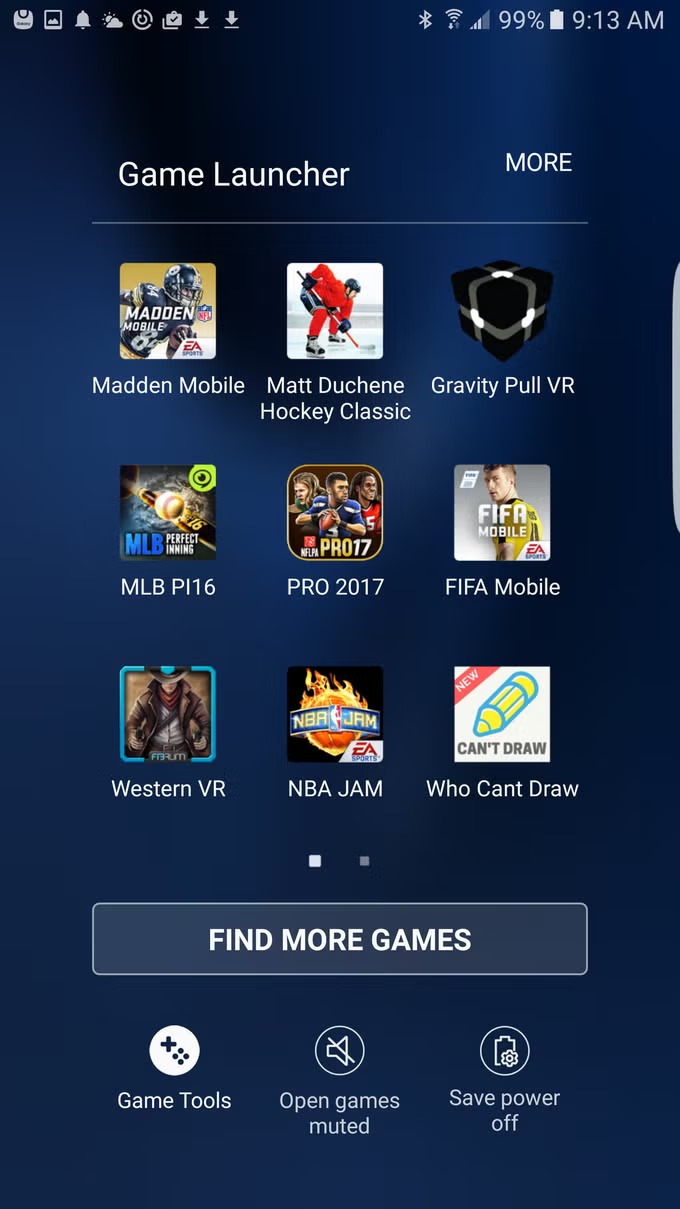
Each game has it's own page with information, statistics, screenshots and videos. Samsung Game Launcher is a great app for Samsung users, as it can significantly improve your gaming experience, and better yet, help you find new games.
More Information
- Size:18.32MB
- Version:7.1.50.5
- Requirements:Android 9.0+
- Package Name:com.samsung.android.game.gamehome
- Signature:67b445342b9f23ac32197adb997f2a8d
Related topics
-
Meet Game BOX — your all-in-one game hub! Explore action, RPG, strategy, and more. Find games quickly, download fast, and play seamlessly on mobile. Simple, safe, and packed with top-rated titles. Perfect for gamers everywhere.
-
![Vysor]()
Vysor
-
![Samsung Game Launcher]()
Samsung Game Launcher
-
![Among Pink MOD]()
Among Pink MOD
-
![Dolphin MMJR2]()
Dolphin MMJR2
-
![Moonlight Game Streaming]()
Moonlight Game Streaming
-
![Mods AddOns for Minecraft PE]()
Mods AddOns for Minecraft PE
-
![REGEDDIT MOBILE]()
REGEDDIT MOBILE
-
![Mogul]()
Mogul
-
-
Transform your mobile device into a powerhouse of efficiency with these handpicked essential tools. Whether you need professional-grade photo editing, seamless file organization, smart task management, or real-time weather updates, our curated selection of premium apps delivers unbeatable performance. Streamline your daily routine, automate repetitive tasks, and boost your productivity with intuitive interfaces and powerful features. Designed for both professionals and casual users, these editor-approved applications will revolutionize how you work and play. Don't settle for an ordinary phone - upgrade your digital experience today and unlock your device's full potential!
-
![AyuGram]()
AyuGram
-
![GIPHY]()
GIPHY
-
![Kiren by F-Secure]()
Kiren by F-Secure
-
![Google Recorder]()
Google Recorder
-
![WiFi Master Key]()
WiFi Master Key
-
![Yoosee]()
Yoosee
-
![Droid Optimizer]()
Droid Optimizer
-









Latest Updated






Popular Apps








Popular News
More+-
![Tomie Wants to Get Married Full Walkthrough, All Choices and Ending Guide]()
Tomie Wants to Get Married Full Walkthrough, All Choices and Ending Guide
2026-05-22
-
![Karryn’s Prison Gameplay Walkthrough & Strategy Guide]()
Karryn’s Prison Gameplay Walkthrough & Strategy Guide
2025-10-28
-
![Life in Santa County Game Guide & Complete Walkthrough]()
Life in Santa County Game Guide & Complete Walkthrough
2025-10-28
-
![Dreams of Desire Complete Walkthrough and Game Guide]()
Dreams of Desire Complete Walkthrough and Game Guide
2025-10-28
-
![Era Hunter Gameplay Guide & Full Walkthrough]()
Era Hunter Gameplay Guide & Full Walkthrough
2025-10-28




