

Yoosee
Download for Android This app is available for Android only.- Category:Tools
- Rating:
- Language:English
- Updated:2026-11-25
Screenshots
Introduction
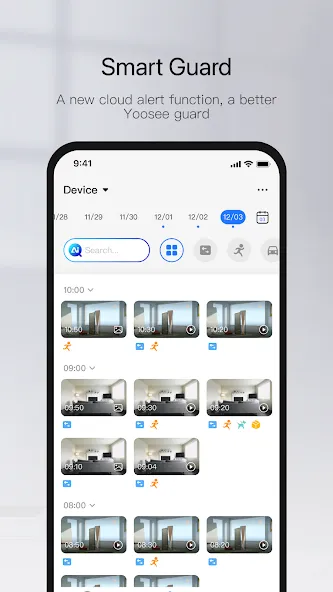
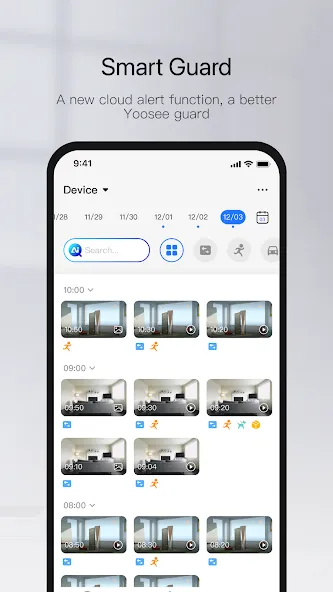
Yoosee is a smart home application designed specifically for household use. It allows users to connect to a wide range of smart devices, enabling remote control and live video monitoring. Users can customize camera settings to suit their specific needs, keeping them informed about what is happening at home in real time and providing greater peace of mind. The app features an integrated intelligent monitoring system that instantly sends alerts if any unusual activity is detected or an unfamiliar person appears. Additionally, users can utilize the built-in speaker to communicate with people at home or issue warnings, helping to ensure the safety of their residence and family.
Features of Yoosee:
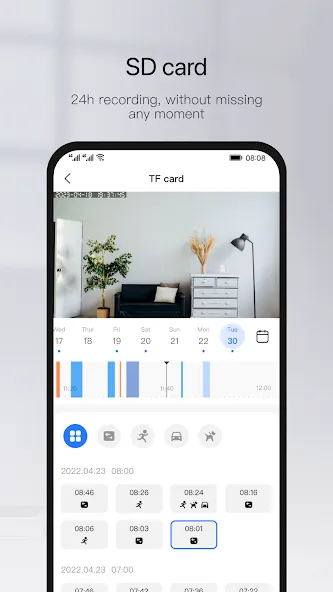
An email account is required before adding a camera. Pairing works by scanning the camera’s QR code or entering its code manually, and an included video tutorial explains the initial steps. Once connected, the app displays live feeds and provides access to recordings.
Yoosee makes the most sense for a home or small business already using the manufacturer’s cameras. The supported hardware range includes indoor and outdoor models, along with options for night vision, two-way audio, and 360-degree movement. Anyone shopping for a camera-agnostic monitoring app should look elsewhere, since Yoosee is tied to its own brand’s equipment.
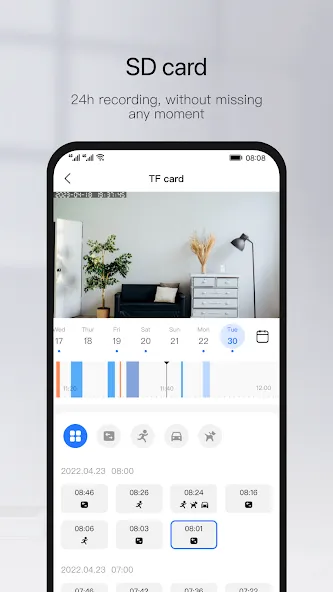
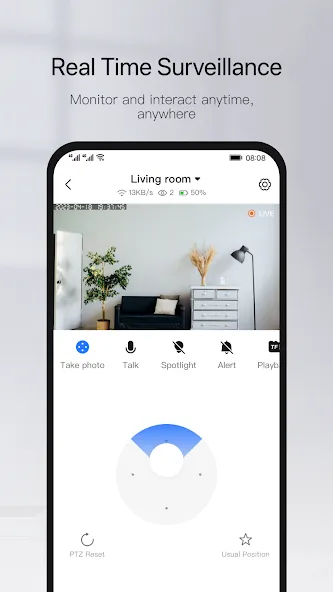
The core monitoring tools cover the practical essentials. Yoosee can send a notification when a camera detects motion, while the live view lets users record video or capture still images. Brightness and image-quality settings are also available, which helps when lighting conditions or network performance call for an adjustment.
Two-step verification is particularly welcome in an app handling private camera feeds. It adds another barrier beyond the required email account and should be enabled rather than treated as an optional extra.
How to set up Yoosee:
This quick guide outlines the typical pairing flow for Yoosee cameras using Cloudlink P2P. If you installed from a trusted source or a Yoosee APK, you can follow these steps to connect a new device.
First, power on your Yoosee camera and wait for the indicator to show it is ready. Open the Yoosee app on your phone and choose Add Device Manually.
Next, select your Wi Fi network when prompted and enter the correct password. Keep the phone and camera near your router to help the pairing complete faster.
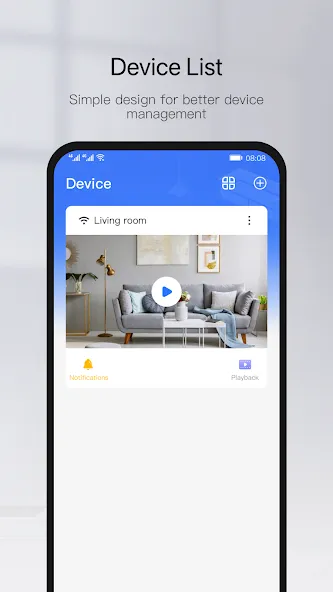
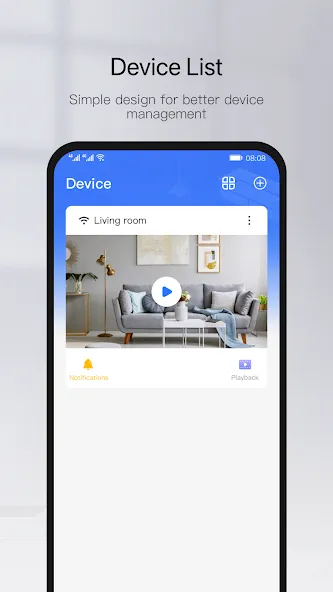
Then, wait until the app confirms the camera has been added. Assign a name to the device and check that it appears in your device list.
After that, tap the camera tile to open the live view. Confirm the video stream loads and that basic controls respond as expected.
Finally, go to Settings for the device to adjust camera parameters or remove and re add the device if pairing needs to be repeated.
User Reviews of Yoosee:
Yoosee is a very reliable camera management app. The setup is quick, HD video quality is impressive, and the motion detection notifications are fast. Works great on both mobile and Android TV.
Really happy with this camera! The video is super clear, especially at night. I love the spotlight and alarm/siren features, and the motion alerts are really helpful. Lots of great features for the price. Definitely recommend!
Great app. if you have cameras controled with this app its a great app easy to use and figure out. you can share camera access without shareing your account details.
Great CCTV app! Easy to use, stable connection, clear video quality, and very useful features like live viewing, playback, motion detection, and notifications. Highly recommended!
I have tried many other apps and camera systems and this is by far the coolest. it would be nice if their monthly fees were lower however the camera functions as it should and the app is really good.
so far no issues with the app and cameras I like how a lot of the features are free compared to the aiwit cameras I have that do absolutely nothing compared to yoosee.
FAQs of Yoosee:
Can not receive the verification code when registering Yoosee with phone number or email?
(1)Only two verification codes can be obtained within 24 hours.
(2)Ensure the SMS spam manager is disabled in your phone.
(3)Check whether the verification code is in the junk mailbox.
How to change the APP log-in password?
(1)If you remember your password, find me in the APP, click the image to be into the account information and change the password.
(2)If you forget the password, please log out and click the”Forget password?” in the log-in screen and change the password according to the guidance.
Note: Above methods are only applicable for the user registered by the phone number and email.
No response after long press the reset button?
If there is no response after resetting the camera for several times, please contact the seller to return to the factory to repair.
Heard the voice tone “Device is online already” , but it shows the connection is failed.
(1)Restart the router and mobile, reset the device and re-add.
(2)Confirm the WIFI can be connected to the Internet stably.
Confirmation method: after connecting to WiFi, open the website with 4G network turned off. Ensure that you can surf online normally.
(3)Change the internet and re-add the camera.Buy a New Camera
If there is no other WIFI to change, use mobile hot-spot as the router, reset the device and then re-add.
Failed to search the camera when connecting the device via “Fast networking”?
(1)Confirm the camera has been reset successfully (Press Reset more than 10 seconds)
(2)Confirm the camera support “Fast networking” .
Confirmation methods: when the camera gives voice tone of connecting camera via “Fast networking” or “AP connection”, it means that the camera supports “Fast networking”, otherwise, Please change other methods to connect.
(3)Confirm the APP has opened the location permission (GPS permission)
(4)Confirm that you have set up according to the above operations. If the issue still exists, please try other connection methods.
Conclusion:
Yoosee provides a smart home experience while keeping your space secure from unknown persons or threats. Finally, experience the future of home security with this smart app and unlock a new level of protection to secure your entire space.
More Information
- Size:230.51MB
- Version:6.47.1
- Requirements:Android
- Package Name:com.yoosee
- Signature:b18a9a9214d505c112d123ae564e10ea

Related topics
-
Utility apps are indispensable in our lives, making our daily routines more convenient. To help you find these apps more easily, this site has created a collection. This collection brings together a series of practical tools covering various aspects of life, work, and education, meeting all your needs. What are you waiting for? Try these apps now and make your life easier!
-
![Yoosee]()
Yoosee
-
![JioSwitch]()
JioSwitch
-
![Among Pink MOD]()
Among Pink MOD
-
![Samsung Members]()
Samsung Members
-
![Dolphin MMJR2]()
Dolphin MMJR2
-
![Installation Tools]()
Installation Tools
-
![Foap]()
Foap
-
![Moonlight Game Streaming]()
Moonlight Game Streaming
-
-
Transform your mobile device into a powerhouse of efficiency with these handpicked essential tools. Whether you need professional-grade photo editing, seamless file organization, smart task management, or real-time weather updates, our curated selection of premium apps delivers unbeatable performance. Streamline your daily routine, automate repetitive tasks, and boost your productivity with intuitive interfaces and powerful features. Designed for both professionals and casual users, these editor-approved applications will revolutionize how you work and play. Don't settle for an ordinary phone - upgrade your digital experience today and unlock your device's full potential!
-
![Yoosee]()
Yoosee
-
![WT Hub]()
WT Hub
-
![Samsung Members]()
Samsung Members
-
![Installation Tools]()
Installation Tools
-
![Foap]()
Foap
-
![WiFi Warden]()
WiFi Warden
-
![Custom Navigation Bar]()
Custom Navigation Bar
-
![Xprofile]()
Xprofile
-









Latest Updated



Popular Apps








Popular News
More+-
![Tomie Wants to Get Married Full Walkthrough, All Choices and Ending Guide]()
Tomie Wants to Get Married Full Walkthrough, All Choices and Ending Guide
2026-05-22
-
![Karryn’s Prison Gameplay Walkthrough & Strategy Guide]()
Karryn’s Prison Gameplay Walkthrough & Strategy Guide
2025-10-28
-
![Life in Santa County Game Guide & Complete Walkthrough]()
Life in Santa County Game Guide & Complete Walkthrough
2025-10-28
-
![Dreams of Desire Complete Walkthrough and Game Guide]()
Dreams of Desire Complete Walkthrough and Game Guide
2025-10-28
-
![Era Hunter Gameplay Guide & Full Walkthrough]()
Era Hunter Gameplay Guide & Full Walkthrough
2025-10-28




