
WT Hub
Download for Android This app is available for Android only.- Category:Tools
- Rating:
- Language:English
- Updated:2026-11-25
Screenshots
Introduction
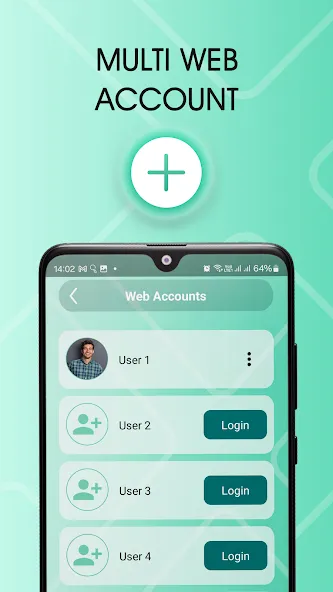
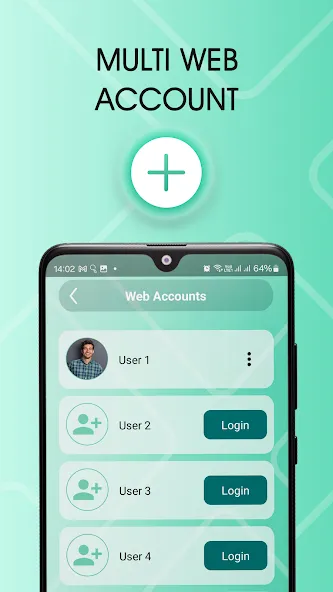
WT Hub is an account management tool for Android that allows users to manage multiple accounts on a single device. It simplifies the login process—using a QR code feature—while preventing other accounts from being logged out unexpectedly. Users can also link other accounts by scanning a QR code, making management more convenient. The app includes a "Status Saver," which lets you save others' status updates to your mobile device for future access. It also features a "Video Splitter," enabling you to divide videos of any length according to your needs. Furthermore, the app provides easy management for images and videos, including the ability to delete files. You can also set up an "Auto-Reply" function, allowing an AI-powered bot to respond to messages on your behalf. Additionally, the app helps you scan for and periodically clear out junk files from your phone.
Functions
WT Hub: Struggling to manage multiple accounts within a single application? With WT Hub, logging into multiple accounts is a breeze. The app supports using two accounts on one device, or accessing the same account across multiple devices by scanning a web QR code. WT Hub ensures a stable connection, preventing accidental logouts.
Web Scan: WT Hub allows you to manage accounts by scanning a QR code to link them for quick access.
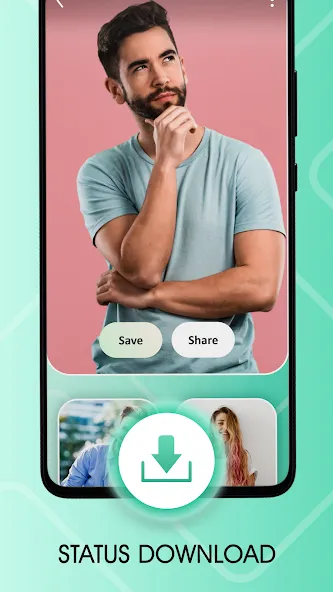
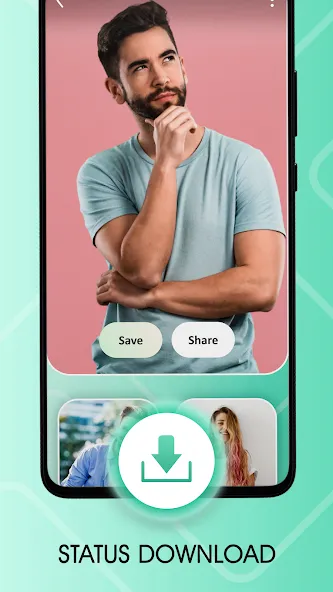
Status Saver: The WT Hub app helps you save others' status updates to your mobile device's storage, so you can access them whenever you like.
Video Splitter: The WT Hub app features a unique video-splitting tool. You can upload videos of any length and divide them as needed—perfect for updating your status.
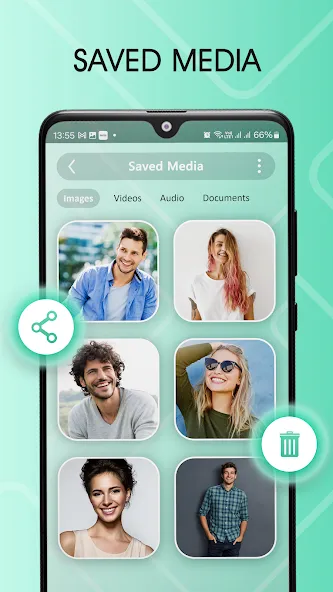
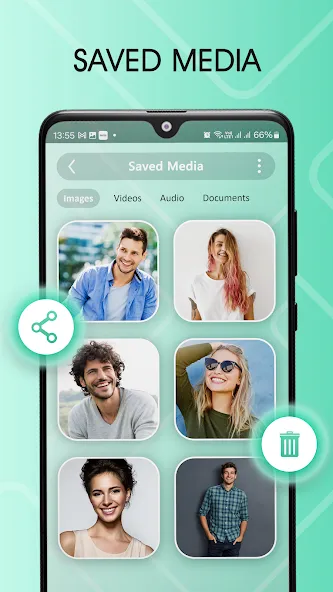
Gallery: The WT Hub app lets you manage your images and videos, with options to delete or share them directly from within the app.
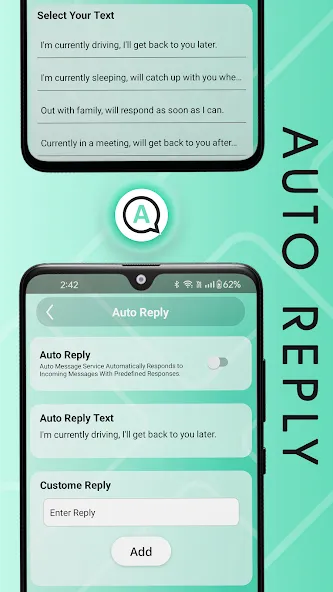
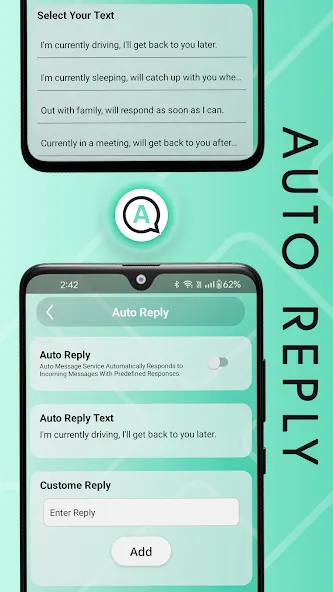
Auto-Reply: If you receive messages while busy—such as during a meeting or while driving—the auto-reply service can handle them and respond on your behalf. You can customize these automated responses within the app.
Cleaner: The WT Hub app helps you clean up and remove junk or potentially harmful files—files that may have been downloaded without realizing they could pose a risk to your system. With this app, you can rest assured that it will clean up harmful files that consume significant storage space on your device.
Direct Chat: Want to send a message without saving the number to your contacts? The WT Hub cloning app is designed just for you! Use our Direct Chat feature to send messages to any number—no need to save it to your address book.
Pros and Cons
Pros:
Supports multiple accounts and dual instances of apps on a single device.
QR code-based connectivity for quick linking across devices.
Completely free to use—all features are available at no cost.
Cons:
Market positioning suggests that competitors may offer more streamlined cross-device synchronization and direct chat features, which some users might find more appealing.
FAQs
Can I use this to manage multiple social media accounts?
Yes, it allows you to manage multiple accounts—including social media accounts—on a single device.
How can I use this app to save other people's statuses?
You can use the status-saving feature to download statuses directly to your phone's storage.
Does it support auto-replies?
Yes, you can set up automatic responses for when you are busy or offline.
Is it free to use?
Yes, it is free to use; all features are available without any additional charges.
Conclusion
WT Hub provides solutions for managing multiple accounts, saving statuses, and handling media content. Its unique features make it an essential tool for users who value convenience and efficiency in their daily online interactions. The app’s intuitive interface ensures that even less tech-savvy users can easily navigate and utilize its comprehensive range of features.
More Information
- Size:27.81MB
- Version:2.9.8
- Requirements:Android
- Package Name:com.itamazons.whatsweb.whatapps.web.whatscan.qrcode
- Signature:dc3271ed0c6d70177f477a8398bb94b3
Related topics
-
Discover our File Management Apps hub! Here, you can explore essential tools like Google Drive for cloud storage, Dropbox for simple file sharing, and File Commander for managing files directly on your device. Easily organize and access your files across your phone, or tablet. Our platform is designed to help you quickly find reliable apps to streamline your digital file management.
-
![WT Hub]()
WT Hub
-
![Installation Tools]()
Installation Tools
-
![Virtual Android]()
Virtual Android
-
![Quick Share]()
Quick Share
-
![Yt5s All Media Video]()
Yt5s All Media Video
-
![MagTapp]()
MagTapp
-
![FEB]()
FEB
-
![File Cleaner–Booster&Cleanup]()
File Cleaner–Booster&Cleanup
-
-
Transform your mobile device into a powerhouse of efficiency with these handpicked essential tools. Whether you need professional-grade photo editing, seamless file organization, smart task management, or real-time weather updates, our curated selection of premium apps delivers unbeatable performance. Streamline your daily routine, automate repetitive tasks, and boost your productivity with intuitive interfaces and powerful features. Designed for both professionals and casual users, these editor-approved applications will revolutionize how you work and play. Don't settle for an ordinary phone - upgrade your digital experience today and unlock your device's full potential!
-
![WT Hub]()
WT Hub
-
![Samsung Members]()
Samsung Members
-
![Installation Tools]()
Installation Tools
-
![Foap]()
Foap
-
![WiFi Warden]()
WiFi Warden
-
![Custom Navigation Bar]()
Custom Navigation Bar
-
![Xprofile]()
Xprofile
-
![nPerf]()
nPerf
-
-
With the development of mobile hardware and software, many practical tool software have emerged, covering a wide range of aspects and becoming a good helper for everyone in work and life. Today, the editor provides you with a list of useful tool software downloads. These tools are not particularly complex types, and after reading them, everyone can quickly learn how to use them. Proper use can bring great convenience to life and work.
-
![WT Hub]()
WT Hub
-
![Samsung Members]()
Samsung Members
-
![Dolphin MMJR2]()
Dolphin MMJR2
-
![Foap]()
Foap
-
![WiFi Warden]()
WiFi Warden
-
![Mods AddOns for Minecraft PE]()
Mods AddOns for Minecraft PE
-
![Custom Navigation Bar]()
Custom Navigation Bar
-
![Xprofile]()
Xprofile
-












Latest Updated





Popular Apps








Popular News
More+-
![Tomie Wants to Get Married Full Walkthrough, All Choices and Ending Guide]()
Tomie Wants to Get Married Full Walkthrough, All Choices and Ending Guide
2026-05-22
-
![Karryn’s Prison Gameplay Walkthrough & Strategy Guide]()
Karryn’s Prison Gameplay Walkthrough & Strategy Guide
2025-10-28
-
![Life in Santa County Game Guide & Complete Walkthrough]()
Life in Santa County Game Guide & Complete Walkthrough
2025-10-28
-
![Dreams of Desire Complete Walkthrough and Game Guide]()
Dreams of Desire Complete Walkthrough and Game Guide
2025-10-28
-
![Era Hunter Gameplay Guide & Full Walkthrough]()
Era Hunter Gameplay Guide & Full Walkthrough
2025-10-28




