

FEB
Download for Android This app is available for Android only.- Category:Tools
- Rating:
- Language:English
- Updated:2026-11-17
Screenshots
Introduction
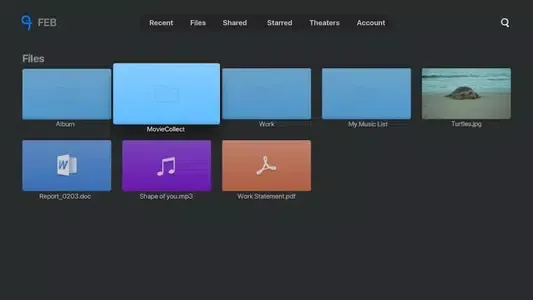
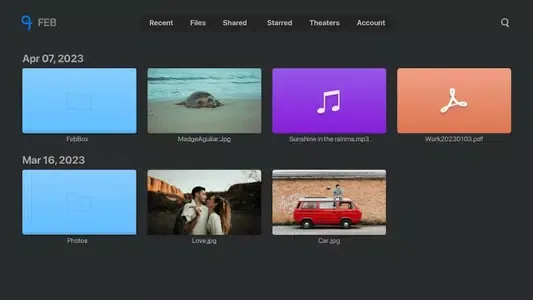
FEB is a file storage tool designed for Android devices. It allows users to upload large files and transfer them to the cloud. The app enables users to share documents, photos, and videos, and provides 1TB of storage capacity for free. It also features a dedicated "Cinema Mode" for storing movies and videos, complete with a built-in player for smooth playback. Additionally, the app includes a music player that supports background playback and customizable playback sequences.
Functions
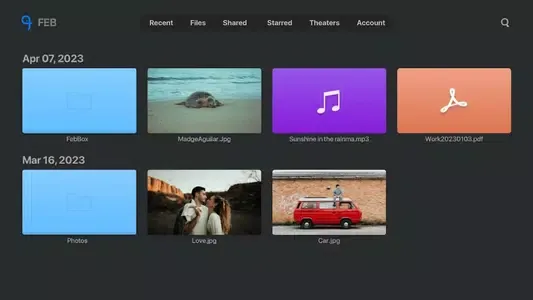
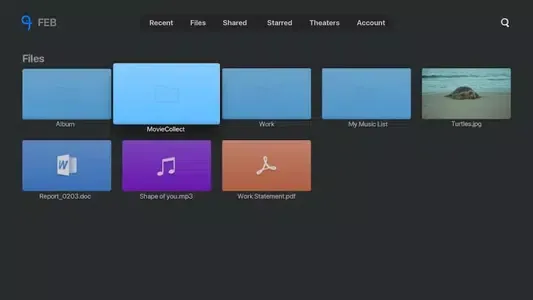
File Sharing
Subscription-based plans for enhanced file access permissions.
Comprehensive permission management to ensure secure sharing.
Multiple viewing options: photo wall, list, thumbnails, and standard view.
Support for linking files to IMDb, with the ability to analyze video file data streams.
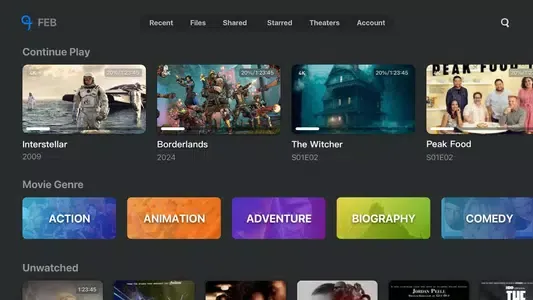
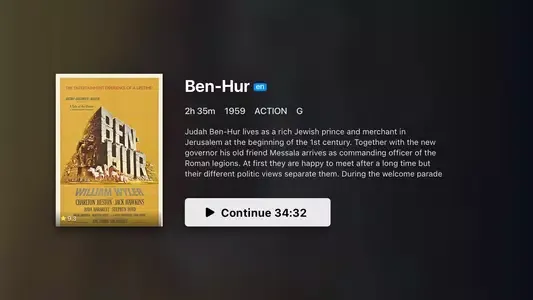
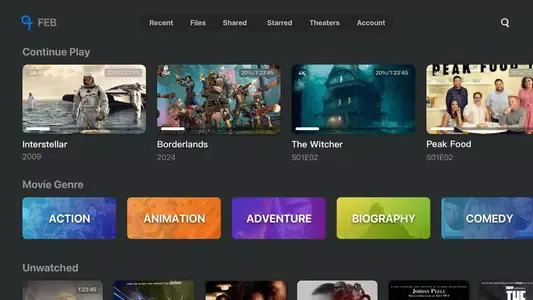
Cinema Mode – Your Personal Movie Library
Automatically organize movies and TV shows using IMDb data.
An aesthetically pleasing, structured layout for easy browsing.
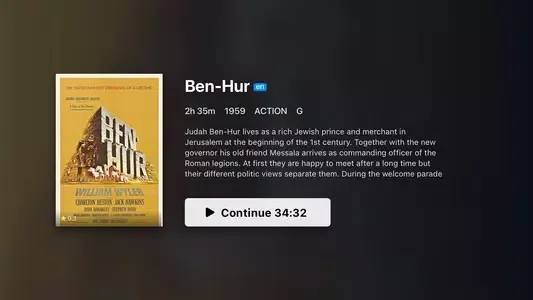
Includes metadata such as posters, synopses, ratings, and release years.
Built-in video player for seamless playback.
Quickly filter content by genre, release year, or viewing status.
Powerful Built-in Video Player
Three playback engines: Exo, VLC, and IJK.
Robust subtitle support, including customization and translation options.
Compatible with Chromecast, Miracast, and DLNA.
Adjustable playback speed and display settings; supports Picture-in-Picture (PiP) mode.
Audio & Music Player
Playlist management with support for background playback.
Options for shuffle and single-track repeat.
Sleep timer function to automatically stop playback.
FAQs
Why is the video playback speed very slow?
You can go to "Settings" > "Server Speed Test" and select the fastest server once the test is complete. You may also try lowering the video resolution.
Can I control who can edit or view the files I share in FEB?
Yes, you can specify who is permitted to edit or view shared files, either before or after creating them.
How can I track changes or edits made by collaborators in FEB?
Check the "Activity" section to see who has edited files in a shared folder or who has joined it.
Can I create playlists for my favorite songs or videos in FEB?
Simply upload multiple music files and place them into a folder; FEB will automatically generate a playlist for you.
User Reviews
This software is exceptionally well-designed!!! The UI animations are incredibly smooth—it’s the best cloud storage app I’ve ever used. Features like subtitle translation, online subtitles, and the "poster wall" (media library view) are absolutely fantastic.
FEB is very intuitive to use. It offers ample storage space, and the issues with offline video playback have been resolved. It’s highly convenient for daily file storage and managing digital content. The interface is clean and easy to navigate, free from intrusive ads, and the download speeds are solid. Overall, it’s a great experience—highly recommended for anyone in need of cloud storage and digital content management.
You get 1TB of free storage, and the speeds are decent, though the UI could still be further optimized.
Conclusion
The FEB platform provides reliable cross-device backup and synchronization, allowing users to access their files anytime, anywhere. It features advanced sharing capabilities, making it easy to seamlessly transfer files—regardless of their size—to friends, family, and colleagues.
More Information
- Size:67.82MB
- Version:3.7
- Requirements:Android
- Package Name:com.blue.febboxtv
- Signature:5d9e11ad876a1cdbde6f32e8a7c765f7
Related topics
-
Discover our File Management Apps hub! Here, you can explore essential tools like Google Drive for cloud storage, Dropbox for simple file sharing, and File Commander for managing files directly on your device. Easily organize and access your files across your phone, or tablet. Our platform is designed to help you quickly find reliable apps to streamline your digital file management.
-
![FEB]()
FEB
-
![File Cleaner–Booster&Cleanup]()
File Cleaner–Booster&Cleanup
-
![KeepSafe]()
KeepSafe
-
![Video & Music Downloader]()
Video & Music Downloader
-
![Filelinked]()
Filelinked
-
![FrostWire Downloader & Player]()
FrostWire Downloader & Player
-
![Amazon Photos]()
Amazon Photos
-
![XShare- Transfer & Share files]()
XShare- Transfer & Share files
-
-
Utility apps are indispensable in our lives, making our daily routines more convenient. To help you find these apps more easily, this site has created a collection. This collection brings together a series of practical tools covering various aspects of life, work, and education, meeting all your needs. What are you waiting for? Try these apps now and make your life easier!
-
![FEB]()
FEB
-
![TCGplayer]()
TCGplayer
-
![Android TV Launcher]()
Android TV Launcher
-
![Skin Maker for Minecraft]()
Skin Maker for Minecraft
-
![PSPlay]()
PSPlay
-
![Game Controller Tester]()
Game Controller Tester
-
![Free Adblocker Browser:Adblock]()
Free Adblocker Browser:Adblock
-
![RawBT]()
RawBT
-
-
With the development of mobile hardware and software, many practical tool software have emerged, covering a wide range of aspects and becoming a good helper for everyone in work and life. Today, the editor provides you with a list of useful tool software downloads. These tools are not particularly complex types, and after reading them, everyone can quickly learn how to use them. Proper use can bring great convenience to life and work.
-
![FEB]()
FEB
-
![TCGplayer]()
TCGplayer
-
![Smart TV app]()
Smart TV app
-
![PPI Calc]()
PPI Calc
-
![PSPlay]()
PSPlay
-
![Free Adblocker Browser:Adblock]()
Free Adblocker Browser:Adblock
-
![RawBT]()
RawBT
-
![Floating Apps]()
Floating Apps
-













Latest Updated

Popular Apps








Popular News
More+-
![Tomie Wants to Get Married Full Walkthrough, All Choices and Ending Guide]()
Tomie Wants to Get Married Full Walkthrough, All Choices and Ending Guide
2026-05-22
-
![Karryn’s Prison Gameplay Walkthrough & Strategy Guide]()
Karryn’s Prison Gameplay Walkthrough & Strategy Guide
2025-10-28
-
![Life in Santa County Game Guide & Complete Walkthrough]()
Life in Santa County Game Guide & Complete Walkthrough
2025-10-28
-
![Dreams of Desire Complete Walkthrough and Game Guide]()
Dreams of Desire Complete Walkthrough and Game Guide
2025-10-28
-
![Era Hunter Gameplay Guide & Full Walkthrough]()
Era Hunter Gameplay Guide & Full Walkthrough
2025-10-28




