
Android TV Launcher
Download for Android This app is available for Android only.- Category:Tools
- Rating:
- Language:English
- Updated:2026-11-16
Screenshots
Introduction
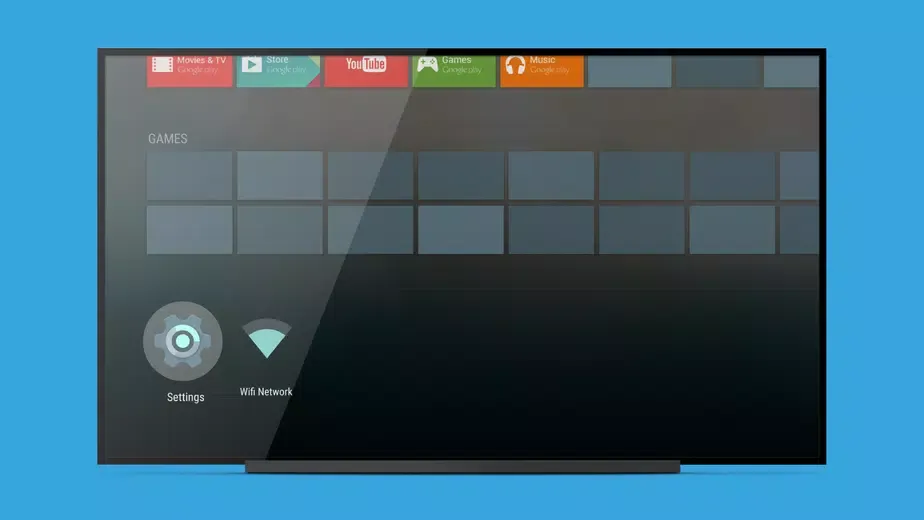
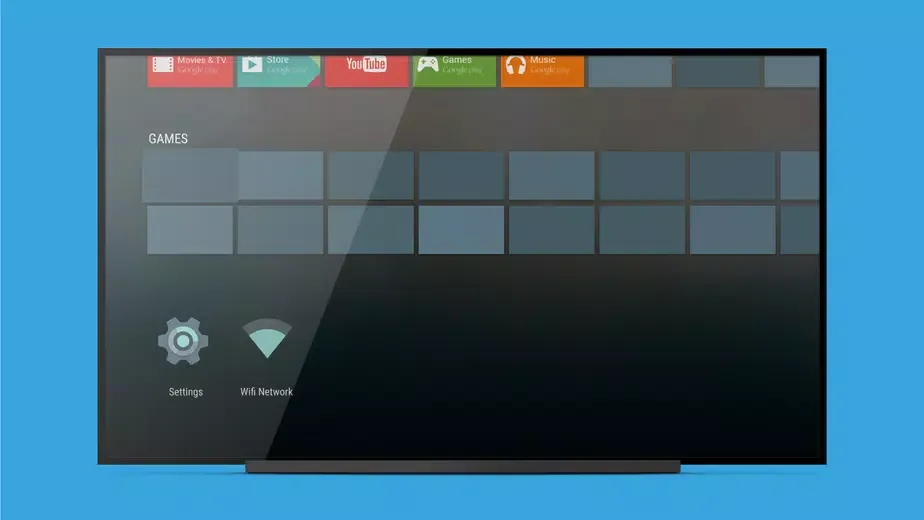
Android TV Launcher is an application launcher designed specifically for Android devices. This app offers a wealth of features, allowing users to easily access a variety of movies, TV shows, and game videos, designed to help you effortlessly browse all kinds of entertainment content. With Android TV Launcher, users can quickly get started and create their own personalized viewing experience through highly personalized options and a simple and user-friendly interface. Additionally, you can add elegant analog or digital clock widgets directly to the home screen to keep track of the time at all times.
Highlights:
What stands out is how straightforward it is. Open it, see what is available, press play, done.
Navigation with arrow keys or a controller makes sense, since the layout expects those simple left right up down moves.
There is quick access to system options and the important features, so changing something basic does not feel like a chore.
It does not try to be a theme playground, and that is the point.
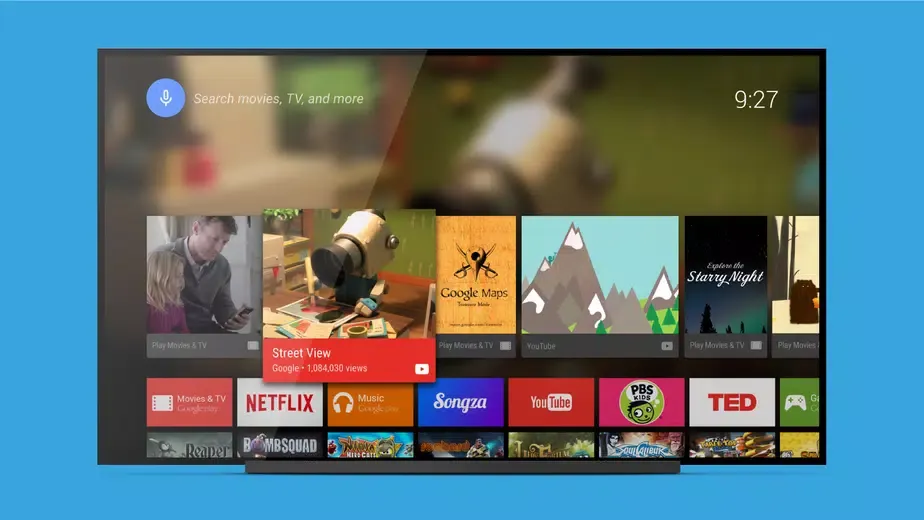
It keeps recommendations and recent items in view, lets apps surface their content, and avoids extra clutter.
Tinkerers who want deep customization might wish for more, but anyone who values speed and less friction will likely like it alot.
Features:
The interface of the Android TV Launcher is streamlined, focusing on providing a clear layout that prioritizes content. Users can view and access their favorite applications directly from the home screen, allowing for quick engagement with their preferred entertainment options. The design emphasizes content discovery, ensuring that users can find what they want to watch or play with minimal effort.
One of the key functionalities of the Android TV Launcher is its ability to recommend content based on user preferences and viewing habits. This feature utilizes algorithms to analyze what users watch most frequently, thereby providing personalized suggestions that cater to individual tastes. By leveraging this functionality, users can discover new shows and movies that align with their interests, enhancing their overall viewing experience.
The app also supports voice search capabilities, enabling users to quickly find content without needing to navigate through menus. Voice commands can be utilized to search for specific titles, genres, or even actors, making it easier to locate desired content. This feature simplifies the process of searching for entertainment, reducing the time spent scrolling through options.
Another important aspect of the Android TV Launcher is its integration with various streaming services. Users can access popular platforms directly from the launcher, allowing for seamless transitions between different services. This integration ensures that users can enjoy a diverse array of content without the need to switch between multiple applications manually.
Tips for Users:
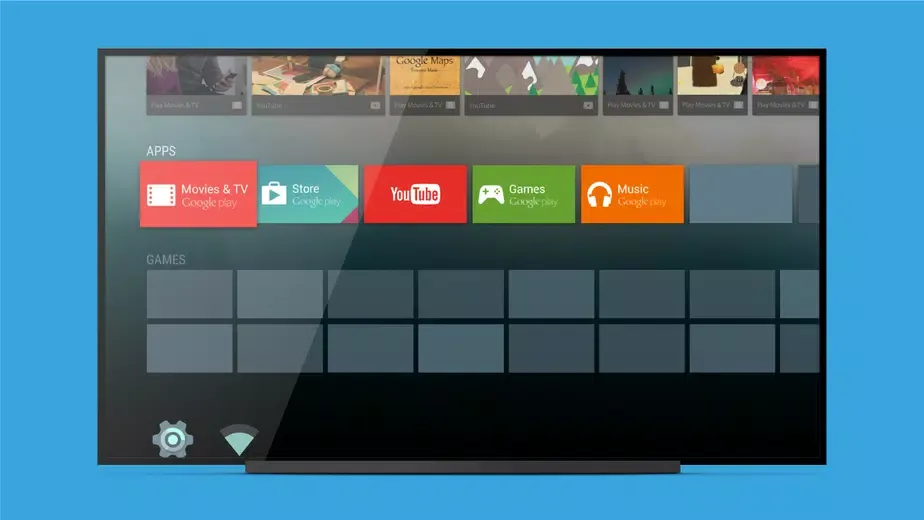
The easiest way to rearrange the Android TV Launcher home screen is to select one of the apps you have installed, such as Netflix, Apple TV, Prime Video, or Hulu, and keep it pressed for a couple of seconds. Next, you'll see a series of available options, including the possibility to move the icon. This way, you can rearrange your home screen very quickly.
By default, Android TV Launcher comes with tons of backgrounds that change from time to time to give you a little variety. Almost all of these backgrounds are great, but if you prefer to use your own photos, you can do that too. Simply choose which photos you want to use as backgrounds on your Smart TV from your Android device, a process which is made even easier by using Google Photos.
One of the most interesting and least used options on Android TV Launcher is its Netflix-style profile management system. Thanks to this option, you can use different profiles on the same app, so each member of the family has their own home layout and preferences. In fact, you can even use parental control tools to create a special account for the youngest members of your household.
Benefits:
Android TV Launcher best suits viewers who want a straightforward replacement for a cluttered smart TV interface.
Controller-based setups may also benefit, as successful navigation with an SN30 Pro controller has been reported.
That does not establish broad gamepad support, but it is encouraging for that particular model.
The simplicity comes with some friction.
Users report that adding personally installed applications and figuring out where to find them can require extra setup.
That is a meaningful weakness for a launcher, since organizing and opening apps should be its most obvious task.
Conclusion:
Whether users are searching for new shows, launching games, or managing their smart home, the app offers a streamlined and intuitive experience that caters to a diverse range of entertainment preferences. By simplifying navigation and providing personalized content suggestions, the Android TV Launcher significantly enhances the user's ability to enjoy their favorite media, making it an essential app for any Android TV user.
More Information
- Size:7.93MB
- Version:1.11.2-100-44435
- Requirements:Android 5.0+
- Package Name:com.google.android.leanbacklauncher
- Signature:5878aed69242322cd59216d0f48e96b7
Related topics
-
Utility apps are indispensable in our lives, making our daily routines more convenient. To help you find these apps more easily, this site has created a collection. This collection brings together a series of practical tools covering various aspects of life, work, and education, meeting all your needs. What are you waiting for? Try these apps now and make your life easier!
-
![Android TV Launcher]()
Android TV Launcher
-
![PSPlay]()
PSPlay
-
![Game Controller Tester]()
Game Controller Tester
-
![Free Adblocker Browser:Adblock]()
Free Adblocker Browser:Adblock
-
![RawBT]()
RawBT
-
![Floating Apps]()
Floating Apps
-
![Emojimix wasticker]()
Emojimix wasticker
-
![Xaeros Minimap Minecraft]()
Xaeros Minimap Minecraft
-
-
Transform your mobile device into a powerhouse of efficiency with these handpicked essential tools. Whether you need professional-grade photo editing, seamless file organization, smart task management, or real-time weather updates, our curated selection of premium apps delivers unbeatable performance. Streamline your daily routine, automate repetitive tasks, and boost your productivity with intuitive interfaces and powerful features. Designed for both professionals and casual users, these editor-approved applications will revolutionize how you work and play. Don't settle for an ordinary phone - upgrade your digital experience today and unlock your device's full potential!
-
![Android TV Launcher]()
Android TV Launcher
-
![File Cleaner–Booster&Cleanup]()
File Cleaner–Booster&Cleanup
-
![PPI Calc]()
PPI Calc
-
![Game Controller Tester]()
Game Controller Tester
-
![Free Adblocker Browser:Adblock]()
Free Adblocker Browser:Adblock
-
![RawBT]()
RawBT
-
![Floating Apps]()
Floating Apps
-
![Emojimix wasticker]()
Emojimix wasticker
-





Latest Updated





Popular Apps








Popular News
More+-
![Tomie Wants to Get Married Full Walkthrough, All Choices and Ending Guide]()
Tomie Wants to Get Married Full Walkthrough, All Choices and Ending Guide
2026-05-22
-
![Karryn’s Prison Gameplay Walkthrough & Strategy Guide]()
Karryn’s Prison Gameplay Walkthrough & Strategy Guide
2025-10-28
-
![Life in Santa County Game Guide & Complete Walkthrough]()
Life in Santa County Game Guide & Complete Walkthrough
2025-10-28
-
![Dreams of Desire Complete Walkthrough and Game Guide]()
Dreams of Desire Complete Walkthrough and Game Guide
2025-10-28
-
![Era Hunter Gameplay Guide & Full Walkthrough]()
Era Hunter Gameplay Guide & Full Walkthrough
2025-10-28




