
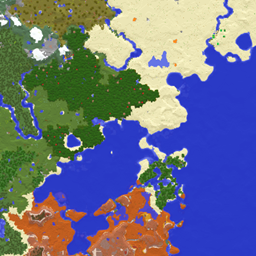
Xaeros Minimap Minecraft
Download for Android This app is available for Android only.- Category:Tools
- Rating:
- Language:English
- Updated:2026-11-12
Screenshots
Introduction
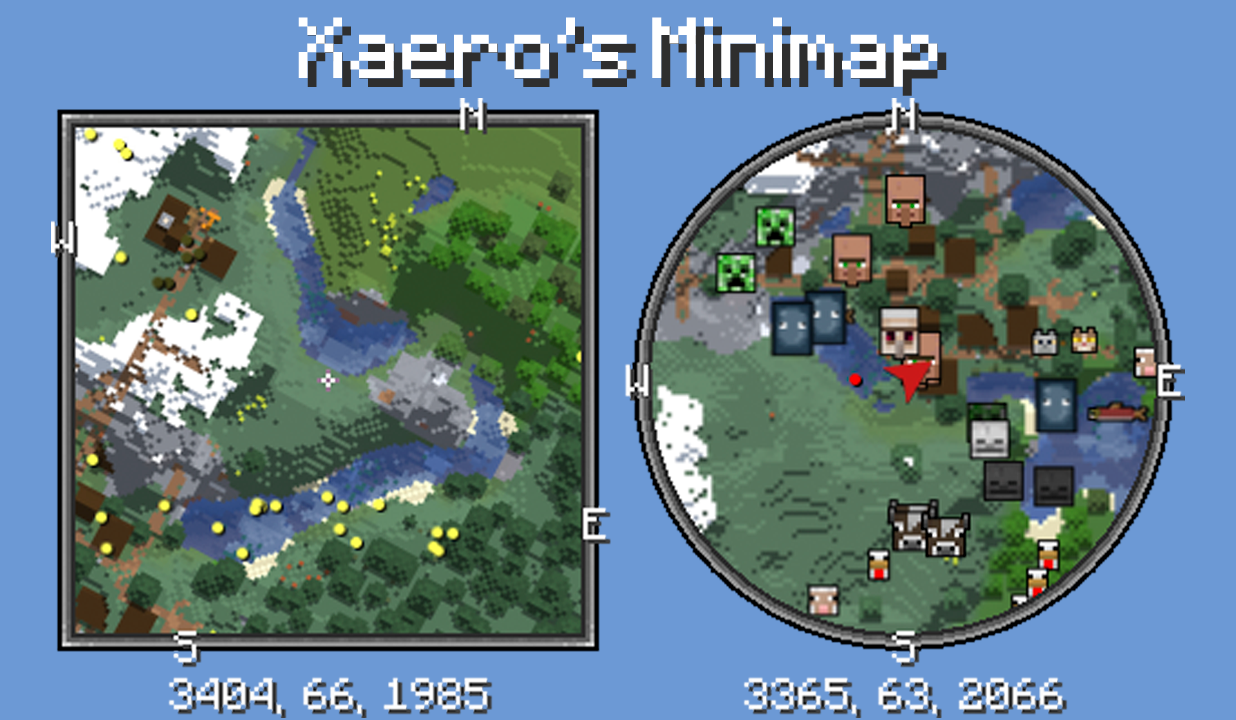
Xaeros Minimap is a utility tool for the Android version of Minecraft. Designed for use within the game, it introduces a comprehensive mapping system. Players can mark various locations—such as death points, monster spawn locations, or entrances to caves—as waypoints. These waypoints remain visible regardless of distance, allowing players to easily navigate toward them using the map interface. The tool emphasizes interactive features while maintaining the authentic aesthetic of Minecraft.
Features
Tiered Waypoint System
Local Waypoints: Subject to the "Maximum Waypoint Render Distance" setting.
Global Waypoints: Not limited by distance; always visible.
You can set a global waypoint for a large region, while also establishing multiple local waypoints within that same area.
Death Waypoints
Automatically generates a new waypoint (marked with a skull icon) upon death.
Previous death points are automatically converted into standard waypoints.
Includes an option to "Keep Old Death Points" to maintain a history of your past deaths.
Waypoint Sets
Organize waypoints into distinct sets or categories.
Switch between active sets quickly using keybindings.
All keybindings can be configured within the standard Minecraft controls menu.
Functions
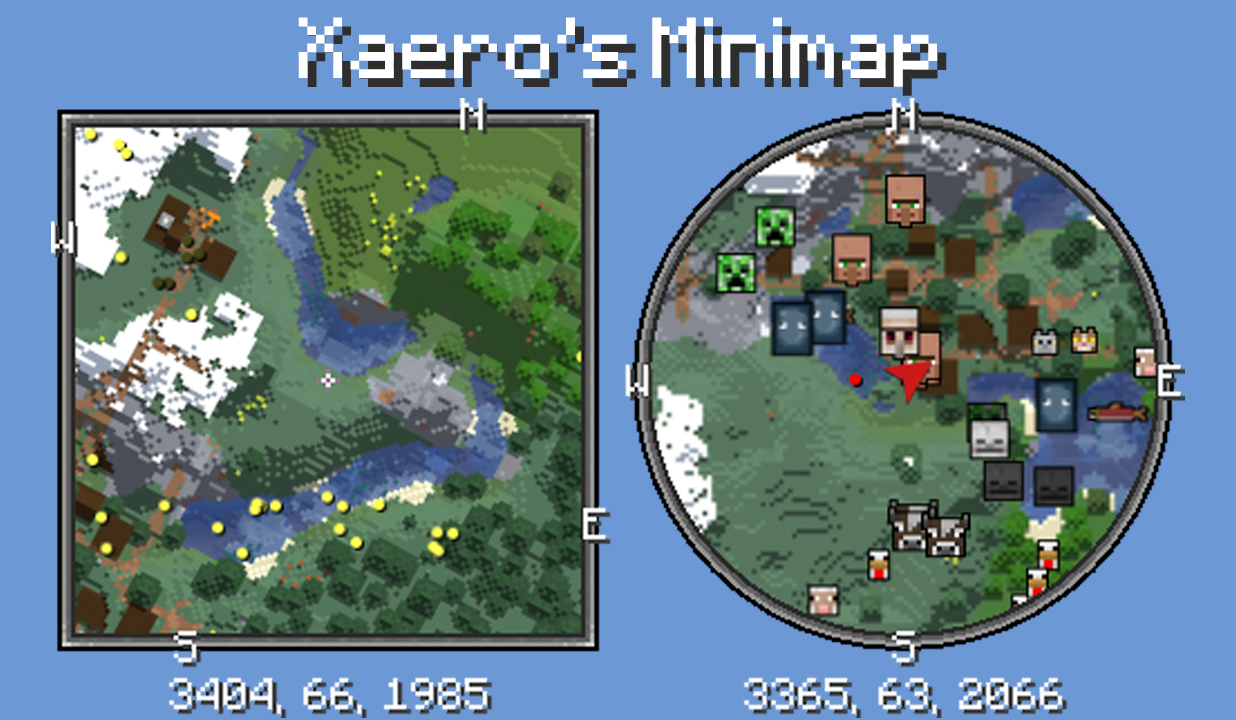
Interactive Minimap
Say goodbye to aimless wandering. The built-in minimap displays your surroundings in real-time, revealing every biome, cave, and corner you encounter.
Effortless Waypoint Management
Set and label waypoints so you never get lost or miss a prime mining spot. Easily navigate back to important locations.
Track Points of Interest
Locate hidden blocks or treasures and return to them whenever you like; the map allows you to save and manage key locations.
Detailed Map Overlays
Everything from terrain variations to your own exploration paths is mapped out, providing a clear, bird's-eye view.
Customizable Views
Adjust visual details, map size, and display settings to suit your preferences—keep it simple or highly detailed, depending on your needs.
FAQs
Why aren't my waypoints/teleport points working?
There could be several reasons for this. This mod sends chat commands to teleport you to waypoints—the default command being `/tp @s xyz`—so the appropriate permissions are required.
Why have my waypoints disappeared on a specific server?
Don’t panic. They almost certainly haven’t been permanently deleted. If you are using a world map mod and the world map itself has been reset, try restoring the world map first before addressing the waypoints.
How do I add custom entity icons or override the default ones?
First, ensure that you have enabled entity icons/avatars within the minimap settings—specifically under the "Entity Radar" category—by setting them to either "Always Visible" or "Visible in Player List." Make sure you know how to display them; this section covers those specific icons.
Conclusion
Unlike many other minimap mods, Xaero’s Minimap for Minecraft retains the aesthetic style of the original game, allowing it to blend into the Minecraft experience more naturally.
More Information
- Size:2.08MB
- Version:26.3-26.6.2
- Requirements:Android
- Package Name:archive.016944390f543ee0db928504a3b8a7bf
- Signature:016944390f543ee0db928504a3b8a7bf
Related topics
-
Meet Game BOX — your all-in-one game hub! Explore action, RPG, strategy, and more. Find games quickly, download fast, and play seamlessly on mobile. Simple, safe, and packed with top-rated titles. Perfect for gamers everywhere.
-
![Xaeros Minimap Minecraft]()
Xaeros Minimap Minecraft
-
![ToonHQ for Toontown Rewritten]()
ToonHQ for Toontown Rewritten
-
![GBA Emulator]()
GBA Emulator
-
![AirConsole Hero]()
AirConsole Hero
-
![Bikii Cloud Game]()
Bikii Cloud Game
-
![IGAMES PSP]()
IGAMES PSP
-
![UgPhone - Android Cloud Phone]()
UgPhone - Android Cloud Phone
-
![My Boy! Free]()
My Boy! Free
-
-
Utility apps are indispensable in our lives, making our daily routines more convenient. To help you find these apps more easily, this site has created a collection. This collection brings together a series of practical tools covering various aspects of life, work, and education, meeting all your needs. What are you waiting for? Try these apps now and make your life easier!
-
![Xaeros Minimap Minecraft]()
Xaeros Minimap Minecraft
-
![Private Photo Vault]()
Private Photo Vault
-
![Ubisoft Connect]()
Ubisoft Connect
-
![iFunny]()
iFunny
-
![ToonHQ for Toontown Rewritten]()
ToonHQ for Toontown Rewritten
-
![App Hider]()
App Hider
-
![GBA Emulator]()
GBA Emulator
-
![My Verizon]()
My Verizon
-
-
With the development of mobile hardware and software, many practical tool software have emerged, covering a wide range of aspects and becoming a good helper for everyone in work and life. Today, the editor provides you with a list of useful tool software downloads. These tools are not particularly complex types, and after reading them, everyone can quickly learn how to use them. Proper use can bring great convenience to life and work.
-
![Xaeros Minimap Minecraft]()
Xaeros Minimap Minecraft
-
![Private Photo Vault]()
Private Photo Vault
-
![Ubisoft Connect]()
Ubisoft Connect
-
![iFunny]()
iFunny
-
![App Hider]()
App Hider
-
![32bit or 64bit]()
32bit or 64bit
-
![Galaxy Wearable]()
Galaxy Wearable
-
![AirDroid Cast]()
AirDroid Cast
-















Latest Updated



Popular Apps








Popular News
More+-
![Tomie Wants to Get Married Full Walkthrough, All Choices and Ending Guide]()
Tomie Wants to Get Married Full Walkthrough, All Choices and Ending Guide
2026-05-22
-
![Karryn’s Prison Gameplay Walkthrough & Strategy Guide]()
Karryn’s Prison Gameplay Walkthrough & Strategy Guide
2025-10-28
-
![Life in Santa County Game Guide & Complete Walkthrough]()
Life in Santa County Game Guide & Complete Walkthrough
2025-10-28
-
![Dreams of Desire Complete Walkthrough and Game Guide]()
Dreams of Desire Complete Walkthrough and Game Guide
2025-10-28
-
![Era Hunter Gameplay Guide & Full Walkthrough]()
Era Hunter Gameplay Guide & Full Walkthrough
2025-10-28




