
Custom Navigation Bar
Download for Android This app is available for Android only.- Category:Tools
- Rating:
- Language:English
- Updated:2026-11-23
Screenshots
Introduction
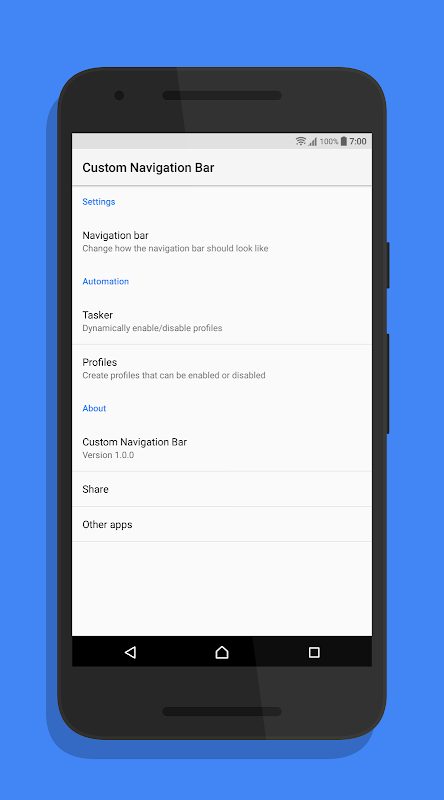
Custom Navigation Bar is a tool for Android devices that allows users to add custom buttons to their on-screen navigation bar. Users can tailor these buttons to their personal preferences and specific needs, and the app supports a variety of layouts, enabling users to design a setup that aligns with their own habits—making it a versatile solution for a wide range of users. The tool is simple to use and does not require root access or any additional frameworks. Its interface is clean, and the operation is smooth, ensuring a user-friendly experience.
Features
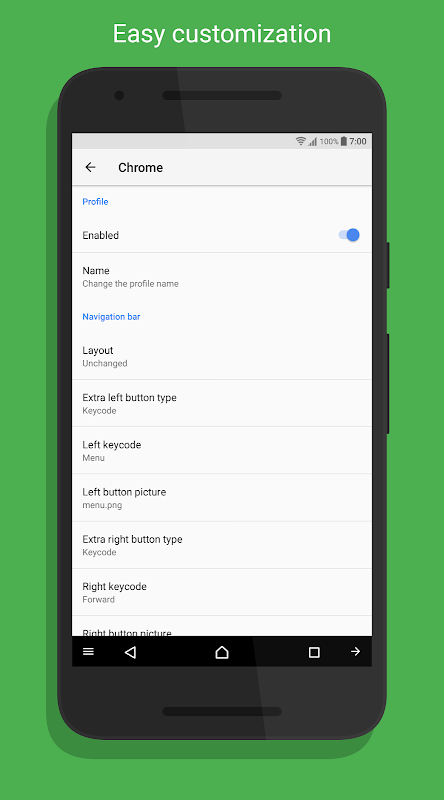
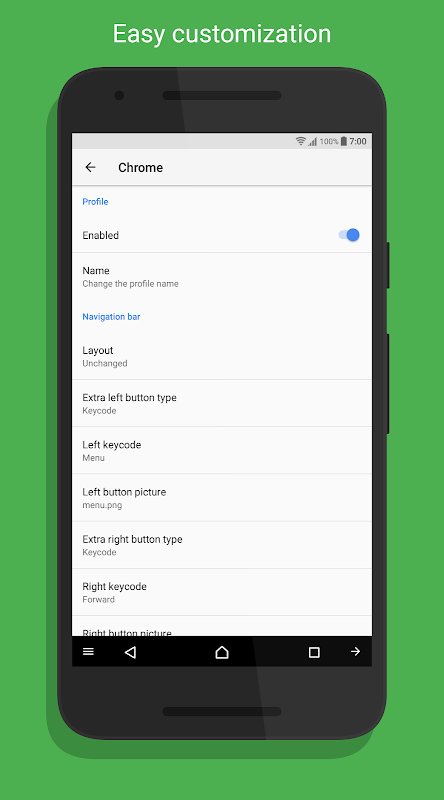
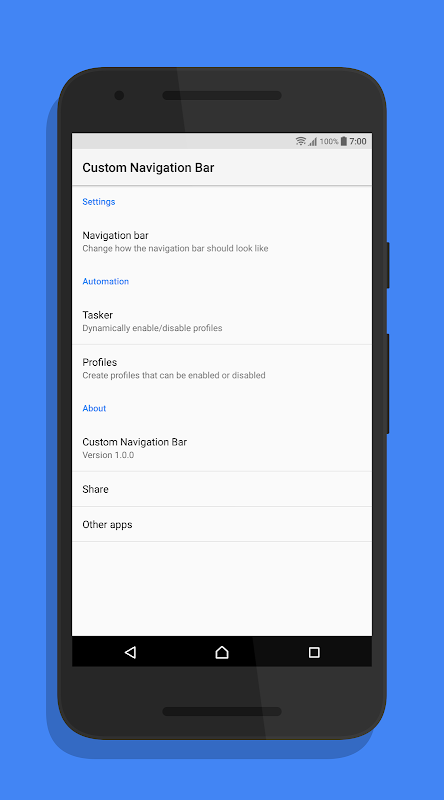
This application enables users to add custom buttons to their existing navigation bar, allowing them to personalize their navigation experience based on their individual preferences or requirements. It supports multiple layouts, letting users arrange buttons in a way that best suits their personal usage habits. The customization options are designed for ease of use, making the app accessible to a broad spectrum of users.
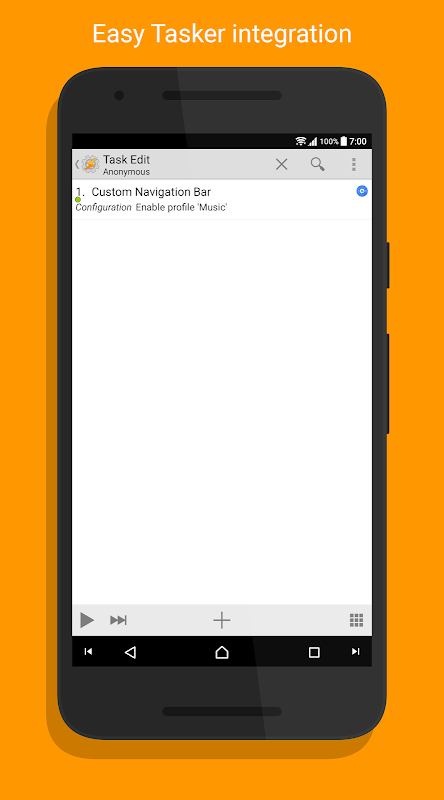
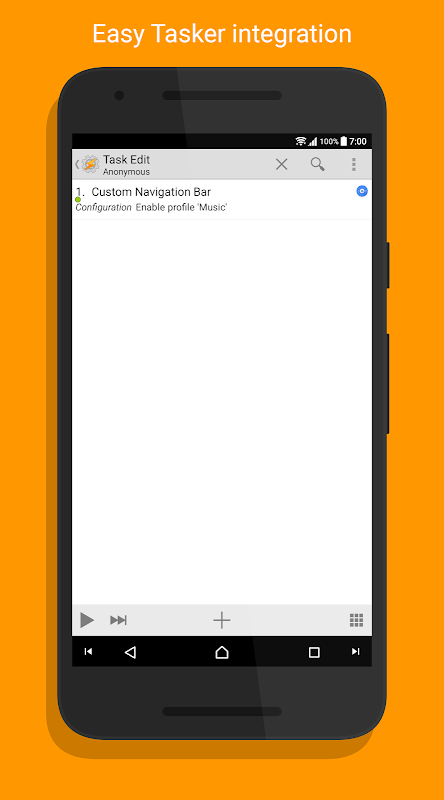
Integration with Tasker is another key feature, allowing users to create context-aware navigation settings that change based on specific triggers or events. For instance, users can configure the navigation bar to display different buttons depending on the app currently in use or the device's current location. This flexibility makes the interaction between the user and their device much more dynamic.
The installation process is straightforward, allowing users to get up and running quickly. Since it does not require root access or the Xposed framework, it is an excellent choice for users who lack technical expertise or prefer to keep their device in its original, unmodified state. Note, however, that the app requires specific permissions to modify the navigation bar; these can be granted via a computer, or—if the device is rooted—directly through a prompt.
Pros and Cons
Pros:
Replaces broken or missing physical navigation keys with an on-screen navigation bar.
The navigation bar can be resized and moved to any position on the screen.
Extensive visual customization options, including 31 themes and color controls.
Long-press actions provide powerful shortcuts for system tools and applications.
Can be set to always appear on top of other apps, which is particularly useful when watching videos or using apps in full-screen mode.
Cons:
Relies on accessibility services and several high-level permissions.
Lock-screen actions require device administrator privileges, which some users may be uncomfortable with.
User Reviews
I absolutely love Custom Navigation Bar! It has completely transformed the way I use my phone. Highly recommended for anyone looking for a more personalized experience.
If you want to truly customize your phone's navigation bar, "Custom Navigation Bar" is the perfect choice. It is intuitive to use and runs smoothly.
"Custom Navigation Bar" is a must-have for anyone who wants to personalize their phone. It’s simple, powerful, and works perfectly. I’m so glad I discovered this app.
Conclusion
With "Custom Navigation Bar," you can bring Android O-style navigation bar customization to your Android N device! This app allows you to add custom buttons to your existing navigation bar—no root access required!
More Information
- Size:3.21MB
- Version:1.1.0-beta1
- Requirements:Android
- Package Name:xyz.paphonb.systemuituner
- Signature:fe05c70a91ec62d1387ad3f7cf44741f
Related topics
-
Utility apps are indispensable in our lives, making our daily routines more convenient. To help you find these apps more easily, this site has created a collection. This collection brings together a series of practical tools covering various aspects of life, work, and education, meeting all your needs. What are you waiting for? Try these apps now and make your life easier!
-
![Custom Navigation Bar]()
Custom Navigation Bar
-
![REGEDDIT MOBILE]()
REGEDDIT MOBILE
-
![Virtual Android]()
Virtual Android
-
![PRAMA ONLINE]()
PRAMA ONLINE
-
![Easy Share]()
Easy Share
-
![ClevGuard]()
ClevGuard
-
![psp games files downloader]()
psp games files downloader
-
![ScreenStream]()
ScreenStream
-
-
Transform your mobile device into a powerhouse of efficiency with these handpicked essential tools. Whether you need professional-grade photo editing, seamless file organization, smart task management, or real-time weather updates, our curated selection of premium apps delivers unbeatable performance. Streamline your daily routine, automate repetitive tasks, and boost your productivity with intuitive interfaces and powerful features. Designed for both professionals and casual users, these editor-approved applications will revolutionize how you work and play. Don't settle for an ordinary phone - upgrade your digital experience today and unlock your device's full potential!
-
![Custom Navigation Bar]()
Custom Navigation Bar
-
![PRAMA ONLINE]()
PRAMA ONLINE
-
![ClevGuard]()
ClevGuard
-
![psp games files downloader]()
psp games files downloader
-
![ScreenStream]()
ScreenStream
-
![Wipro Next Smart Home]()
Wipro Next Smart Home
-
![Da Fit]()
Da Fit
-
![Falcon 4G]()
Falcon 4G
-
-
With the development of mobile hardware and software, many practical tool software have emerged, covering a wide range of aspects and becoming a good helper for everyone in work and life. Today, the editor provides you with a list of useful tool software downloads. These tools are not particularly complex types, and after reading them, everyone can quickly learn how to use them. Proper use can bring great convenience to life and work.
-
![Custom Navigation Bar]()
Custom Navigation Bar
-
![REGEDDIT MOBILE]()
REGEDDIT MOBILE
-
![Virtual Android]()
Virtual Android
-
![PRAMA ONLINE]()
PRAMA ONLINE
-
![Easy Share]()
Easy Share
-
![ClevGuard]()
ClevGuard
-
![ScreenStream]()
ScreenStream
-
![Wipro Next Smart Home]()
Wipro Next Smart Home
-









Latest Updated






Popular Apps








Popular News
More+-
![Tomie Wants to Get Married Full Walkthrough, All Choices and Ending Guide]()
Tomie Wants to Get Married Full Walkthrough, All Choices and Ending Guide
2026-05-22
-
![Karryn’s Prison Gameplay Walkthrough & Strategy Guide]()
Karryn’s Prison Gameplay Walkthrough & Strategy Guide
2025-10-28
-
![Life in Santa County Game Guide & Complete Walkthrough]()
Life in Santa County Game Guide & Complete Walkthrough
2025-10-28
-
![Dreams of Desire Complete Walkthrough and Game Guide]()
Dreams of Desire Complete Walkthrough and Game Guide
2025-10-28
-
![Era Hunter Gameplay Guide & Full Walkthrough]()
Era Hunter Gameplay Guide & Full Walkthrough
2025-10-28




