

Gamepad Tester
Download for Android This app is available for Android only.- Category:Tools
- Rating:
- Language:English
- Updated:2026-11-22
Screenshots
Introduction
Gamepad Tester is an excellent gamepad tool. The application offers a wealth of features, allowing users to troubleshoot problems and intuitively check whether their game controller is working properly, covering every button and joystick. With Gamepad Tester, users no longer need to search for functions in complicated menus. Whether troubleshooting, playing games, or simply out of curiosity, they can intuitively see the controller's responsiveness. In addition, the app is compatible with various other gamepad functions, covering a wide range of applications and supporting a variety of third-party or universal gamepads.
Highlights:
Connect and Select a Controller
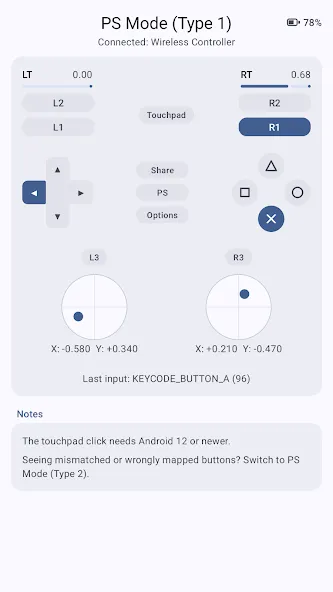
Start by connecting a supported controller to the Android device using Bluetooth, USB-C, or an OTG connection. The app can then display detected controller information and let you choose the device you want to examine.
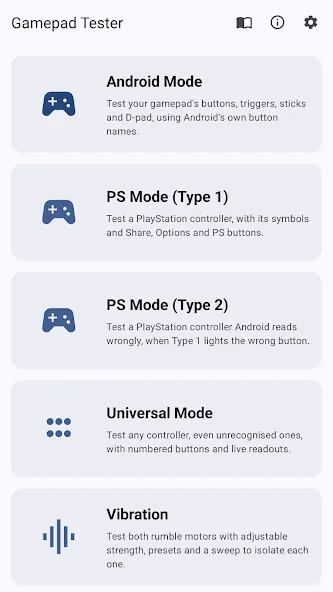
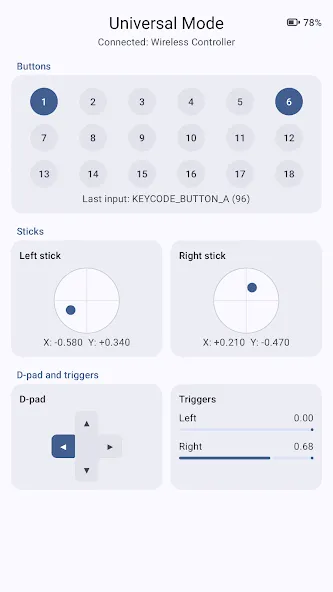
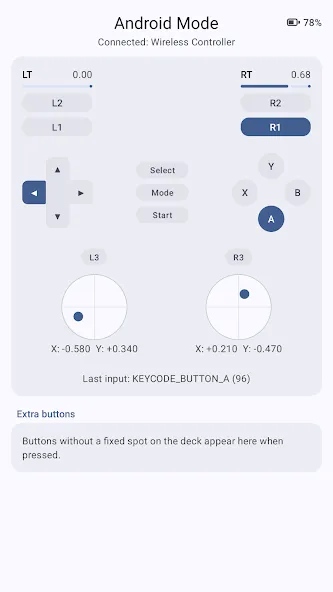
After selecting the controller, choose the testing mode that most closely matches its layout. Android Mode is useful for native Android mappings, while the PlayStation layouts and Universal Mode provide alternatives for different input configurations.
Check Every Input Individually
A systematic test can begin with the directional controls and face buttons before moving to shoulder buttons, triggers, and analog sticks. Watching the values while slowly moving a stick through its range can reveal whether it centers correctly and responds consistently in different directions.
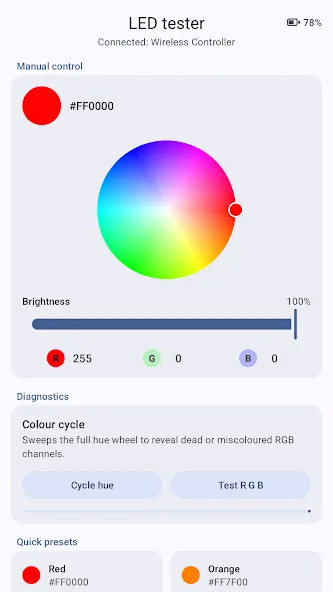
You can then check available hardware functions such as vibration, motion sensors, touchpad input, and LEDs. A built-in guide explains the meaning of results and provides additional context for identifying common controller problems.
Diagnose Problems Before Gaming
Gamepad Tester can be useful when a game ignores a button or responds unexpectedly to analog movement. If the input appears correctly in the tester, you have additional information for determining whether the behavior is related to the game's controller mapping rather than an obvious input failure.
Features:
Instant Key Press Feedback
See what’s happening in real time each time you hit a button. Every press lights up right on the screen, so no more wondering if your input was recognized.
Analog Movement Visualization
Trying to figure out if your analog sticks are smooth or glitchy? This will physically show you how your axes move, tracking every subtle nudge or full push.
No-Nonsense Layout
Nothing’s buried in menus here. Just open the app and get testing—there’s hardly any learning curve, so you can get started without second-guessing settings.
Xbox Controller Support
Have an Xbox controller? Plug in (or connect wirelessly), and you’ll see exactly how every part registers.
PlayStation Controller Support
If PlayStation hardware is more your style, the app quickly recognizes those too—perfect for troubleshooting after a marathon gaming session.
Other Joystick Compatibility
Got something less common? This app isn’t picky and works with a variety of third-party or generic controllers.
Works with Both Wired and Wireless
Whether you’re a fan of cables or love going untethered, you’re covered.
Quick Setup
Plug in or pair your device, make sure it’s connected, and start testing. That’s it—no guesswork or digging through settings.
Tips for Users:
Wired Controller Support: With this app, you can use wired controllers and enjoy incredibly engaging entertainment. You’ll immerse yourself in dynamic fun, keeping you entertained all day long.
Wireless Controller Support: Not only wired controllers, but you can also use it with wireless controllers. This offers you extremely diverse and rich usage options. You will have the most engaging and dynamic entertainment moments.
Easy Device Detection: The application can automatically detect devices. You don’t need to spend too much time or go through complicated connection procedures to use it. It provides you with an extremely fun and engaging user experience.
Button Input Testing: The application provides you with highly sensitive controller input. You don’t need to worry about your controller not working. Smooth and responsive, because with just a light touch, you can enjoy your games perfectly.
Analog Stick Accuracy: You also get absolute precision. The app provides you with a controller full of the most convenient buttons and features. So you can immerse yourself in gaming all day without any limitations. It will make you extremely satisfied, like owning a professional controller.
Benefits:
Real-time input, stick and trigger feedback
Four testing modes, including two PlayStation button mappings
Vibration, motion, touchpad and light bar tests
View controller name, type & connection
Battery level for controllers that report it
Works with USB, Bluetooth & wireless controllers
Built for gamers and developers to debug inputs accurately
Also available on iPhone and iPad
Conclusion:
Whether you're a casual player or a dedicated enthusiast, having a responsive and well-functioning controller is crucial for an immersive gaming experience. In conclusion, ensure that your gaming setup is always ready for action with the comprehensive testing capabilities of this platform. Gamepad Tester provides an essential service to maintain your gear's performance for an optimal gaming experience.
More Information
- Size:5.92MB
- Version:9.2.0
- Requirements:Android 12.0+
- Package Name:com.chimera.saturday.evogamepadtester
- Signature:ea3f3f9993e9ef972c85ee0e7fce86a1
Related topics
-
Utility apps are indispensable in our lives, making our daily routines more convenient. To help you find these apps more easily, this site has created a collection. This collection brings together a series of practical tools covering various aspects of life, work, and education, meeting all your needs. What are you waiting for? Try these apps now and make your life easier!
-
![Virtual Android]()
Virtual Android
-
![PRAMA ONLINE]()
PRAMA ONLINE
-
![Easy Share]()
Easy Share
-
![ClevGuard]()
ClevGuard
-
![psp games files downloader]()
psp games files downloader
-
![ScreenStream]()
ScreenStream
-
![Wipro Next Smart Home]()
Wipro Next Smart Home
-
![Da Fit]()
Da Fit
-
-
Transform your mobile device into a powerhouse of efficiency with these handpicked essential tools. Whether you need professional-grade photo editing, seamless file organization, smart task management, or real-time weather updates, our curated selection of premium apps delivers unbeatable performance. Streamline your daily routine, automate repetitive tasks, and boost your productivity with intuitive interfaces and powerful features. Designed for both professionals and casual users, these editor-approved applications will revolutionize how you work and play. Don't settle for an ordinary phone - upgrade your digital experience today and unlock your device's full potential!
-
![PRAMA ONLINE]()
PRAMA ONLINE
-
![ClevGuard]()
ClevGuard
-
![psp games files downloader]()
psp games files downloader
-
![ScreenStream]()
ScreenStream
-
![Wipro Next Smart Home]()
Wipro Next Smart Home
-
![Da Fit]()
Da Fit
-
![GameCC]()
GameCC
-
![Rips by Triumph]()
Rips by Triumph
-









Latest Updated




Popular Apps








Popular News
More+-
![Tomie Wants to Get Married Full Walkthrough, All Choices and Ending Guide]()
Tomie Wants to Get Married Full Walkthrough, All Choices and Ending Guide
2026-05-22
-
![Karryn’s Prison Gameplay Walkthrough & Strategy Guide]()
Karryn’s Prison Gameplay Walkthrough & Strategy Guide
2025-10-28
-
![Life in Santa County Game Guide & Complete Walkthrough]()
Life in Santa County Game Guide & Complete Walkthrough
2025-10-28
-
![Dreams of Desire Complete Walkthrough and Game Guide]()
Dreams of Desire Complete Walkthrough and Game Guide
2025-10-28
-
![Era Hunter Gameplay Guide & Full Walkthrough]()
Era Hunter Gameplay Guide & Full Walkthrough
2025-10-28




