

Mobizen Screen Recorder
Download for Android This app is available for Android only.- Category:Tools
- Rating:
- Language:English
- Updated:2026-11-21
Screenshots
Introduction
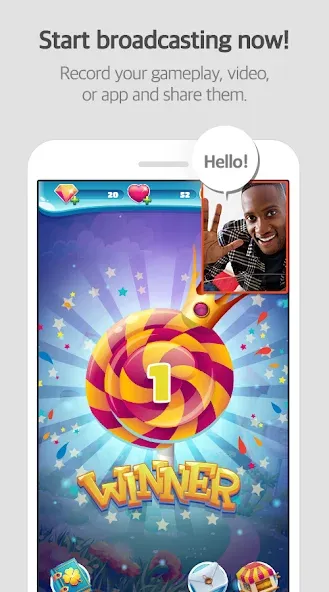
Mobizen Screen Recorder is a screen recording tool designed for the Android operating system. It supports high-frame-rate video recording and is incredibly simple to use—just a single tap on the record button is all it takes to get started. The app supports long-duration recordings, with files saved either to the device's internal storage or an external SD card. It offers a variety of modes, including a "clean" mode that allows for watermark-free recordings. Additionally, the app features robust camera and audio recording capabilities, enabling you to include your face and voice in the recording; the camera overlay settings are highly adjustable, making it suitable for a wide range of scenarios. The software also includes a built-in video editor, allowing users to add custom watermarks, GIF animations, drawings, and more.
Features
High-Quality Recording
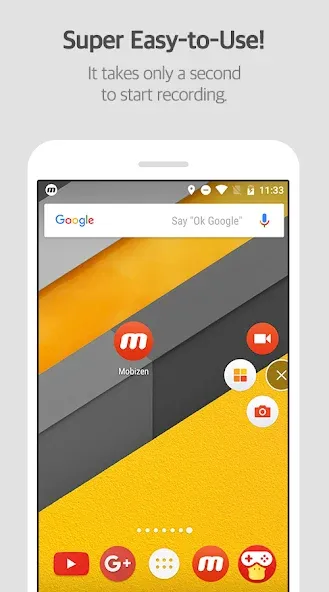
Mobizen Screen Recorder supports recording at up to 1440p QHD resolution and 60fps, with a bitrate of up to 24 Mbps. Recording begins with a single tap, and files are saved locally on your device for easy access. For longer sessions, you can set the save location to an external SD card to free up internal storage, helping you manage large files and ensuring uninterrupted recording.
Clean and Hidden Modes
Mobizen Screen Recorder offers a "Clean Mode" for watermark-free recordings, as well as a "Hidden Mode" that removes the on-screen recording button during capture. You can select your preferred mode before starting, ensuring the focus remains entirely on the content—making tutorials and gaming videos clearer and more engaging for your audience.
Camera and Audio Recording
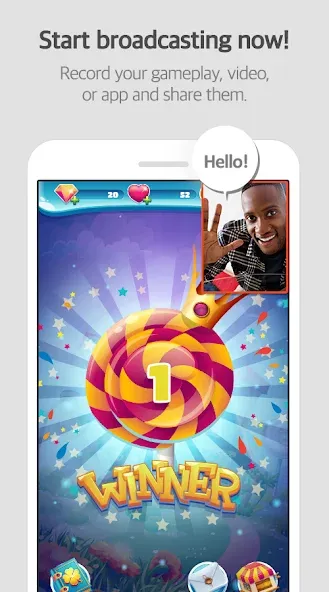
Mobizen Screen Recorder allows you to overlay your face (via the front-facing camera) and audio, letting you include reaction footage alongside your content. Depending on your device's capabilities and settings, the app can capture both game audio and your own voice. You can adjust the size and position of the camera overlay to suit your needs—a feature particularly useful for commentary and instructional videos.
Editing, Drawing, and GIF Tools
Mobizen Screen Recorder includes a built-in editor, allowing you to trim clips and apply quick touch-ups to your videos. You can draw or highlight directly on the screen to emphasize specific steps or key areas. The app supports custom watermarks—perfect for building your channel’s brand—and makes it easy to create short, animated GIFs. These built-in tools allow you to produce videos that are ready to share the moment you finish recording.
Automation and Customizable "Air Circle"
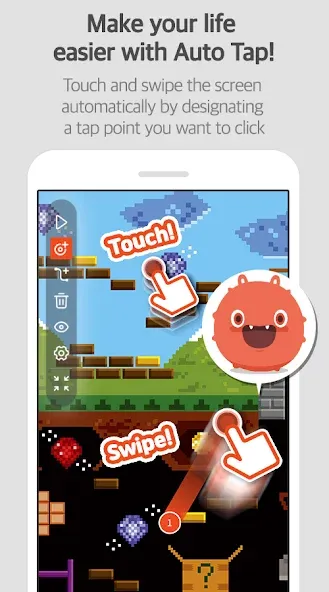
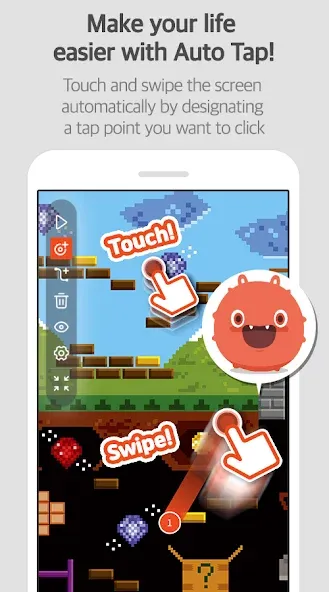
Mobizen Screen Recorder offers "Auto-Tap" and "Auto-Swipe" features, which automate repetitive touch actions during your recording. These functions require the AccessibilityService permission, which is used exclusively to execute these tapping and swiping gestures. You can stop these automated actions at any time and adjust the intervals to suit your needs. Additionally, the "Air Circle" (floating control menu) can be customized to fit your screen layout.
Usage
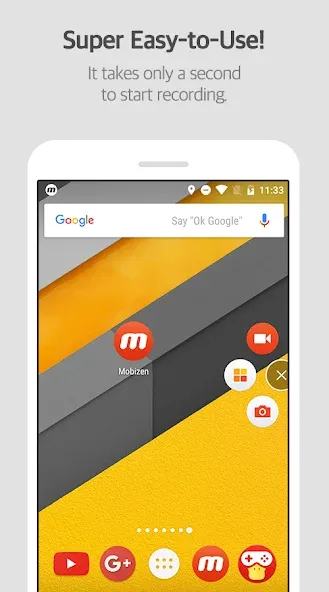
Open Mobizen Screen Recorder and follow the prompts to grant the necessary permissions for storage, microphone, and screen overlay. Tap the record button to perform a test recording.
Next, go to "Settings" to select your preferred resolution, frame rate, and bitrate. Before you begin recording, choose between "Clean" or "Hidden" mode to ensure the final output meets your requirements.
If you want to add commentary, enable the camera and select your audio source. Adjust the position of the camera overlay and check your audio levels.
During recording, use the drawing tools to highlight specific steps. Once finished, use the built-in editor to trim your footage, add watermarks, or export the content as a GIF.
For longer recording sessions, set your save location to an external SD card. If you need to repeat certain actions, enable the "Auto-Tap" or "Auto-Swipe" feature, configure the sequence of actions, and then start your recording.
Function
Record your screen in Full HD resolution.
Capture audio from your device or via a microphone.
Control your recording using a floating menu (Air Circle).
Edit your videos with a variety of tools, including trimming, adding background music, and more.
Use the "Facecam" feature to record yourself while capturing your screen.
Add text, images, and logos to your videos using the overlay function.
Share your videos directly to social media or cloud storage services like Google Drive and Dropbox.
Pros and Cons
Pros:
Record screen activity and take screenshots on your mobile device.
Edit recordings and images directly on your Android device.
Offers a wide range of customizable options, including screen resolution and frame rate.
Cons:
The app may run slowly on lower-performance devices.
FAQs
Does Mobizen Screen Recorder record internal audio?
Yes, it can record internal audio as well as input from your microphone, depending on your device's compatibility.
Can I edit videos within Mobizen Screen Recorder?
Yes, it includes basic editing tools—such as trimming, cutting, and simple adjustments—so you don’t need a separate app.
Is Mobizen Screen Recorder suitable for recording gameplay?
Yes, it supports high resolution and smooth frame rates, making it ideal for capturing clear footage of mobile games.
How long can I record my screen?
Mobizen Screen Recorder allows for screen recordings of up to 60 minutes per session.
Conclusion
Mobizen Screen Recorder is a versatile app suitable for a wide range of users. Students can record lessons, gamers can capture their gameplay, and content creators can produce videos for social media. It is best suited for scenarios that require quick recording and simple editing without the need for complex configurations.
More Information
- Size:98.42MB
- Version:3.11.2.5
- Requirements:Android
- Package Name:com.rsupport.mvagent
- Signature:6092baeda8c6b0d296b6e5faa5bc7a83
Related topics
-
The software boasts a sleek, user-friendly interface designed for effortless navigation, enabling seamless browsing and quick searches across a diverse range of video content. Its extensive library is continuously updated with the newest releases, including blockbuster movies, trending TV series, entertaining variety shows, captivating animations, and insightful documentaries. With this ever-expanding collection, users can enjoy high-quality, up-to-date entertainment anytime and anywhere, catering to all tastes and preferences.
-
![Mobizen Screen Recorder]()
Mobizen Screen Recorder
-
![MyVidster]()
MyVidster
-
![9xBuddy]()
9xBuddy
-
![YouTube Kids]()
YouTube Kids
-
![ProHub Video Downloader]()
ProHub Video Downloader
-
![Snapinsta]()
Snapinsta
-
![Network Stream (Video) Player]()
Network Stream (Video) Player
-
![Video to MP3 Converter]()
Video to MP3 Converter
-
-
Mobile video editing tools are highly popular, with complete functions and professional tools that provide a strong atmosphere for various materials. Rich video templates can be operated with just one click, saving time and without too high a threshold. So what are the free versions of mobile video editing software? Editing software should have high popularity, but most of them require membership. Next, I recommend several platforms that can be used for free.
-
![Mobizen Screen Recorder]()
Mobizen Screen Recorder
-
![Rapchat]()
Rapchat
-
![Blurrr]()
Blurrr
-
![Capcut]()
Capcut
-
![VN Video Editor Maker VlogNow]()
VN Video Editor Maker VlogNow
-
![MindSync Mod]()
MindSync Mod
-
![MiniMovie]()
MiniMovie
-
![Adobe Premiere]()
Adobe Premiere
-
-
In the era of popular short videos, it seems that everyone can edit, which has become an essential skill. The editor brings you a ranking of video editing software that is good. Editing videos seems to be a daily routine, used by both internet celebrities and daily life recorders. The editing techniques are also different. The videos edited by professional personnel are more shocking and beautiful, while those edited by non professional personnel are ordinary. Below, the editor will organize some useful video editing software.
-
![Mobizen Screen Recorder]()
Mobizen Screen Recorder
-
![CapCit]()
CapCit
-
![Video Converter & Compressor]()
Video Converter & Compressor
-
![VN Video Editor Maker VlogNow]()
VN Video Editor Maker VlogNow
-
![FotoPlay]()
FotoPlay
-
![MindSync Mod]()
MindSync Mod
-
![Alight Motion]()
Alight Motion
-
![Video Star Pro]()
Video Star Pro
-









Latest Updated





Popular Apps








Popular News
More+-
![Tomie Wants to Get Married Full Walkthrough, All Choices and Ending Guide]()
Tomie Wants to Get Married Full Walkthrough, All Choices and Ending Guide
2026-05-22
-
![Karryn’s Prison Gameplay Walkthrough & Strategy Guide]()
Karryn’s Prison Gameplay Walkthrough & Strategy Guide
2025-10-28
-
![Life in Santa County Game Guide & Complete Walkthrough]()
Life in Santa County Game Guide & Complete Walkthrough
2025-10-28
-
![Dreams of Desire Complete Walkthrough and Game Guide]()
Dreams of Desire Complete Walkthrough and Game Guide
2025-10-28
-
![Era Hunter Gameplay Guide & Full Walkthrough]()
Era Hunter Gameplay Guide & Full Walkthrough
2025-10-28




