
ScreenStream
Download for Android This app is available for Android only.- Category:Tools
- Rating:
- Language:English
- Updated:2026-11-21
Screenshots
Introduction
ScreenStream is a screen-mirroring tool designed for Android. It utilizes a built-in HTTP protocol to stream screen content to other devices. The tool incorporates global encryption and offers an optional PIN-code feature for added security. It supports the sharing of your screen, microphone, and device audio within the same local network, and includes a meeting function that allows participants to join via a unique ID. With its integrated HTTP server, the software can operate offline or via Wi-Fi and USB tethering. It supports both video and audio streaming and is compatible with a wide range of devices, catering to diverse user needs.
Features
Modes
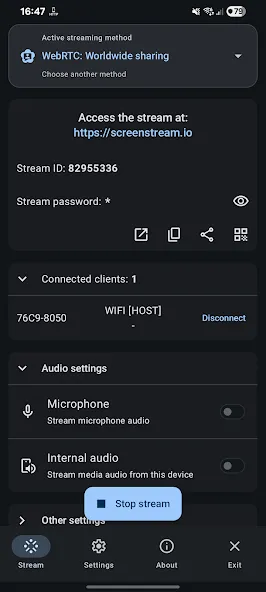
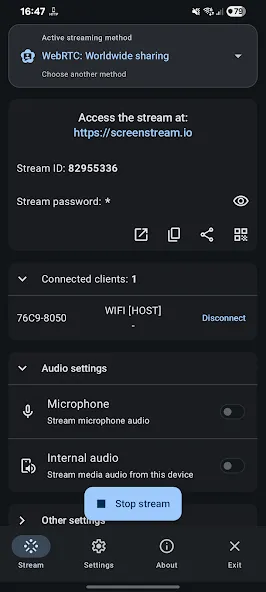
Global (WebRTC) – End-to-end encrypted, password-protected WebRTC streaming (video + audio).
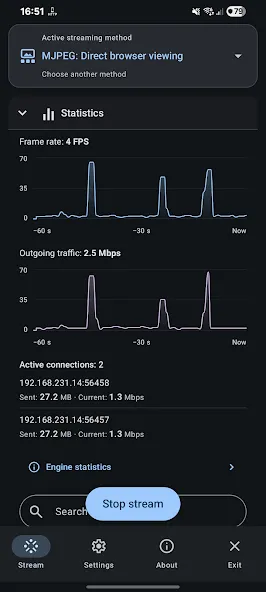
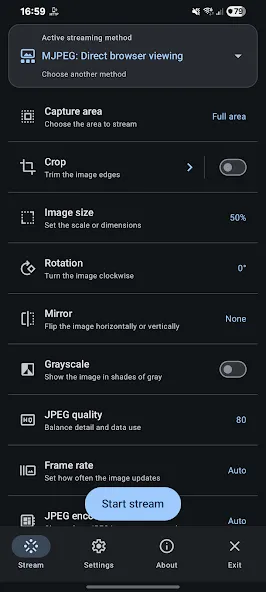
Local (MJPEG) – HTTP streaming over Wi-Fi or a hotspot; requires no complex setup; supports optional PIN codes; works both offline and online.
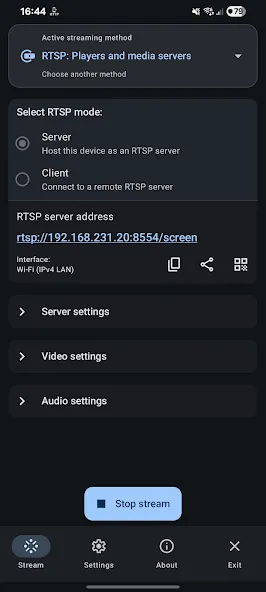
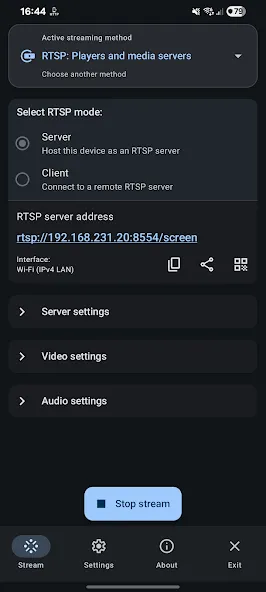
RTSP – Server or client mode; supports H.265/H.264 video and OPUS/AAC/G.711 audio.
Global (WebRTC)
End-to-end encrypted, password-protected peer-to-peer streaming.
Share your screen, microphone, and device audio.
Viewers can join a session using any WebRTC-compatible browser by entering a Stream ID and password.
Requires an internet connection; signaling is handled via a public, open-source server.
Audio/video is transmitted directly between devices; bandwidth usage increases with the number of viewers.
Local (MJPEG)
Built-in HTTP server; works offline or via Wi-Fi, hotspot, or USB tethering.
Transmits screen content as a series of individual JPEG images (video only).
Supports an optional 6-digit PIN code; uses unencrypted HTTP.
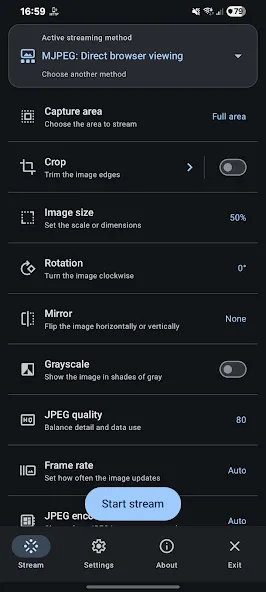
Supports IPv4/IPv6; includes options for cropping, resizing, and rotation.
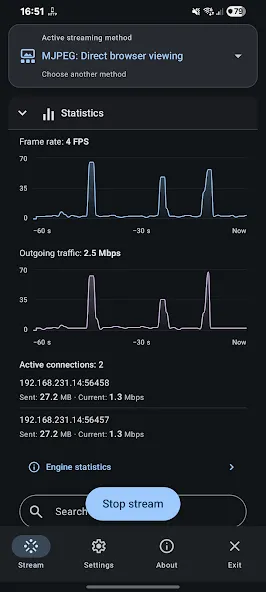
Each viewer receives an independent image stream; bandwidth requirements increase as more viewers join.
RTSP
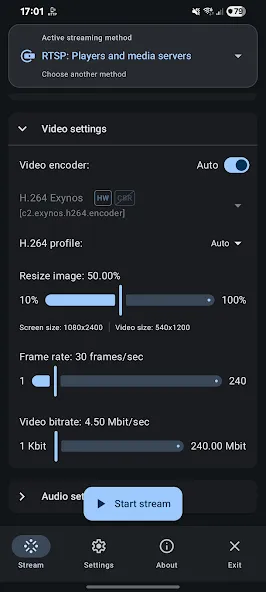
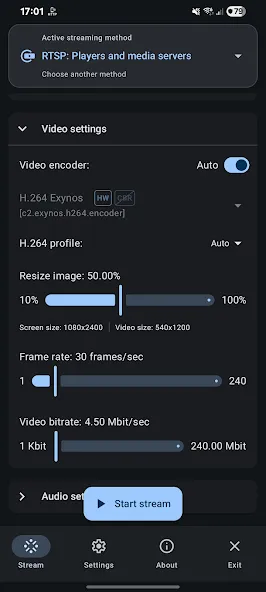
Supports H.265/H.264 video streams + OPUS/AAC/G.711 audio streams in either server or client mode.
Server mode includes configuration options for protocols, interface/address filtering, IPv4/IPv6, and ports.
Supports Wi-Fi or cellular networks, as well as IPv4 and IPv6.
Includes ONVIF discovery for server-based streaming (H.264).
Compatible with players such as VLC, FFmpeg, mpv, GStreamer, OBS, MediaMTX, etc.
Requires an RTSP client or player for viewing.
Pros and Cons
Pros:
Capable of streaming to modern web browsers without the need for desktop receiver software.
Global mode includes password protection and end-to-end encryption.
Broad compatibility with various RTSP codecs and media tools.
Open-source software licensed under the MIT License.
Cons:
Local MJPEG mode does not support audio or encryption.
Bandwidth usage increases with each additional viewer.
FAQs
Can I include audio in my screen recordings or live streams using ScreenStream?
Yes, ScreenStream allows you to incorporate microphone input or system audio into your screen recordings or live streams.
What are some recommended use cases for ScreenStream?
ScreenStream is suitable for a wide range of purposes, such as game streaming, remote collaboration and support, online training and presentations, software demonstrations, and more.
Are there any time limits for screen recording or live streaming with ScreenStream?
No, there are no time limits for screen recording or live streaming with ScreenStream; you can use it for as long as you need.
Can I password-protect my ScreenStream live streams?
Yes, ScreenStream offers an option to enable password protection, allowing you to restrict access to authorized viewers only.
User Reviews
A truly excellent app—no exaggeration here—definitely deserves a five-star rating.
Simple and practical. I use it to view my phone’s screen on my Quest 2; the experience is very similar to an FPV (First-Person View) setup.
So cool! Does this app avoid generating any redundant data while running? I’m really interested in this kind of design. MJPEG streaming performs exceptionally well and offers high compatibility across a wide range of platforms and devices. It has low system requirements, consumes minimal resources, and involves a smaller volume of data transmission! Five-star rating!
Conclusion
ScreenStream is an application that turns your Android phone or tablet into a real-time screen streamer, allowing you to cast your device's content to a web browser—no cables or browser plugins required. It is highly practical for users who need to display their screen content in real time, such as for quick demonstrations, assisting others with mobile device settings, or sharing educational material.
More Information
- Size:15.21MB
- Version:4.5.2
- Requirements:Android
- Package Name:info.dvkr.screenstream
- Signature:47a58e728a9dd508702ff1f732848275
Related topics
-
Utility apps are indispensable in our lives, making our daily routines more convenient. To help you find these apps more easily, this site has created a collection. This collection brings together a series of practical tools covering various aspects of life, work, and education, meeting all your needs. What are you waiting for? Try these apps now and make your life easier!
-
![Easy Share]()
Easy Share
-
![ScreenStream]()
ScreenStream
-
![Wipro Next Smart Home]()
Wipro Next Smart Home
-
![Da Fit]()
Da Fit
-
![PS2 Emulator DamonPS2 PPSSPP]()
PS2 Emulator DamonPS2 PPSSPP
-
![Rips by Triumph]()
Rips by Triumph
-
![RPCSX Emulator]()
RPCSX Emulator
-
-
Transform your mobile device into a powerhouse of efficiency with these handpicked essential tools. Whether you need professional-grade photo editing, seamless file organization, smart task management, or real-time weather updates, our curated selection of premium apps delivers unbeatable performance. Streamline your daily routine, automate repetitive tasks, and boost your productivity with intuitive interfaces and powerful features. Designed for both professionals and casual users, these editor-approved applications will revolutionize how you work and play. Don't settle for an ordinary phone - upgrade your digital experience today and unlock your device's full potential!
-
![ScreenStream]()
ScreenStream
-
![Wipro Next Smart Home]()
Wipro Next Smart Home
-
![Da Fit]()
Da Fit
-
![GameCC]()
GameCC
-
![Rips by Triumph]()
Rips by Triumph
-
![JJSploit]()
JJSploit
-
-
With the development of mobile hardware and software, many practical tool software have emerged, covering a wide range of aspects and becoming a good helper for everyone in work and life. Today, the editor provides you with a list of useful tool software downloads. These tools are not particularly complex types, and after reading them, everyone can quickly learn how to use them. Proper use can bring great convenience to life and work.
-
![Easy Share]()
Easy Share
-
![ScreenStream]()
ScreenStream
-
![Wipro Next Smart Home]()
Wipro Next Smart Home
-
![Da Fit]()
Da Fit
-
![GameCC]()
GameCC
-
![PS2 Emulator DamonPS2 PPSSPP]()
PS2 Emulator DamonPS2 PPSSPP
-
![Rips by Triumph]()
Rips by Triumph
-






Latest Updated

Popular Apps








Popular News
More+-
![Tomie Wants to Get Married Full Walkthrough, All Choices and Ending Guide]()
Tomie Wants to Get Married Full Walkthrough, All Choices and Ending Guide
2026-05-22
-
![Karryn’s Prison Gameplay Walkthrough & Strategy Guide]()
Karryn’s Prison Gameplay Walkthrough & Strategy Guide
2025-10-28
-
![Life in Santa County Game Guide & Complete Walkthrough]()
Life in Santa County Game Guide & Complete Walkthrough
2025-10-28
-
![Dreams of Desire Complete Walkthrough and Game Guide]()
Dreams of Desire Complete Walkthrough and Game Guide
2025-10-28
-
![Era Hunter Gameplay Guide & Full Walkthrough]()
Era Hunter Gameplay Guide & Full Walkthrough
2025-10-28




