

PS2 Emulator DamonPS2 PPSSPP
Download for Android This app is available for Android only.- Category:Tools
- Rating:
- Language:English
- Updated:2026-11-20
Screenshots
Introduction
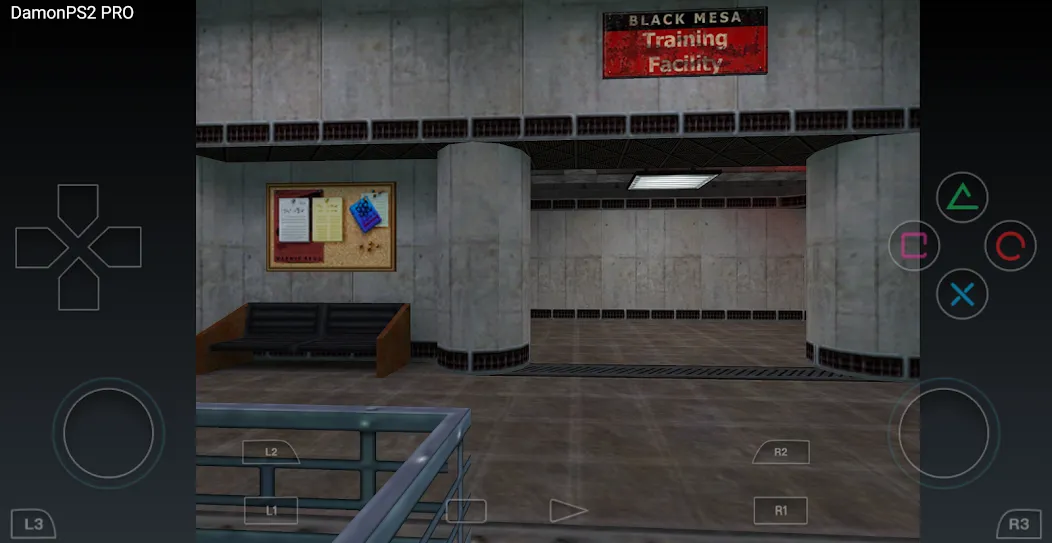
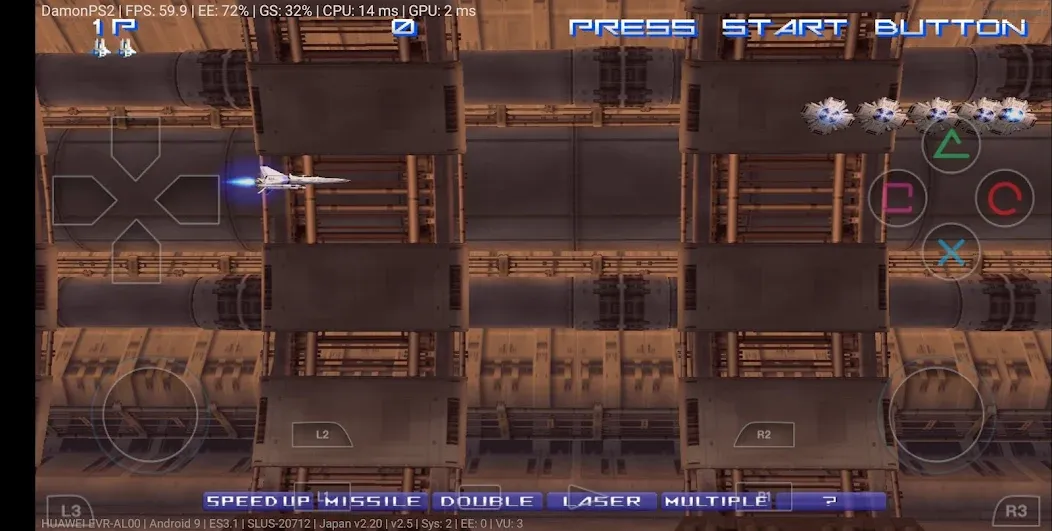
PS2 Emulator DamonPS2 PPSSPP is a gaming tool designed for the Android platform. It allows users to play console games on their mobile devices, with many titles running smoothly and stably. The software is compatible with a wide range of devices, making it accessible to various users. It supports high-resolution output—up to 1080p—delivering crisp visuals on your screen and even enhancing the graphics of older games. The app also supports external game controllers and provides on-screen virtual controls. Furthermore, it accommodates multiple file formats, enabling users to enjoy a vast library of classic games.
Features
Extensive PS2 Game Compatibility
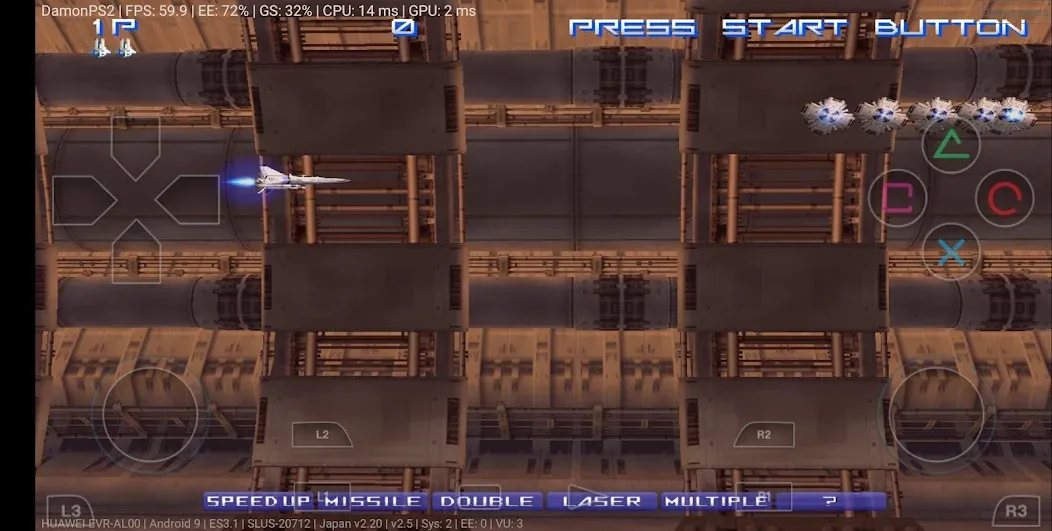
PS2 Emulator DamonPS2 PPSSPP can run the majority of PlayStation 2 titles, with many performing smoothly and reliably. Compatibility for some games is nearly perfect, allowing you to revisit a wide array of classics right on your mobile device. This focus on compatibility ensures that users can enjoy games from various genres and regions without the need for constant, complex adjustments.
High-Definition Upscaling and Widescreen Support
The app allows you to increase the internal resolution by two to five times—up to 1080p—resulting in sharper, clearer visuals on your device's screen. You can also opt for a 16:9 aspect ratio for an improved widescreen experience. These features help clarify the graphics of older games while preserving their original artistic style.
Support for External Game Controllers
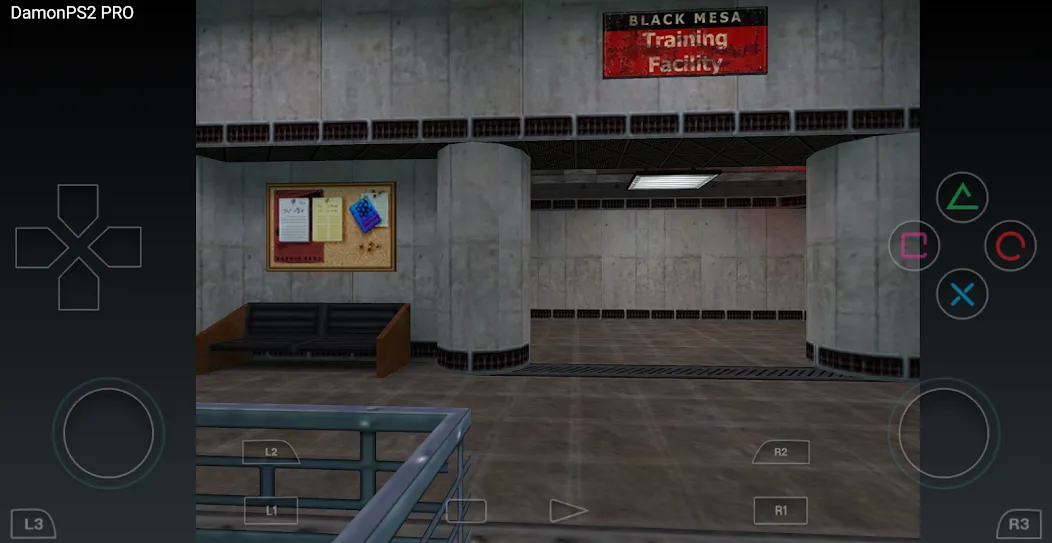
You can connect physical game controllers to enjoy a traditional console-style gaming experience. The control scheme is similar to that of PPSSPP, making it instantly familiar to those who have played PSP games. Using a physical controller reduces on-screen clutter and enhances precision during fast-paced, action-heavy gameplay.
Quick Startup and Flexible File Format Support
PS2 Emulator DamonPS2 PPSSPP allows users to skip the BIOS boot sequence, getting you into your games faster. It supports a variety of ROM image formats—including .iso, .bin, .img, and .nrg—which is highly convenient for managing game collections from diverse sources. This flexibility streamlines the initial setup process and eliminates the need for time-consuming file conversions.
Performance Optimization and Pro Version Upgrade
Under the hood, multi-threading and NEON acceleration technologies enhance speed and responsiveness across many scenarios. For those seeking finer control and fewer distractions, the Pro version of PS2 Emulator DamonPS2 PPSSPP removes advertisements and adds advanced features such as HD rendering controls, hardware controller support, memory card saves with multiple slots, and cheat code functionality. These additions allow users to fine-tune visuals and save-state management to suit their specific devices and gaming styles.
Pros and Cons
Pros:
Supports up to 5x resolution scaling and 1080p rendering.
Includes widescreen support, multi-threading, and NEON acceleration.
Full-screen display.
Smooth transitions when switching between the emulator and other apps.
Cons:
Reportedly, only about 20% of games are fully compatible.
The free version restricts features like saving, controller support, and HD rendering.
Usage
Install the app on your Android device and launch it from your home screen.
When prompted, grant storage permissions so the app can scan for and load your game files.
Copy your legally acquired PS2 game ISO files into a folder on your phone. Ensure the files are in a supported format.
Use the app’s built-in file browser to navigate to your game folder and select the game you wish to play. If enabled, the emulator will skip the BIOS boot sequence and launch the game directly.
Access the settings menu to adjust resolution, aspect ratio, and controller configurations. If a game controller is connected, map the buttons to your preference, then start playing.
FAQs
Does the PS2 Emulator DamonPS2 PPSSPP work on all Android phones?
Performance varies depending on the device. More powerful hardware generally provides a smoother gaming experience, while less powerful devices may experience lag, glitches, or crashes.
Does the PS2 Emulator DamonPS2 PPSSPP include PS2 games or BIOS files?
No, the PS2 Emulator DamonPS2 PPSSPP does not include any PS2 games or BIOS files. Users must provide their own legally obtained backup files to set up and use the emulator.
Who should use the PS2 Emulator DamonPS2 PPSSPP?
The PS2 Emulator DamonPS2 PPSSPP is designed for Android users who want to play PS2 games anytime, anywhere—whether they wish to experiment with settings, use a controller, or enjoy classic console titles on their mobile devices.
Conclusion
The PS2 Emulator DamonPS2 PPSSPP is aimed at users who want to play PS2 games on their phones or tablets without the need to carry around aging, original hardware. The app focuses on speed, broad game compatibility, and flexible configuration options, helping games run smoothly on more powerful Android devices.
More Information
- Size:46.67MB
- Version:6.4.0
- Requirements:Android
- Package Name:com.damonplay.damonps2.free
- Signature:0c0b98e98dff5fdbe4f82322b2459059
Related topics
-
Meet Game BOX — your all-in-one game hub! Explore action, RPG, strategy, and more. Find games quickly, download fast, and play seamlessly on mobile. Simple, safe, and packed with top-rated titles. Perfect for gamers everywhere.
-
![GameCC]()
GameCC
-
![PS2 Emulator DamonPS2 PPSSPP]()
PS2 Emulator DamonPS2 PPSSPP
-
![RPCSX Emulator]()
RPCSX Emulator
-
![Skin Editor 3D for Minecraft]()
Skin Editor 3D for Minecraft
-
![PSPlay]()
PSPlay
-
![Xaeros Minimap Minecraft]()
Xaeros Minimap Minecraft
-
![Bluestacks Emulator Launcher]()
Bluestacks Emulator Launcher
-
![ToonHQ for Toontown Rewritten]()
ToonHQ for Toontown Rewritten
-
-
Utility apps are indispensable in our lives, making our daily routines more convenient. To help you find these apps more easily, this site has created a collection. This collection brings together a series of practical tools covering various aspects of life, work, and education, meeting all your needs. What are you waiting for? Try these apps now and make your life easier!
-
![PS2 Emulator DamonPS2 PPSSPP]()
PS2 Emulator DamonPS2 PPSSPP
-
![Rips by Triumph]()
Rips by Triumph
-
![RPCSX Emulator]()
RPCSX Emulator
-
![Trace Sketch & Draw On Paper]()
Trace Sketch & Draw On Paper
-
![EX File Manager]()
EX File Manager
-
![File Sharing]()
File Sharing
-
![Opensignal]()
Opensignal
-
-
With the development of mobile hardware and software, many practical tool software have emerged, covering a wide range of aspects and becoming a good helper for everyone in work and life. Today, the editor provides you with a list of useful tool software downloads. These tools are not particularly complex types, and after reading them, everyone can quickly learn how to use them. Proper use can bring great convenience to life and work.
-
![GameCC]()
GameCC
-
![PS2 Emulator DamonPS2 PPSSPP]()
PS2 Emulator DamonPS2 PPSSPP
-
![Rips by Triumph]()
Rips by Triumph
-
![RPCSX Emulator]()
RPCSX Emulator
-
![Sub4Sub Pro]()
Sub4Sub Pro
-
![EX File Manager]()
EX File Manager
-
![Opensignal]()
Opensignal
-
![Epson iPrint]()
Epson iPrint
-











Latest Updated




Popular Apps








Popular News
More+-
![Tomie Wants to Get Married Full Walkthrough, All Choices and Ending Guide]()
Tomie Wants to Get Married Full Walkthrough, All Choices and Ending Guide
2026-05-22
-
![Karryn’s Prison Gameplay Walkthrough & Strategy Guide]()
Karryn’s Prison Gameplay Walkthrough & Strategy Guide
2025-10-28
-
![Life in Santa County Game Guide & Complete Walkthrough]()
Life in Santa County Game Guide & Complete Walkthrough
2025-10-28
-
![Dreams of Desire Complete Walkthrough and Game Guide]()
Dreams of Desire Complete Walkthrough and Game Guide
2025-10-28
-
![Era Hunter Gameplay Guide & Full Walkthrough]()
Era Hunter Gameplay Guide & Full Walkthrough
2025-10-28




