
Opensignal
Download for Android This app is available for Android only.- Category:Tools
- Rating:
- Language:English
- Updated:2026-11-19
Screenshots
Introduction
Opensignal is a network testing tool designed for Android. It allows users to analyze their current network connection and provides assistance in resolving any identified issues. The app measures mobile network speed; if you experience slow video playback, you can use the tool to run a test—it simulates a 15-second video playback scenario to assess loading speeds and potential playback problems. Additionally, the app features a network coverage map that helps you identify areas with the best signal and fastest speeds, making it easier to find locations nearby with reliable connectivity. Rest assured that all network data collected during testing remains secure, ensuring your personal information is always protected.
Features
Connectivity Tests and Assistant
Experiencing network issues and unsure what to do? Try running the all-new connectivity test. If a problem is detected, the Connectivity Assistant will provide practical tips to help you resolve it.
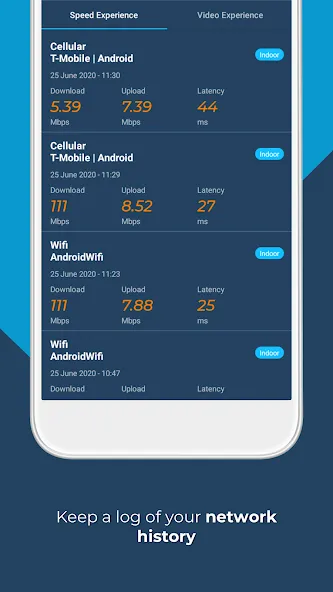
Mobile and Wi-Fi Speed Tests
The Opensignal speed test measures your mobile network connection and signal strength. It performs a 5-second download test, a 5-second upload test, and a ping test to provide an accurate reflection of the speeds you can expect. The test utilizes common internet CDN servers, and results are based on the median value of the collected samples.
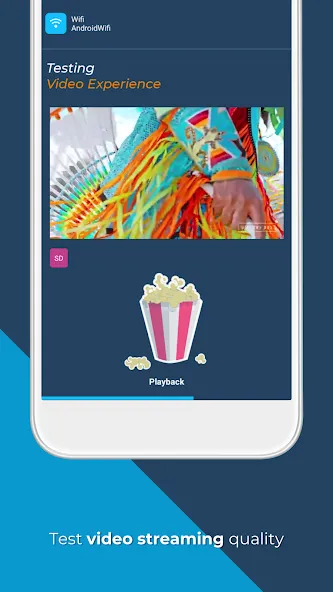
Video Playback Test
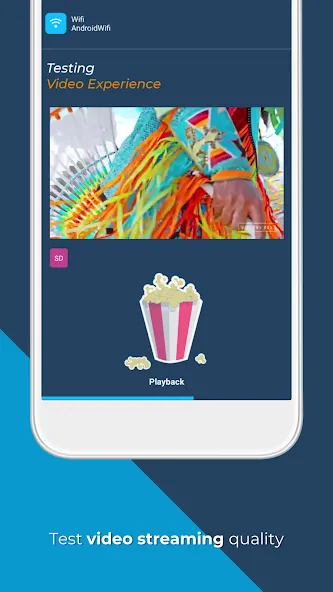
Is your video loading slowly, buffering, or taking longer to load than to watch? Opensignal’s video test plays a 15-second video clip, monitoring and recording loading times, buffering, and playback issues in real-time. This gives you a clear picture of what to expect when streaming HD or SD video on your network.
Connectivity and Speed Coverage Map
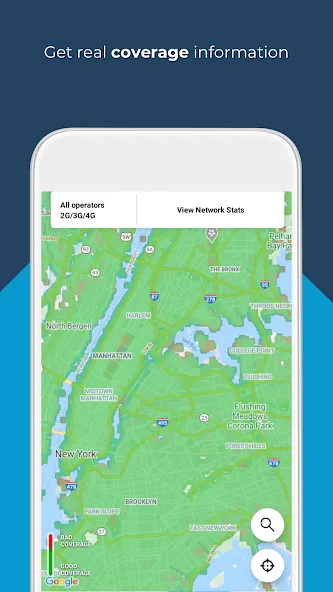
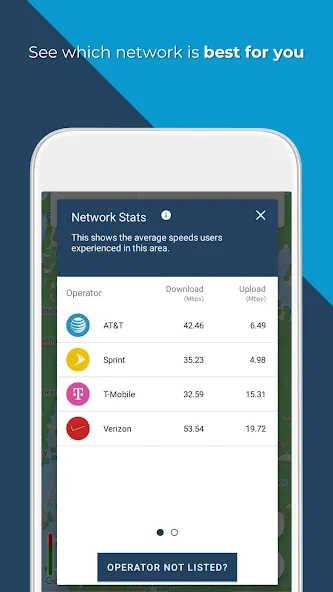
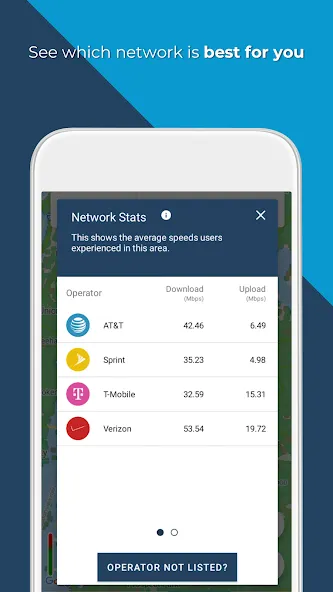
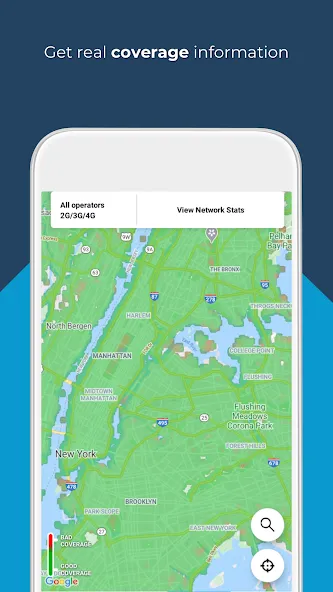
Use the Opensignal coverage map to stay informed about the best signal coverage and fastest network speeds. The map leverages speed test and signal strength data from local users—accurate down to the street level—to display signal quality. You can view network coverage, check download speeds in remote areas, compare different local network operators, and find the best SIM card for your needs.
Cell Tower Compass
The Cell Tower Compass helps you identify the direction of the nearest or strongest signal source, allowing for more precise placement of signal boosters or other connectivity-enhancing equipment. Note: Base station-based location tracking uses aggregated data, which may result in lower accuracy in certain areas. We are working to improve this feature and appreciate your patience.
Connection Availability Statistics
Opensignal tracks the time you spend connected to 3G, 4G, 5G, or Wi-Fi networks, as well as periods with no signal at all. This helps you determine whether the service you receive from your network operator aligns with what you are paying for. If the service falls short, you can use this data—along with individual speed test results—to provide feedback to your mobile operator regarding connectivity and signal issues.
Pros and Cons
Pros:
Provides accurate network speed tests, including both download and upload speeds.
User-friendly interface with simple navigation.
Offers detailed reports on connection quality and network performance.
Allows users to compare their own speed test results with those of other users in the same area.
Includes coverage maps to visualize data speeds across different service providers.
Free to use, with no hidden costs or subscription fees.
Cons:
Requires an internet connection to perform speed tests, which limits offline use.
The free version may display advertisements, which could affect the user experience.
FAQs
What metrics does Opensignal provide in its speed tests?
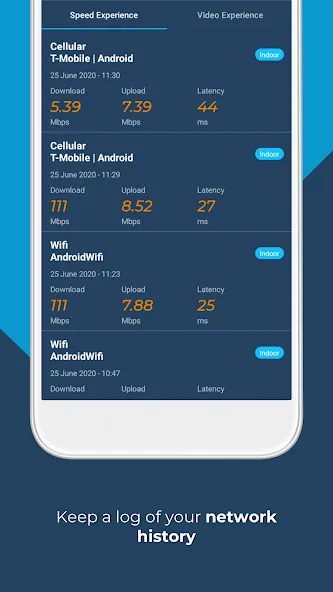
Opensignal provides measurements for download speed, upload speed, and latency (ping) as part of its speed test results.
Can I compare my results with other users?
Yes, the Opensignal app allows you to compare your test results with those of other users in your area or on the same network.
Does the Opensignal speed test tool work on both mobile networks and Wi-Fi connections?
Yes, Opensignal can test both mobile data and Wi-Fi connections, providing a comprehensive view of your internet performance.
Is my data shared with others?
Opensignal collects data for network performance analysis; however, user-specific data is anonymized and aggregated to ensure user privacy.
Conclusion
The coverage maps provided by Opensignal are a valuable resource for users looking to assess local signal strength. By leveraging speed test and signal data from local users, these maps can pinpoint signal strength down to the street level.
More Information
- Size:14.34MB
- Version:8.17.0-577
- Requirements:Android
- Package Name:com.staircase3.opensignal
- Signature:a1cdae16fa923e91a80f347389fbd8ae
Related topics
-
Utility apps are indispensable in our lives, making our daily routines more convenient. To help you find these apps more easily, this site has created a collection. This collection brings together a series of practical tools covering various aspects of life, work, and education, meeting all your needs. What are you waiting for? Try these apps now and make your life easier!
-
![Trace Sketch & Draw On Paper]()
Trace Sketch & Draw On Paper
-
![EX File Manager]()
EX File Manager
-
![Opensignal]()
Opensignal
-
![Apreço]()
Apreço
-
![Phone Doctor Plus]()
Phone Doctor Plus
-
![IMEI Changer Pro]()
IMEI Changer Pro
-
![CP PLUS gCMOB]()
CP PLUS gCMOB
-
![Yt5s All Media Video]()
Yt5s All Media Video
-
-
Transform your mobile device into a powerhouse of efficiency with these handpicked essential tools. Whether you need professional-grade photo editing, seamless file organization, smart task management, or real-time weather updates, our curated selection of premium apps delivers unbeatable performance. Streamline your daily routine, automate repetitive tasks, and boost your productivity with intuitive interfaces and powerful features. Designed for both professionals and casual users, these editor-approved applications will revolutionize how you work and play. Don't settle for an ordinary phone - upgrade your digital experience today and unlock your device's full potential!
-
![Trace Sketch & Draw On Paper]()
Trace Sketch & Draw On Paper
-
![Opensignal]()
Opensignal
-
![Epson iPrint]()
Epson iPrint
-
![Apreço]()
Apreço
-
![Phone Doctor Plus]()
Phone Doctor Plus
-
![Seal Downloader]()
Seal Downloader
-
![IMEI Changer Pro]()
IMEI Changer Pro
-
![CP PLUS gCMOB]()
CP PLUS gCMOB
-
-
With the development of mobile hardware and software, many practical tool software have emerged, covering a wide range of aspects and becoming a good helper for everyone in work and life. Today, the editor provides you with a list of useful tool software downloads. These tools are not particularly complex types, and after reading them, everyone can quickly learn how to use them. Proper use can bring great convenience to life and work.
-
![EX File Manager]()
EX File Manager
-
![Opensignal]()
Opensignal
-
![Epson iPrint]()
Epson iPrint
-
![Phone Doctor Plus]()
Phone Doctor Plus
-
![Seal Downloader]()
Seal Downloader
-
![IMEI Changer Pro]()
IMEI Changer Pro
-
![CP PLUS gCMOB]()
CP PLUS gCMOB
-
![Yt5s All Media Video]()
Yt5s All Media Video
-







Latest Updated



Popular Apps








Popular News
More+-
![Tomie Wants to Get Married Full Walkthrough, All Choices and Ending Guide]()
Tomie Wants to Get Married Full Walkthrough, All Choices and Ending Guide
2026-05-22
-
![Karryn’s Prison Gameplay Walkthrough & Strategy Guide]()
Karryn’s Prison Gameplay Walkthrough & Strategy Guide
2025-10-28
-
![Life in Santa County Game Guide & Complete Walkthrough]()
Life in Santa County Game Guide & Complete Walkthrough
2025-10-28
-
![Dreams of Desire Complete Walkthrough and Game Guide]()
Dreams of Desire Complete Walkthrough and Game Guide
2025-10-28
-
![Era Hunter Gameplay Guide & Full Walkthrough]()
Era Hunter Gameplay Guide & Full Walkthrough
2025-10-28




