

Epson iPrint
Download for Android This app is available for Android only.- Category:Tools
- Rating:
- Language:English
- Updated:2026-11-19
Screenshots
Introduction
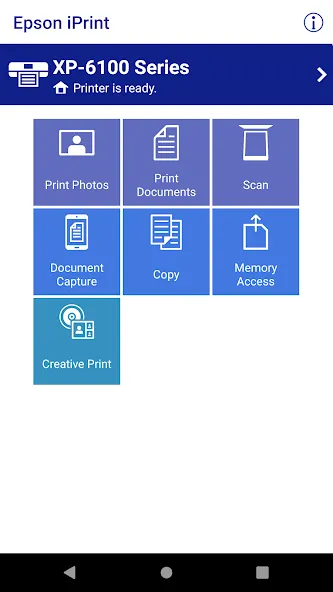
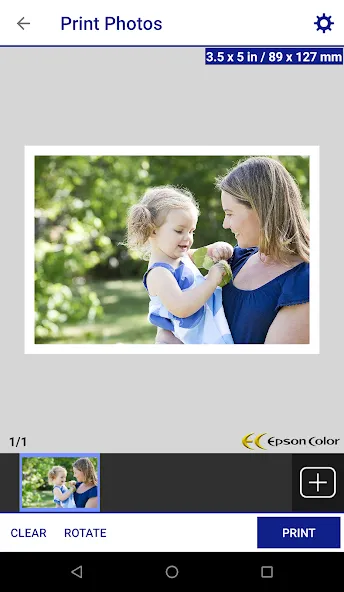
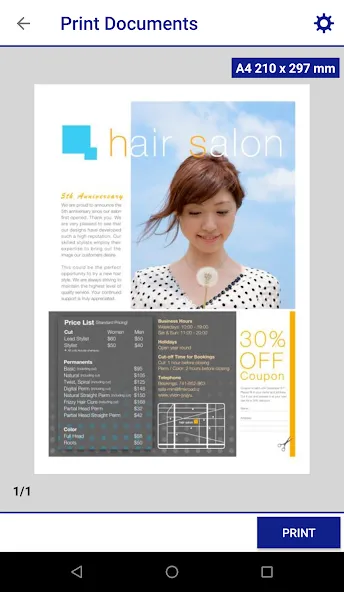
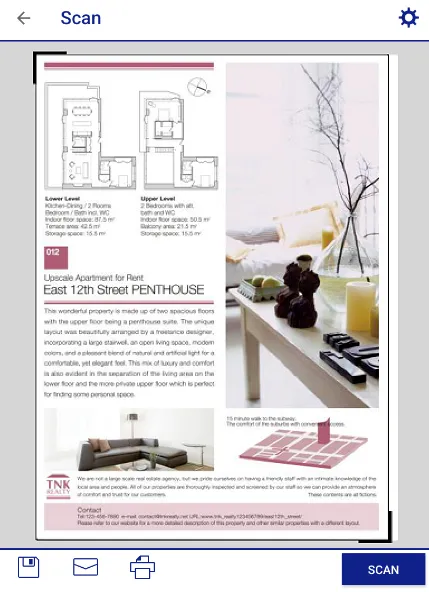
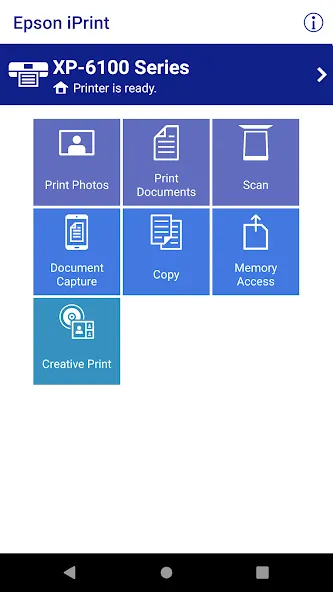
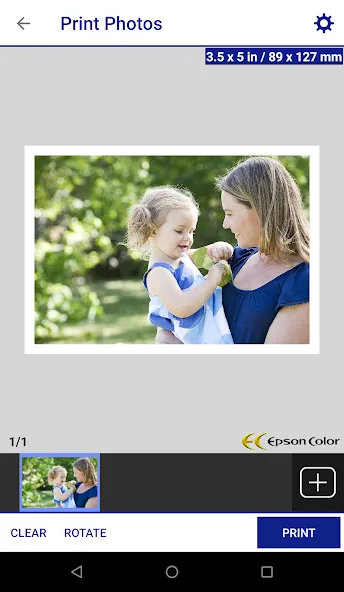
Epson iPrint is a printer control application designed for mobile devices. It allows users to discover nearby Epson printers and initiate printing by sending images and documents. The app offers a wide range of customization options—such as selecting the number of copies, choosing between color or black-and-white printing, and opting for single-sided or double-sided output—to suit various user needs. Additionally, the app functions as a scanner, enabling users to scan images directly into the software with a simple tap, making it easy to save or print them.
Features of Epson iPrint:
Print, scan, and share directly from your iPhone, iPod Touch or iPad.
Print to email-enabled Epson printers from anywhere in the world.
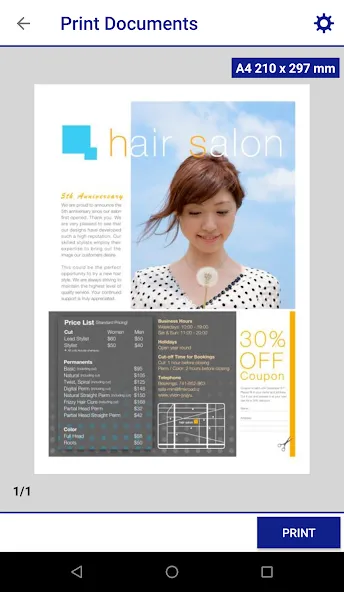
Print photos, PDFs, and Microsoft Office documents.
Print stored files and attachments from various cloud storage services.
Capture documents with your device camera and edit them before printing.
Scan documents on your Epson all-in-one and save or share them.
Copy documents and photos using a nearby Epson printer.
Transfer files between your device and an SD card or USB drive via an Epson printer.
Monitor printer status and ink levels.
Print within complex network environments using manual IP printer setup.
User Reviews of Epson iPrint:
The app. works great. I've only printed two pictures, so far all is well. I'm printing directly off my phone. The wifi isn't working, so this app. made printing possible. Easy to set up and worked the first try.
I own Epson Photo printer ,it has its advanced app Epson Smart Panel but it sucks when it comes to print ebay,Amazon or Vinted labels. Epson iPrint allows me to print postage labels in a 4x6 inch format on plain A4 paper straight from my phone without the hassle! Very recommended!!!
This app is actually very good and has been for years. No problem there. The only issue is the Epson printers themselves that seem intent on virtually every occasion of use to have an alleged issue. Today's apparent 'issue' no paper....when there was paper. Then after half an hour of that faff, the perennial favourite, insert ink cartridges.....when they already were....then replace blue, then yellow ( now empty) when I only ever use black, and that's about once a month? Where does the ink go??!
I sell on ebay and Depop and it works great with my phone. I don't have to use my computer. I sell something and print it from the ebay or depop app.
hey, it works perfectly for me but someone with another phone is trying to download it and weren't able to. they could download the enabler but not this one. what could be the problem?
FAQs of Epson iPrint:
The app doesn't detect my scanner. What should I do?
Try the following:Make sure your mobile device and product are connected to the same wireless network.Make sure your product does not indicate an error.
How do I print to a remote printer?
Do the following:
Start the app and do one of the following:
Tap Printer is not selected > Remote.
Tap the name of the product at the top of the screen, and then tap Printer > Remote.
Tap Add. Tap Yes in the screen that appears, if necessary.
Enter the remote printer's email address and tap Done.
Note: If your printer doesn't have an email address, you need to register the printer with Epson Connect. Tap Get Email Address to register the printer.
Select one of the printing options on the app's home screen to print to your remote printer.
Can I start a scan with the app?
Yes, you can if your product supports scanning.
How do I save my scan to my mobile device or online cloud service?
After scanning your document or photo in the app, tap . Then follow the steps in one of the sections below.
Saving to a Mobile Device
Tap Local Folder.
Note: On an iOS device, you can also select Camera Roll to automatically save your scan to the Photos app, but you won't be able to change the scan's file name or file type.
Enter a name for the scan and select either PDF or JPEG to save the scan as that file type.
Tap Save. The scan saves to your mobile device.
Saving to an Online Cloud Service
Tap the name of your online cloud service. If necessary, tap Sign In and follow the on-screen instructions to log in to your account.
Note: You need to have a cloud service account set up before you can save any files to the service.
Enter a name for the scan and select either PDF or JPEG to save the scan as that file type.
Tap Upload. The scan saves to your online cloud service.
Conclusion:
It doesn’t matter where we’re these days, we can perform things remotely and same with Epson printer is. This app helps setting up your printer on cloud and once setup you can take print, scan from anywhere the only condition is printer must be plugged in and must be online with the WiFi.
More Information
- Size:85.59MB
- Version:7.15.0
- Requirements:Android
- Package Name:epson.print
- Signature:a882419c8dc8cae73dd440b99e42a116
Related topics
-
Transform your mobile device into a powerhouse of efficiency with these handpicked essential tools. Whether you need professional-grade photo editing, seamless file organization, smart task management, or real-time weather updates, our curated selection of premium apps delivers unbeatable performance. Streamline your daily routine, automate repetitive tasks, and boost your productivity with intuitive interfaces and powerful features. Designed for both professionals and casual users, these editor-approved applications will revolutionize how you work and play. Don't settle for an ordinary phone - upgrade your digital experience today and unlock your device's full potential!
-
![Trace Sketch & Draw On Paper]()
Trace Sketch & Draw On Paper
-
![Epson iPrint]()
Epson iPrint
-
![Apreço]()
Apreço
-
![Phone Doctor Plus]()
Phone Doctor Plus
-
![Seal Downloader]()
Seal Downloader
-
![IMEI Changer Pro]()
IMEI Changer Pro
-
![CP PLUS gCMOB]()
CP PLUS gCMOB
-
![Smart Tutor for SAMSUNG Mobile]()
Smart Tutor for SAMSUNG Mobile
-
-
With the development of mobile hardware and software, many practical tool software have emerged, covering a wide range of aspects and becoming a good helper for everyone in work and life. Today, the editor provides you with a list of useful tool software downloads. These tools are not particularly complex types, and after reading them, everyone can quickly learn how to use them. Proper use can bring great convenience to life and work.
-
![EX File Manager]()
EX File Manager
-
![Epson iPrint]()
Epson iPrint
-
![Phone Doctor Plus]()
Phone Doctor Plus
-
![Seal Downloader]()
Seal Downloader
-
![IMEI Changer Pro]()
IMEI Changer Pro
-
![CP PLUS gCMOB]()
CP PLUS gCMOB
-
![Yt5s All Media Video]()
Yt5s All Media Video
-
![Smart Tutor for SAMSUNG Mobile]()
Smart Tutor for SAMSUNG Mobile
-







Latest Updated



Popular Apps








Popular News
More+-
![Tomie Wants to Get Married Full Walkthrough, All Choices and Ending Guide]()
Tomie Wants to Get Married Full Walkthrough, All Choices and Ending Guide
2026-05-22
-
![Karryn’s Prison Gameplay Walkthrough & Strategy Guide]()
Karryn’s Prison Gameplay Walkthrough & Strategy Guide
2025-10-28
-
![Life in Santa County Game Guide & Complete Walkthrough]()
Life in Santa County Game Guide & Complete Walkthrough
2025-10-28
-
![Dreams of Desire Complete Walkthrough and Game Guide]()
Dreams of Desire Complete Walkthrough and Game Guide
2025-10-28
-
![Era Hunter Gameplay Guide & Full Walkthrough]()
Era Hunter Gameplay Guide & Full Walkthrough
2025-10-28




