

File Sharing
Download for Android This app is available for Android only.- Category:Tools
- Rating:
- Language:English
- Updated:2026-11-20
Screenshots
Introduction
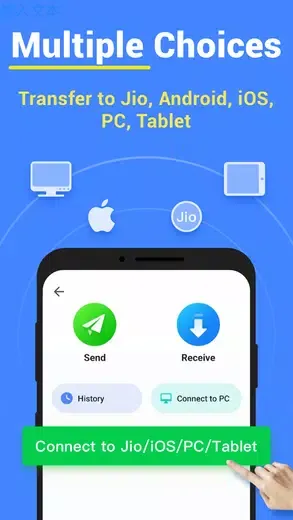
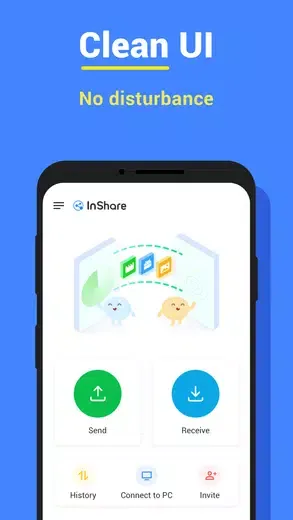
File Sharing is an excellent tool for sharing files. This application provides technically sound and secure file sharing and cross-platform sharing capabilities, featuring a user-friendly design and a powerful file manager, allowing users to easily find and transfer various types of files. With File Sharing, users can easily migrate data from an old phone to a new one, including contacts, text messages, photos, music, videos, and even applications. With its cross-platform compatibility, intelligent copy function, and powerful file manager, it ensures that users enjoy a smooth and efficient file sharing experience.
Highlights:
Share Files with Flash Speed
Up to 40Mb/s, 200 times faster than Bluetooth
Share large videos or files (1G) in less than 30 seconds
Transfer All Types of Files
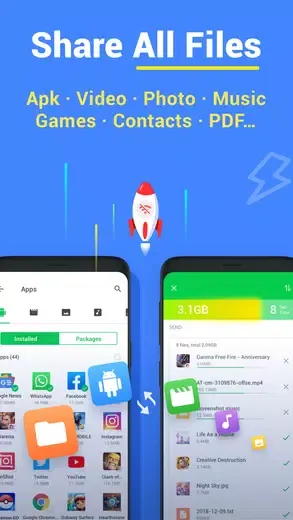
Photos, Videos, Songs, Games, Movies, APK or any other files
Send/Receive multiple files or folders at ONCE
Find and transfer files easily using the included file manager
Share Files
Transfer files anytime and send anywhere, less-limited
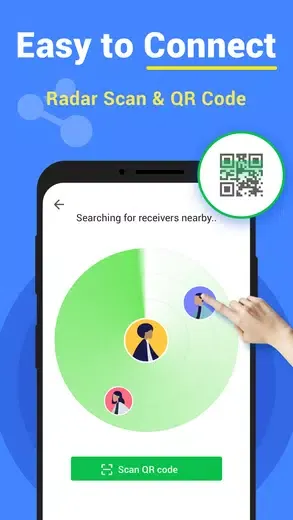
Connect to other devices in Hotspot or Wi-Fi mode
Features:
Lightning-Fast Transfers
Enjoy speeds up to 40Mb/s, making it 200 times faster than Bluetooth. Got a large file? Share a 1GB video in under 30 seconds!
Versatile File Support
Transfer all types of content: photos, videos, music, apps, and more — all at once with multiple file batch transfers.
Intuitive Sharing Options
Send files anytime, anywhere with Hotspot or Wi-Fi modes. Plus, Fast Mode taps into the 5GHz band for even quicker transfers.
Smart Replication
Move your data from an old phone to a new one effortlessly, from contacts to photos, without worrying about data loss.
Robust File Management
Find and sort files easily with the integrated file manager. Download directly received media to your device with ease.
Tips and Tricks:
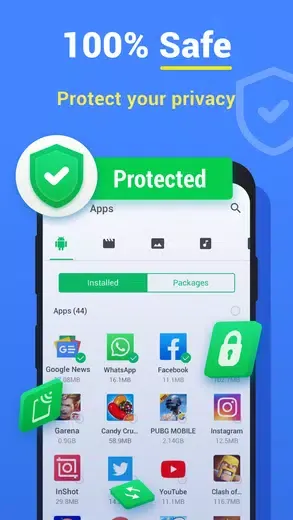
Select the files you want to send: Use the easy-to-use interface of InShare to choose the videos, games, photos, music, apps, and pdf files that you want to share.
Send files at lightning speed: With just one tap, you can send or receive files at speeds of up to 40Mb/s using InShare.
Use the powerful file manager: InShare comes with a file manager that organizes your files and allows for easy searching and transferring.
Activate Fast Mode: Enhance your file sharing experience by activating Fast Mode, which ensures faster speeds and stable connections.
Pros & Cons:
Pros
Works offline through hotspot or Wi-Fi connections
Handles many file types and multiple items at once
Includes file browsing, search, and phone migration
Cons
Transfer speeds can fluctuate or disconnect
May reset hotspot credentials on some devices
Conclusion:
File Sharing is the ultimate file sharing app that offers lightning-fast transfers, versatile file sharing options, an intuitive interface, and top-notch security. With its impressive transfer speed and easy-to-use features, you can share files of any type and size in a matter of seconds. Whether you need to send important documents or share entertaining media, InShare has everything you need.
More Information
- Size:15.46MB
- Version:2.1.3
- Requirements:Android 6.0+
- Package Name:sharefiles.sharemusic.shareapps.filetransfer
- Signature:d609c6052f1125178d7e41898bb9ef37
Related topics
-
Utility apps are indispensable in our lives, making our daily routines more convenient. To help you find these apps more easily, this site has created a collection. This collection brings together a series of practical tools covering various aspects of life, work, and education, meeting all your needs. What are you waiting for? Try these apps now and make your life easier!
-
![Rips by Triumph]()
Rips by Triumph
-
![RPCSX Emulator]()
RPCSX Emulator
-
![Trace Sketch & Draw On Paper]()
Trace Sketch & Draw On Paper
-
![EX File Manager]()
EX File Manager
-
![File Sharing]()
File Sharing
-
![Opensignal]()
Opensignal
-
![Big Timer]()
Big Timer
-
![Apreço]()
Apreço
-
-
Transform your mobile device into a powerhouse of efficiency with these handpicked essential tools. Whether you need professional-grade photo editing, seamless file organization, smart task management, or real-time weather updates, our curated selection of premium apps delivers unbeatable performance. Streamline your daily routine, automate repetitive tasks, and boost your productivity with intuitive interfaces and powerful features. Designed for both professionals and casual users, these editor-approved applications will revolutionize how you work and play. Don't settle for an ordinary phone - upgrade your digital experience today and unlock your device's full potential!
-
![Rips by Triumph]()
Rips by Triumph
-
![Trace Sketch & Draw On Paper]()
Trace Sketch & Draw On Paper
-
![File Sharing]()
File Sharing
-
![Opensignal]()
Opensignal
-
![Epson iPrint]()
Epson iPrint
-
![Universal TV Remote-ZaZa Remot]()
Universal TV Remote-ZaZa Remot
-
![Apreço]()
Apreço
-
![Bose Connect]()
Bose Connect
-








Latest Updated



Popular Apps








Popular News
More+-
![Tomie Wants to Get Married Full Walkthrough, All Choices and Ending Guide]()
Tomie Wants to Get Married Full Walkthrough, All Choices and Ending Guide
2026-05-22
-
![Karryn’s Prison Gameplay Walkthrough & Strategy Guide]()
Karryn’s Prison Gameplay Walkthrough & Strategy Guide
2025-10-28
-
![Life in Santa County Game Guide & Complete Walkthrough]()
Life in Santa County Game Guide & Complete Walkthrough
2025-10-28
-
![Dreams of Desire Complete Walkthrough and Game Guide]()
Dreams of Desire Complete Walkthrough and Game Guide
2025-10-28
-
![Era Hunter Gameplay Guide & Full Walkthrough]()
Era Hunter Gameplay Guide & Full Walkthrough
2025-10-28




