

RPCSX Emulator
Download for Android This app is available for Android only.- Category:Tools
- Rating:
- Language:English
- Updated:2026-11-20
Screenshots
Introduction
RPCSX Emulator is a gaming tool designed for Android devices, allowing users to play console games on their mobile devices. It features on-screen virtual controls, which can be customized—including their layout, size, and positioning—to suit your specific device and personal preferences. You can also toggle between portrait and landscape orientations. The emulator supports save states, ensuring that you can quickly resume your game exactly where you left off. Furthermore, it can directly load games in various compressed formats, streamlining the installation process so you can start playing immediately.
Features
Native Android UI for PS3 Games
RPCSX Emulator utilizes an interface specifically designed for touchscreens, enabling you to run compatible PS3 games within an Android environment. The UI prioritizes intuitive menus and clear controls, allowing users to navigate from browsing to gameplay without any unnecessary extra steps. This design lowers the barrier to entry for using the PS3 emulator—developed by the RPCSX project—on the Android platform.
Customizable Touch Controls and Screen Layout
You can tailor the on-screen display and control layout to fit your device and personal preferences. Switch between portrait and landscape modes, and adjust the size or position of on-screen buttons for a more comfortable and accessible gaming experience. This flexibility helps you create a natural layout for extended play sessions, ensuring that essential controls are always within easy reach.
Instant Save and Load States
RPCSX Emulator allows you to save your current in-game progress and quickly restore it later. This is particularly useful if you need to pause during a challenging level or want to compare different gameplay outcomes. The save and load system is designed for rapid access, minimizing time spent in menus so you can focus more on your actual gameplay.
Multi-Disc Image Management
Some PS3 games span multiple discs; this interface supports the creation and management of multi-disc images. You can group these discs into a single entry and switch between them when prompted, all without disrupting your gaming flow. This helps keep your game library organized and simplifies the process of handling multi-disc titles.
Loading from Compressed Files
The application can directly load files stored in common compressed formats (including ZIP, 7Z, and RAR). This simplifies storage and installation, eliminating the need for manual extraction before use, while also helping users maintain a cleaner file structure on their devices.
Open-Source Software for Legitimate Use
This project is licensed under the GPLv2 open-source license, meaning the code is available for review and contribution. Community activity and transparent updates are tracked within the code repository. The application does not condone or encourage piracy; it does not provide any game or system files—users must supply their own legally obtained content.
Usage
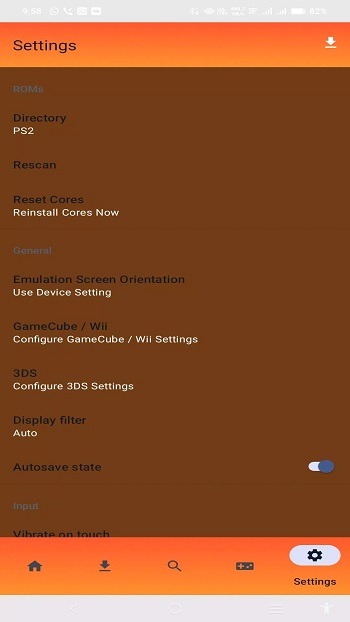
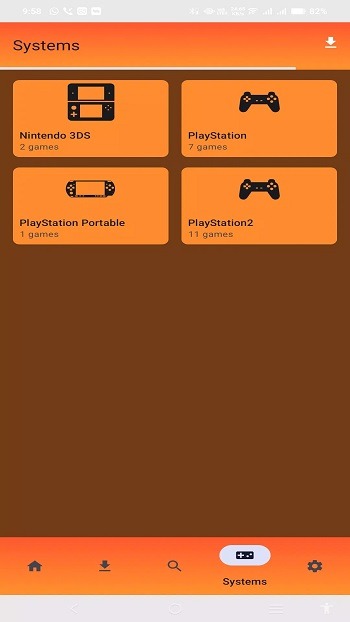
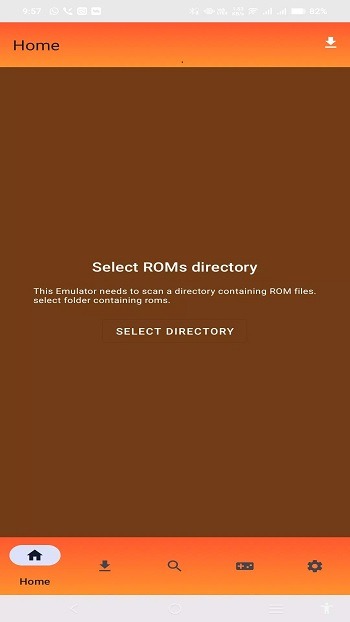
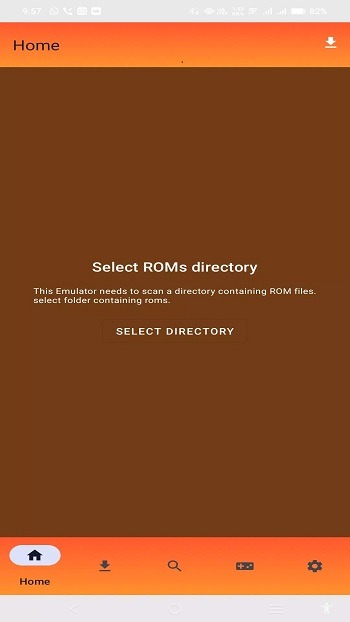
Open the application and review all legal notices. Point the library toward the game files stored on your device. If your game files are in ZIP, 7Z, or RAR format, they can be loaded without needing to be extracted.
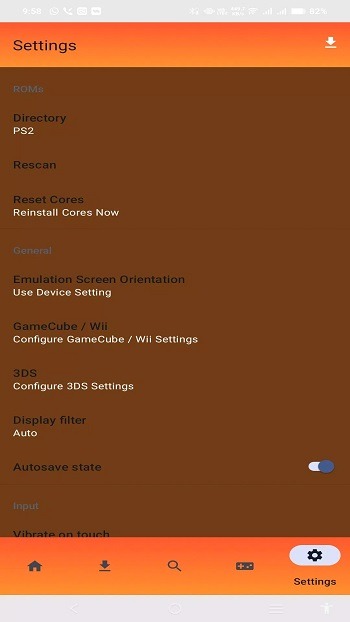
Once your library is set up, launch a title to ensure it starts correctly. If the layout isn't to your liking, you can toggle between landscape and portrait modes in the display settings.
Next, configure the on-screen controls. Adjust the button sizes for ease of use, position them comfortably, and test a short segment of gameplay to ensure the layout meets your needs.
For multi-disc games, create a multi-disc entry and add all relevant discs to it. When prompted by the game, use this grouped entry to switch to the next disc.
Use the "save state" feature at safe points to record your progress. You can later load that state to resume exactly where you left off—a useful technique for overcoming difficult sections.
FAQs
Does the RPCSX Emulator support save states?
Yes, the RPCSX Emulator includes save and load state functionality, allowing you to pause and resume your game at any time, independent of in-game checkpoints.
Which devices are compatible with the RPCSX Emulator?
It performs best on Android phones with ARM 64-bit architecture and capable hardware, ensuring smooth gameplay for most PS2 titles.
Can I play all PS2 games using the RPCSX Emulator?
Not all games will run perfectly—depending on your device, some may exhibit glitches or performance issues—but many popular titles run smoothly.
Conclusion
The RPCSX Emulator is designed for users who want to enjoy console-quality gaming on their mobile devices, featuring a straightforward setup and intuitive controls. As a dedicated Android frontend for the RPCSX PS3 project, it prioritizes simple navigation and game management over complex configuration. This approach allows you to easily organize your game library and launch titles via a touch-friendly interface, all while ensuring legal usage. Being open-source and community-maintained, the development process is transparent, and improvements are easy to track.
More Information
- Size:224.43MB
- Version:1420
- Requirements:Android
- Package Name:com.ps3.rpcs3emulator
- Signature:6748db81ed64e01a7bdec17065100b84
Related topics
-
Meet Game BOX — your all-in-one game hub! Explore action, RPG, strategy, and more. Find games quickly, download fast, and play seamlessly on mobile. Simple, safe, and packed with top-rated titles. Perfect for gamers everywhere.
-
![RPCSX Emulator]()
RPCSX Emulator
-
![Skin Editor 3D for Minecraft]()
Skin Editor 3D for Minecraft
-
![PSPlay]()
PSPlay
-
![Xaeros Minimap Minecraft]()
Xaeros Minimap Minecraft
-
![Bluestacks Emulator Launcher]()
Bluestacks Emulator Launcher
-
![ToonHQ for Toontown Rewritten]()
ToonHQ for Toontown Rewritten
-
![GBA Emulator]()
GBA Emulator
-
![AirConsole Hero]()
AirConsole Hero
-
-
Utility apps are indispensable in our lives, making our daily routines more convenient. To help you find these apps more easily, this site has created a collection. This collection brings together a series of practical tools covering various aspects of life, work, and education, meeting all your needs. What are you waiting for? Try these apps now and make your life easier!
-
![RPCSX Emulator]()
RPCSX Emulator
-
![Trace Sketch & Draw On Paper]()
Trace Sketch & Draw On Paper
-
![EX File Manager]()
EX File Manager
-
![Opensignal]()
Opensignal
-
![Apreço]()
Apreço
-
![Phone Doctor Plus]()
Phone Doctor Plus
-
![IMEI Changer Pro]()
IMEI Changer Pro
-
![fitpro]()
fitpro
-
-
With the development of mobile hardware and software, many practical tool software have emerged, covering a wide range of aspects and becoming a good helper for everyone in work and life. Today, the editor provides you with a list of useful tool software downloads. These tools are not particularly complex types, and after reading them, everyone can quickly learn how to use them. Proper use can bring great convenience to life and work.
-
![RPCSX Emulator]()
RPCSX Emulator
-
![EX File Manager]()
EX File Manager
-
![Opensignal]()
Opensignal
-
![Epson iPrint]()
Epson iPrint
-
![Phone Doctor Plus]()
Phone Doctor Plus
-
![Seal Downloader]()
Seal Downloader
-
![Safe Gallery]()
Safe Gallery
-
![IMEI Changer Pro]()
IMEI Changer Pro
-













Latest Updated




Popular Apps








Popular News
More+-
![Tomie Wants to Get Married Full Walkthrough, All Choices and Ending Guide]()
Tomie Wants to Get Married Full Walkthrough, All Choices and Ending Guide
2026-05-22
-
![Karryn’s Prison Gameplay Walkthrough & Strategy Guide]()
Karryn’s Prison Gameplay Walkthrough & Strategy Guide
2025-10-28
-
![Life in Santa County Game Guide & Complete Walkthrough]()
Life in Santa County Game Guide & Complete Walkthrough
2025-10-28
-
![Dreams of Desire Complete Walkthrough and Game Guide]()
Dreams of Desire Complete Walkthrough and Game Guide
2025-10-28
-
![Era Hunter Gameplay Guide & Full Walkthrough]()
Era Hunter Gameplay Guide & Full Walkthrough
2025-10-28




