

FreeOTP Authenticator
Download for Android This app is available for Android only.- Category:Tools
- Rating:
- Language:English
- Updated:2026-11-19
Screenshots
Introduction
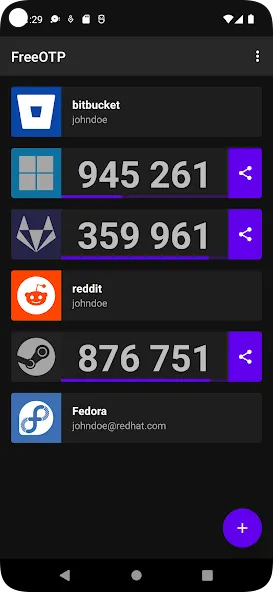
FreeOTP Authenticator is a security-focused password tool. It offers powerful features, a user-friendly interface, and intuitive operation, providing an extra layer of protection for your digital accounts. With FreeOTP Authenticator, you can generate one-time verification codes to secure your accounts—codes that remain valid even when your phone is offline or in airplane mode. Furthermore, the app is completely free, allowing you to use it without restriction while enjoying top-tier privacy and security.
Features:
Automatic One-Time Codes
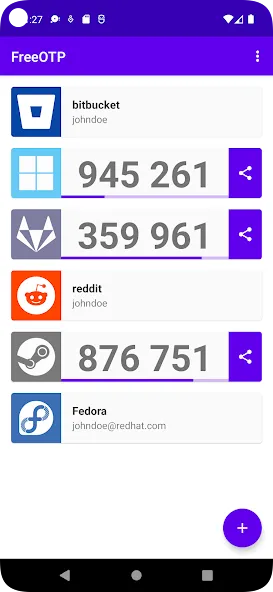
FreeOTP Authenticator generates dynamic passcodes, ensuring a unique, new code appears every time you log in. These codes remain functional even when your phone is offline or in airplane mode.
Supports Many Popular Services
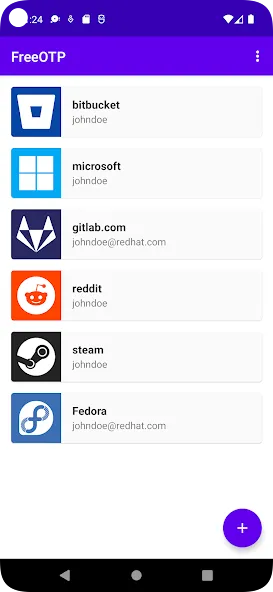
Looking to secure your Google, Facebook, or GitHub accounts? It’s simple! This app works with a wide range of widely used online services, so you don’t need to install multiple separate applications.
Compatible with Enterprise Security
Beyond personal accounts, FreeOTP Authenticator is well-suited for corporate systems that utilize TOTP or HOTP security standards. It has already been adopted by various enterprise-level solutions, such as FreeIPA.
Open Source and Free
All features are accessible for free, with no hidden costs. Being open source, the app even allows users to inspect or modify the source code to suit their specific needs.
Maximum Privacy and Security
No sensitive data is transmitted to external servers; everything is kept securely on your own device. This gives you complete control over the security of your accounts.
Pros & Cons:
Pros
Free and open-source with trusted development
Supports standard TOTP and HOTP protocols
Works fully offline after setup
Simple and uncluttered interface
Cons
No dependable backup or cloud sync
Device migration can be troublesome
Who is this for?
You want stronger protection for all your accounts on Google, Facebook, Instagram, and more
You value flexible token setup via QR scanning or detailed manual configuration options
You need reliable, offline OTP generation that works anywhere, without internet, roaming, or connectivity worries
Changelog:
- "Sort by Recently Used" feature support
- Fixes for viewing multiple tokens while Scrolling
- Fixes for TOTP progress bar synchronization
- Fix for Lens/Camera selection preference order
- Fix app crash when scanning empty QR
- Jelling fixes
- Updated Adapter Launcher Icon
- Dark mode UI improvements
- Restore password dialog improvements
- Various translation and build-related updates
Final Words:
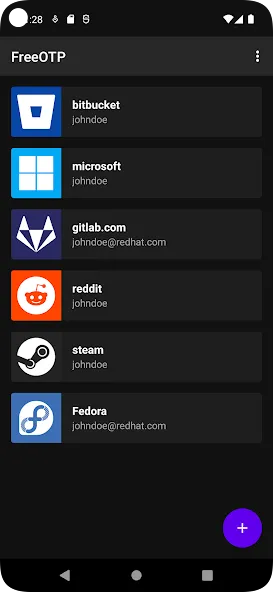
FreeOTP Authenticator delivers dependable two-factor authentication through a simple and focused design. FreeOTP Authenticator provides secure, offline code generation using trusted standards, making it effective for everyday account protection. While it lacks advanced features such as synchronization or enhanced account management, its clarity and ease of use remain strong advantages. Users seeking a no-frills authenticator will find it practical, while those needing backup or migration tools may prefer more feature-rich alternatives.
More Information
- Size:8.91MB
- Version:2.0.6
- Requirements:Android 6.0+
- Package Name:org.fedorahosted.freeotp
- Signature:a2b60bb3fb7c24e6765ce1652128c18d
Related topics
-
Utility apps are indispensable in our lives, making our daily routines more convenient. To help you find these apps more easily, this site has created a collection. This collection brings together a series of practical tools covering various aspects of life, work, and education, meeting all your needs. What are you waiting for? Try these apps now and make your life easier!
-
![Trace Sketch & Draw On Paper]()
Trace Sketch & Draw On Paper
-
![EX File Manager]()
EX File Manager
-
![Opensignal]()
Opensignal
-
![Apreço]()
Apreço
-
![Phone Doctor Plus]()
Phone Doctor Plus
-
![IMEI Changer Pro]()
IMEI Changer Pro
-
![CP PLUS gCMOB]()
CP PLUS gCMOB
-
![FreeOTP Authenticator]()
FreeOTP Authenticator
-
-
With the development of mobile hardware and software, many practical tool software have emerged, covering a wide range of aspects and becoming a good helper for everyone in work and life. Today, the editor provides you with a list of useful tool software downloads. These tools are not particularly complex types, and after reading them, everyone can quickly learn how to use them. Proper use can bring great convenience to life and work.
-
![EX File Manager]()
EX File Manager
-
![Opensignal]()
Opensignal
-
![Epson iPrint]()
Epson iPrint
-
![Phone Doctor Plus]()
Phone Doctor Plus
-
![Seal Downloader]()
Seal Downloader
-
![IMEI Changer Pro]()
IMEI Changer Pro
-
![CP PLUS gCMOB]()
CP PLUS gCMOB
-
![FreeOTP Authenticator]()
FreeOTP Authenticator
-









Latest Updated



Popular Apps








Popular News
More+-
![Tomie Wants to Get Married Full Walkthrough, All Choices and Ending Guide]()
Tomie Wants to Get Married Full Walkthrough, All Choices and Ending Guide
2026-05-22
-
![Karryn’s Prison Gameplay Walkthrough & Strategy Guide]()
Karryn’s Prison Gameplay Walkthrough & Strategy Guide
2025-10-28
-
![Life in Santa County Game Guide & Complete Walkthrough]()
Life in Santa County Game Guide & Complete Walkthrough
2025-10-28
-
![Dreams of Desire Complete Walkthrough and Game Guide]()
Dreams of Desire Complete Walkthrough and Game Guide
2025-10-28
-
![Era Hunter Gameplay Guide & Full Walkthrough]()
Era Hunter Gameplay Guide & Full Walkthrough
2025-10-28




