

Bose Connect
Download for Android This app is available for Android only.- Category:Media & Video
- Rating:
- Language:English
- Updated:2026-11-20
Screenshots
Introduction
Bose Connect is an excellent Bluetooth management tool. It offers convenient features—such as Bluetooth device management, volume control, and battery monitoring—that help users manage their wireless products and enjoy a seamless audio experience. With Bose Connect, you can easily access essential functions like the auto-off timer, volume adjustments, and battery status, while also managing multiple Bluetooth connections. Furthermore, the app provides personalized settings and automatic software downloads, keeping your device’s firmware up to date so you always have the latest features and improvements.
Highlights:
Access To Everything
Bluetooth connectivity for quick access to your product's auto-off timer, volume control, battery readout, and more.
Listen Together
Through Bose Connect, two pairs of Bose wireless headphones can listen to the same content at the same time. You can enjoy this feature with your friends to get much fun.
Party Mode
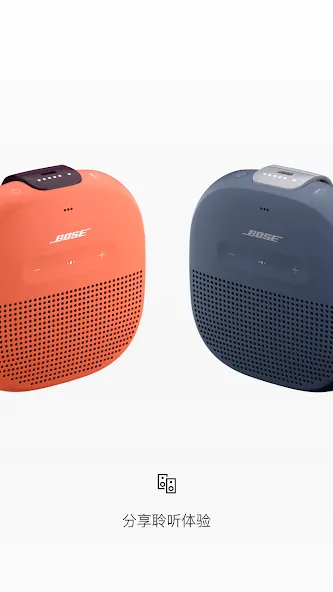
Party mode lets you synchronize two SoundLink® speakers for double the audio effect. On top of that, the new Stereo mode splits the sound into two channels, left and right, for an amazing stereo experience.
Features:
EASY ACCESS TO EVERYTHING
Get quick access to the key features on your products, like the auto-off timer, volume control and battery readings. And it’s the easiest way to manage multiple Bluetooth connections. But that’s just the beginning.
SHARE THE MUSIC
MUSIC SHARE lets you listen together. Now two pairs of Bose® wireless headphones can share the experience - listen together, at the same time, while one of you DJ’s. New PARTY MODE lets you sync two SoundLink® speakers for double the audio…ideal for listening in two different places, and new STEREO MODE immerses you in music by separating the sound into Left and Right channels across two paired speakers for that amazing stereo experience.
GET THE MOST OUT OF YOUR HEADPHONES
CONTROLLABLE NOISE CANCELLATION on our QC®30 headphones lets you decide how much of the world to let in by adjusting the level of noise cancellation right in the app. And the built-in HEART RATE MONITOR for our SoundSport® Pulse headphones displays your heart rate clearly in the app.
AND SO MUCH MORE
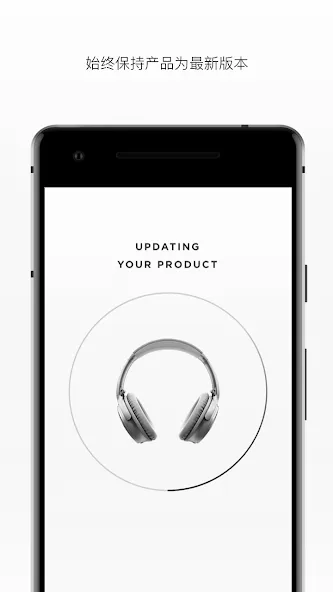
From viewing product details to personalizing settings, get the most out of your Bose wireless products. It even downloads the latest software in the background and only installs it when you’re ready. See how our simple app can make all the difference.
Pros & Cons:
Pros
Seamlessly connects Bose headphones and speakers to manage settings and updates.
Allows users to easily switch between multiple connected devices.
Access to special features like noise-canceling and volume-optimized EQ.
Cons
Users have reported occasional connectivity issues with the app.
Some features may not be available on older Bose models.
FAQs:
What is Bose Connect?
Bose Connect is a mobile application developed by Bose Corporation that allows users to manage and control their Bose Bluetooth audio devices, including headphones and speakers.
Is the Bose Connect app free?
Yes, the Bose Connect app is free to download and use.
What features are included in the Bose Connect app?
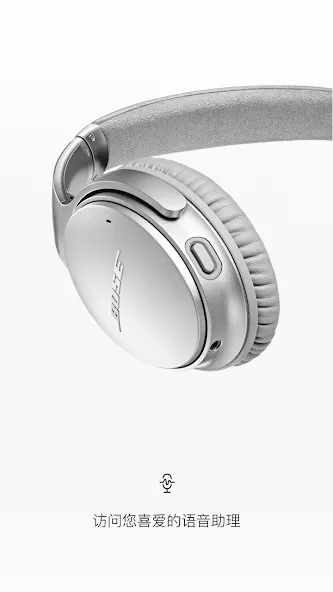
The app includes features like device management, firmware updates, personalized settings, audio sharing, and easy access to voice assistants.
Conclusion:
This professional-grade tool is specifically designed to maximize enjoyment and use of Bose Frames, QC35, various SoundSport models, QuietControl 30, SoundLink Wireless II, ProFlight headphones, and several SoundLink and S1 Pro speakers. Bear in mind that some features may not be compatible with all products. The app serves as a comprehensive control center for your Bose devices, delivering a user-friendly interface for exceptional sound quality and product utility.
More Information
- Size:64.97MB
- Version:28.0
- Requirements:Android 10.0+
- Package Name:com.bose.monet
- Signature:ccb198f90a85174cab6a34fb82442d0d
Related topics
-
Utility apps are indispensable in our lives, making our daily routines more convenient. To help you find these apps more easily, this site has created a collection. This collection brings together a series of practical tools covering various aspects of life, work, and education, meeting all your needs. What are you waiting for? Try these apps now and make your life easier!
-
![RPCSX Emulator]()
RPCSX Emulator
-
![Trace Sketch & Draw On Paper]()
Trace Sketch & Draw On Paper
-
![EX File Manager]()
EX File Manager
-
![Opensignal]()
Opensignal
-
![Apreço]()
Apreço
-
![Bose Connect]()
Bose Connect
-
![Phone Doctor Plus]()
Phone Doctor Plus
-
-
Transform your mobile device into a powerhouse of efficiency with these handpicked essential tools. Whether you need professional-grade photo editing, seamless file organization, smart task management, or real-time weather updates, our curated selection of premium apps delivers unbeatable performance. Streamline your daily routine, automate repetitive tasks, and boost your productivity with intuitive interfaces and powerful features. Designed for both professionals and casual users, these editor-approved applications will revolutionize how you work and play. Don't settle for an ordinary phone - upgrade your digital experience today and unlock your device's full potential!
-
![Trace Sketch & Draw On Paper]()
Trace Sketch & Draw On Paper
-
![Opensignal]()
Opensignal
-
![Epson iPrint]()
Epson iPrint
-
![Universal TV Remote-ZaZa Remot]()
Universal TV Remote-ZaZa Remot
-
![Apreço]()
Apreço
-
![Bose Connect]()
Bose Connect
-
![Phone Doctor Plus]()
Phone Doctor Plus
-
![Screen Dimmer]()
Screen Dimmer
-






Latest Updated







Popular Apps








Popular News
More+-
![Tomie Wants to Get Married Full Walkthrough, All Choices and Ending Guide]()
Tomie Wants to Get Married Full Walkthrough, All Choices and Ending Guide
2026-05-22
-
![Karryn’s Prison Gameplay Walkthrough & Strategy Guide]()
Karryn’s Prison Gameplay Walkthrough & Strategy Guide
2025-10-28
-
![Life in Santa County Game Guide & Complete Walkthrough]()
Life in Santa County Game Guide & Complete Walkthrough
2025-10-28
-
![Dreams of Desire Complete Walkthrough and Game Guide]()
Dreams of Desire Complete Walkthrough and Game Guide
2025-10-28
-
![Era Hunter Gameplay Guide & Full Walkthrough]()
Era Hunter Gameplay Guide & Full Walkthrough
2025-10-28




