

Da Fit
Download for Android This app is available for Android only.- Category:Tools
- Rating:
- Language:English
- Updated:2026-11-21
Screenshots
Introduction
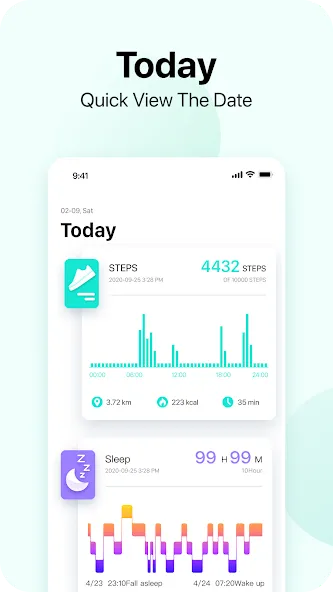
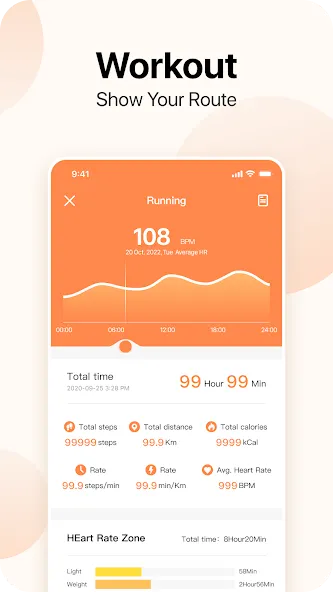
Da Fit is a powerful utility app for your smartwatch. It allows you to manage your health data by tracking daily metrics such as step count, sleep patterns, heart rate, and other wellness indicators. The app analyzes your data to identify health trends, providing valuable insights. Beyond health tracking, it enables you to receive incoming call and text message notifications directly on your watch. It also offers extensive customization options for watch faces, including a wide variety of pre-designed themes to choose from based on your personal preferences.
Features
Clear and Concise Health Data
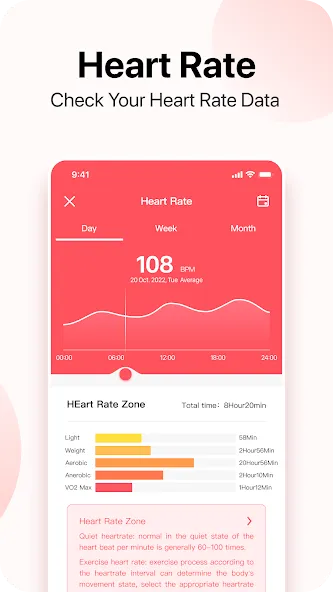
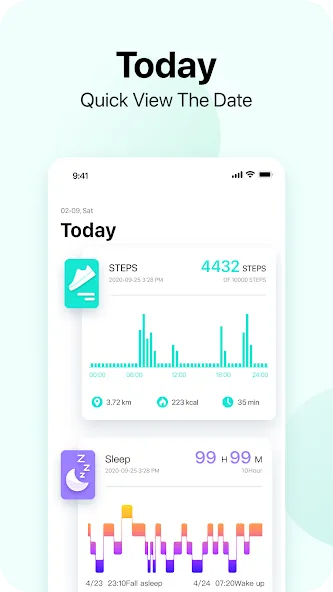
The daily dashboard tracks steps, sleep, heart rate, exercise, and an overall health summary. Information is presented in an easy-to-read format, eliminating the need for you to manually interpret raw data. The app also flags potential issues, such as irregular heart rates or low step counts, and provides trend analysis based on your personal health data.
Calls, Notifications, and Watch Faces
In addition to tracking activity, Da Fit pushes incoming call and text message alerts to your smartwatch—complete with vibration alerts—along with other specific smart notifications. The watch face customization feature is particularly useful, allowing you to prioritize the information you use most frequently.
Use Da Fit Band to set up, track, and view your health data around the clock.
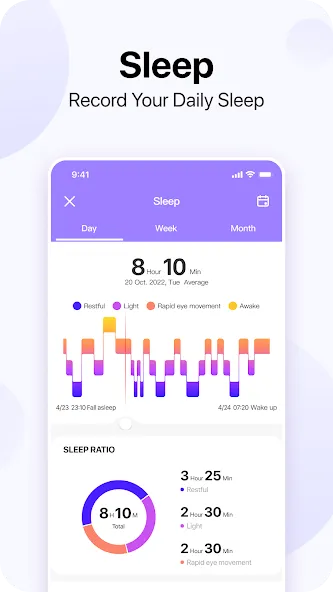
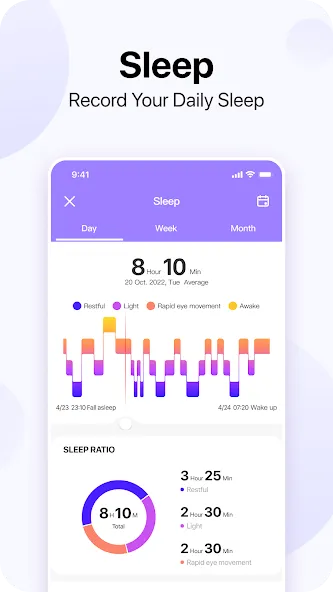
Monitor and track the quality of your sleep.
Start your day feeling refreshed with a gentle morning alarm.
Gain deeper insights through easy-to-view trends in your personal health data.
Configure the band to vibrate and alert you when you receive a call on your phone.
Pros and Cons
Pros:
Clear, organized dashboard for tracking steps, sleep, heart rate, and exercise.
Built-in watch face customization.
Free to use.
Cons:
The connection between the watch and the app may occasionally drop without warning.
Notification settings can sometimes be overly broad.
FAQs
How do I measure my heart rate?
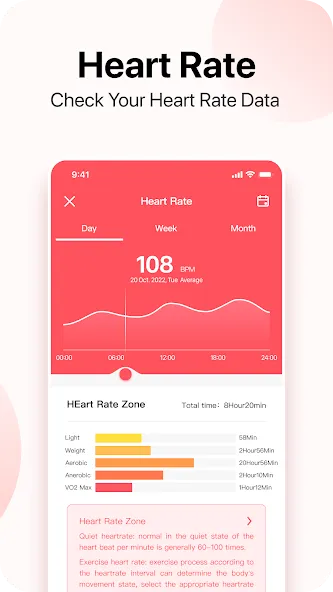
Select "Heart Rate" from the watch menu and tap the screen to take a single measurement. For continuous monitoring, enable "All-day Heart Rate Monitoring" in the Da Fit app settings and set your preferred measurement interval.
How do I measure blood oxygen saturation (SpO2)?
Wear the device properly, remain still, open the blood oxygen measurement feature on your watch, and wait for the results. Keep the screen facing upward during the measurement.
How is sleep status determined?
When you wear the watch while sleeping, the device automatically detects when you fall asleep, wake up, and distinguishes between deep and light sleep stages. Please sync your data regularly within the Da Fit app to avoid losing your historical records.
How do I start a workout?
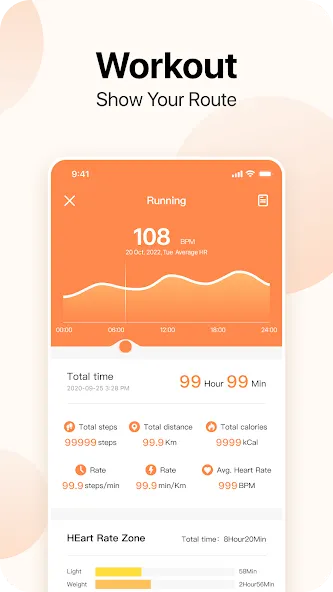
Open the workout page in the Da Fit app and select an activity mode, such as running, walking, or outdoor cycling. Once your workout is complete, you can view details—including duration, frequency, calories burned, and other metrics—either in the Da Fit app or on the watch itself.
How do I change the watch face?
Long-press the watch face on the device’s home screen, then swipe left or right to switch between options. You can also select watch faces via the Da Fit app. Once a new watch face has been downloaded and installed, the device will automatically switch to it.
User Reviews
This is an absolute, timeless masterpiece!! The automatic restart feature is just so “spontaneous”—truly amazing!! I could say more, but honestly, I don’t really care. Thanks so much for the gift!! Since it was free, why complain? Just be grateful!! After all, one shouldn’t be too “improper” in front of one’s elders. Also, those free watch faces are fantastic!! Oh, and it even helped alleviate my epileptic symptoms!!!
Da Fit is a great app, but I’d love to see more high-quality watch faces in future updates. Please consider adding 3D/depth-effect watch faces featuring realistic layering, shadows, lighting, smooth animations, and a luxurious aesthetic. High-resolution, AMOLED-optimized watch faces would be a great addition, too. A dedicated section for premium/3D-depth watch faces would make both the app and compatible smartwatches feel much more modern and high-end. I sincerely hope the Da Fit team will consider this.
It’s fantastic. It tracks the calories you burn while walking and displays the date, time, and year. You can also change the watch face design whenever you like.
Conclusion
Da Fit offers much more than basic step counting. It tracks a wide range of activities, including running, cycling, swimming, and yoga. Furthermore, it includes advanced features such as heart rate monitoring, sleep tracking, and even blood pressure measurement. This app helps you track every aspect of your health, allowing you to monitor your daily routines and long-term progress.
More Information
- Size:180.76MB
- Version:2.9.25-97-gf8b4d
- Requirements:Android
- Package Name:com.crrepa.band.dafit
- Signature:db58c2dea515d128da788229d8515253
Related topics
-
Utility apps are indispensable in our lives, making our daily routines more convenient. To help you find these apps more easily, this site has created a collection. This collection brings together a series of practical tools covering various aspects of life, work, and education, meeting all your needs. What are you waiting for? Try these apps now and make your life easier!
-
![Easy Share]()
Easy Share
-
![ScreenStream]()
ScreenStream
-
![Wipro Next Smart Home]()
Wipro Next Smart Home
-
![Da Fit]()
Da Fit
-
![PS2 Emulator DamonPS2 PPSSPP]()
PS2 Emulator DamonPS2 PPSSPP
-
![Rips by Triumph]()
Rips by Triumph
-
![RPCSX Emulator]()
RPCSX Emulator
-
-
Transform your mobile device into a powerhouse of efficiency with these handpicked essential tools. Whether you need professional-grade photo editing, seamless file organization, smart task management, or real-time weather updates, our curated selection of premium apps delivers unbeatable performance. Streamline your daily routine, automate repetitive tasks, and boost your productivity with intuitive interfaces and powerful features. Designed for both professionals and casual users, these editor-approved applications will revolutionize how you work and play. Don't settle for an ordinary phone - upgrade your digital experience today and unlock your device's full potential!
-
![ScreenStream]()
ScreenStream
-
![Wipro Next Smart Home]()
Wipro Next Smart Home
-
![Da Fit]()
Da Fit
-
![GameCC]()
GameCC
-
![Rips by Triumph]()
Rips by Triumph
-
![JJSploit]()
JJSploit
-
-
With the development of mobile hardware and software, many practical tool software have emerged, covering a wide range of aspects and becoming a good helper for everyone in work and life. Today, the editor provides you with a list of useful tool software downloads. These tools are not particularly complex types, and after reading them, everyone can quickly learn how to use them. Proper use can bring great convenience to life and work.
-
![Easy Share]()
Easy Share
-
![ScreenStream]()
ScreenStream
-
![Wipro Next Smart Home]()
Wipro Next Smart Home
-
![Da Fit]()
Da Fit
-
![GameCC]()
GameCC
-
![PS2 Emulator DamonPS2 PPSSPP]()
PS2 Emulator DamonPS2 PPSSPP
-
![Rips by Triumph]()
Rips by Triumph
-




Latest Updated


Popular Apps








Popular News
More+-
![Tomie Wants to Get Married Full Walkthrough, All Choices and Ending Guide]()
Tomie Wants to Get Married Full Walkthrough, All Choices and Ending Guide
2026-05-22
-
![Karryn’s Prison Gameplay Walkthrough & Strategy Guide]()
Karryn’s Prison Gameplay Walkthrough & Strategy Guide
2025-10-28
-
![Life in Santa County Game Guide & Complete Walkthrough]()
Life in Santa County Game Guide & Complete Walkthrough
2025-10-28
-
![Dreams of Desire Complete Walkthrough and Game Guide]()
Dreams of Desire Complete Walkthrough and Game Guide
2025-10-28
-
![Era Hunter Gameplay Guide & Full Walkthrough]()
Era Hunter Gameplay Guide & Full Walkthrough
2025-10-28




