

Nearby Sharing
Download for Android This app is available for Android only.- Category:Tools
- Rating:
- Language:English
- Updated:2026-11-22
Screenshots
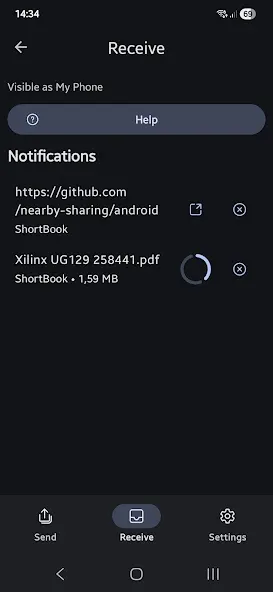
Introduction
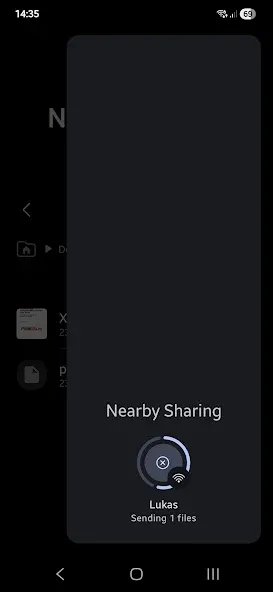
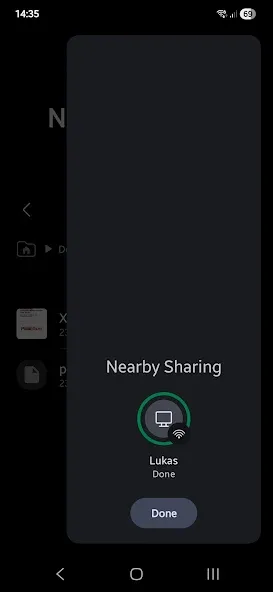
Nearby Sharing is a file-sharing tool that enables users to leverage the built-in "Nearby Sharing" functionality—typically found on PCs—directly from their mobile devices. It allows users to connect with other devices to send and receive a wide variety of files, including documents, images, videos, and links. Once paired, users can perform batch transfers at exceptionally high speeds. The software includes a built-in guide to help users understand its features and troubleshoot common issues. Furthermore, it is an open-source project with a community-driven ecosystem, allowing users to download and modify the source code to better tailor the software to their specific devices.
Features of Nearby Sharing:
Instant & Secure Transfers: Files are sent and received via private, encrypted connections to ensure privacy and security.
Bookmark & URL Management: Users can easily save and organize links for quick access to important web pages.
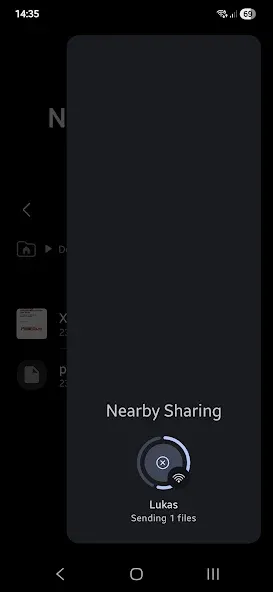
One-Tap Sharing: No setup needed—simply tap to share files with nearby devices in seconds.
High-Quality Media Sharing: Transfer of high-resolution photos and videos without compression or quality loss.
QR Code Scanning & Sharing: Exchange files instantly by scanning QR codes, eliminating manual data entry.
User Reviews of Nearby Sharing:
Was able to send files and folders successfully from the PC to the cell phone. I read where the receive function was a work in progress but it is working now. Is there a way to target the external SD drive on the phone? Right now the transfer goes exclusively to internal memory on the phone. The Files by Google and the Nearby Sharing apps are great. A folder funtion on the phone end would make this perfect.
I don't know why, but I am just amazed by this app when it works. The user interface is clean and simple, following the design elements of Material You, blending seamlessly with the operating system through its beautiful yet simple pop-ups. I still don't understand why Samsung and other Android devices don't support Nearby Sharing to Windows 11.
After futzing around with Windows, I stumbled on this app. Setup was easy, most of the recommended settings were already in place. File transfer is quite fast, and easy like it should be. Note: for security, the target folder is the download directory.
Super helpful and easy to use! It's greatly improved my game dev workflow by being able to easily transfer files to and from my computer. There is a bit of setup before it will work, and this setup process can be a bit confusing if you're a computer novice like me, but once you get it going it's very intuitive. I highly recommend it for any artist!
FAQs of Nearby Sharing:
What can I share?
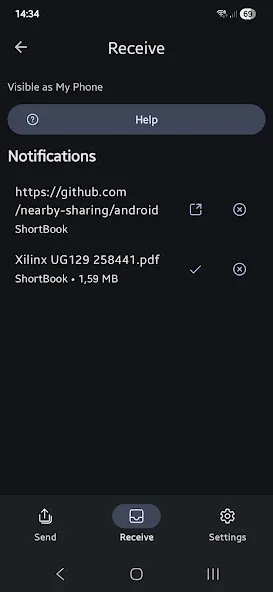
You can share files, urls and plain-text to any Windows 10 / 11 devices or an android phone with this app installed.
How can I share?
You can use the "Send" button in the app to select a file or simple use the native android / windows sharing menu (e.g. from your gallery or browser).
Can I send multiple files?
Yes, you are able to select multiple files in your gallery / files app or use the android native sharing menu. From there you can select this app.
My transfer is slow?
The App uses bluetooth to establish a session and tries to upgrade to a faster transport (i.e. WiFi) if possible. Have a look at the setup instructions to ensure a transport-upgrade is possible.
My devices is not shown (via network)?
Follow the setup on your PC to ensure all settings are correct!
Can I receive in background?
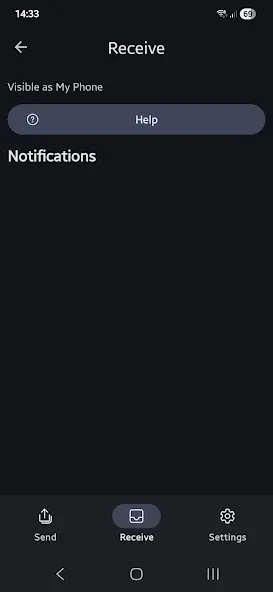
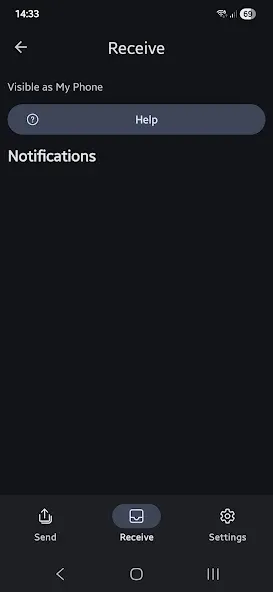
No, that is currently not supported, but will come soon. You can already use a quick setting to open the app directly to the receive screen.
Final words:
The app is easy to use, and the setup process is straightforward. Once you've installed the app, you need to enable the "Nearby Sharing" feature on your Windows device before you can start sharing files. The app is currently in development, and the developer is working on a "receive" feature, which should be available soon.
More Information
- Size:88.11MB
- Version:1.11.0
- Requirements:Android
- Package Name:de.shortdev.nearby_sharing_windows
- Signature:e672dbc588a2a8724997d85aa37fb615
Related topics
-
Transform your mobile device into a powerhouse of efficiency with these handpicked essential tools. Whether you need professional-grade photo editing, seamless file organization, smart task management, or real-time weather updates, our curated selection of premium apps delivers unbeatable performance. Streamline your daily routine, automate repetitive tasks, and boost your productivity with intuitive interfaces and powerful features. Designed for both professionals and casual users, these editor-approved applications will revolutionize how you work and play. Don't settle for an ordinary phone - upgrade your digital experience today and unlock your device's full potential!
-
![PRAMA ONLINE]()
PRAMA ONLINE
-
![ClevGuard]()
ClevGuard
-
![psp games files downloader]()
psp games files downloader
-
![ScreenStream]()
ScreenStream
-
![Wipro Next Smart Home]()
Wipro Next Smart Home
-
![Da Fit]()
Da Fit
-
![GameCC]()
GameCC
-
![Rips by Triumph]()
Rips by Triumph
-
-
With the development of mobile hardware and software, many practical tool software have emerged, covering a wide range of aspects and becoming a good helper for everyone in work and life. Today, the editor provides you with a list of useful tool software downloads. These tools are not particularly complex types, and after reading them, everyone can quickly learn how to use them. Proper use can bring great convenience to life and work.
-
![Virtual Android]()
Virtual Android
-
![PRAMA ONLINE]()
PRAMA ONLINE
-
![Easy Share]()
Easy Share
-
![ClevGuard]()
ClevGuard
-
![ScreenStream]()
ScreenStream
-
![Wipro Next Smart Home]()
Wipro Next Smart Home
-
![Da Fit]()
Da Fit
-
![GameCC]()
GameCC
-







Latest Updated





Popular Apps








Popular News
More+-
![Tomie Wants to Get Married Full Walkthrough, All Choices and Ending Guide]()
Tomie Wants to Get Married Full Walkthrough, All Choices and Ending Guide
2026-05-22
-
![Karryn’s Prison Gameplay Walkthrough & Strategy Guide]()
Karryn’s Prison Gameplay Walkthrough & Strategy Guide
2025-10-28
-
![Life in Santa County Game Guide & Complete Walkthrough]()
Life in Santa County Game Guide & Complete Walkthrough
2025-10-28
-
![Dreams of Desire Complete Walkthrough and Game Guide]()
Dreams of Desire Complete Walkthrough and Game Guide
2025-10-28
-
![Era Hunter Gameplay Guide & Full Walkthrough]()
Era Hunter Gameplay Guide & Full Walkthrough
2025-10-28




