
Snap Camera HDR
Download for Android This app is available for Android only.- Category:Photography
- Rating: 4.8
- Language:English
- Updated:2026-10-18
Screenshots
Introduction
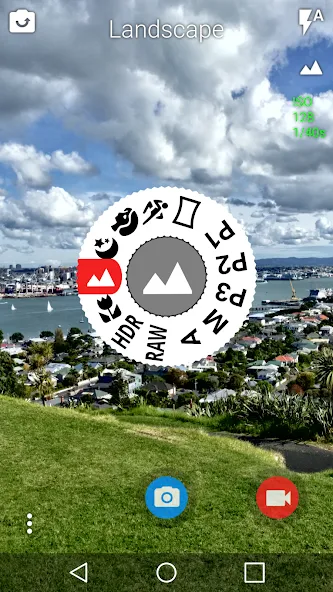
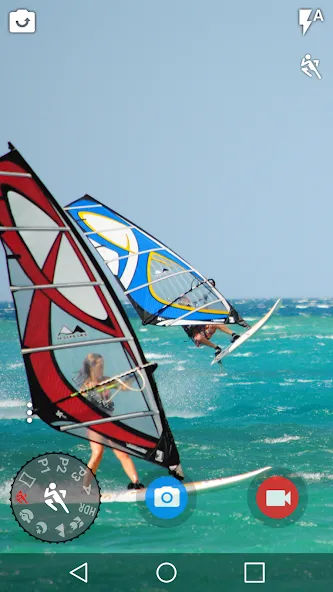
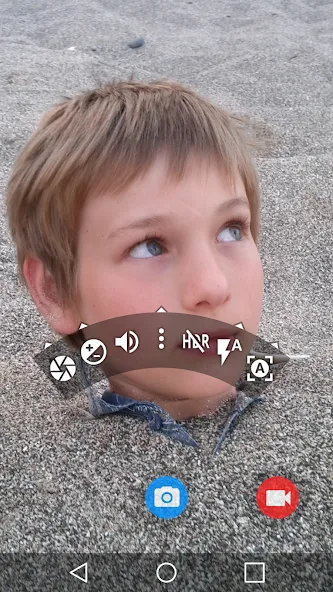
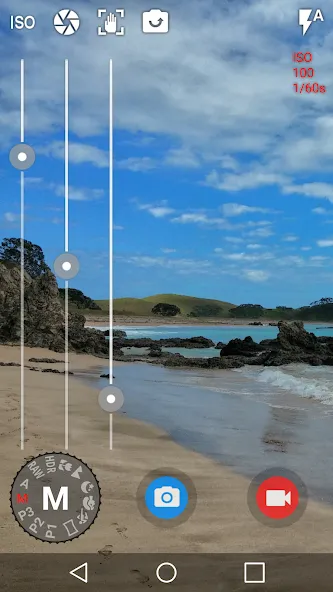
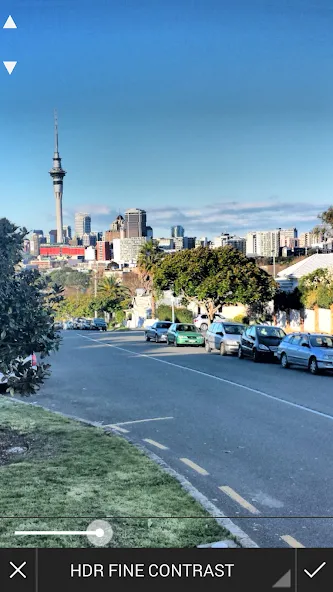
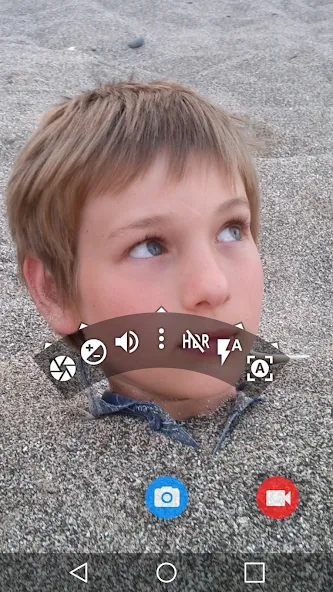
Snap Camera HDR is a simple yet effective camera application. Beyond standard photo and video capture, it offers built-in controls that allow users to view detailed image information and fine-tune shooting modes to produce more stunning results. The app is highly versatile, featuring a range of shooting options—such as burst mode, image stabilization, and panoramic capture—along with customizable settings like exposure, grid overlays, and HDR, ensuring it meets a wide variety of photographic needs. Once a shot is taken, users can further enhance their images by adjusting contrast and color, or by cropping and rotating them, ultimately resulting in high-quality, polished work.
Features of Snap Camera HDR:
Photo controller includes color, contrast and sharpness options (if supported by hardware).
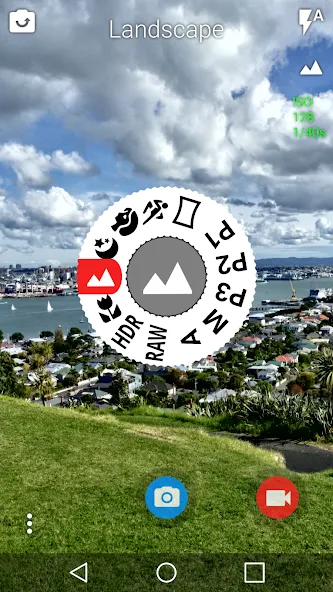
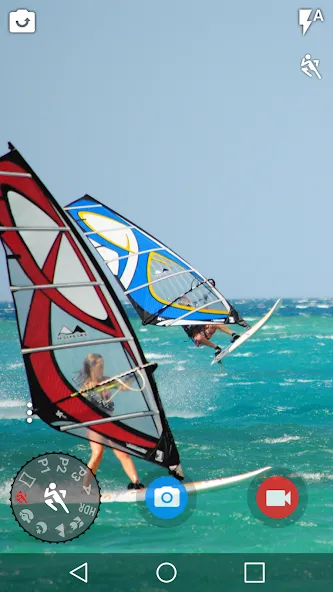
Ext. Features include: image size and video, scene mode, timer, continuous shooting, time interval, video mode focus, JPEG Quality, Effects, ISO and Anti-ranges.
The graphic editor allows you to add color effects, borders, crop, rotate, mirror and straighten.
Possibility to select image effects and histograms of modification.
You can cancel actions at any time from the history menu.
Ability to send an image from any other application (Facebook or Google+).
Functions of Snap Camera HDR:
You can see what effects will be applied and undo an effect at any time from the history menu.
Create panoramas by selecting the panorama icon (Android 4.0 and above).
Fast picture mode instantly captures photos at the preview resolution.
Capture still snapshots during video recording (if supported).
Use the volume buttons to focus and take a picture or zoom.
Auto torch mode for low light video recording.
Use the advanced video settings to record video in resolutions not allowed by other cameras.
Stable shot mode only takes a photo when the camera is completely still.
User Reviews of Snap Camera HDR:
The most technically complete camera app I have found, with a user interface which is better than most. Plenty of options to make it work how you want (e.g. HDR and low light function). Minor criticism: manual on Web site is out of date and has some Samsung features described that are not in app but must be in API because other apps have them. Nevertheless, congratulations to Martin, the developer, and please don't give up on it.
Simple, elegant and feature rich. A beautiful app. The camera mode dial is simply awesome. It gives very tactile feel by giving a slight vibration. The major part is. I have a Xiaomi Note 8 Pro & no other app has yet been able to shoot RAW with it. Even though it has camera 2 api, no other app can shoot raw in this camera.. but snap camera somehow can !! With full manual control and raw shoot, I am happy beyond limits. It would be awesome to shoot in raw in full 64mp though. It limits to 16mp.
Works well and enhances the quality of my (rooted) Xperia X compact. Funny thing is that the trial version "only starts immediately" if you are *not* connected to the Internet (which is the normal sate of my phone!). Bought it nevertheless...
This is an extremely versatile camera app. It puts many options before you and makes photos easy to edit. Excellent options for movies as well, including slow motion.
I have an Asus ZenFone zoom553 with two cameras. Snap camera don't switch on optical zoom camera although the original app of the phone do this. Please help as and tell if snap camera can switch to optical zoom cam.
FAQs of Snap Camera HDR:
I get error code -24 when trying to install the app, what does that mean?
You have had a previous version of the app installed and it hasn’t been uninstalled correctly. This should only be possible if you are rooted. The solution is to delete /data/data/com.marginz.snap using a root file manager.
Can you add an icon to the main screen to switch to/from the front camera? Can you disable the gallery?
These are both available after version 4.0.23, you can join the beta test community to get recent versions of the app or install them from the xda thread.
Video recording crashes sometimes on the Nexus 5?
On the Nexus 5 you need to enable “Video Snapshot” in the video settings tab.
Video recording crashes on the dual core Galaxy S3 running Cyanogenmod?
You need to enable “Video Snapshot” and “Full Size Snapshots”
Why do I see two “Camera” albums even though I only have one folder with photos in it? Why don’t I see photos taken with other apps sometimes?
Media in Android is indexed by the MediaStore content provider, this stores the path to each photo/video along with some other information and is available to all apps. The problem is that the path to a photo album is not necessarily unique. For example on most Samsung devices /mnt/extSdCard and /storage/extSdcard are both the same physical location. You need to make sure you are using the same path as other apps. You can see which path a photo uses by selecting “Details” from the gallery menu. For Samsung, you need to use /storage/extSdcard.
Does the app let you pause video recording?
Most Samsung and LG phones can do this and an “Allow Pause” setting will appear in the video settings menu. However, the standard Android API doesn’t support pause. We will try to implement pause on more devices in the future. Pause will only work on phones running a “stock” ROM. Most cyanogen ROMs don’t support pause.
Final words:
Snap Camera HDR has an appealing balance of a clean shooting screen and serious manual controls. Its editor, configurable video recording, and exposure-based HDR give enthusiasts plenty to explore. Still, inconsistent behavior on some hardware undercuts those strengths. It is a worthwhile camera replacement only if it behaves reliably on the intended phone; otherwise, the extensive settings cannot compensate for missed or unsaved photos.
More Information
- Size:6.37MB
- Version:8.10.4
- Requirements:Android
- Votes:241
- Package Name:com.marginz.snap
- Signature:0f3d7f130c5dc35a5ae0538ea3b4717b
Related topics
-
Welcome to our image editing apps! Perfect for beginners and pros alike, they make photo enhancement easy. Use PicsArt to crop, adjust colors, and apply filters. Remove backgrounds instantly with Remove.bg. Get creative with layers and advanced tools on Adobe Photoshop Express. Start transforming your images today!
-
![Photopea]()
Photopea
-
![3DLUT mobile]()
3DLUT mobile
-
![Snap Camera HDR]()
Snap Camera HDR
-
![Kafios]()
Kafios
-
![Nomao Camera]()
Nomao Camera
-
![Movie Special Effects Editor]()
Movie Special Effects Editor
-
![LoFi Cam]()
LoFi Cam
-
![Bleach Bypass]()
Bleach Bypass
-
-
Visuals serve as a primary gateway for players to engage with games, where distinctive art direction immediately captures attention and creates lasting impressions. An unconventional aesthetic not only stands out in crowded markets but also enhances immersion and emotional connection. When executed with creativity and polish, striking visuals elevate gameplay into a memorable artistic experience. That's why titles with truly exceptional art styles deserve recognition - they offer both visual delight and meaningful interactive expression that resonates with players long after the session ends.
-
![Photopea]()
Photopea
-
![Snap Camera HDR]()
Snap Camera HDR
-
![Kafios]()
Kafios
-
![Nomao Camera]()
Nomao Camera
-
![HD Camera]()
HD Camera
-
![Scrolling Text Banner]()
Scrolling Text Banner
-
![Movie Special Effects Editor]()
Movie Special Effects Editor
-
![Bleach Bypass]()
Bleach Bypass
-
-
Enhance your photos effortlessly with the best free photo editing apps for Android! Whether you want to apply stunning filters, adjust brightness and contrast, remove blemishes, or create professional-quality edits, these apps offer powerful tools at your fingertips. From simple one-tap enhancements to advanced editing features like background removal and AI-powered effects, you can transform your images with ease. Explore a wide range of user-friendly and feature-rich apps, all available for free download. Start editing and make your photos stand out today!
-
![Photopea]()
Photopea
-
![Snap Camera HDR]()
Snap Camera HDR
-
![Kafios]()
Kafios
-
![Nomao Camera]()
Nomao Camera
-
![HD Camera]()
HD Camera
-
![Photo & Picture Resizer]()
Photo & Picture Resizer
-
![Movie Special Effects Editor]()
Movie Special Effects Editor
-
![Camera Pixel]()
Camera Pixel
-







Latest Updated




Popular Apps








Popular News
More+-
![Tomie Wants to Get Married Full Walkthrough, All Choices and Ending Guide]()
Tomie Wants to Get Married Full Walkthrough, All Choices and Ending Guide
2026-05-22
-
![Karryn’s Prison Gameplay Walkthrough & Strategy Guide]()
Karryn’s Prison Gameplay Walkthrough & Strategy Guide
2025-10-28
-
![Life in Santa County Game Guide & Complete Walkthrough]()
Life in Santa County Game Guide & Complete Walkthrough
2025-10-28
-
![Dreams of Desire Complete Walkthrough and Game Guide]()
Dreams of Desire Complete Walkthrough and Game Guide
2025-10-28
-
![Era Hunter Gameplay Guide & Full Walkthrough]()
Era Hunter Gameplay Guide & Full Walkthrough
2025-10-28




