

Smart switch
Download for Android This app is available for Android only.- Category:Productivity
- Rating: 4.7
- Language:English
- Updated:2026-10-22
Screenshots
Introduction
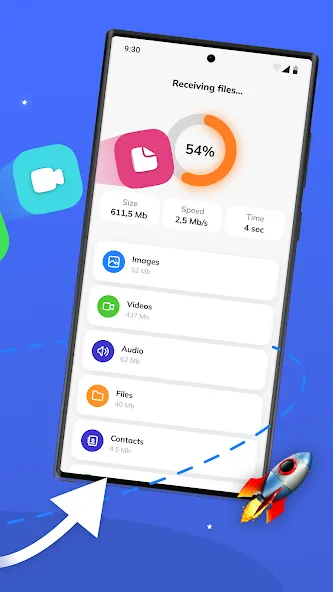
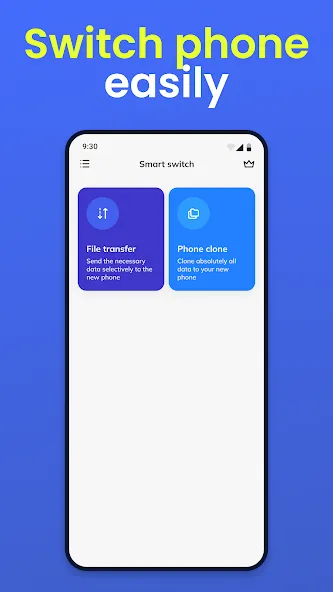
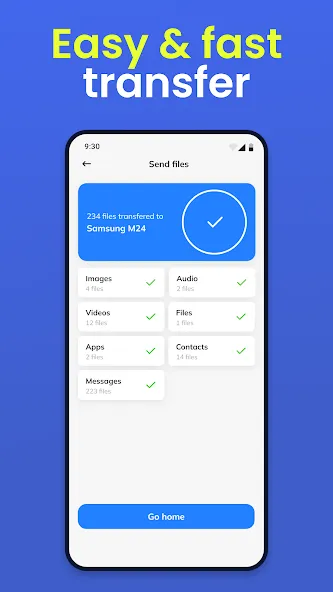
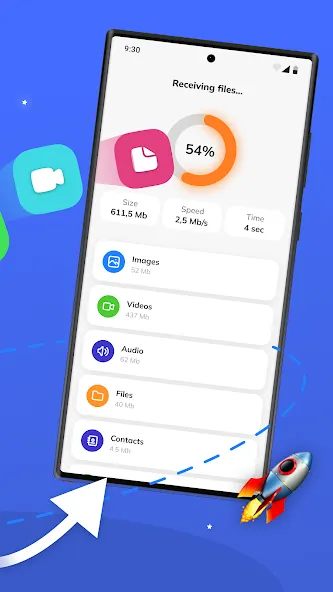
Smart Switch is a mobile data cloning application. Users simply need to place their old and new phones close together and enable Wi-Fi to begin the cloning process. Users can selectively choose which apps, files, images, videos, and other content to transfer, while also viewing the estimated time and storage space required for the operation—all it takes is a single tap to start. The software boasts excellent compatibility, allowing it to be installed and run on a wide range of devices. It offers tailored connection methods for different brands, ensuring a secure transfer process so that users don’t have to worry about losing important information or custom widgets.
Features of Smart switch:
Seamless Content Migration: This powerful tool simplifies the daunting task of migrating your digital life. Users can effortlessly transfer a wide array of content, from essential contacts and calendar entries to cherished photos, videos, and even device settings, ensuring a smooth transition to their new Galaxy phone without missing a beat. The process is designed to be user-friendly, minimizing technical hurdles.
Broad Device Compatibility: Whether you’re upgrading from another Android phone running version 5.0 or higher, or making the switch from an iOS device, this solution provides flexible transfer options. iOS users can connect directly with their device cable for a wired transfer, making the move from Apple to Samsung surprisingly straightforward and secure.
Effortless App Discovery: Beyond just data, the platform also assists in populating your new device with your favorite applications. It intelligently helps you locate the apps you already use on Google Play or suggests similar alternatives, ensuring your new phone feels familiar and fully functional from day one. This saves time searching and downloading apps manually.
Comprehensive Data Types: The scope of transferable data using Samsung Smart Switch Mobile is extensive, encompassing not only the usual suspects like music and text messages but also crucial device settings. This ensures that your preferences, alarms, and even Wi-Fi network details are carried over, saving you significant time in reconfiguring your new device manually.
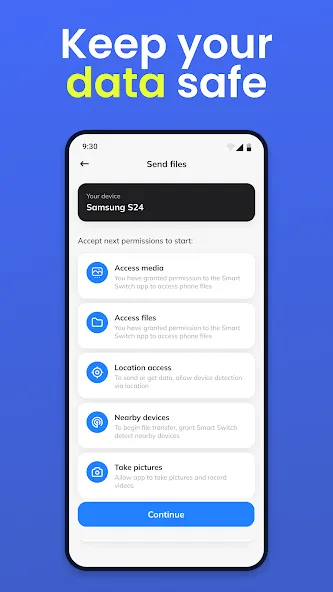
Secure Transfer Options: Users can choose between various transfer methods, including wireless and wired options, depending on their source device and convenience. Each method is designed to ensure the integrity and security of your data throughout the migration process, providing peace of mind during this critical setup phase. Your personal information remains protected.
User Reviews of Smart switch:
I recently tried Smart Switch - Copy My Data because I needed to move a large amount of information from my old phone to a new one, and I was honestly surprised by how simple the whole process was. The app has a clean and easy-to-understand interface, so I did not have to spend much time figuring out what to do. Connecting the two phones was straightforward, and I could choose which files I wanted to transfer instead of moving everything at once. I especially liked that the app supports wireles.
Upgrading to a new phone was stress-free thanks to SmartSwitch. I just downloaded the app on both phones, connected them to Wi-Fi, and paired them up. It let me pick exactly what to move—photos, apps, videos, and music. Small files transferred in seconds, and all my photos kept their original quality. Super simple to use and highly recommended if you need to switch devices without losing your data!
I recently switched to a new phone and was dreading the data transfer process. Thankfully, I discovered SmartSwitch — and it completely changed the game! The app lets you move all your crucial data and settings between devices with minimal effort. I transferred contacts, photos, videos, and even app preferences without a single hitch. The best part? It’s incredibly user‑friendly: just launch SmartSwitch on both gadgets, pick the sender and receiver, and let the app do the rest.
The best Smart Switch app I have ever used. Supports wireless transfer, no cables needed. Speed is impressive, transferred 50GB of data in less than 15 minutes. It keeps original quality of photos and videos. No ads, no crashes. Auto-detects both devices instantly. If you need to clone your phone, this is the perfect solution. Great job to the developers!
FAQs of Smart switch:
How do we use the Smart Switch app?
Smart Switch organizes all the information stored on the device’s memory into three big categories. This includes personal information, contacts, messages, and your calendar.This app presents images by taking and categorizing data on mobile devices more actively, offering active use with a USB connection cable. To download the app just click the download button above. Install the APK file on both phones and start the data transfer.
How can we move our files using this app?
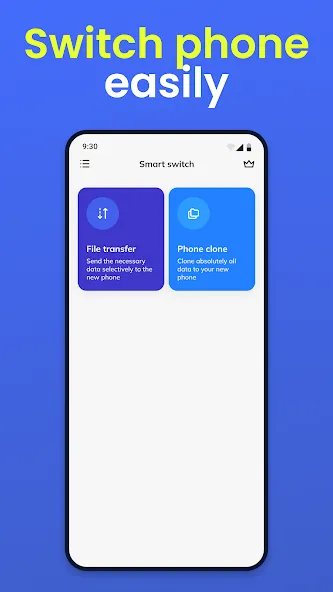
To move your files with Smart Switch. You just have to select the category you want to transfer. You can even browse within it just in case there’s a specific file or subfolder that you want to leave out.
What are the main data transfer methods used by the Smart Switch app?
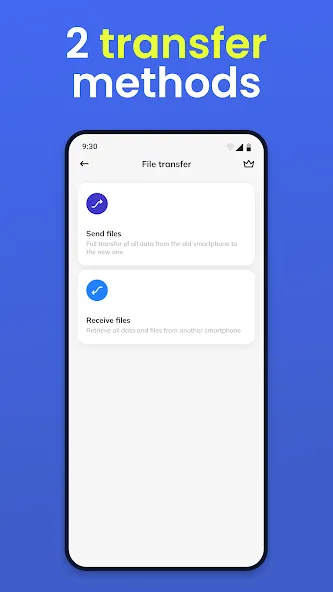
Make a device-to-device connection, or use a backup file from external storage. If you want to know more about Samsung Smart Switch then you may visit Samsung Website.
What’s the main data transfer medium on this app?
Smart Switch works with WiFi. Both your phones need to be on the same network to connect devices and transfer data. The process can last a couple of minutes to 1 hour, depending on the size of the files you are moving to.
How can we quickly transfer data from our old phone to a new one?
Using the Smart Switch easily transfers data between devices. Once the transfer is completed you will feel like you have transferred the soul of your old phone into the new phone. For more similar apps you can give the SHAREit data transfer app a try and see if it works for you.
Summary:
Smart Switch works with WiFi, and besides having this app on both devices, you'll also need them to be connected to the same network. The process can last a couple of minutes, depending on the size of the files you are moving, but everything will be saved to your new device with exactly the same settings that the previous one had.
More Information
- Size:24.32MB
- Version:9.5.03.0
- Requirements:Android
- Votes:342
- Package Name:com.sec.android.easyMover
- Signature:f5357a796528f7f7183ab912929a81c8
Related topics
-
Office Apps is a comprehensive and user - friendly platform that aggregates a wide array of office - related applications, catering to the diverse needs of modern professionals, students, and anyone who engages in office - based tasks. Whether you're working on a crucial business project, preparing academic papers, or handling daily administrative work, this aggregation page serves as your one - stop - shop.
-
![Google Drive]()
Google Drive
-
![Fiverr]()
Fiverr
-
![Smart switch]()
Smart switch
-
![Noteshelf 3]()
Noteshelf 3
-
![bossjob]()
bossjob
-
![Microsoft Intune]()
Microsoft Intune
-
![Eleph-label]()
Eleph-label
-
![HiHello]()
HiHello
-
-
The complete collection of office software is compiled based on user needs and referencing the popularity of major computer application stores. This collection selects various useful computer office software for users from multiple aspects such as office suite, communication and collaboration, email management, note management, cloud storage, download and decompression, etc. These software can meet your various document processing needs, making your team collaboration smoother, and conveniently managing your emails and keeping various meeting records. Download various materials and documents needed for office work. This collection of office software commonly used by professionals can meet all needs. Welcome to download and experience it!
-
![Banglarbhumi]()
Banglarbhumi
-
![Google Drive]()
Google Drive
-
![Fiverr]()
Fiverr
-
![Smart switch]()
Smart switch
-
![Noteshelf 3]()
Noteshelf 3
-
![Bangla Keyboard]()
Bangla Keyboard
-
![HiHello]()
HiHello
-
![My MobiFone]()
My MobiFone
-









Latest Updated



Popular Apps








Popular News
More+-
![Tomie Wants to Get Married Full Walkthrough, All Choices and Ending Guide]()
Tomie Wants to Get Married Full Walkthrough, All Choices and Ending Guide
2026-05-22
-
![Karryn’s Prison Gameplay Walkthrough & Strategy Guide]()
Karryn’s Prison Gameplay Walkthrough & Strategy Guide
2025-10-28
-
![Life in Santa County Game Guide & Complete Walkthrough]()
Life in Santa County Game Guide & Complete Walkthrough
2025-10-28
-
![Dreams of Desire Complete Walkthrough and Game Guide]()
Dreams of Desire Complete Walkthrough and Game Guide
2025-10-28
-
![Era Hunter Gameplay Guide & Full Walkthrough]()
Era Hunter Gameplay Guide & Full Walkthrough
2025-10-28




