
Google Drive
Download for Android This app is available for Android only.- Category:Productivity
- Rating: 4.6
- Language:English
- Updated:2026-10-19
Screenshots
Introduction
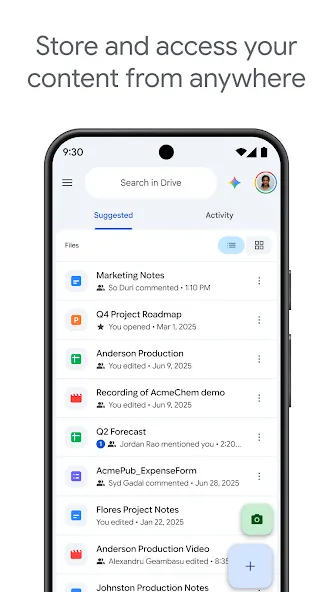
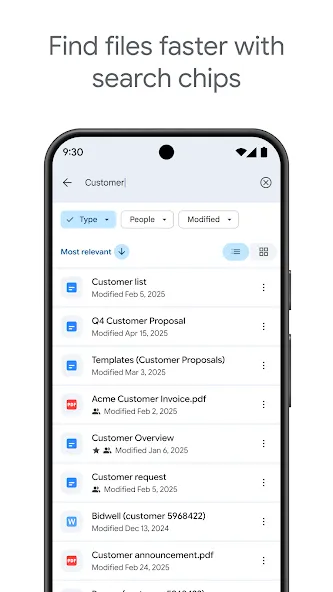
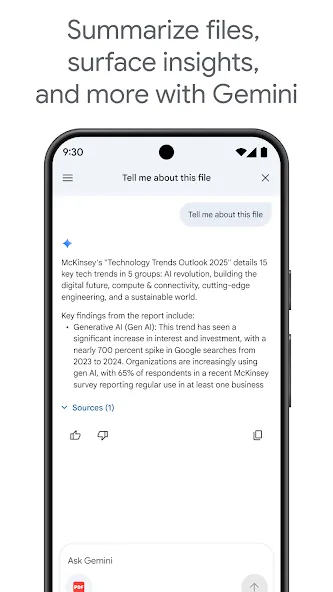
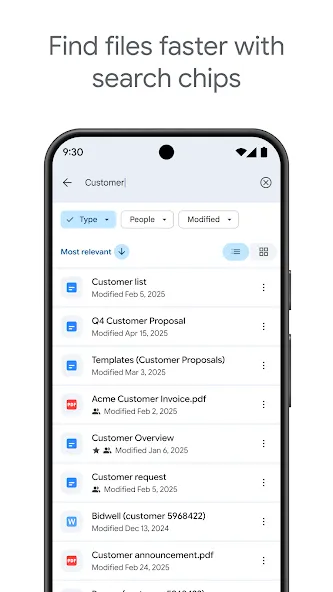
Google Drive enables users to securely store a wide range of files, including documents, images, and videos. Once uploaded, your important data is backed up to the cloud, where it remains protected in real-time, giving you peace of mind. You can access your account from various devices and use the built-in search and filtering tools to quickly locate and download the content you need. Furthermore, you can share files with others—assigning specific editing permissions as needed—allowing for seamless collaboration and increased productivity, regardless of your location.
Features of Google Drive:
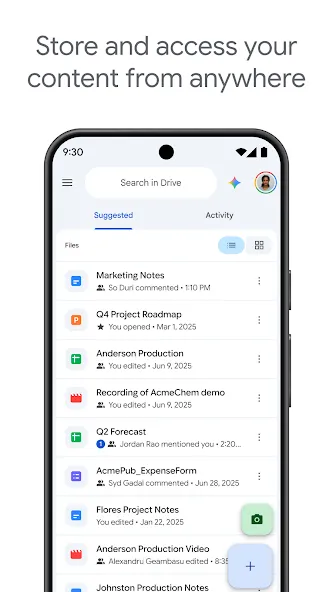
Seamless Cloud Storage: This application offers users a generous amount of free storage space, with options to expand as needed. It functions as a virtual hard drive, allowing you to upload virtually any file type and keep your digital life neatly organized. Whether it’s large video projects, extensive photo albums, or critical work documents, the service provides a reliable sanctuary for your data, freeing up local device storage and ensuring everything is backed up in the cloud.
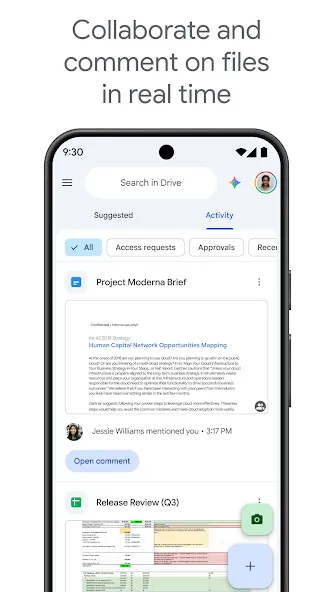
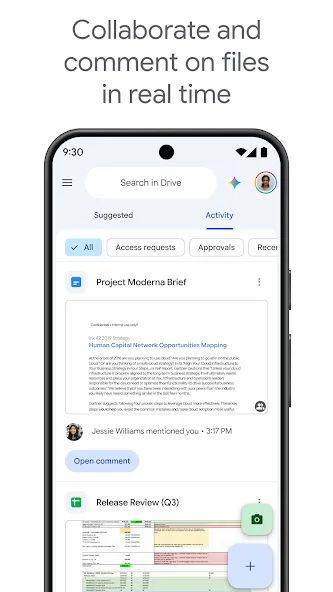
Effortless File Sharing: One of the platform’s most compelling features is its streamlined approach to sharing. Users can easily grant access to files and folders with specific individuals or generate shareable links with various permission levels, such as view-only, comment, or edit. This capability is invaluable for collaborative projects, enabling teams to work together on documents in real-time, share feedback, and ensure everyone is always working with the latest version.
Integrated Productivity Tools: The experience extends beyond mere storage by deeply integrating with Google Workspace applications like Docs, Sheets, and Slides. This integration allows users to create, edit, and store these documents directly within the app, eliminating the need to download and re-upload files. It fosters a truly connected workflow, where a presentation can be started on a computer, refined on a tablet, and shared instantly for review, all within the same ecosystem.
Robust Security Measures: Security is paramount for any cloud service, and this tool employs industry-leading encryption and robust security protocols to protect your data. Files are encrypted both in transit and at rest, safeguarding your information from unauthorized access. The platform also includes features like two-factor authentication and detailed activity logs, providing peace of mind that your personal and professional data remains secure and private.
Universal Access Anywhere: The true power of this cloud solution lies in its omnipresent accessibility. Your files are not tethered to a single device; instead, they are available from any internet-connected computer, smartphone, or tablet. This means you can start a project at the office, continue working on it during your commute, and finalize it from home, ensuring productivity is never interrupted, regardless of your location or the device you’re using.
Useful Tips of Google Drive:
Color-code important folders: Right-click or tap folder settings to assign custom colors. This visual system helps you identify urgent project files instantly.
Star critical files for fast access: Mark frequently used documents with a star icon. You can access all starred items immediately from the side navigation menu inside Google Drive.
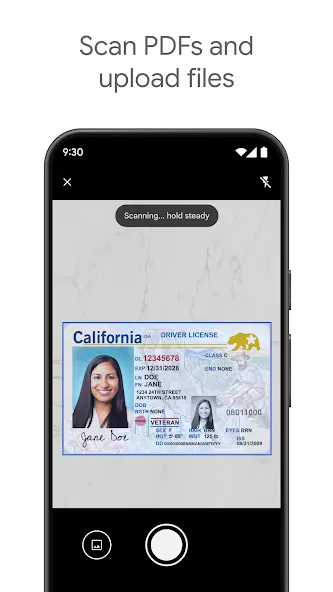
Convert images and scans into editable text: Upload image files or scanned documents into your account. Then, open them with the internal text reader to extract text instantly.
Restore older file versions: Access the version history menu on any stored document. You can revert changes or recover previous text blocks within seconds.
Enable automatic camera uploads: Turn on media backup settings inside the application options. The system backs up your new photos automatically whenever you connect to Wi-Fi.
Use shortcut links inside folders: Create file shortcuts instead of duplicating heavy files across multiple folders. This trick saves your cloud storage space effectively.
User Reviews of Google Drive:
Google Drive has been a very user-friendly tool for managing and storing our design digital files and documents and i like how it allows us to keep all our documents organized in their specific folders for easier and quicker access. Google Drive also provides our team with collaboration features which help us to have shared access on our documents making it easy to work together on the documents during our design projects. Google Drive offers very advanced security and data protection features which allows us to keep all our design documents and their data well protected from unauthorized access as well as cyber threats like malware. I also like the files recovery and back up features which makes it possible to recover any document we might loose but was already backed up on cloud.
My overall experience with Google Drive has been extremely positive. It has become an essential tool for storing files, collaborating with teams, and managing documents efficiently. The ability to access files from any location and work on documents in real time has significantly improved productivity. I particularly value the seamless integration with other Google Workspace applications, which creates a smooth workflow for communication and content creation. Although there are some limitations related to storage and advanced permission management, the platform’s reliability, ease of use, and collaboration capabilities make it one of the best cloud storage solutions available today.
I’m shocked that iOS’s G-Drive is working better than Androids version. This is despite my iPhone 12 Max running on iOS 14.5.1, latest is iOS 18.3 (I think), Jailbroken so can’t update. My Pixel 6 is on A14, and have never seen the thumbnail images of my uploaded pics in Androids Drive. Had no idea that was a thing till I just opened iOS’s version and they all populated super quick. I had issues downloading .AVI video files on my Pixel, when I tried on iOS, zero issues. There’s no option to download those vids on iOS though, however, selecting “open in” I was able to choose my video player app, VLC and it looks like it was saved in that app’s Video List. If you’re wanting to download your saved vids in Drive, you may want to have a good video app installed prior to trying to download them. I’m pretty sure no other options like iOS’s stock “Photos” was an option, but that could be related to my me running 14.5.1. Big props to iOS Devs who did a much better job than Google did on their very own apps, using their very own device. I’m a Fan of both platforms, would never say one is better than the other, I truly believe each have their Pros & Cons, for that reason is why I carry both in my pockets everywhere I go and I’m content with that. Leaving home without either one feels like I forgot my left foot.
FAQs of Google Drive:
Where is my data stored?
Data is stored on the "cloud" and is not on your device. Therefore, you cannot reach these files when you don't have an Internet connection. Data is synchronized with all devices when connected to the Internet.
What is synchronization?
Synchronization (or syncing) means that your files stay the same no matter where you open them. If you add or change a file on your Google Drive, it will automatically update everywhere that you have an internet connection and are signed in. This helps make sure you always have the most up-to-date version of your files.
Can I store any file or folder?
Yes. Within file size and space limits, anything you can store on your hard drive can also be stored in Google Drive. This includes entire folders. You must move the file or folder to your Google drive folder in order for it to be put on the Google Drive.
Can I share my data on Google Drive with others?
Yes you can mark a file or folder for sharing and include individual people or groups that you have created in Gmail.
What about Mobile use?
You can use Google Drive on your cell phone and tablet devices. There is an app for Android devices that synchronizes everything.
Won't it fill up my mobile device's storage?
No. Data is stored on the "cloud" and only the app and necessary display data is kept on your device. Remember that the data on Google Drive is not copied down to your device, so it isn't available when you are off-line.
Final words:
Google Drive offers a significant amount of storage for its free version, and users can also opt for paid plans that provide additional storage. Google Drive is an affordable collaboration tool for small businesses or other groups that helps you keep both your team and all of its work interconnected.
More Information
- Size:124.37MB
- Version:2.26.417.0.all.a
- Requirements:Android
- Votes:219
- Package Name:com.google.android.apps.docs
- Signature:0c719b666dc22d03df2957fc70cd62e3
Related Versions

Related topics
-
Office Apps is a comprehensive and user - friendly platform that aggregates a wide array of office - related applications, catering to the diverse needs of modern professionals, students, and anyone who engages in office - based tasks. Whether you're working on a crucial business project, preparing academic papers, or handling daily administrative work, this aggregation page serves as your one - stop - shop.
-
![Google Drive]()
Google Drive
-
![Noteshelf 3]()
Noteshelf 3
-
![bossjob]()
bossjob
-
![Microsoft Intune]()
Microsoft Intune
-
![Eleph-label]()
Eleph-label
-
![HiHello]()
HiHello
-
![ZSMobile POS]()
ZSMobile POS
-
![Hellowork]()
Hellowork
-
-
The complete collection of office software is compiled based on user needs and referencing the popularity of major computer application stores. This collection selects various useful computer office software for users from multiple aspects such as office suite, communication and collaboration, email management, note management, cloud storage, download and decompression, etc. These software can meet your various document processing needs, making your team collaboration smoother, and conveniently managing your emails and keeping various meeting records. Download various materials and documents needed for office work. This collection of office software commonly used by professionals can meet all needs. Welcome to download and experience it!
-
![Google Drive]()
Google Drive
-
![Noteshelf 3]()
Noteshelf 3
-
![Bangla Keyboard]()
Bangla Keyboard
-
![HiHello]()
HiHello
-
![Hellowork]()
Hellowork
-
![Amazon Flex]()
Amazon Flex
-
![Meest China]()
Meest China
-
![New PDF Reader]()
New PDF Reader
-










Latest Updated



Popular Apps








Popular News
More+-
![Tomie Wants to Get Married Full Walkthrough, All Choices and Ending Guide]()
Tomie Wants to Get Married Full Walkthrough, All Choices and Ending Guide
2026-05-22
-
![Karryn’s Prison Gameplay Walkthrough & Strategy Guide]()
Karryn’s Prison Gameplay Walkthrough & Strategy Guide
2025-10-28
-
![Life in Santa County Game Guide & Complete Walkthrough]()
Life in Santa County Game Guide & Complete Walkthrough
2025-10-28
-
![Dreams of Desire Complete Walkthrough and Game Guide]()
Dreams of Desire Complete Walkthrough and Game Guide
2025-10-28
-
![Era Hunter Gameplay Guide & Full Walkthrough]()
Era Hunter Gameplay Guide & Full Walkthrough
2025-10-28




