

DeepSeek
Download for Android This app is available for Android only.- Category:Productivity
- Rating:
- Language:English
- Updated:2026-11-04
Screenshots
Introduction
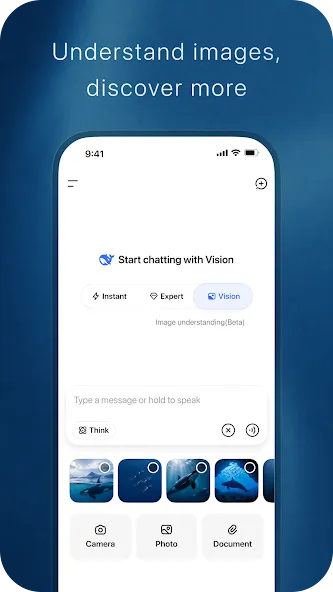
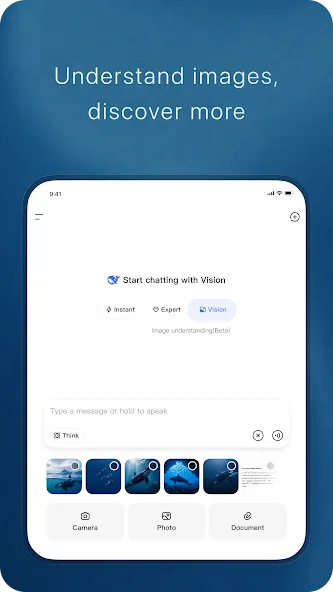
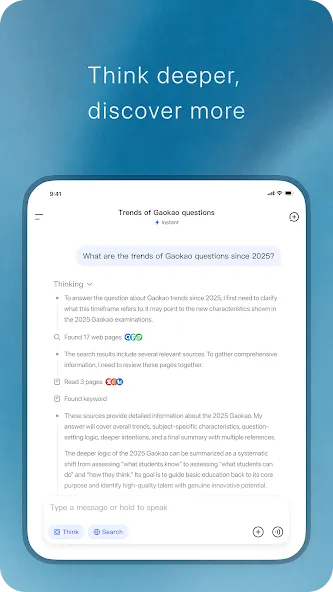
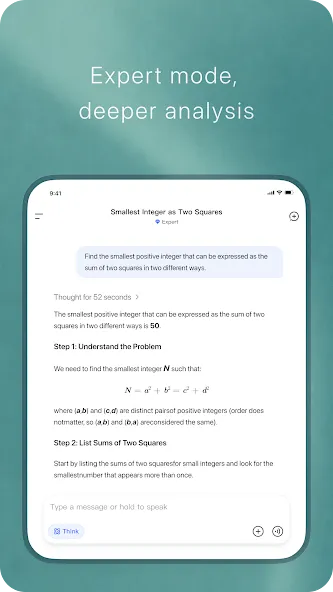
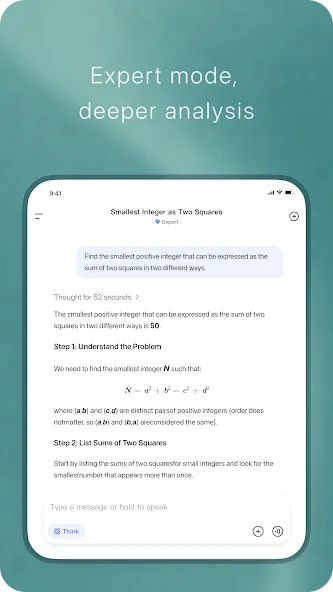
DeepSeek is a highly powerful AI tool designed for the Android platform. It features a chat interface where users can engage in conversations with the AI. The tool is capable of handling a wide range of tasks, including writing, coding, and data analysis. Users can input code, and the AI will provide intuitive, easy-to-understand analysis and error corrections. When processing user requests, the AI also outlines its reasoning and the steps taken to reach a solution. Furthermore, DeepSeek offers an API, making it convenient for developers to integrate the AI into their own applications or devices. In short, it is a robust and user-friendly AI tool.
Features
Free Access to the Latest Models
DeepSeek offers free access to the DeepSeek-V3.2 model, which is optimized for both speed and high-quality reasoning. It delivers rapid responses and maintains consistent performance throughout extended conversations, allowing you to obtain useful results quickly without the need for pauses or long wait times.
Programming Assistance and Technical Explanations
You can input code, describe errors, or request examples to help you grasp specific concepts. DeepSeek analyzes your requests and provides suggestions, minor fixes, or actionable steps. It helps keep the discussion focused, enabling you to refine your requests and test new ideas iteratively.
Writing and Content Rewriting
DeepSeek can draft, rewrite, or summarize text based on your instructions. You can specify the desired tone, length, or format, and the assistant will adjust its output accordingly. This streamlines tasks such as editing emails, creating outlines, or transforming rough notes into clear, coherent paragraphs.
Document Uploads with Long-Context Chat
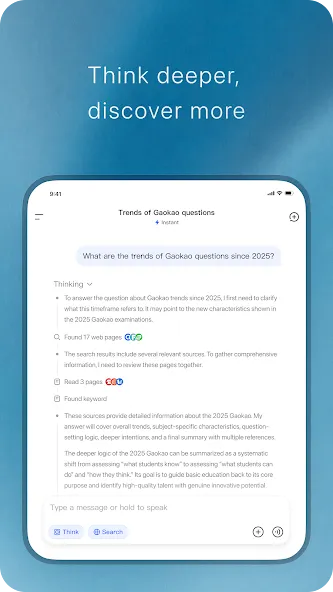
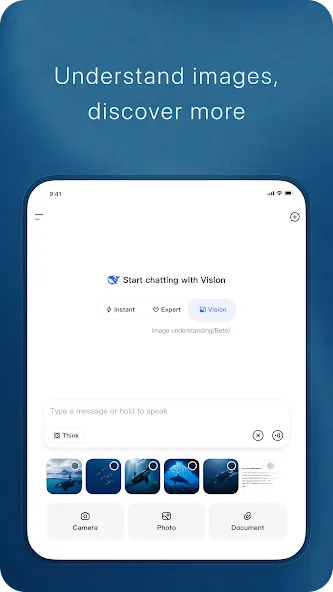
You can upload files for the assistant to read and reference during your conversation. DeepSeek maintains context across multiple messages, allowing it to draw upon uploaded documents at any point in the dialogue. This makes it easier to review reports, gather research insights, or prepare meeting minutes—all in one place.
Mobile and Web Support, with API Availability
DeepSeek is designed to provide a consistent experience across both mobile devices and web browsers, allowing you to continue your conversations seamlessly as you switch between devices. Your conversation history is always accessible, making it easy to switch between quickly checking information while on the go and engaging in more in-depth work at your desk. Developers can also integrate the model into their own tools using the DeepSeek API.
Usage
Open DeepSeek and wait for the chat interface to load.
Enter your request—such as a question, a writing prompt, or a coding problem—into the input box.
If needed, use the upload option to attach documents for the assistant to read and reference.
Send your message, review the response, and then provide further details or corrections to refine the results.
Start a new thread when switching topics, and return to previous conversations whenever you need to review past discussions.
FAQs
Can DeepSeek help me learn to program?
Yes, DeepSeek can be a valuable learning tool; it provides code examples, explains concepts, and assists with debugging your code.
Is DeepSeek suitable for non-technical users?
While DeepSeek features powerful coding capabilities, it can also be used for a wide range of non-technical tasks, such as writing, research, and problem-solving.
What kind of support is available for DeepSeek?
DeepSeek offers extensive documentation and community forums to help users make the most of its features.
User Reviews
I’ve been using it for a long time and have a lot to say. I’m a big fan of the newly updated voice feature; although there are still some issues, I really hope the platform continues to improve.
I haven’t encountered any major problems so far—it’s quite user-friendly. That said, I’d love to see improvements in its AI intelligence and memory; for instance, it would be great to be able to ask multiple questions about a single topic within a single conversation thread.
As a free user, I am truly grateful that a free AI application can reach this level of quality. It’s an AI with a "human touch." Think of it as a companion—a partner that grows alongside you.
My favorite feature is DeepSeek’s ability to execute Python code. While it currently only outputs plain text, the logic is sound, and the suggestions it provides are quite useful. When it comes to solving problems, DeepSeek operates based on probabilistic output—in my experience, it gets things right about 89% of the time. It’s great for logical or technical queries, but if you’re looking for high emotional intelligence, you might be better off with an AI designed for companionship. It’s similar to how some people complain about "Doubao" having low intelligence; it really comes down to choosing the right tool based on the product type and your own specific needs.
Conclusion
DeepSeek’s ultimate goal is to serve as a personalized AI assistant, always ready to provide support and guidance. Its intuitive interface and powerful capabilities make it suitable for users of all skill levels. Whether you are an experienced professional or just starting out, DeepSeek can help you achieve your goals more efficiently and effectively.
More Information
- Size:20.99MB
- Version:2.7.1
- Requirements:Android
- Package Name:com.deepseek.chat
- Signature:aa24268e19bba0f3a8cd15f79f61a412
Related topics
-
Feeling that there aren’t enough hours in the day? That you’re fighting a losing battle with your agenda? That each time you look up from your desk another year has rolled by? Well don’t worry, you’re not alone, and in today’s hyperconnected world, people are busier than ever before. On Android, there are countless productivity apps to help take control of your time and make your work more efficient. From a simple plugin for Chrome to a full-fledged app, picking the right productivity apps on Android can mean the difference between having a clear to-do list at the end of the day or having it overflowing with missed deadlines and projects that are off schedule. Productivity apps aren’t just about work, though. Using a productivity app in your personal life can keep you on top of deadlines for vacations, home repairs, and other family responsibilities.
-
![DeepSeek]()
DeepSeek
-
![Google Docs]()
Google Docs
-
![SiDOMPUL]()
SiDOMPUL
-
![GoPartner]()
GoPartner
-
![V380]()
V380
-
![Self Attendance MOD]()
Self Attendance MOD
-
![Yahoo Mail]()
Yahoo Mail
-
![Notebloc Scanner]()
Notebloc Scanner
-
-
Office Apps is a comprehensive and user - friendly platform that aggregates a wide array of office - related applications, catering to the diverse needs of modern professionals, students, and anyone who engages in office - based tasks. Whether you're working on a crucial business project, preparing academic papers, or handling daily administrative work, this aggregation page serves as your one - stop - shop.
-
![DeepSeek]()
DeepSeek
-
![Google Docs]()
Google Docs
-
![TimeWise]()
TimeWise
-
![SiDOMPUL]()
SiDOMPUL
-
![GoPartner]()
GoPartner
-
![ZOOM Cloud Meetings]()
ZOOM Cloud Meetings
-
![Agent Assist]()
Agent Assist
-
![V380]()
V380
-
-
The complete collection of office software is compiled based on user needs and referencing the popularity of major computer application stores. This collection selects various useful computer office software for users from multiple aspects such as office suite, communication and collaboration, email management, note management, cloud storage, download and decompression, etc. These software can meet your various document processing needs, making your team collaboration smoother, and conveniently managing your emails and keeping various meeting records. Download various materials and documents needed for office work. This collection of office software commonly used by professionals can meet all needs. Welcome to download and experience it!
-
![DeepSeek]()
DeepSeek
-
![Google Docs]()
Google Docs
-
![TimeWise]()
TimeWise
-
![GoPartner]()
GoPartner
-
![ZOOM Cloud Meetings]()
ZOOM Cloud Meetings
-
![Agent Assist]()
Agent Assist
-
![V380]()
V380
-
![Self Attendance MOD]()
Self Attendance MOD
-








Latest Updated


Popular Apps








Popular News
More+-
![Tomie Wants to Get Married Full Walkthrough, All Choices and Ending Guide]()
Tomie Wants to Get Married Full Walkthrough, All Choices and Ending Guide
2026-05-22
-
![Karryn’s Prison Gameplay Walkthrough & Strategy Guide]()
Karryn’s Prison Gameplay Walkthrough & Strategy Guide
2025-10-28
-
![Life in Santa County Game Guide & Complete Walkthrough]()
Life in Santa County Game Guide & Complete Walkthrough
2025-10-28
-
![Dreams of Desire Complete Walkthrough and Game Guide]()
Dreams of Desire Complete Walkthrough and Game Guide
2025-10-28
-
![Era Hunter Gameplay Guide & Full Walkthrough]()
Era Hunter Gameplay Guide & Full Walkthrough
2025-10-28




