

V380
Download for Android This app is available for Android only.- Category:Productivity
- Rating: 4.9
- Language:English
- Updated:2026-10-29
Screenshots
Introduction
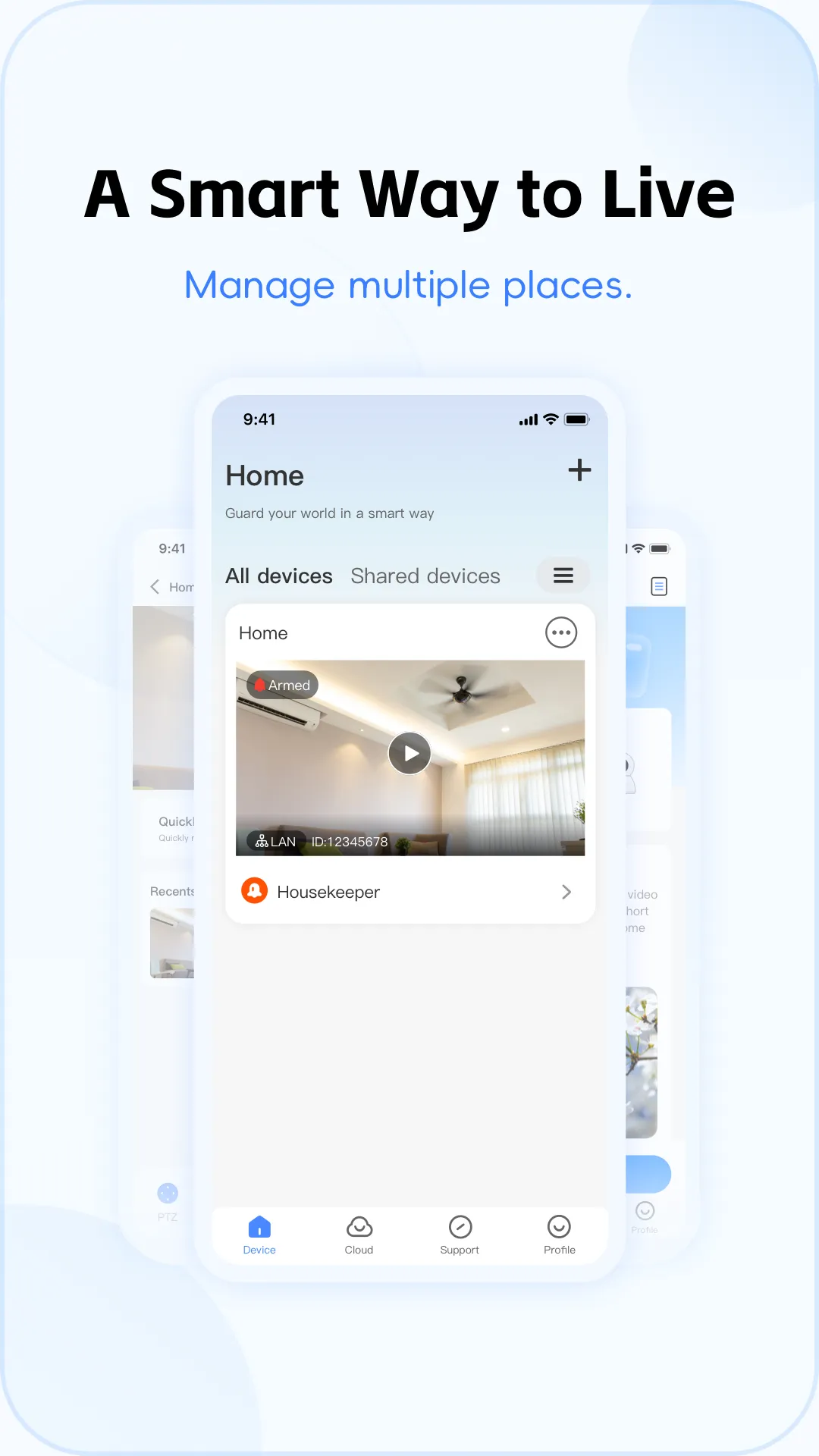
V380 is a comprehensive software application for home security cameras. It allows users to view live video feeds from their cameras via Wi-Fi or mobile data. The app supports features such as taking snapshots and recording video. Users can quickly check the camera feed without needing to fully open the application. The app also enables remote control of the camera’s orientation, allowing for multi-angle viewing. Furthermore, it can monitor for movement and provide alerts. Linking a camera to the app is simple and convenient—just scan the device's QR code to complete the setup.
Features
Remote HD Streaming
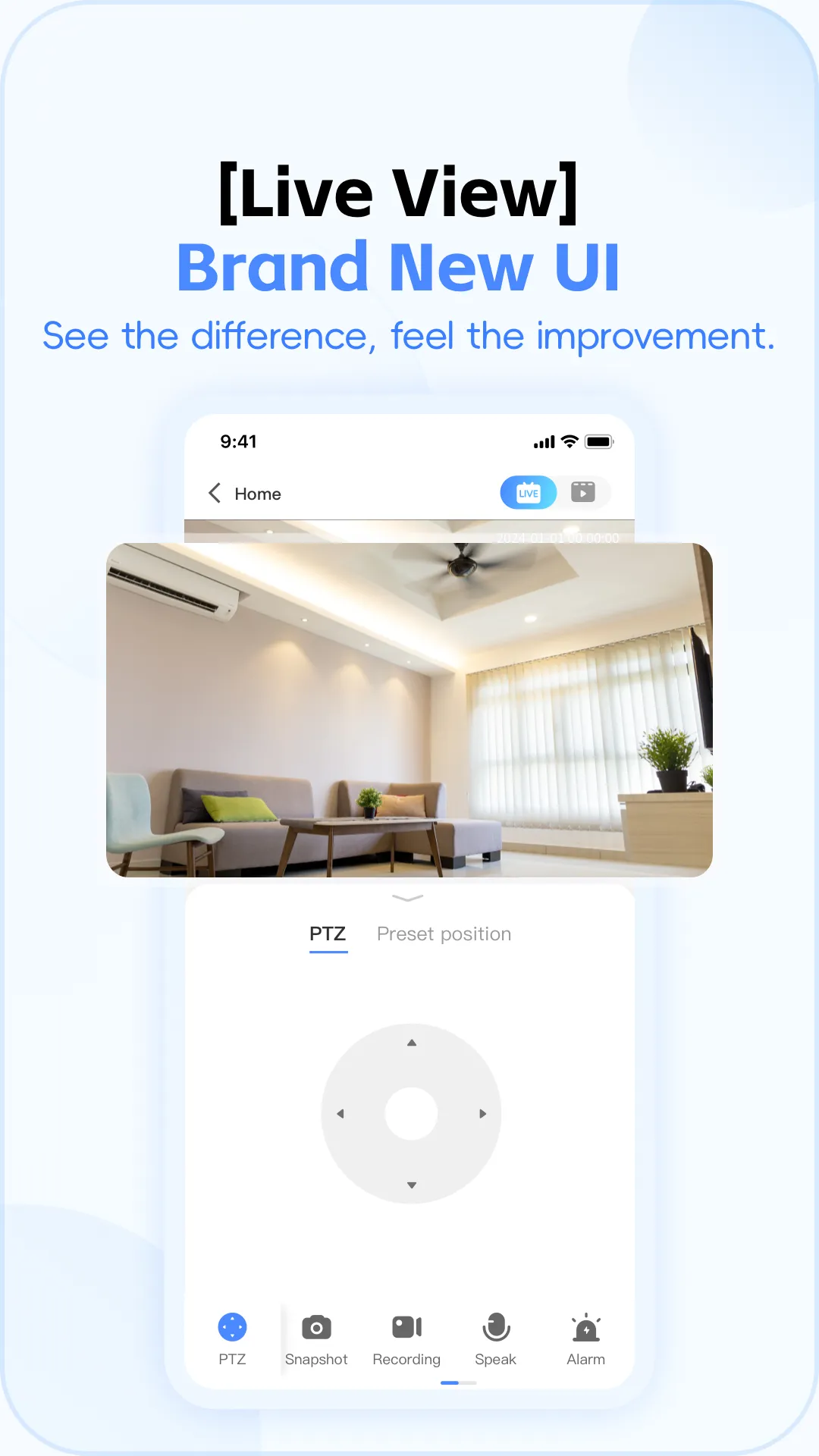
V380 transmits live video at up to 720P resolution via Wi-Fi or mobile networks. Within the app, you can access live previews, capture snapshots, initiate quick recordings, and review recent video clips. Videos can also be downloaded to your phone’s gallery for later viewing. The app supports multi-device access, allowing family members to view the feed once authorized.
PTZ Control and Digital Zoom
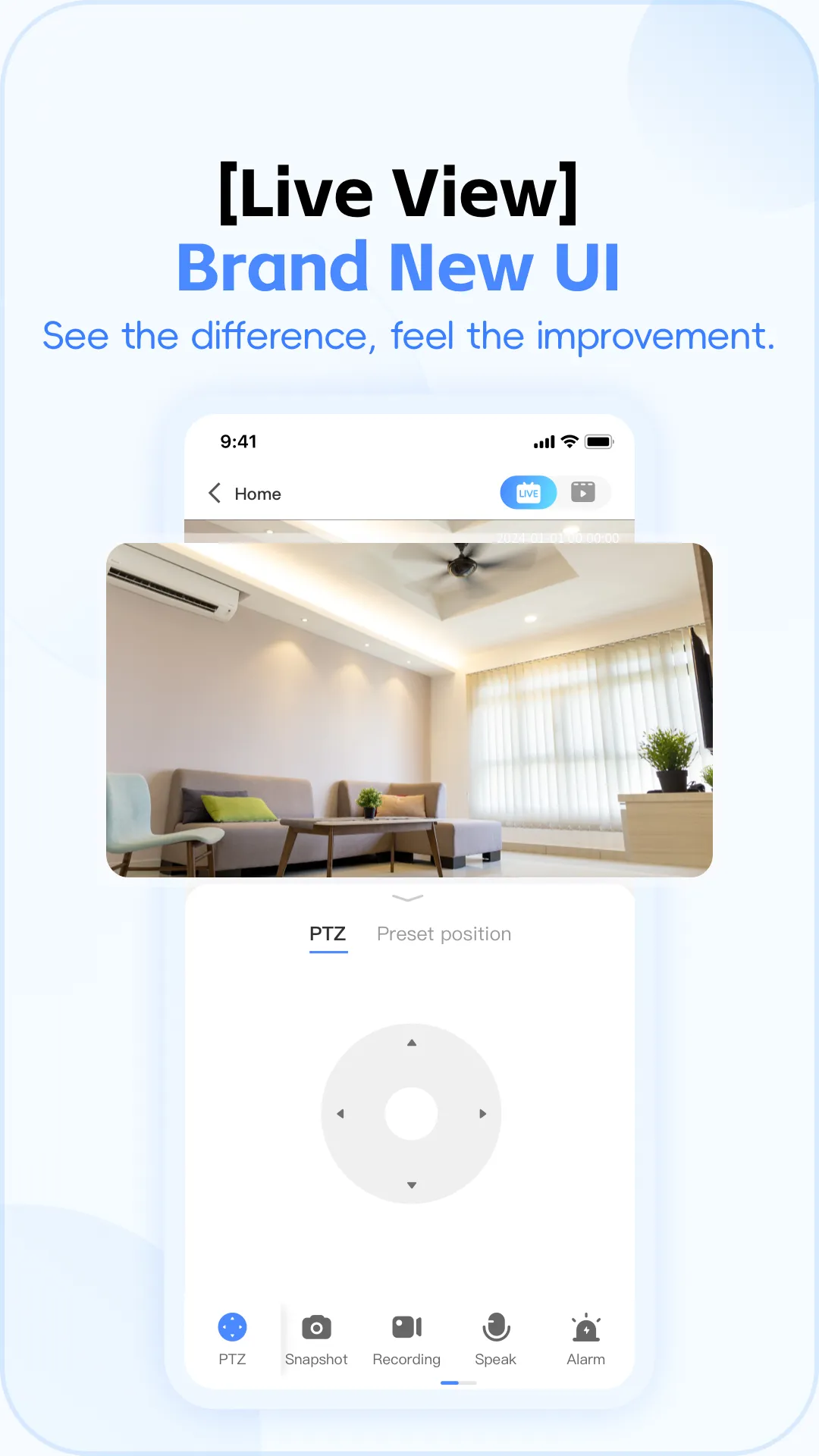
V380 supports pan, tilt, and zoom functions through simple touch gestures. You can set preset positions to quickly shift the view to frequently monitored angles, returning to these positions with a single tap. Digital zoom allows you to examine details without physically moving the camera, making it effortless to track activity within a room.
Motion Detection and Recording
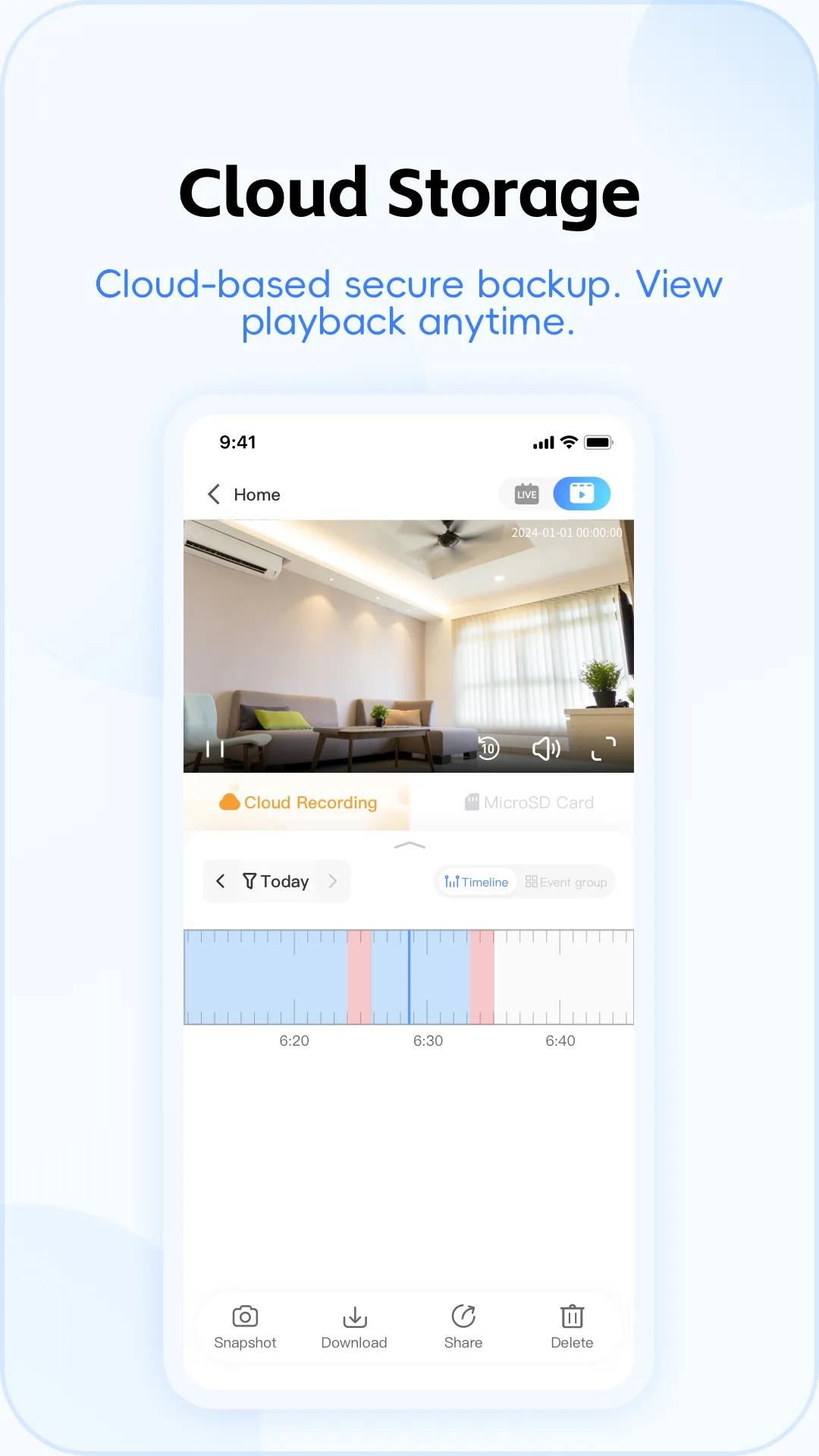
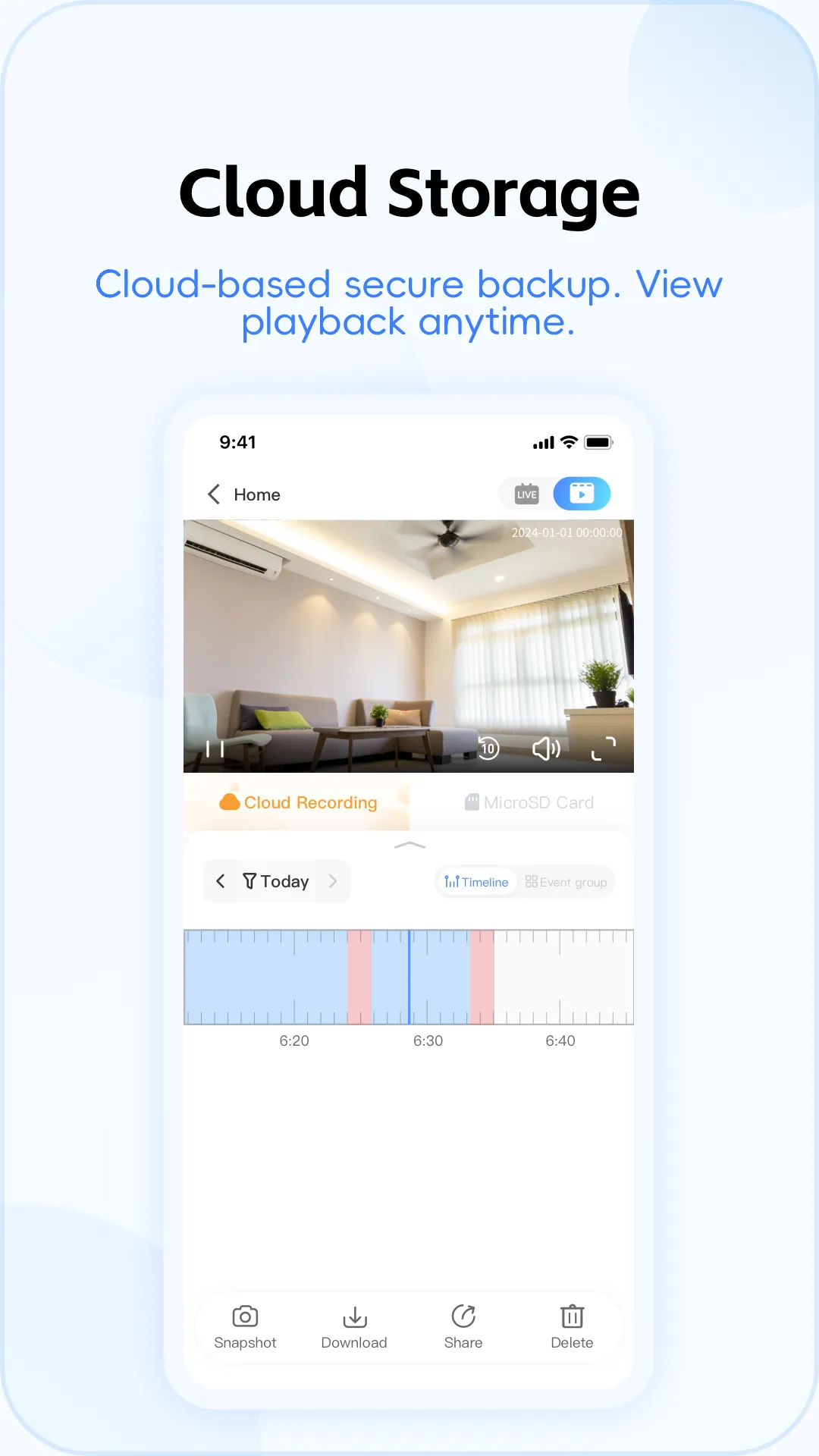
V380 triggers alerts when motion is detected, helping you respond promptly to events. Recordings can be saved to a server, a cloud service, or stored locally on a microSD card. You can choose your preferred storage method and location, and adjust motion sensitivity to minimize unnecessary alerts—ensuring you have a clear record of events whenever you need to review them.
Two-Way Audio and Live Monitoring
V380 supports two-way audio, enabling you to speak through the camera and listen to responses via the app—perfect for quick greetings or providing simple instructions. The app also allows for real-time audio monitoring, letting you listen in without needing to initiate a full call. Communication is kept simple and convenient for everyday use. Quick Setup and Cross-Platform Access
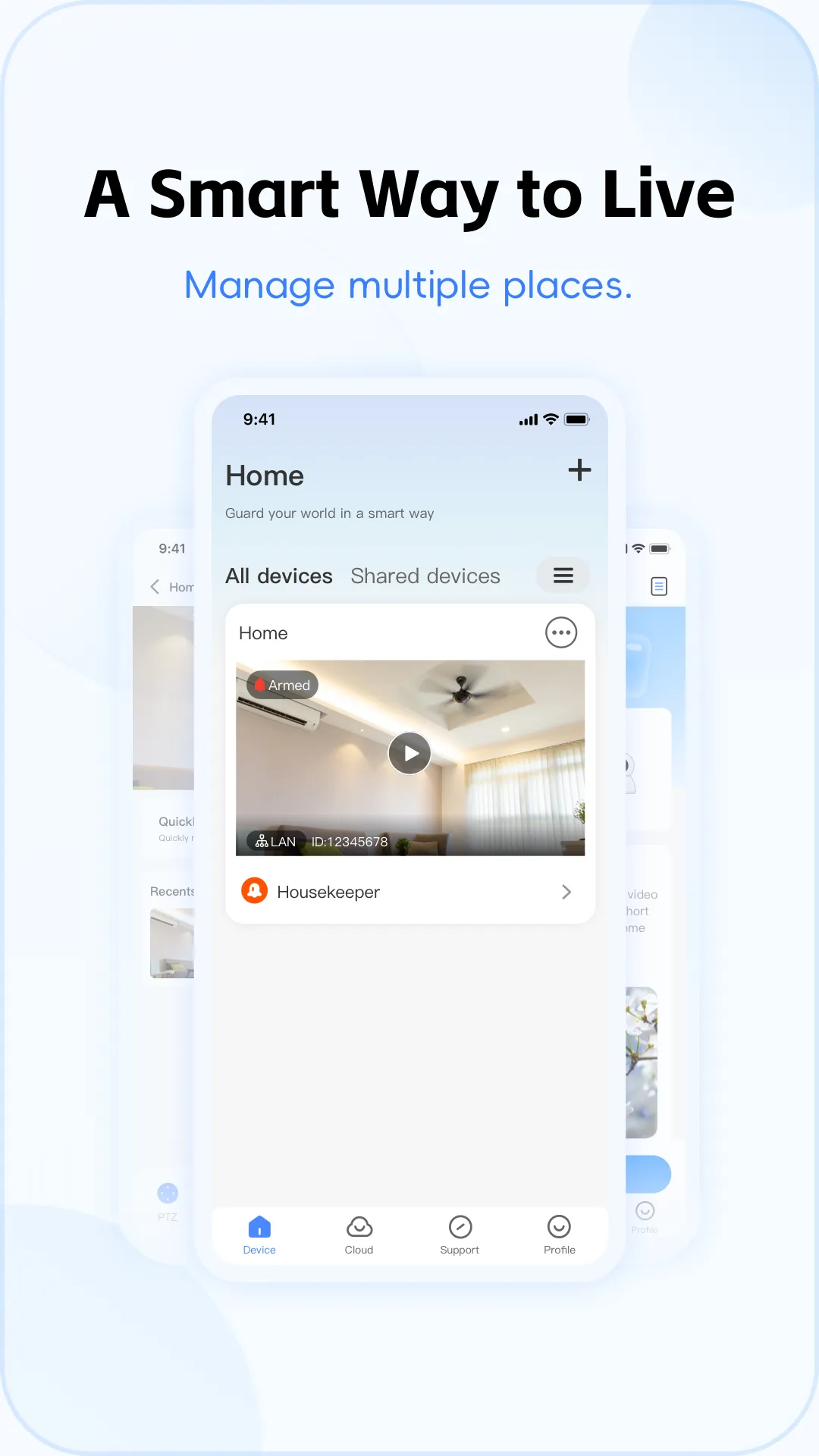
V380 offers features such as WiFi Smartlink, AP configuration, and QR code binding, allowing for the rapid addition of devices. Simply follow the on-screen instructions, enter your network details, and confirm once the camera is online. You can then view and manage your camera from an Android device; V380 also provides compatible software for Windows PCs, enabling convenient viewing from your desktop. This allows you to switch seamlessly between different screens without needing to reconfigure the camera.
Usage
Install and open the V380 app, then grant the requested permissions for location, microphone, and storage.
Power on the camera and reset it to pairing mode, while ensuring your phone is connected to your home WiFi network.
Tap "Add Device," select "WiFi Smartlink," enter your WiFi password, and wait for the camera to come online.
If Smartlink fails, try using AP mode to connect directly to the camera’s hotspot, or use QR code binding to pair the device.
Name your device, access the live feed, set the time, enable motion detection, and test the two-way audio.
Pros and Cons
Pros:
An affordable and efficient monitoring solution
Supports a wide range of camera models
Includes cloud storage options
Easy to navigate
Cons:
Occasional latency may occur on slower network connections
FAQs
How much data does a 4G camera consume?
4G cameras do not consume 4G data when connected via an Ethernet cable.
When not actively streaming a live feed or using cloud services, a 4G camera consumes only a minimal amount of data.
Extended live streaming or the use of cloud services will result in higher data consumption. Continuous 24-hour live streaming is estimated to consume between 2 and 4 GB of data.
What should I do if the SIM card is not working?
If the device displays a "SIM card not recognized" error, it indicates a connection failure. Power off the device, remove and reinsert the SIM card, then power it back on. Afterward, please reset the camera.
Verify that the 4G SIM card is functional and still has an active data allowance.
Ensure there is a strong signal at the installation site, or try reconnecting the device in an area with better signal reception.
If the local signal for the current SIM card is poor, try testing with a SIM card from a different mobile carrier.
Conclusion
V380 allows you to keep an eye on your rooms, doors, windows, pets, and daily activities whenever you are away from home. It connects to compatible IP and WiFi cameras, enabling you to view live footage and manage your devices directly from your mobile phone. To accommodate varying needs, the app supports a wide range of common camera types—including mini, bullet, dome, and PTZ (pan-tilt-zoom) models—offering greater flexibility for setups in different spaces. With its intuitive control interface and storage options tailored for everyday use, the V380 app makes home monitoring simple and straightforward.
More Information
- Size:286.24MB
- Version:6.4.90
- Requirements:Android
- Votes:409
- Package Name:com.macrovideo.v380
- Signature:3d404d8f9965e5f69d40fe957e0bd0ed
Related topics
-
Feeling that there aren’t enough hours in the day? That you’re fighting a losing battle with your agenda? That each time you look up from your desk another year has rolled by? Well don’t worry, you’re not alone, and in today’s hyperconnected world, people are busier than ever before. On Android, there are countless productivity apps to help take control of your time and make your work more efficient. From a simple plugin for Chrome to a full-fledged app, picking the right productivity apps on Android can mean the difference between having a clear to-do list at the end of the day or having it overflowing with missed deadlines and projects that are off schedule. Productivity apps aren’t just about work, though. Using a productivity app in your personal life can keep you on top of deadlines for vacations, home repairs, and other family responsibilities.
-
![V380]()
V380
-
![Self Attendance MOD]()
Self Attendance MOD
-
![Yahoo Mail]()
Yahoo Mail
-
![Notebloc Scanner]()
Notebloc Scanner
-
![TimeTune]()
TimeTune
-
![Banglarbhumi]()
Banglarbhumi
-
![Mera eKYC]()
Mera eKYC
-
![bossjob]()
bossjob
-
-
Office Apps is a comprehensive and user - friendly platform that aggregates a wide array of office - related applications, catering to the diverse needs of modern professionals, students, and anyone who engages in office - based tasks. Whether you're working on a crucial business project, preparing academic papers, or handling daily administrative work, this aggregation page serves as your one - stop - shop.
-
![V380]()
V380
-
![Self Attendance MOD]()
Self Attendance MOD
-
![Yahoo Mail]()
Yahoo Mail
-
![Notebloc Scanner]()
Notebloc Scanner
-
![TimeTune]()
TimeTune
-
![Google Drive]()
Google Drive
-
![Fiverr]()
Fiverr
-
![Smart switch]()
Smart switch
-
-
The complete collection of office software is compiled based on user needs and referencing the popularity of major computer application stores. This collection selects various useful computer office software for users from multiple aspects such as office suite, communication and collaboration, email management, note management, cloud storage, download and decompression, etc. These software can meet your various document processing needs, making your team collaboration smoother, and conveniently managing your emails and keeping various meeting records. Download various materials and documents needed for office work. This collection of office software commonly used by professionals can meet all needs. Welcome to download and experience it!
-
![V380]()
V380
-
![Self Attendance MOD]()
Self Attendance MOD
-
![Notebloc Scanner]()
Notebloc Scanner
-
![Banglarbhumi]()
Banglarbhumi
-
![Google Drive]()
Google Drive
-
![Fiverr]()
Fiverr
-
![Smart switch]()
Smart switch
-
![Noteshelf 3]()
Noteshelf 3
-











Latest Updated



Popular Apps








Popular News
More+-
![Tomie Wants to Get Married Full Walkthrough, All Choices and Ending Guide]()
Tomie Wants to Get Married Full Walkthrough, All Choices and Ending Guide
2026-05-22
-
![Karryn’s Prison Gameplay Walkthrough & Strategy Guide]()
Karryn’s Prison Gameplay Walkthrough & Strategy Guide
2025-10-28
-
![Life in Santa County Game Guide & Complete Walkthrough]()
Life in Santa County Game Guide & Complete Walkthrough
2025-10-28
-
![Dreams of Desire Complete Walkthrough and Game Guide]()
Dreams of Desire Complete Walkthrough and Game Guide
2025-10-28
-
![Era Hunter Gameplay Guide & Full Walkthrough]()
Era Hunter Gameplay Guide & Full Walkthrough
2025-10-28




