

Photo Lab PRO Picture Editor
Download for Android This app is available for Android only.- Category:Photography
- Rating:
- Language:English
- Updated:2026-11-10
Screenshots
Introduction
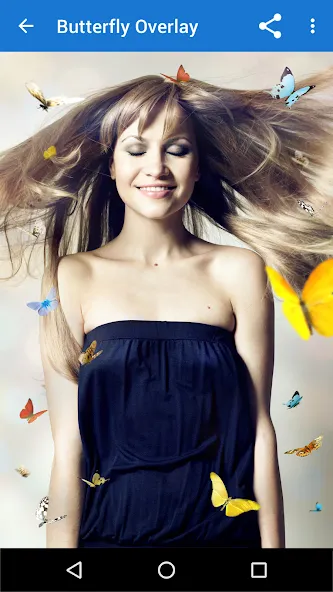
Photo Lab PRO Picture Editor is a photo editing software that not only provides users with various styles of filters, montage effects, and frames to further enhance their photos, but also offers numerous collage layouts. By choosing suitable images and layouts, and combining them with the software's built-in text editor, users can easily create beautiful posts and share them on social media platforms to garner many likes. The software includes built-in photo filters that allow users to turn back time and add more retro filters to their photos, satisfying their creative needs. The software's editing materials are regularly updated, keeping users at the forefront of trends.
Features of Photo Lab PRO Picture Editor:
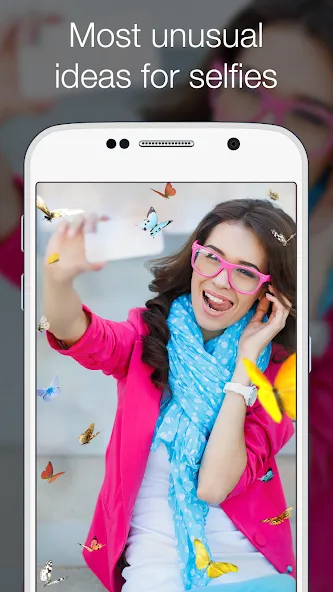
Photomontages to get your portrait on a vintage postcard or a birthday cake.
Photo frames surround a picture with fantastic landscapes, lifelike scenes, or cute cartoon characters.
Face-in-hole effects to become Iron Man, Darth Vader, or Mona Lisa.
Photo collages to stitch together dozens and hundreds of pictures.
Photo filters to add a happy or a nostalgic mood to pictures.
Magazine covers to make you an icon of Playboy or Vogue or put you on the cover of GQ.
Text editor to add messages and create greeting cards.
Other photo effects include headwear, celebrity collages, monsters, and more.
Functions of Photo Lab PRO Picture Editor:
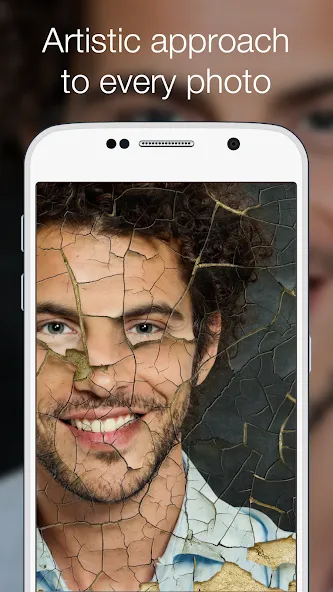
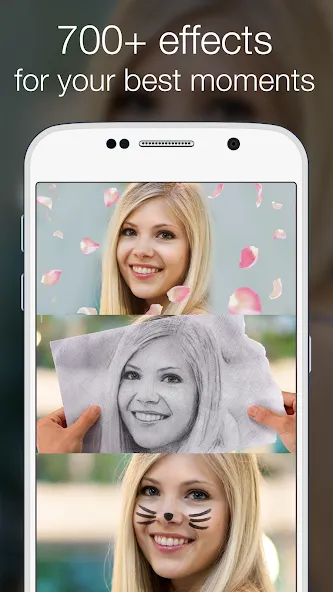
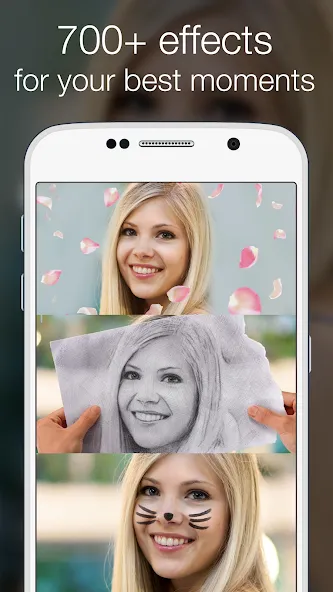
The developer advertises more than 640 frames, filters, effects, and montages, with further additions arriving through updates. The selection covers black-and-white and retro-film filters, brush and sketch treatments, scenic frames, cartoon decorations, collages, and dreamlike backgrounds. Most effects require little more than choosing a style and selecting a picture.
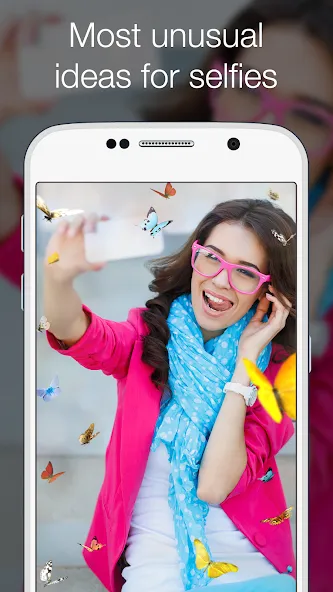
The sillier options give Photo Lab PRO Picture Editor much of its personality. A face can appear in a superhero suit, on a magazine cover, inside a famous image such as the Mona Lisa, or attached to an animal. Props including hats and monsters push it firmly toward playful sharing rather than serious retouching. A text editor also supports greeting cards and quick announcements.
This approach best suits casual editors who want an eye-catching selfie or themed post without learning layers, masks, or adjustment curves. Anyone hoping to correct a composition by hand will find the app considerably less accommodating.
The PRO edition removes advertisements and watermarks, two meaningful advantages when the finished image is intended for social media, email, or printing. The developer also says this version processes pictures faster and includes exclusive artistic treatments, vintage-card looks, retro-film effects, animal montages, and background replacements.
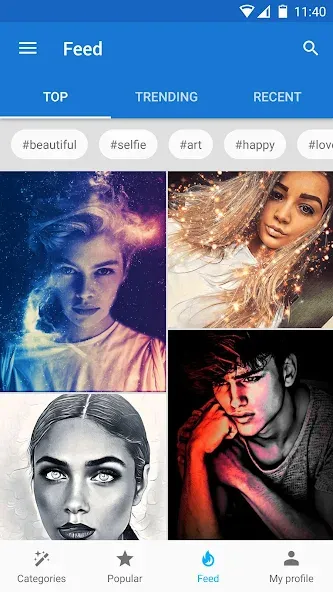
Sharing is built into the workflow, with support for social networks, messaging, and email. That makes sense for an editor centered on quick visual jokes and decorative posts. The results are designed to leave the app, rather than sit unfinished in a complex project file.
User Reviews of Photo Lab PRO Picture Editor:
Fantastic! It would be even better if these recommended templates allowed for some fine-tuning.
Works great. It requires an internet connection every few days to function—I really hope for a fully offline (local) version.
Pretty good, with a wide variety of effects; it would be even better if they could be fine-tuned.
I quite like this app, but I can’t share directly to my WeChat contacts—I’ve tried for a long time, but still can’t get it to work.
It offers some unique features compared to other apps. However, it seems a bit memory-intensive; my phone heats up after using it for a while.
There’s a great variety of styles, but it would be perfect if a few more artistic/painting-style filters were added! XD
Conclusion:
Photo Lab PRO Picture Editor delivers a convenient editing experience with its wide range of features. It's great for users looking to enhance photos without needing technical skills. While the lack of manual adjustments and slow effect loading are notable drawbacks, they don’t overshadow the app’s strengths. For those who enjoy experimenting with different looks and sharing playful edits, this editor is a worthwhile pick.
More Information
- Size:40.51MB
- Version:1.0
- Requirements:Android 6.0+
- Package Name:com.photolab.pictures.editior.pro
- Signature:e5725d7c9f154793312572a481192aa4
Related Versions
-
 Download
Version:3.13.15Size:23.6MB
-
 Download
Photo Lab PRO Picture Editor Mod
Version:3.13.78Size:42.77MB
Related topics
-
Welcome to our image editing apps! Perfect for beginners and pros alike, they make photo enhancement easy. Use PicsArt to crop, adjust colors, and apply filters. Remove backgrounds instantly with Remove.bg. Get creative with layers and advanced tools on Adobe Photoshop Express. Start transforming your images today!
-
![Photo Lab PRO Picture Editor]()
Photo Lab PRO Picture Editor
-
![We Heart It]()
We Heart It
-
![Aarya Editz]()
Aarya Editz
-
![Memes]()
Memes
-
![PREQUEL]()
PREQUEL
-
![Story Editor]()
Story Editor
-
![Huji Cam]()
Huji Cam
-
![Magic Eraser]()
Magic Eraser
-
-
Visuals serve as a primary gateway for players to engage with games, where distinctive art direction immediately captures attention and creates lasting impressions. An unconventional aesthetic not only stands out in crowded markets but also enhances immersion and emotional connection. When executed with creativity and polish, striking visuals elevate gameplay into a memorable artistic experience. That's why titles with truly exceptional art styles deserve recognition - they offer both visual delight and meaningful interactive expression that resonates with players long after the session ends.
-
![Photo Lab PRO Picture Editor]()
Photo Lab PRO Picture Editor
-
![Kwiky]()
Kwiky
-
![Memes]()
Memes
-
![PREQUEL]()
PREQUEL
-
![Story Editor]()
Story Editor
-
![Huji Cam]()
Huji Cam
-
![Magic Eraser]()
Magic Eraser
-
![Background Eraser]()
Background Eraser
-
-
Enhance your photos effortlessly with the best free photo editing apps for Android! Whether you want to apply stunning filters, adjust brightness and contrast, remove blemishes, or create professional-quality edits, these apps offer powerful tools at your fingertips. From simple one-tap enhancements to advanced editing features like background removal and AI-powered effects, you can transform your images with ease. Explore a wide range of user-friendly and feature-rich apps, all available for free download. Start editing and make your photos stand out today!
-
![Photo Lab PRO Picture Editor]()
Photo Lab PRO Picture Editor
-
![Aarya Editz]()
Aarya Editz
-
![Mivi :Music & Beat Video Maker]()
Mivi :Music & Beat Video Maker
-
![PREQUEL]()
PREQUEL
-
![Story Editor]()
Story Editor
-
![Huji Cam]()
Huji Cam
-
![Magic Eraser]()
Magic Eraser
-
![Background Eraser]()
Background Eraser
-





Latest Updated


Popular Apps








Popular News
More+-
![Tomie Wants to Get Married Full Walkthrough, All Choices and Ending Guide]()
Tomie Wants to Get Married Full Walkthrough, All Choices and Ending Guide
2026-05-22
-
![Karryn’s Prison Gameplay Walkthrough & Strategy Guide]()
Karryn’s Prison Gameplay Walkthrough & Strategy Guide
2025-10-28
-
![Life in Santa County Game Guide & Complete Walkthrough]()
Life in Santa County Game Guide & Complete Walkthrough
2025-10-28
-
![Dreams of Desire Complete Walkthrough and Game Guide]()
Dreams of Desire Complete Walkthrough and Game Guide
2025-10-28
-
![Era Hunter Gameplay Guide & Full Walkthrough]()
Era Hunter Gameplay Guide & Full Walkthrough
2025-10-28




