

WPS Office
Download for Android This app is available for Android only.- Category:Productivity
- Rating:
- Language:English
- Updated:2026-11-15
Screenshots
Introduction
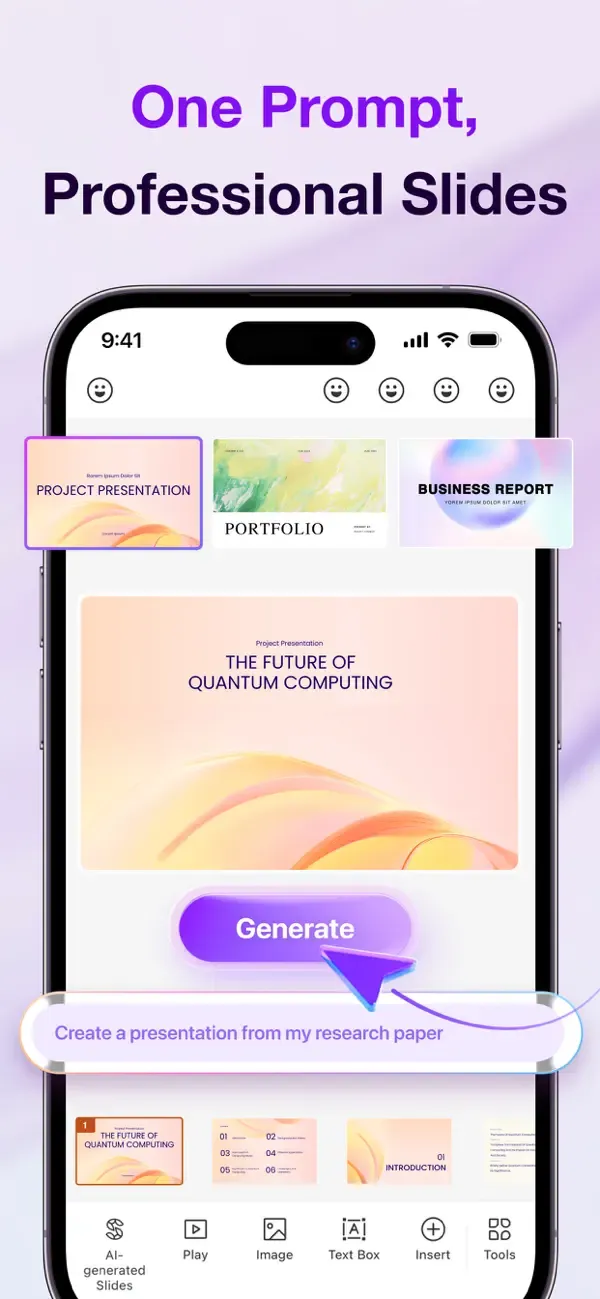
WPS Office is an office software suite designed for everyday professional tasks. Users can create and edit a wide range of documents, presentations, spreadsheets, and PDF files. Its built-in AI assistant helps transform your ideas into text or slide decks, significantly boosting your productivity. For team collaboration, the software offers cloud storage, allowing users to upload documents that team members can easily edit and discuss together. You can log in to your account across various platforms—including mobile devices, tablets, and computers—with your progress automatically synced, enabling seamless work from any location. The software is continuously updated with new, practical tools and AI enhancements, making it an indispensable assistant for your work.
Features of WPS Office:
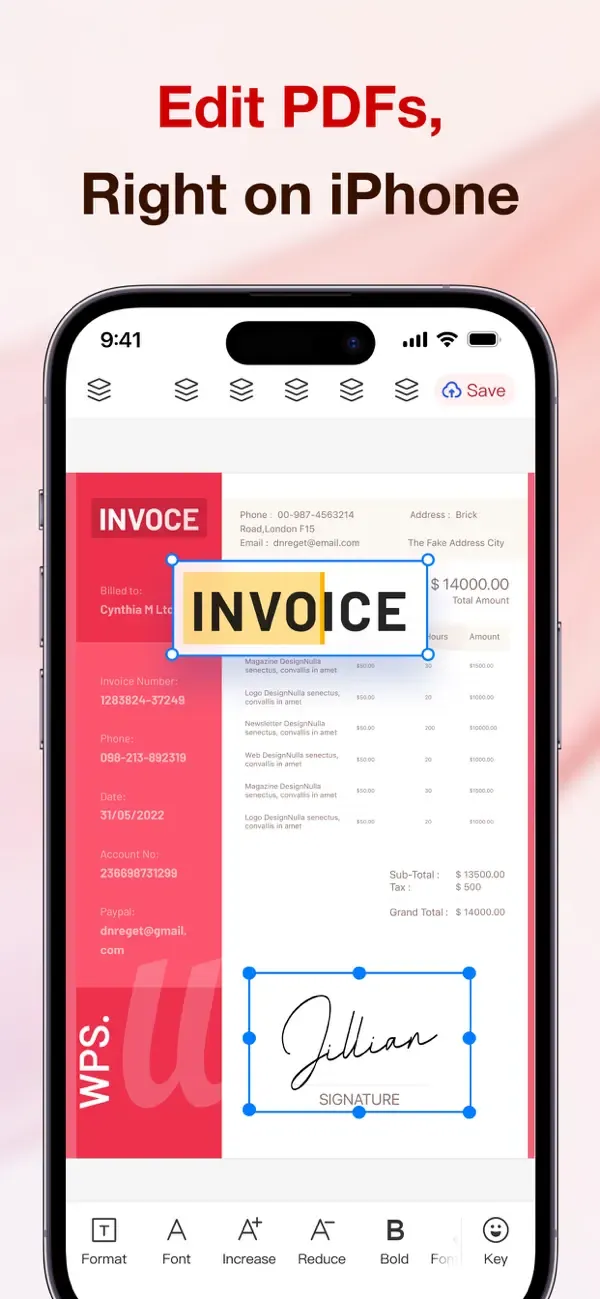
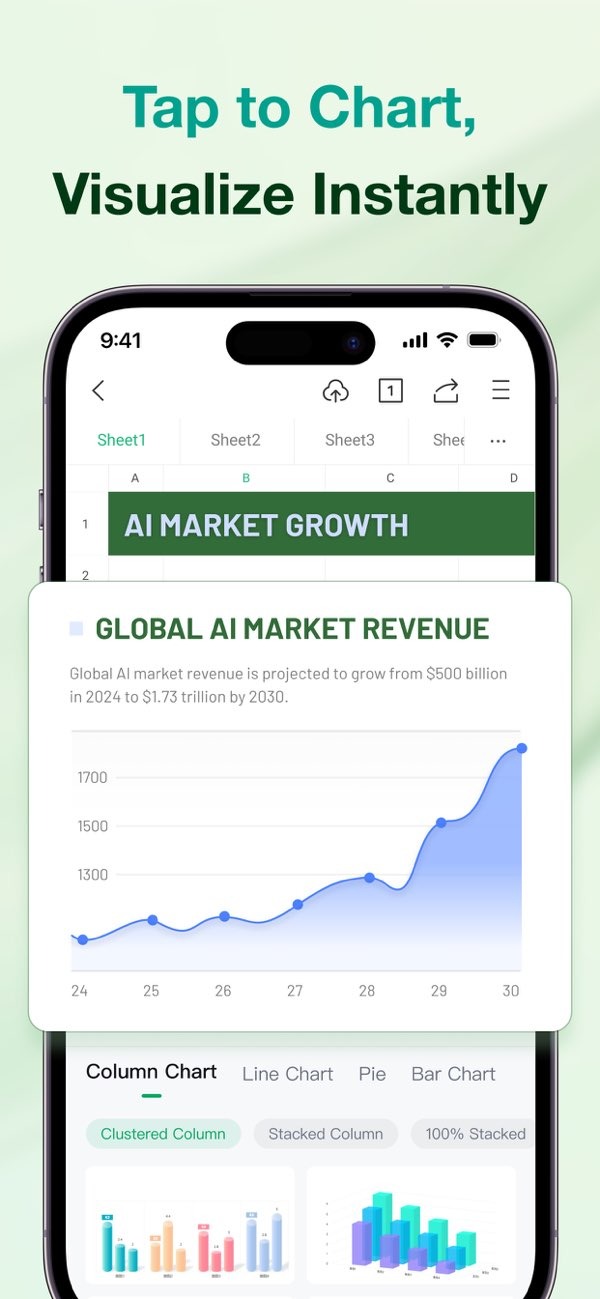
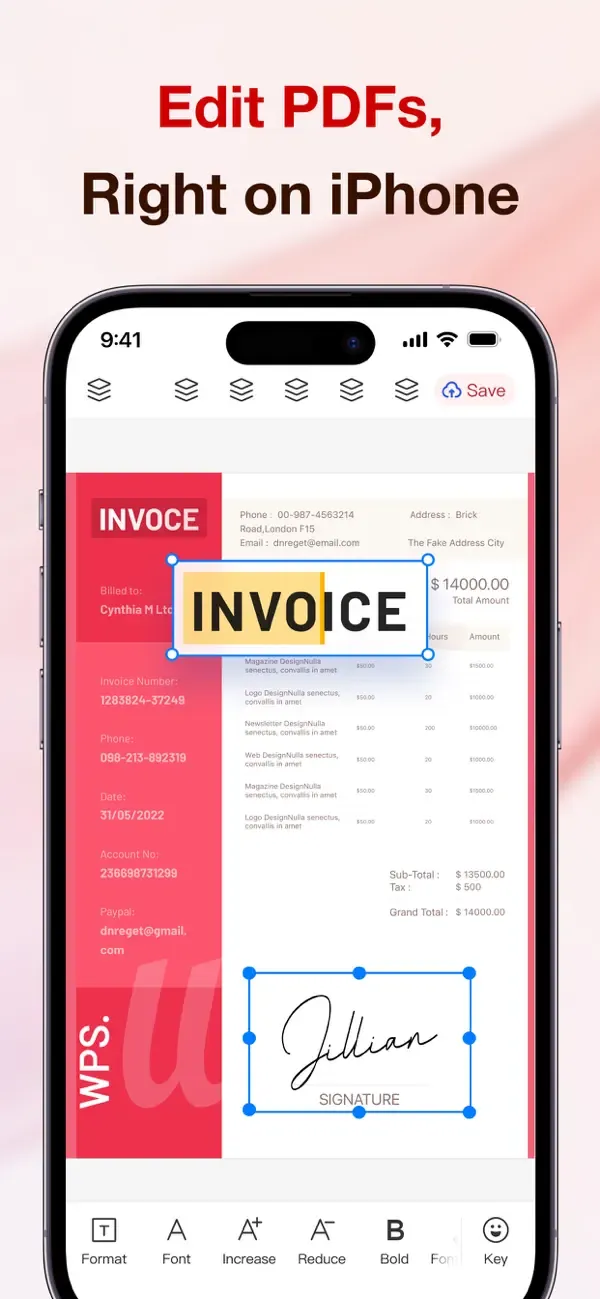
As long as you have files in WPS Office, users can completely edit them to their liking, and of course, many types of office files will become targets of these editing features. You can change the content in a Word file if you notice problems with the information in it or check the indicators and functions used in an Excel file. In particular, PowerPoint files can be displayed so you can view and edit content that feels inappropriate or small details in the presentation. Users certainly cannot ignore PDF files, and from blank files, users can freely add information, especially signatures, instead of having to print it out and fill it out.
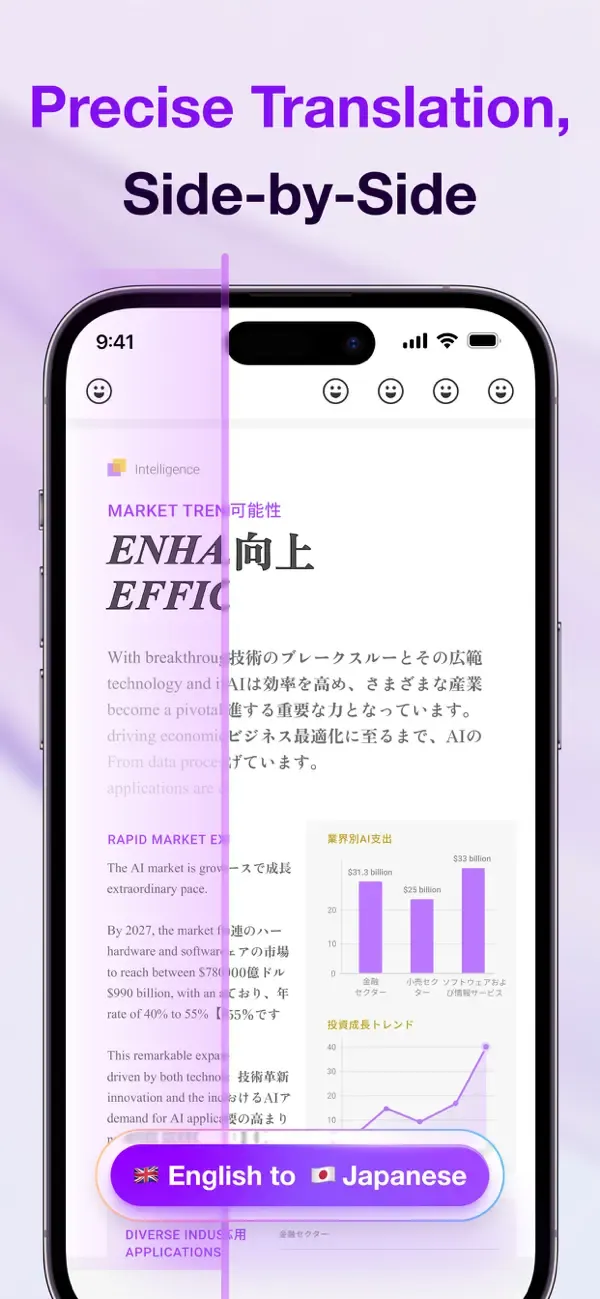
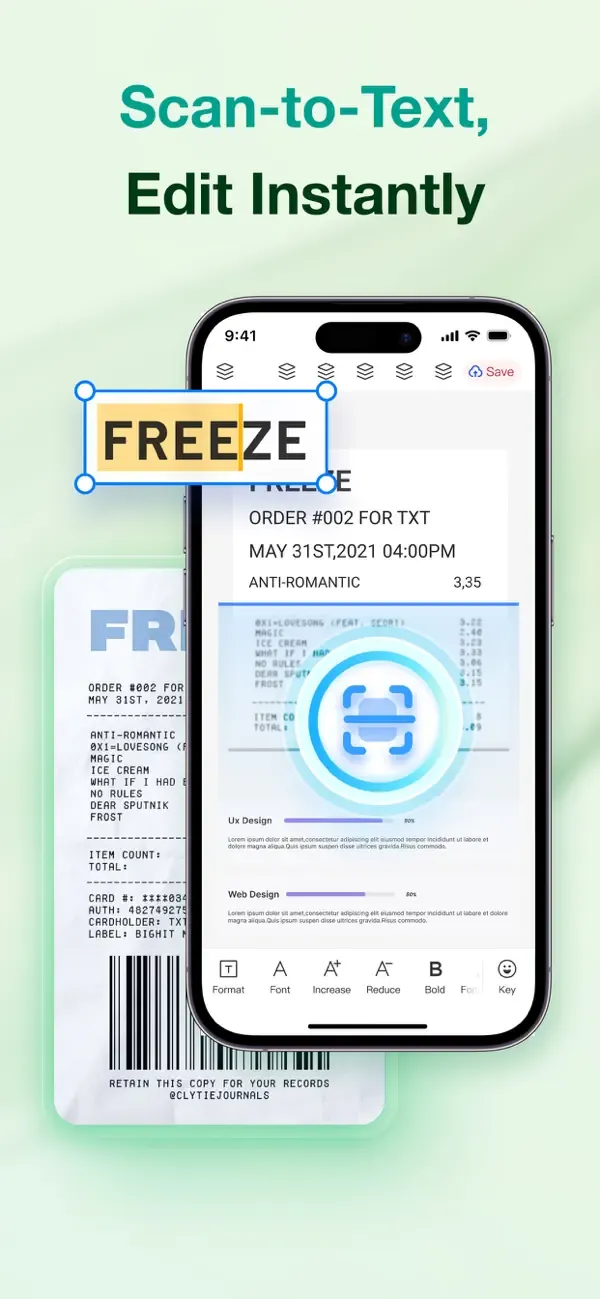
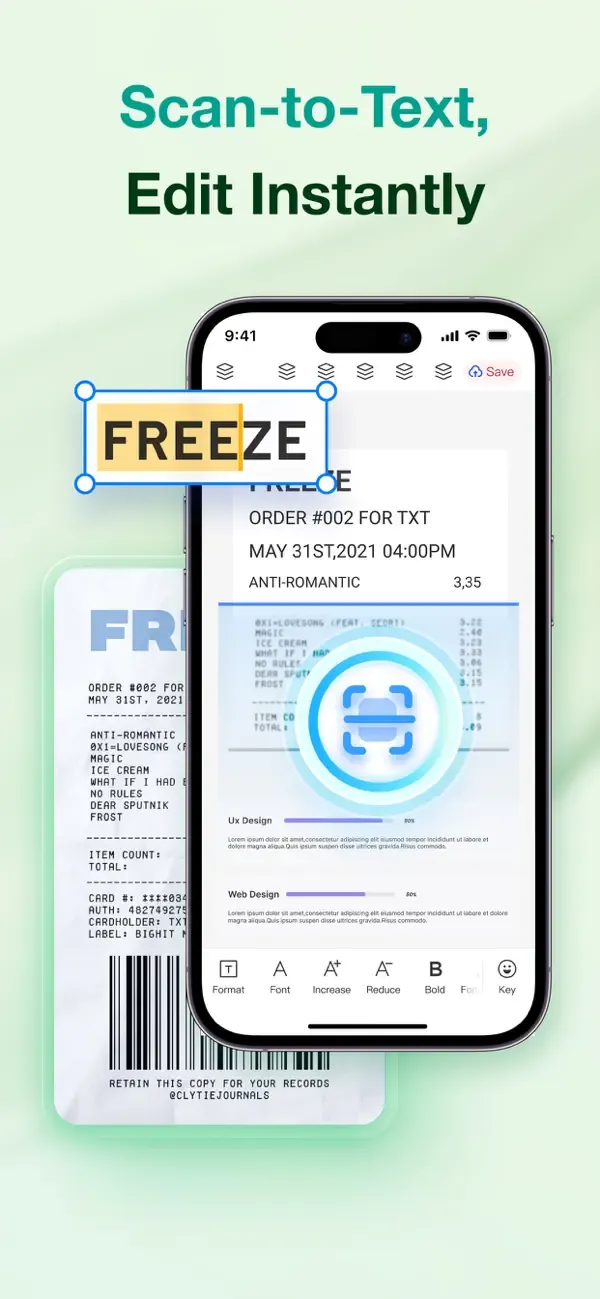
Once users have installed WPS Office, they can not only work with software files available on the device, but print files also become their target. This comes from the OCR feature built into the application, which can recognize content and help users interact with that content. From there, you don’t need to feel frustrated with having to retype everything that’s going on. Therefore, your work will become more convenient when every stored file becomes useful to you, and you will save some time doing other things.
Besides helping users handle many tasks related to many different types of files, users cannot ignore the resources that the application provides. These will usually be pre-designed templates, and the work that needs to be done is to add different content. At the same time, some types of files and templates also integrate designs and colors, like PowerPoint files. Colorful presentation files can be found, and from there, users can fully unlock the potential and creativity to get quality presentation files based on what is already available. Sometimes, using templates also saves time compared to doing everything from scratch.
With the development of AI technology, users can fully find many of its features, and the application has also developed its own AI. Specifically, this AI can interact with you like normal friends, and you may be surprised by what it brings. You can give it a file and ask for information related to it, like what is the main information in question. This completely supports users as they can grasp the initial information of the document and can then read faster instead of having to read and search for the main idea like before.
Useful Tips of WPS Office:
Apply styles, not manual formatting: Heading styles keep fonts consistent and make the navigation pane useful for jumping around long documents.
Cut every unnecessary word: Replace passive constructions with active ones and split sentences longer than about 25 words.
Verify names, numbers, and links: Dates, totals, and citations are the errors readers notice most, and the ones spell check never flags.
Check one thing per pass: Do a structure pass, a clarity pass, then a grammar pass, instead of hunting everything at once.
Get a second reader: You are the worst editor of your own writing, so ask a colleague to review anything important, or revisit it yourself the next day.
Check consistency: Confirm one style for headings, bullet styles, capitalization, and the serial comma throughout the document.Read the text aloud: Your ear catches missing words, awkward rhythm, and run-on sentences that your eyes skim over.
Player Comments of WPS Office:
I have used the product free for over five years with no issues, I had no demands for payment or files corrupted or files lost in that period. It always opens files easily with correct formatting from other formats. It is the best replacement for Microsoft Office and totally free to use with free cloud backup. Highly recommended.
Over the decades I've used Excel, LibreOffice and Apache Calc. I started with Lotus 123, so I pretty much have done it all. I LOVE this spreadsheet. Takes some getting to use to as any spreadsheet does, but it's intuitive and easy to use, and very reliable. Ok, not as feature rich as other sheet apps, but it's got the meat of everything most home users need in the free version. I would though like to see them add the ability to enter a search function into a cell much like GoogleSheets (forgot to mention that above). In short a GREAT product and it's now all I use.
This Word Processor meets all my needs and expectations. Apart from its ease of usage it is constantly updated and shows the broadest possible range of features.In my opinion it is fully on the leading edge of current technology in its field.
I have used this for Years. It is fully copatible with my M.O. files and also works the same way. Yet to find a difference. I no longer use it anywhere as much as when I was younger but is great to work with on Spread Sheets and Letters.
Light, fast, highly compatible with Office, integrated interface for all document formats helps a lot. Compatibility for Word, Excel, PDF are excelent, Powerpoint still lacking compatibility so I use it only for new documents originating in WPS.
FAQs of WPS Office:
After single-account sign in, can I sign in to another account?
Solution: Yes, you can. Move the mouse to the profile picture in the top right corner, and select "sign in to another account" in the pop-up window.
Will single-account sign in automatically sync all cloud documents?
Solution: Yes, after signing in, cloud documents will automatically sync to the current device, maintaining consistency across multiple devices.
How can I confirm which account is currently signed in?
Solution: Click the profile picture icon in the top right corner of WPS to view the profile picture, nickname, and account information of the currently signed-in account.
Will files get mixed up when signing in to multiple accounts?
Solution: No, they will not get mixed up. The cloud documents and benefits for each account are independent of each other. After switching accounts, the content displayed corresponds to that account.
What is the maximum number of accounts I can sign in to simultaneously?
Solution: WPS supports signing in to multiple accounts simultaneously. It is recommended to sign in to 2-3 frequently used accounts for easier management.
How do I sign out of one account when signed in to multiple accounts?
Solution: Move the mouse to the profile picture in the top right corner, switch to the account you want to sign out of, and then click Sign Out.
Will my local files be lost after switching accounts?
Solution: No, they will not be lost. Switching accounts only affects access permissions for cloud documents; local files are not affected.
Will my membership benefits change after switching accounts?
Solution: Yes, they will. After switching accounts, the membership benefits currently in use will change to the benefits of the target account.
Final words:
WPS Office helps users handle daily files on a phone or tablet when away from a computer. It suits study notes, team handouts, invoices, and presentations, so you can keep work moving wherever you are. The app opens common document formats and keeps layouts consistent across devices. In addition, it brings core office tasks together in one place to reduce app switching.
More Information
- Size:330.67MB
- Version:26.11.0
- Requirements:Android
- Package Name:cn.wps.moffice_eng
- Signature:bdd4188cec44364f5279f71771de6128
Related Versions




Related topics
-
Feeling that there aren’t enough hours in the day? That you’re fighting a losing battle with your agenda? That each time you look up from your desk another year has rolled by? Well don’t worry, you’re not alone, and in today’s hyperconnected world, people are busier than ever before. On Android, there are countless productivity apps to help take control of your time and make your work more efficient. From a simple plugin for Chrome to a full-fledged app, picking the right productivity apps on Android can mean the difference between having a clear to-do list at the end of the day or having it overflowing with missed deadlines and projects that are off schedule. Productivity apps aren’t just about work, though. Using a productivity app in your personal life can keep you on top of deadlines for vacations, home repairs, and other family responsibilities.
-
![WPS Office]()
WPS Office
-
![Milkshake]()
Milkshake
-
![CutList Optimizer]()
CutList Optimizer
-
![Orgzly]()
Orgzly
-
![Code Studio]()
Code Studio
-
![SmartLinx Go]()
SmartLinx Go
-
![TalkIt!]()
TalkIt!
-
![Immersed]()
Immersed
-
-
Office Apps is a comprehensive and user - friendly platform that aggregates a wide array of office - related applications, catering to the diverse needs of modern professionals, students, and anyone who engages in office - based tasks. Whether you're working on a crucial business project, preparing academic papers, or handling daily administrative work, this aggregation page serves as your one - stop - shop.
-
![HP Smart]()
HP Smart
-
![WPS Office]()
WPS Office
-
![Milkshake]()
Milkshake
-
![Resilio Sync]()
Resilio Sync
-
![Orgzly]()
Orgzly
-
![Code Studio]()
Code Studio
-
![First 5]()
First 5
-
![SmartLinx Go]()
SmartLinx Go
-
-
The complete collection of office software is compiled based on user needs and referencing the popularity of major computer application stores. This collection selects various useful computer office software for users from multiple aspects such as office suite, communication and collaboration, email management, note management, cloud storage, download and decompression, etc. These software can meet your various document processing needs, making your team collaboration smoother, and conveniently managing your emails and keeping various meeting records. Download various materials and documents needed for office work. This collection of office software commonly used by professionals can meet all needs. Welcome to download and experience it!
-
![HP Smart]()
HP Smart
-
![WPS Office]()
WPS Office
-
![Milkshake]()
Milkshake
-
![Resilio Sync]()
Resilio Sync
-
![CutList Optimizer]()
CutList Optimizer
-
![Code Studio]()
Code Studio
-
![First 5]()
First 5
-
![TalkIt!]()
TalkIt!
-










Latest Updated


Popular Apps







Popular News
More+-
![Tomie Wants to Get Married Full Walkthrough, All Choices and Ending Guide]()
Tomie Wants to Get Married Full Walkthrough, All Choices and Ending Guide
2026-05-22
-
![Karryn’s Prison Gameplay Walkthrough & Strategy Guide]()
Karryn’s Prison Gameplay Walkthrough & Strategy Guide
2025-10-28
-
![Life in Santa County Game Guide & Complete Walkthrough]()
Life in Santa County Game Guide & Complete Walkthrough
2025-10-28
-
![Dreams of Desire Complete Walkthrough and Game Guide]()
Dreams of Desire Complete Walkthrough and Game Guide
2025-10-28
-
![Era Hunter Gameplay Guide & Full Walkthrough]()
Era Hunter Gameplay Guide & Full Walkthrough
2025-10-28




