

SuperLive Plus
Download for Android This app is available for Android only.- Category:Tools
- Rating:
- Language:English
- Updated:2026-11-28
Screenshots

Introduction
SuperLive Plus is a remote control software designed for mobile devices. After completing compatibility testing, it allows users to remotely view and control video recorders and cameras, enabling them to monitor their home in real time and issue alerts in emergencies, no matter where they are. Recorded video clips are sorted by date, allowing users to quickly find the desired time period with a simple click. During viewing, users can freely adjust the playback speed and resolution for a smoother experience. Furthermore, users can share recorded footage with family members, allowing others to also view what's happening at home.
Features of SuperLive Plus:
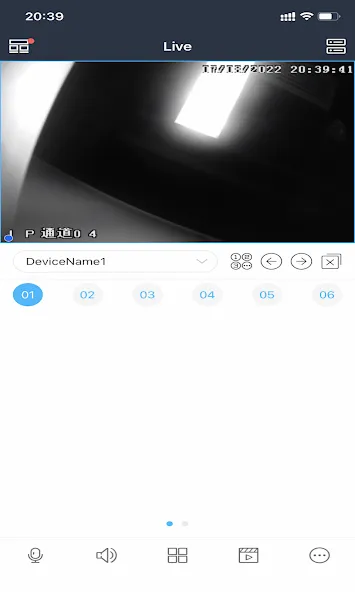
Real-time viewing: Watch multiple cameras live, switch channels with a tap, and pinch to zoom when you need a closer look.
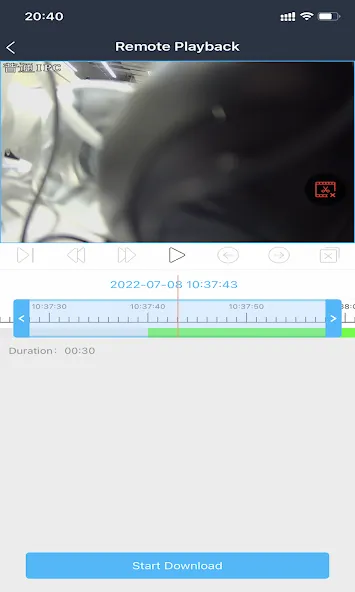
Smooth playback: Jump to recorded footage stored on your recorder by date and time, scrub the timeline, and grab screenshots when you spot something important.
Flexible layouts: Pick the view that fits the moment, from a single camera to 4, 9, or 16 channels on one screen.
Bandwidth options: Toggle between HD and fluent/SD streams to keep video smooth on slower networks or when you’re on mobile data.
Audio support: Listen in on supported cameras, and use two-way talk where available to speak through the camera.
Event-focused review: Browse motion or alarm events logged by your recorder so you can jump straight to the action.
Highlights of SuperLive Plus:
Multiple Device Support: Connect and monitor multiple cameras from a single interface.
Two-Way Audio: Communicate through your cameras using the built-in audio feature.
PTZ Control: Pan, tilt, and zoom your cameras remotely for a better view of your surroundings.
User-Friendly Interface: Easily navigate through the app's features for seamless surveillance experience.
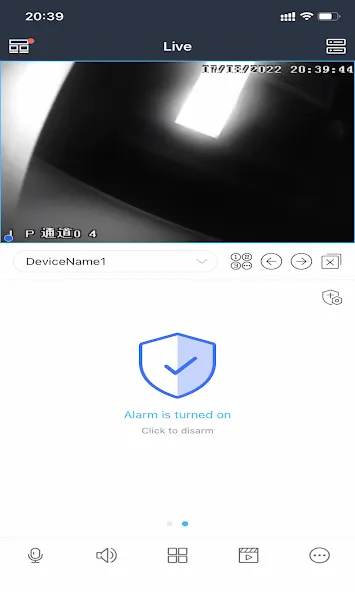
Customizable Alerts: Receive notifications for motion detection and other events based on your preferences.
Cloud Storage Integration: Store your footage securely in the cloud for easy access and backup.

User Reviews of SuperLive Plus:
The app works smoothly most of the time. Occasionally, closing and reopening will help. It has nice selection if features available and the live screen grid looks nice. Past recordings can be done only one cam at a time, I think. Perhaps there could be an option to record one file for each cam for the given period of time.
Very surprised with the amount of functionality in this app. It's a sysadmins dream, with SNMP support, user and group permissions, detailed logs, the ability to see active users- all kinds of stuff. You can even control different bitrates for recordings under certain conditions or when viewing live. It might overwhelm an average user, but theres a ton to play with here.
This works all the time every time. Like the search by time is so easy to use. I have this on all my phone's and works with 3G and 4G no problem. Best app ever just keeps working with no problems at all. Running two 16ch DVR's and 4ip cameras using this app and that is using a Chinese Android phone bought on fleabay for £59. Keep up the good work and thank you for this app..
Super app for viewing on your phone. Loads very quickly with good internet connection. Remote viewing setup, however, is not very easy to find and not yet setup. I cannot find the instructions anywhere.
Conclusion:
SuperLive Plus connects a mobile phone to compatible digital video recorders and IP cameras used in CCTV systems. It is positioned as professional-grade software, intended for security setups where video monitoring is managed by installers, guards, or business staff rather than casual home users.
More Information
- Size:162.23MB
- Version:1.18.2
- Requirements:Android
- Package Name:com.tvt.superliveplus
- Signature:6ea27f75fe37336bd0d9e06d9de91e8c
Related topics
-
Transform your mobile device into a powerhouse of efficiency with these handpicked essential tools. Whether you need professional-grade photo editing, seamless file organization, smart task management, or real-time weather updates, our curated selection of premium apps delivers unbeatable performance. Streamline your daily routine, automate repetitive tasks, and boost your productivity with intuitive interfaces and powerful features. Designed for both professionals and casual users, these editor-approved applications will revolutionize how you work and play. Don't settle for an ordinary phone - upgrade your digital experience today and unlock your device's full potential!
-
![AyuGram]()
AyuGram
-
![GIPHY]()
GIPHY
-
![Kiren by F-Secure]()
Kiren by F-Secure
-
![Google Recorder]()
Google Recorder
-
![WiFi Master Key]()
WiFi Master Key
-
![Yoosee]()
Yoosee
-
![Droid Optimizer]()
Droid Optimizer
-
![Zalith Launcher]()
Zalith Launcher
-
-
With the development of mobile hardware and software, many practical tool software have emerged, covering a wide range of aspects and becoming a good helper for everyone in work and life. Today, the editor provides you with a list of useful tool software downloads. These tools are not particularly complex types, and after reading them, everyone can quickly learn how to use them. Proper use can bring great convenience to life and work.
-
![GIPHY]()
GIPHY
-
![Kiren by F-Secure]()
Kiren by F-Secure
-
![Google Recorder]()
Google Recorder
-
![WiFi Master Key]()
WiFi Master Key
-
![Zalith Launcher]()
Zalith Launcher
-
![MIUI Downloader]()
MIUI Downloader
-
![Vaulty]()
Vaulty
-
![Simple Scanner]()
Simple Scanner
-











Latest Updated







Popular Apps








Popular News
More+-
![Tomie Wants to Get Married Full Walkthrough, All Choices and Ending Guide]()
Tomie Wants to Get Married Full Walkthrough, All Choices and Ending Guide
2026-05-22
-
![Karryn’s Prison Gameplay Walkthrough & Strategy Guide]()
Karryn’s Prison Gameplay Walkthrough & Strategy Guide
2025-10-28
-
![Life in Santa County Game Guide & Complete Walkthrough]()
Life in Santa County Game Guide & Complete Walkthrough
2025-10-28
-
![Dreams of Desire Complete Walkthrough and Game Guide]()
Dreams of Desire Complete Walkthrough and Game Guide
2025-10-28
-
![Era Hunter Gameplay Guide & Full Walkthrough]()
Era Hunter Gameplay Guide & Full Walkthrough
2025-10-28




