

Simple Scanner
Download for Android This app is available for Android only.- Category:Tools
- Rating:
- Language:English
- Updated:2026-11-27
Screenshots
Introduction
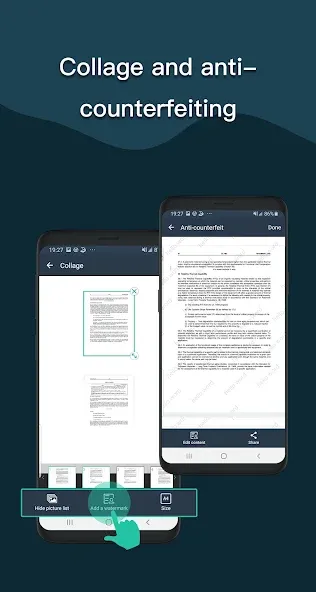
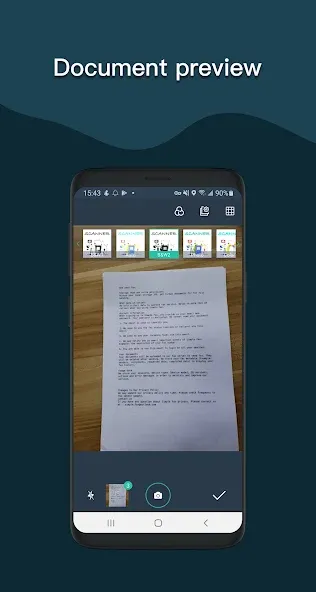
Simple Scanner is a scanning tool for Android devices that allows users to capture documents or files using their phone’s camera, converting them into high-definition images or PDF files. The app offers various image processing modes, enabling the quick transformation of physical paper documents into digital copies; it supports scanning in color, grayscale, or black and white. It also features cloud backup, allowing users to access their files across different network connections. Users can organize documents by adding titles or tags, making them easy to search for later. Additionally, the app provides a preview function with a wide range of size options before finalizing and exporting your scans.
Functions
Capture documents with your phone; the app automatically removes cluttered backgrounds to generate high-definition JPEG images or PDF files.
Includes multiple image processing modes with manual parameter adjustments, allowing you to quickly convert paper documents into clear digital copies.
Scan in color, grayscale, or black and white.
Suitable for use in the office, at school, at home, or anywhere else you might need it.
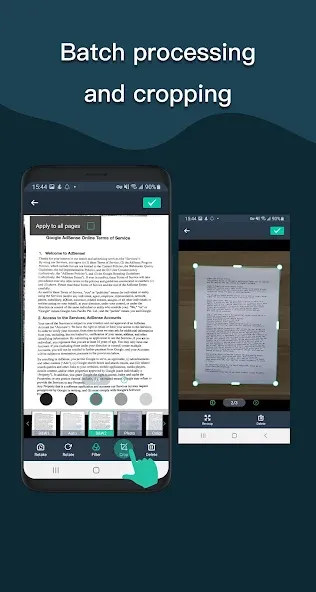
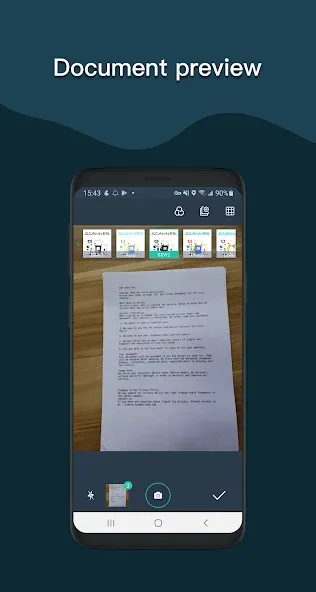
Automatic page-edge detection.
5-level contrast adjustment for crisp, monochrome text.
Set PDF page sizes (Letter, Legal, A4, etc.).
View scans as thumbnails or in a list; sort by date or title.
Optimized for high-speed performance.
Quickly search by document title.
Protect your documents with a password.
Versatile—a single app that works right on your phone!
Highlights
Share your documents and images via email.
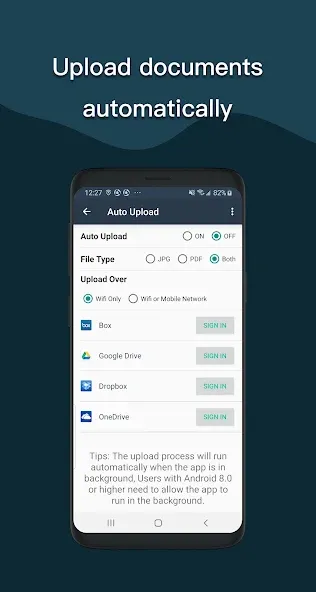
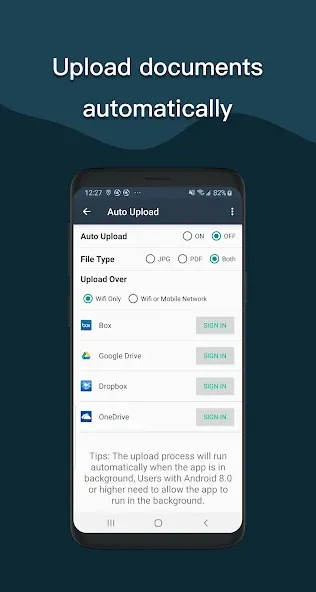
Supports various cloud backup options.
Browse files in either list or thumbnail view.
Manage documents using tags or titles for easy searching.
Scan images captured via the camera or imported from your phone’s gallery.
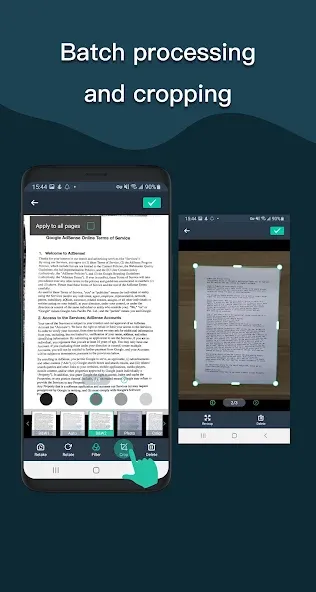
Advanced image processing algorithms automatically crop images and adjust color and brightness to ensure documents are clear and legible.
Preview and generate PDFs with a choice of over 10 page sizes and three different page orientations.
User Reviews
Extremely powerful—thank you for creating such a great product! I would love to see an improvement to the cropping tool: it would be very helpful to have cropping handles in the middle of each side (similar to CamScanner), which would make it much easier to crop documents into perfect rectangles. Adjusting only the four corner points is cumbersome and often leads to image distortion. Thanks for your reply. I have one more small issue: photos taken in landscape orientation cannot be scanned into a landscape-oriented PDF. Could you please look into this as well?
I needed to send some test papers to my students today. I tried out a few scanning apps, and this one is the clearest and easiest to use. Plus, it converts files directly into PDFs without taking up much storage space.
It’s simple, user-friendly, and covers all the basics—I’d definitely recommend it! (It’s much better than the free version of that "All-Purpose [XX] King" app.)
It’s truly excellent, producing very clear scans. You don’t even need to register, and it’s completely free!
Conclusion
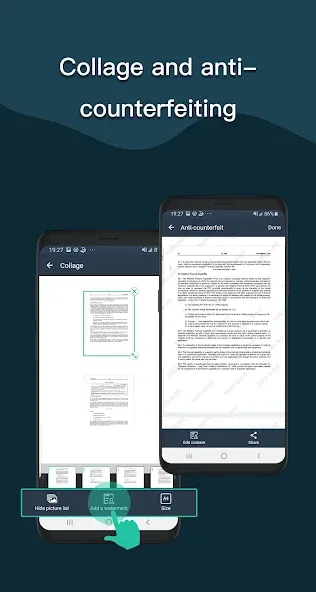
With Simple Scanner, you can scan as many documents as you like—all you need is your Android phone. It also offers plenty of options for printing or sharing your final results with friends, so there’s no need for any other tools.
More Information
- Size:75.37MB
- Version:5.2.6
- Requirements:Android
- Package Name:com.simplescan.scanner
- Signature:6cd7b26f597d667fa5ac6a55cde1dedd
Related topics
-
Discover our File Management Apps hub! Here, you can explore essential tools like Google Drive for cloud storage, Dropbox for simple file sharing, and File Commander for managing files directly on your device. Easily organize and access your files across your phone, or tablet. Our platform is designed to help you quickly find reliable apps to streamline your digital file management.
-
![Vysor]()
Vysor
-
![Simple Scanner]()
Simple Scanner
-
![WiFi Direct +]()
WiFi Direct +
-
![Edge Screen]()
Edge Screen
-
![File Manager by Xiaomi]()
File Manager by Xiaomi
-
![JioSwitch]()
JioSwitch
-
![WT Hub]()
WT Hub
-
![Installation Tools]()
Installation Tools
-
-
Utility apps are indispensable in our lives, making our daily routines more convenient. To help you find these apps more easily, this site has created a collection. This collection brings together a series of practical tools covering various aspects of life, work, and education, meeting all your needs. What are you waiting for? Try these apps now and make your life easier!
-
![Yoosee]()
Yoosee
-
![MIUI Downloader]()
MIUI Downloader
-
![Vaulty]()
Vaulty
-
![Vysor]()
Vysor
-
![Simple Scanner]()
Simple Scanner
-
![WiFi Direct +]()
WiFi Direct +
-
![Whiteboard]()
Whiteboard
-
![Google Allo]()
Google Allo
-
-
With the development of mobile hardware and software, many practical tool software have emerged, covering a wide range of aspects and becoming a good helper for everyone in work and life. Today, the editor provides you with a list of useful tool software downloads. These tools are not particularly complex types, and after reading them, everyone can quickly learn how to use them. Proper use can bring great convenience to life and work.
-
![MIUI Downloader]()
MIUI Downloader
-
![Vaulty]()
Vaulty
-
![Simple Scanner]()
Simple Scanner
-
![Whiteboard]()
Whiteboard
-
![Lawnchair Launcher]()
Lawnchair Launcher
-
![Flashify APK]()
Flashify APK
-
![Google Allo]()
Google Allo
-











Latest Updated


Popular Apps








Popular News
More+-
![Tomie Wants to Get Married Full Walkthrough, All Choices and Ending Guide]()
Tomie Wants to Get Married Full Walkthrough, All Choices and Ending Guide
2026-05-22
-
![Karryn’s Prison Gameplay Walkthrough & Strategy Guide]()
Karryn’s Prison Gameplay Walkthrough & Strategy Guide
2025-10-28
-
![Life in Santa County Game Guide & Complete Walkthrough]()
Life in Santa County Game Guide & Complete Walkthrough
2025-10-28
-
![Dreams of Desire Complete Walkthrough and Game Guide]()
Dreams of Desire Complete Walkthrough and Game Guide
2025-10-28
-
![Era Hunter Gameplay Guide & Full Walkthrough]()
Era Hunter Gameplay Guide & Full Walkthrough
2025-10-28




