

Pitu
Download for Android This app is available for Android only.- Category:Photography
- Rating:
- Language:English
- Updated:2026-11-24
Screenshots


Introduction
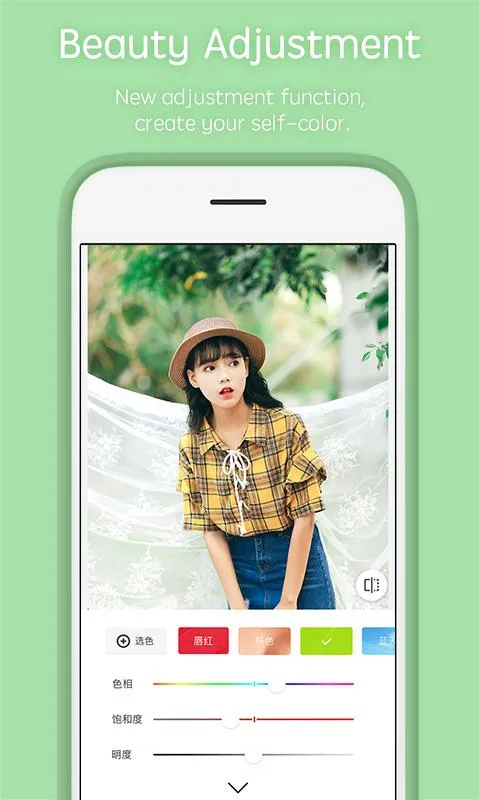
Pitu is an image-editing tool designed for the Android operating system. It offers a suite of beauty-enhancement features, allowing users to apply filters, slim their faces, enlarge their eyes, and add virtual makeup. Users can also incorporate dynamic backgrounds and 3D decorations to further embellish their photos. The app includes essential editing tools as well, such as cropping, rotation, lighting adjustments, and the ability to add mosaics. Additionally, users can include GIF-based stickers and choose from a wide variety of popular, trendy stickers. The app even features a cutout tool, catering to a diverse range of user needs.
Features
Beauty Camera: A super cute and fun selfie camera. It includes beauty filters specifically designed for portraits—slim your face, enlarge your eyes, apply real-time virtual makeup, and use a variety of dynamic stickers to become the cutest person on social media instantly. With features like magic backgrounds, gesture-triggered effects, and 3D decorations, we have everything you need!
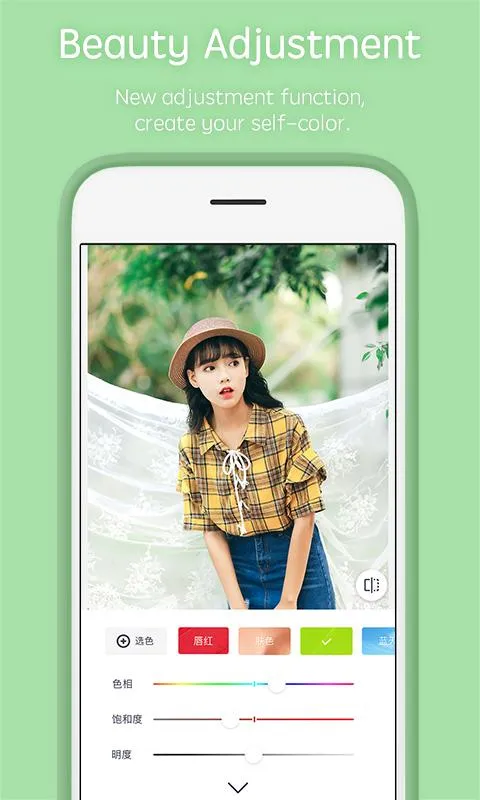
Editing: One-tap beautification. Simple and practical tools—crop, rotate, apply special effects, add selective blur, use smart lighting, enhance night shots, apply mosaics, or add starburst effects—to make your photos look stunning in an instant.
Virtual Makeup: Apply makeup with a single tap and look like a fairy! Using precise facial feature detection, you can slim your face and adjust foundation, lip color, blush, nose highlights, eyebrows, hair, and even your smile. Choose from various makeup styles, including "no-makeup" looks, Korean-style, Japanese-style, or natural looks.
Story Collage: Access a vast collection of stylish templates and custom smart watermarks to create personalized photo walls that brighten your mood. Perfect for documenting your daily life or capturing memories while traveling!
Crazy Face Swap: Real-time facial recognition allows for a wide variety of character transformations, with new options added constantly. From whimsical, colorful themes to school-kid looks or various uniforms—transform into a superstar in a second!
GIF Stickers: A collection of the trendiest, most popular stickers, featuring a wide array of expressive animations.
PikaPika: Cute and creative stickers to add a touch of charm and fun to your life. Pink ice cubes, floral nectar, tropical island getaways—choose from a vibrant array of filters and templates. Create your own custom stickers today!
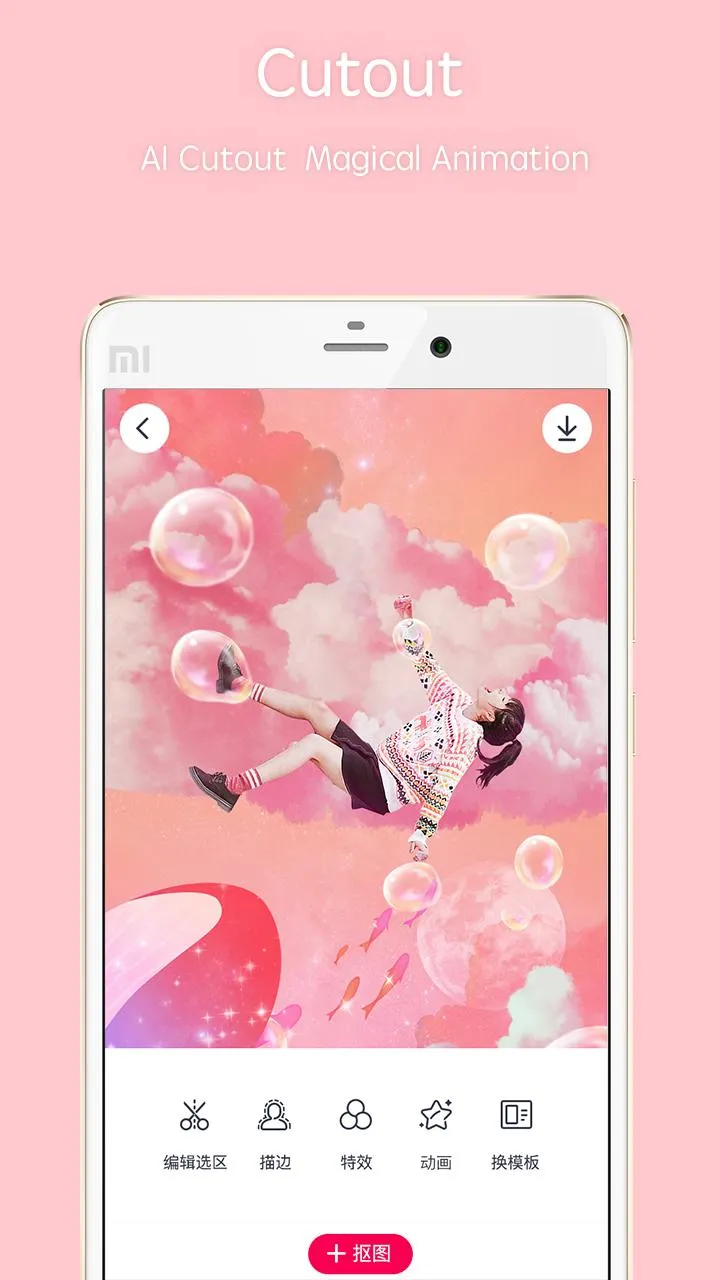
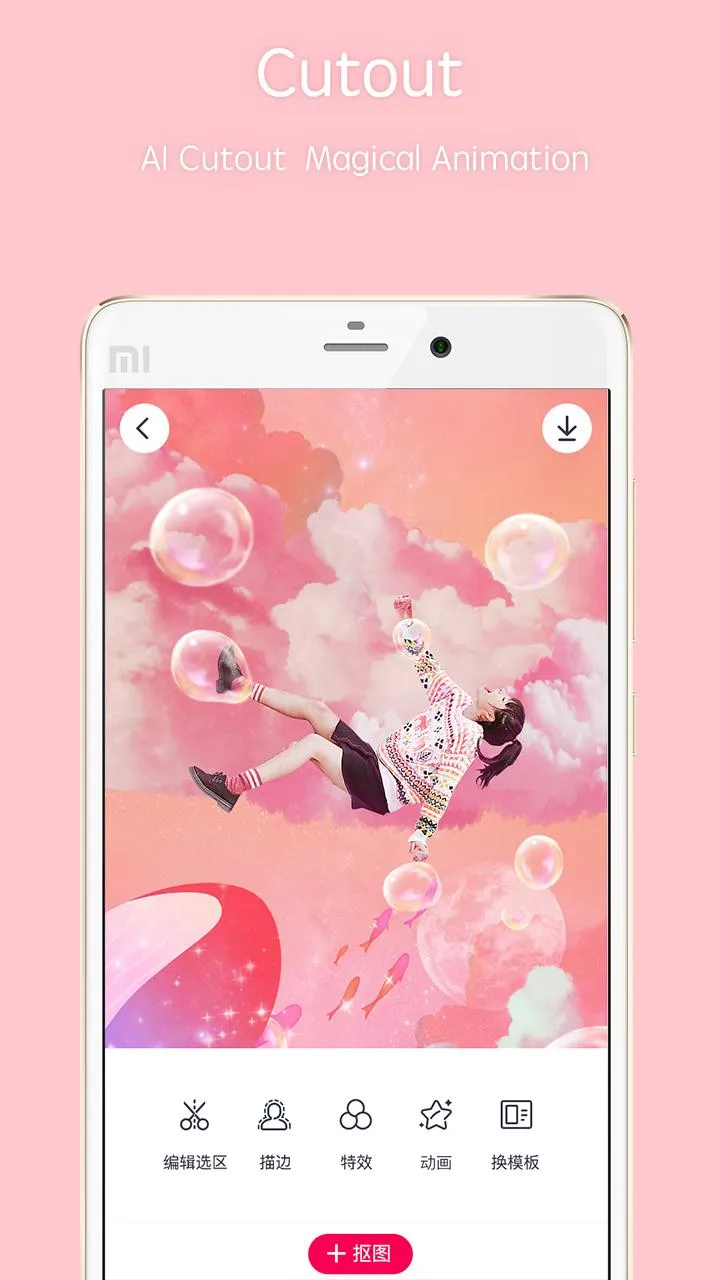
Cutouts: Easily extract subjects to craft unique, fun images! Explore whimsical scenes and 3D artistic effects—all within this magical photo editor.

Pros and Cons
Pros:
Highly visual, user-friendly interface.
Automatic recommendations for filters and lighting settings.
AI-powered "magic" cutouts with animated backgrounds.
Free to download and use.
Cons:
Text prompts and guides are primarily in Mandarin.
Some filters may lack sensitivity or precision.
FAQs
How long does it take to download Pitu?
Pitu has a file size of 133.3 MB. Depending on your network speed, the download could take anywhere from a few seconds to a few minutes over a stable 4G, 5G, or Wi-Fi connection.
Why am I unable to download or install the app?
Common issues include insufficient storage space, an incompatible Android version, an unstable network connection, a corrupted download file, or a lack of necessary installation permissions.
What are the system requirements for Pitu?
The latest version of Pitu requires Android 6.0 or higher. If your device runs an older version of Android, please check if an earlier, compatible version of the app is available.

Conclusion
If you’re looking to take your photo editing to the next level, give the Pitu photo editor a try. This app can transform your photos into fantastical worlds—letting you become an elven princess, a vampire, a Chinese empress, or even a character in the style of Dragon Ball. The app is updated regularly, ensuring you always have access to the latest filters.
More Information
- Size:133.33MB
- Version:7.2.0.6.371
- Requirements:Android
- Package Name:com.tencent.ttpic
- Signature:a49e0e798cf6fe5532e95568749f4fa9
Related topics
-
Welcome to our image editing apps! Perfect for beginners and pros alike, they make photo enhancement easy. Use PicsArt to crop, adjust colors, and apply filters. Remove backgrounds instantly with Remove.bg. Get creative with layers and advanced tools on Adobe Photoshop Express. Start transforming your images today!
-
![Pitu]()
Pitu
-
![Krita]()
Krita
-
![NOMO CAM Mod]()
NOMO CAM Mod
-
![X PhotoKit]()
X PhotoKit
-
![MoShow]()
MoShow
-
![PicCut]()
PicCut
-
![Pixelcut AI]()
Pixelcut AI
-
![Music Video Editor & Maker]()
Music Video Editor & Maker
-
-
Visuals serve as a primary gateway for players to engage with games, where distinctive art direction immediately captures attention and creates lasting impressions. An unconventional aesthetic not only stands out in crowded markets but also enhances immersion and emotional connection. When executed with creativity and polish, striking visuals elevate gameplay into a memorable artistic experience. That's why titles with truly exceptional art styles deserve recognition - they offer both visual delight and meaningful interactive expression that resonates with players long after the session ends.
-
![Pitu]()
Pitu
-
![Face Dance]()
Face Dance
-
![Krita]()
Krita
-
![NOMO CAM Mod]()
NOMO CAM Mod
-
![X PhotoKit]()
X PhotoKit
-
![PicCut]()
PicCut
-
![Funimate Video Editor & Maker]()
Funimate Video Editor & Maker
-
![Pixelcut AI]()
Pixelcut AI
-
-
Enhance your photos effortlessly with the best free photo editing apps for Android! Whether you want to apply stunning filters, adjust brightness and contrast, remove blemishes, or create professional-quality edits, these apps offer powerful tools at your fingertips. From simple one-tap enhancements to advanced editing features like background removal and AI-powered effects, you can transform your images with ease. Explore a wide range of user-friendly and feature-rich apps, all available for free download. Start editing and make your photos stand out today!
-
![Pitu]()
Pitu
-
![Krita]()
Krita
-
![NOMO CAM Mod]()
NOMO CAM Mod
-
![X PhotoKit]()
X PhotoKit
-
![PicCut]()
PicCut
-
![Funimate Video Editor & Maker]()
Funimate Video Editor & Maker
-
![Music Video Editor & Maker]()
Music Video Editor & Maker
-
![Cymera]()
Cymera
-






Latest Updated



Popular Apps






Popular News
More+-
![Tomie Wants to Get Married Full Walkthrough, All Choices and Ending Guide]()
Tomie Wants to Get Married Full Walkthrough, All Choices and Ending Guide
2026-05-22
-
![Karryn’s Prison Gameplay Walkthrough & Strategy Guide]()
Karryn’s Prison Gameplay Walkthrough & Strategy Guide
2025-10-28
-
![Life in Santa County Game Guide & Complete Walkthrough]()
Life in Santa County Game Guide & Complete Walkthrough
2025-10-28
-
![Dreams of Desire Complete Walkthrough and Game Guide]()
Dreams of Desire Complete Walkthrough and Game Guide
2025-10-28
-
![Era Hunter Gameplay Guide & Full Walkthrough]()
Era Hunter Gameplay Guide & Full Walkthrough
2025-10-28




