

PhotoGrid
Download for Android This app is available for Android only.- Category:Photography
- Rating: 4.8
- Language:English
- Updated:2026-10-27
Screenshots

Introduction
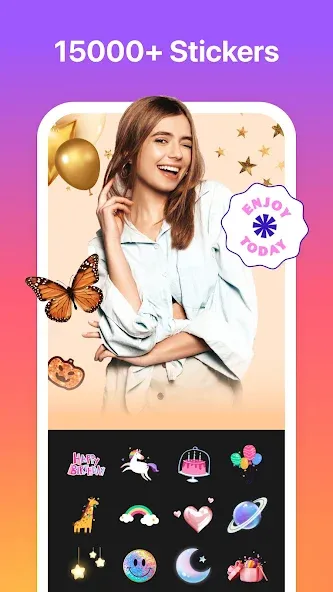
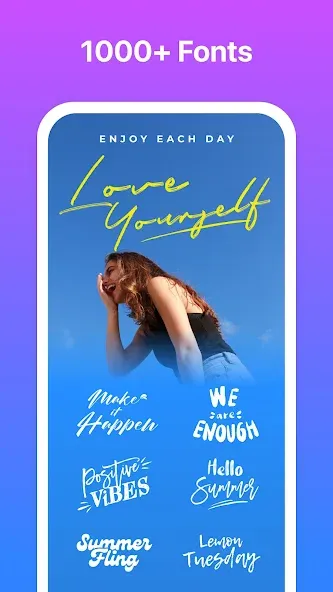
PhotoGrid is a video and photo editor designed for Android devices. The app allows users to edit both photos and videos; for instance, you can add music to videos, stitch multiple video clips together, and apply various filters. When editing photos, you can perform basic adjustments or add elements like text and stickers to make your images more personalized and engaging. The app also features robust tools for portrait editing and allows you to transform photos into animated stickers (memes) for a fun, humorous touch.
Features
Video Editing Highlights
You can add music to your video clips, then trim, crop, and stitch them together to create a complete video. We also offer slow-motion effects, filters, and simple transitions to ensure a consistent style throughout your edited project.
Photo Tools and Retouching
Basic editing functions include cropping, rotating, resizing, blurring, and adjusting brightness, contrast, and saturation.
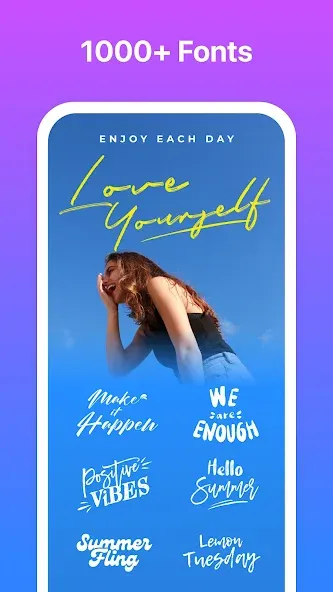
Add text—with a wide selection of fonts—as well as stickers and backgrounds to annotate or style your images.
Facial retouching features allow you to soften wrinkles and even out skin tone with a single tap; the camera also includes real-time AR face filters.
A hair-coloring tool lets you test out new hair colors directly on portraits.
Useful Add-ons and Maintenance
A sticker eraser and search function help you manage and optimize your sticker collection.
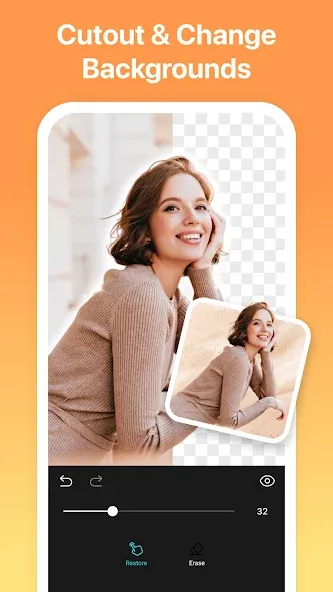
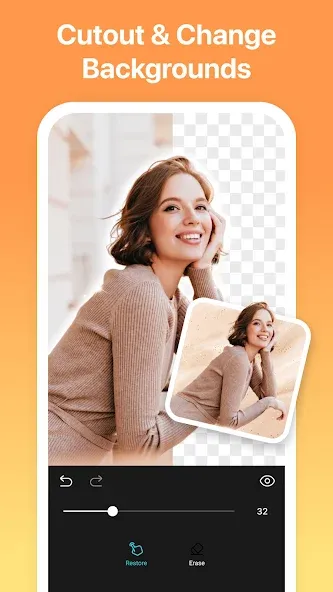
Background removal and object-cropping tools allow you to isolate subjects—perfect for creating clean cutouts or memes—while GIF support lets you add dynamic, animated effects.
Clear the in-app cache whenever you need to free up storage space.
Required permissions include access to device storage (for media files), the camera (for taking photos/videos), and the microphone (for recording audio).
Pros and Cons
Pros:
Fun and engaging user interface
Extensive range of photo and video editing tools
Includes GIF and emoji support
Customizable text and filters
Options for image compression to save data
Cons:
Requires an internet connection and data usage
Ad-supported application

User Reviews
This is hands down one of the best photo collage apps I’ve ever used! It makes photo collages super simple and offers a wide variety of layout options—I absolutely love it! No more struggling to hunt through endless choices; this app handles everything for you! I’m also a huge fan of the various other editing features it provides!!
I use PhotoGrid all the time to add stickers to my photos—there’s a huge selection, and they’re super cute! I also use it to create photo collages; it’s fast and incredibly easy to use. People often ask me, "How did you do that?" I especially love that it saves my creations directly to my photo library, which makes sharing them so much more convenient.
The app constantly tries to push a VIP membership on you, making it seem like you *have* to upgrade to keep using it. You don’t actually have to, though—you can just be patient and deal with the pop-up ads. It’s a fantastic app. Overall, the pricing is reasonable, and the VIP membership might actually be worth it.
I absolutely, 100% love this collage app! You can create video and photo collages, and choose from a ton of stickers, backgrounds, and more. Unlike many other collage and photo-editing apps, this one produces high-resolution, high-quality final images. I gave it four stars instead of five only because the in-app purchases really annoy me. I’ve been using it for years—I even bought the ad-free version and extra templates a long time ago.
Conclusion
PhotoGrid is a free, full-featured Android photo editor that combines photo, video, and GIF editing with collage and scrapbook creation. The platform is dynamic, intuitive, and easy to use. Since it relies on online editing, it doesn’t take up much of your device’s internal storage.
More Information
- Size:85.14MB
- Version:8.81
- Requirements:Android
- Votes:334
- Package Name:com.roidapp.photogrid
- Signature:9b7bd4bdf0f5d927ec15be45f3939898
Related topics
-
A collection of essential beauty camera tools designed to instantly enhance your photos. Whether you’re perfecting your selfies or creating stunning images, these tools help you achieve flawless results with just a few taps. Ideal for anyone looking to elevate their photo game effortlessly.
-
![PhotoGrid]()
PhotoGrid
-
![GCamGo Camera]()
GCamGo Camera
-
![PhotoFunia]()
PhotoFunia
-
![InShot Video Editor]()
InShot Video Editor
-
![ReLens Camera-Focus &DSLR Blur]()
ReLens Camera-Focus &DSLR Blur
-
![Horizon Camera]()
Horizon Camera
-
![Photo Lab Picture Editor art]()
Photo Lab Picture Editor art
-
![Phocus Mobile]()
Phocus Mobile
-
-
Photography is an art form that has been around for over a century and has evolved greatly over the years. With the advent of technology, photography has become more accessible and convenient, especially with the rise of mobile photography. Mobile photography has revolutionized the field of photography, making it possible to capture and edit high-quality photos right from your smartphone. As mobile photography continues to grow in popularity, there is an abundance of mobile apps available for photography enthusiasts. However, with so many options available, it can be difficult to determine which apps are worth your time and investment. In this article, we’ll take a look at the top mobile apps for photography and provide you with a comprehensive guide to help you choose the best app for your needs.
-
![PhotoGrid]()
PhotoGrid
-
![GCamGo Camera]()
GCamGo Camera
-
![GPS Map Stamp Camera]()
GPS Map Stamp Camera
-
![PhotoFunia]()
PhotoFunia
-
![InShot Video Editor]()
InShot Video Editor
-
![ReLens Camera-Focus &DSLR Blur]()
ReLens Camera-Focus &DSLR Blur
-
![Horizon Camera]()
Horizon Camera
-
![Phocus Mobile]()
Phocus Mobile
-
-
Transform your smartphone into a powerful creative tool with these top-rated camera apps. Packed with professional-grade editing features, stunning filters, and advanced effects, they help you capture and refine every shot like never before. Perfect for landscapes, portraits, or spontaneous selfies, these apps offer intuitive controls and AI-powered enhancements-all for free. Download today and unlock your full artistic potential. With these apps, your photos will stand out with polished, professional quality, making every moment picture-perfect!
-
![PhotoGrid]()
PhotoGrid
-
![GCamGo Camera]()
GCamGo Camera
-
![PhotoFunia]()
PhotoFunia
-
![InShot Video Editor]()
InShot Video Editor
-
![Horizon Camera]()
Horizon Camera
-
![Phocus Mobile]()
Phocus Mobile
-
![Thermal Infrared Camera Effect]()
Thermal Infrared Camera Effect
-
![Camera for Facebook]()
Camera for Facebook
-






Latest Updated




Popular Apps








Popular News
More+-
![Tomie Wants to Get Married Full Walkthrough, All Choices and Ending Guide]()
Tomie Wants to Get Married Full Walkthrough, All Choices and Ending Guide
2026-05-22
-
![Karryn’s Prison Gameplay Walkthrough & Strategy Guide]()
Karryn’s Prison Gameplay Walkthrough & Strategy Guide
2025-10-28
-
![Life in Santa County Game Guide & Complete Walkthrough]()
Life in Santa County Game Guide & Complete Walkthrough
2025-10-28
-
![Dreams of Desire Complete Walkthrough and Game Guide]()
Dreams of Desire Complete Walkthrough and Game Guide
2025-10-28
-
![Era Hunter Gameplay Guide & Full Walkthrough]()
Era Hunter Gameplay Guide & Full Walkthrough
2025-10-28




