

Goodnotes
Download for Android This app is available for Android only.- Category:Productivity
- Rating:
- Language:English
- Updated:2026-11-06
Screenshots
Introduction
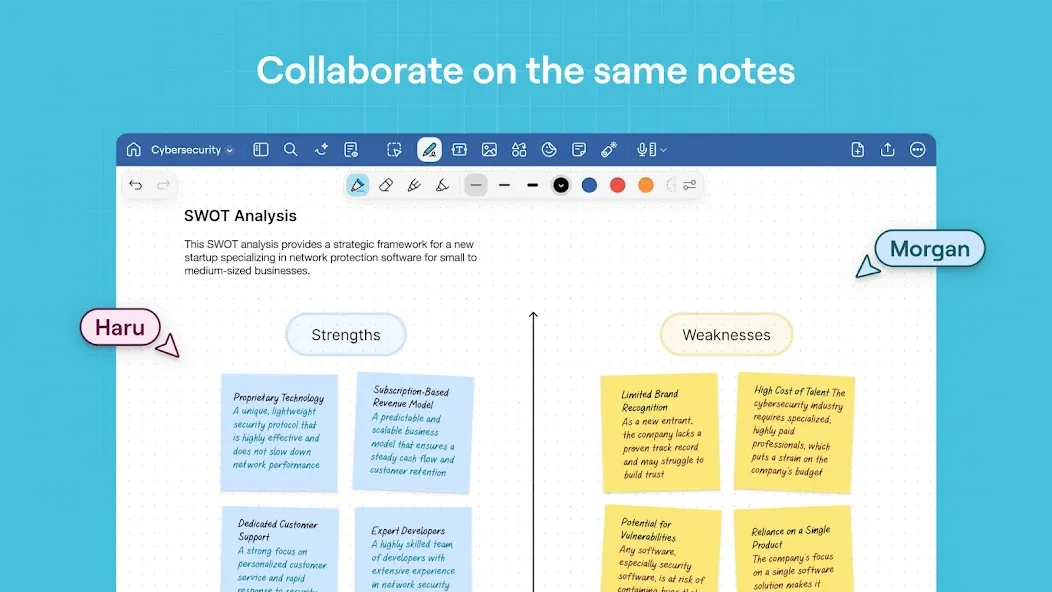
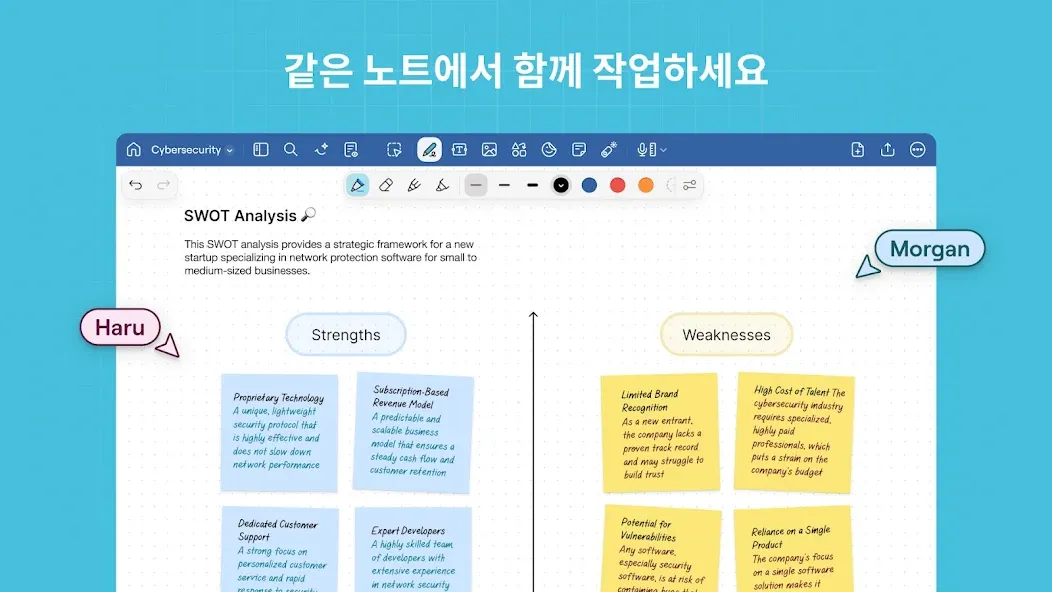
Goodnotes is a productivity app designed for the Android platform. It allows users to take notes for work or study, and supports the import of PDF files for creative projects and editing. The app accommodates both handwritten and typed input. Notes and PDF documents can be shared via cloud storage, email, or by printing. Additionally, the app features built-in artificial intelligence to assist with collaborative editing. It also supports real-time, multi-user online collaboration, enabling users to view edits and comments from others as they work. A "Favorites" feature is also included, allowing users to save items for quick access later.
Features
Accelerate Your Workflow with AI
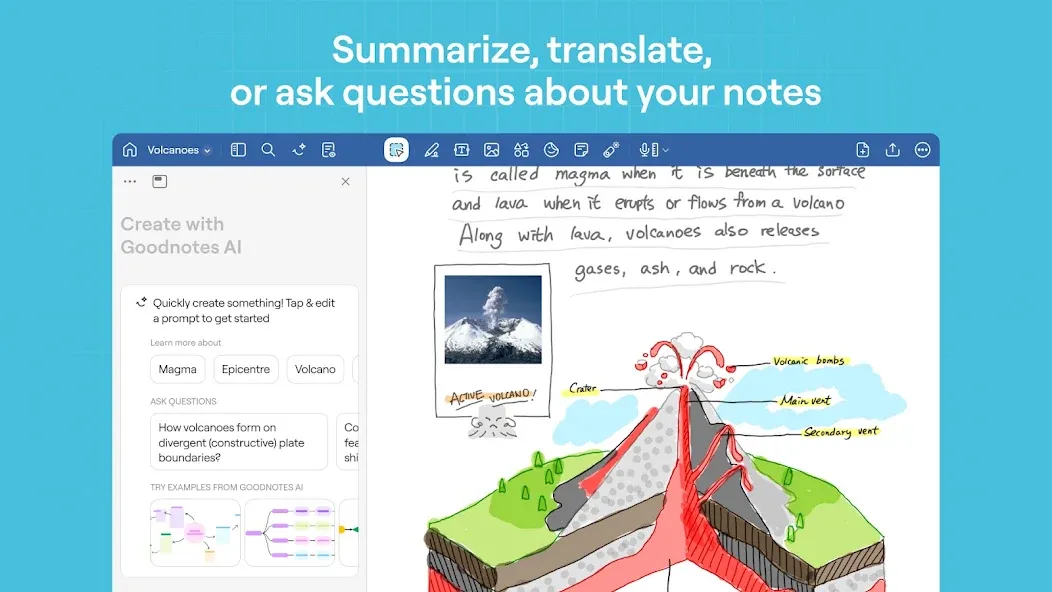
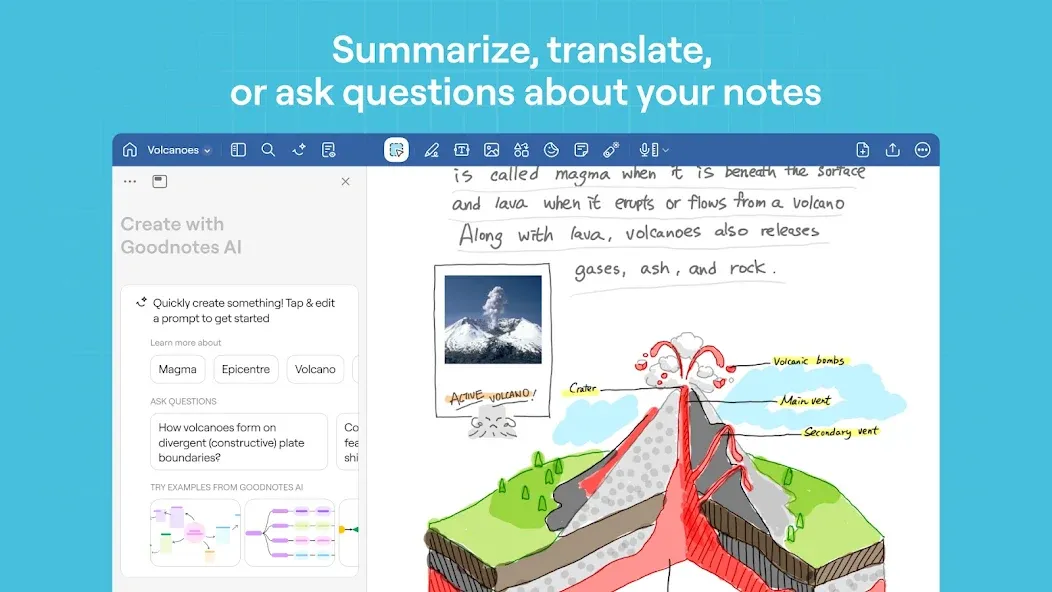
Goodnotes leverages AI technology to summarize long-form notes and meeting recordings, helping you quickly review key points. It offers tone suggestions and smart error correction, and can even rewrite paragraphs when you need more concise text. You can also ask questions about your notes and receive relevant, helpful answers—saving time when studying or preparing for exams.
Handwriting, Typed Text, and Whiteboards
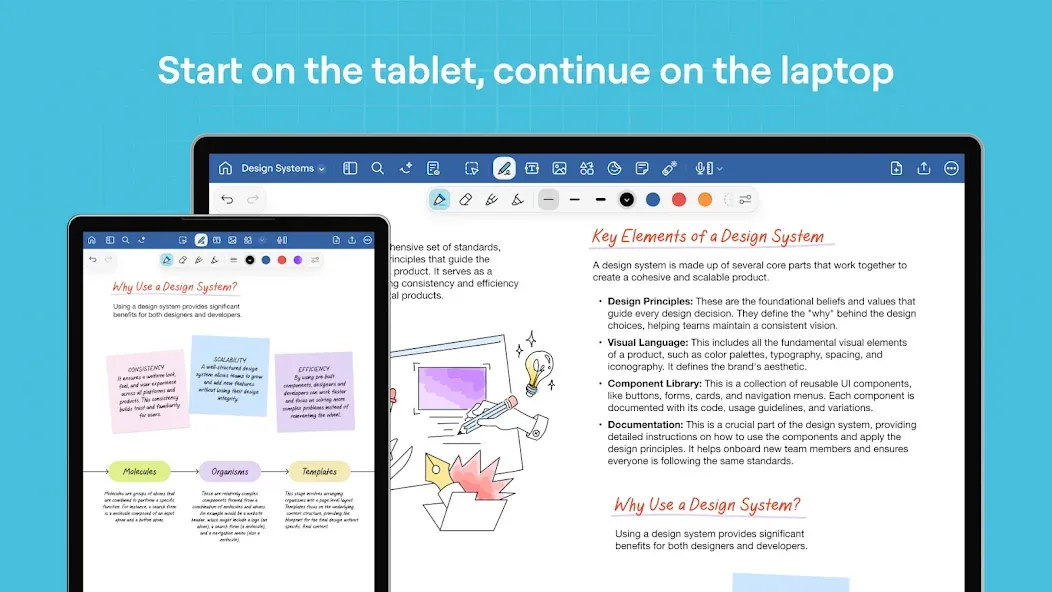
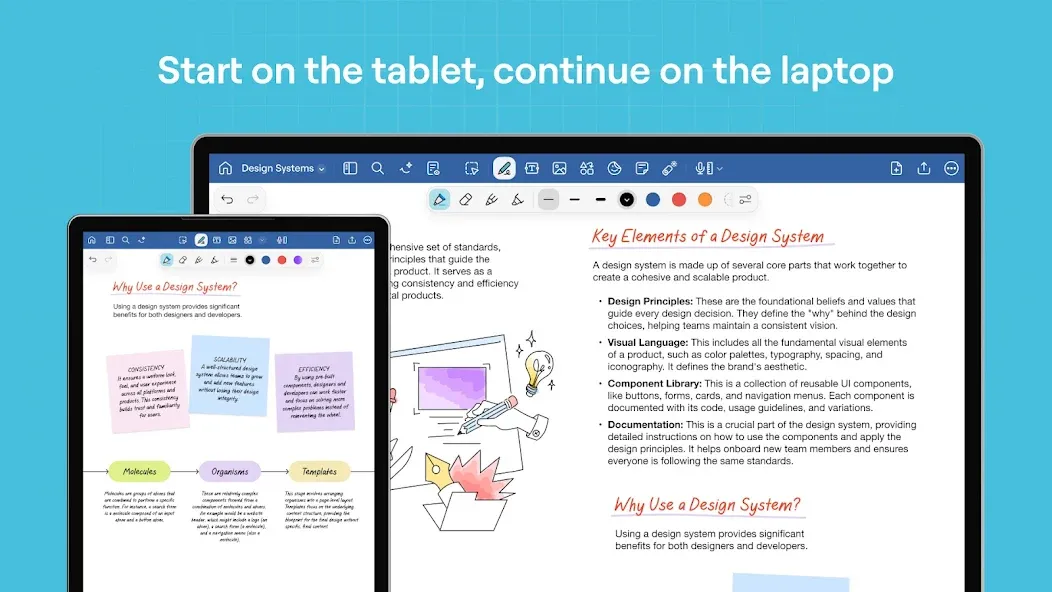
Switch seamlessly between precise handwriting, clear typed documents, and an infinite whiteboard to suit any task. Handwriting is ideal for quick sketching and mathematical calculations, while typed text is perfect for formal reports. Whiteboards are well-suited for brainstorming sessions, workshops, and any scenario that requires ample space to capture ideas.
Working with PDFs
Goodnotes allows you to import PDF files to fill out forms, add signatures, insert annotations, and mark up documents for review. You can export individual pages or entire notebooks as PDFs to share with classmates or colleagues via email or print—keeping your feedback and course materials organized alongside your notes.
Real-Time Collaboration
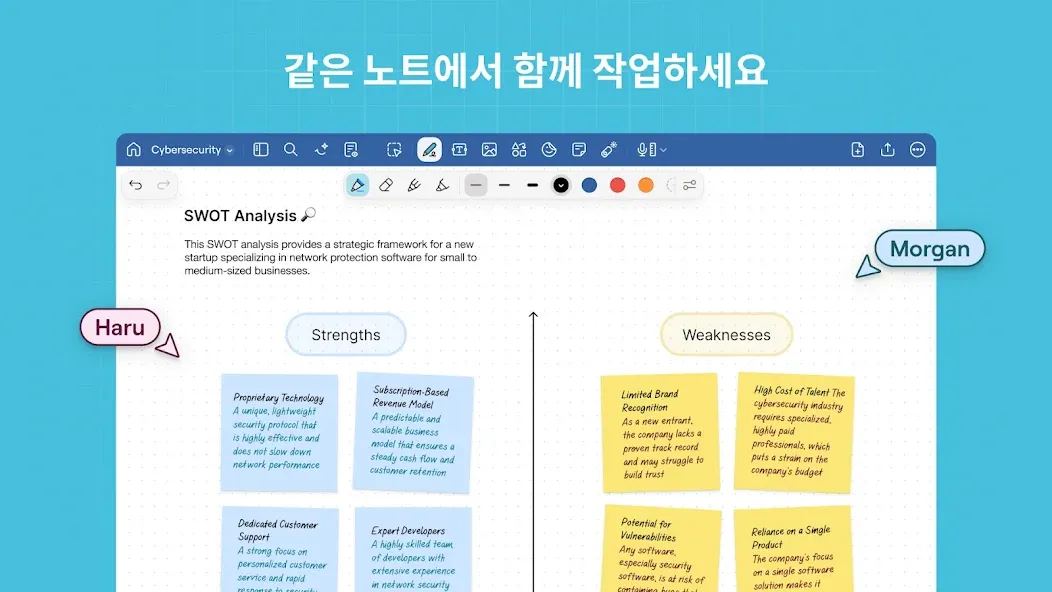
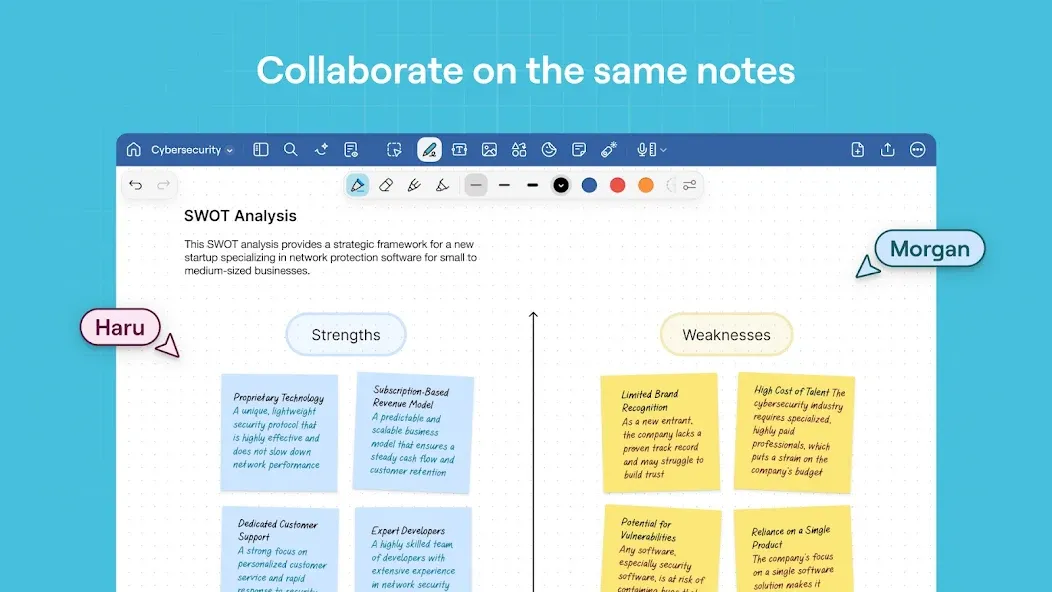
Goodnotes supports shared links and collaborative editing, with ink, text, and comments appearing in real time. During group discussions, you can use your device to present, utilizing a built-in laser pointer to guide others. Collaboration and sharing features require a subscription, enabling teams to work together seamlessly.
Organize and Learn Your Way
Goodnotes offers folders, a "Favorites" feature, and a search tool that lets you quickly locate pages across both typed and handwritten content—accessible from any device. Through the Marketplace, you can personalize your experience by accessing planners, covers, stickers, and paper templates for note-taking and planning. You can also convert your notes into flashcards and use tools like the lasso, shapes, layers, and sticky notes to design study materials tailored to your own learning style.
Usage
Open Goodnotes, tap "New" to create a notebook, then name it and select a cover or paper style.
Choose your canvas: select a handwriting page for quick notes, a document layout for reports, or a whiteboard for brainstorming.
Start writing with the pen and highlighter tools, or add typed text. If needed, use the "Import" button to bring in PDF files, which you can then annotate or sign.
Organize your work by creating folders and marking items as favorites. Use the search function to find keywords across all your pages—including within your handwritten content.
When you want to share or collaborate, tap the share option to generate a link. (Note: Collaboration features may require a subscription.) For presentations, enable the laser pointer tool to guide your audience.
Pros and Cons
Pros:
Combine handwritten and typed notes on a single page, with support for images, stickers, and diagrams.
Includes AI-powered features for transcription, real-time meeting summaries, note summarization, and document creation.
Allows students to search for specific words within handwritten notes and create study sets using flashcards.
Export notes as PDFs, import documents via email, and back up your work to Google Drive, Dropbox, or OneDrive.
Offers customizable planners and journal templates, along with an unlimited number of digital notebooks.
Cons:
Because it encompasses a wide range of features—including AI, meeting tools, document management, planning, and presentations—it may feel overly complex for users who only need simple note-taking capabilities.
FAQs
Are the notes and documents I create in Goodnotes saved?
Yes, users can save their notes securely.
How can I back up or sync my notes?
You can back up your handwritten and typed notes to Google Drive, Dropbox, or OneDrive.
Can I export or share my notes?
You can export your handwritten and typed notes via email, print them, or share them in PDF format. You can also send a link to your notebook, allowing others to edit the same notes.
Conclusion
This powerful update to Goodnotes is designed to boost your productivity and creativity. Whether you are a student, a professional, or someone who enjoys planning, the app offers a range of innovative features to meet your diverse needs.
More Information
- Size:4.99MB
- Version:1.0.32.0v152089
- Requirements:Android 7.0+
- Package Name:com.goodnotes.android.app
- Signature:8d2b5592f8f76c5601d1fef2c8227770
Related topics
-
Feeling that there aren’t enough hours in the day? That you’re fighting a losing battle with your agenda? That each time you look up from your desk another year has rolled by? Well don’t worry, you’re not alone, and in today’s hyperconnected world, people are busier than ever before. On Android, there are countless productivity apps to help take control of your time and make your work more efficient. From a simple plugin for Chrome to a full-fledged app, picking the right productivity apps on Android can mean the difference between having a clear to-do list at the end of the day or having it overflowing with missed deadlines and projects that are off schedule. Productivity apps aren’t just about work, though. Using a productivity app in your personal life can keep you on top of deadlines for vacations, home repairs, and other family responsibilities.
-
![Goodnotes]()
Goodnotes
-
![Microsoft Office 365]()
Microsoft Office 365
-
![DeepSeek]()
DeepSeek
-
![Zoom Workplace]()
Zoom Workplace
-
![Google Docs]()
Google Docs
-
![SiDOMPUL]()
SiDOMPUL
-
![GoPartner]()
GoPartner
-
![V380]()
V380
-
-
Office Apps is a comprehensive and user - friendly platform that aggregates a wide array of office - related applications, catering to the diverse needs of modern professionals, students, and anyone who engages in office - based tasks. Whether you're working on a crucial business project, preparing academic papers, or handling daily administrative work, this aggregation page serves as your one - stop - shop.
-
![Goodnotes]()
Goodnotes
-
![Microsoft Office 365]()
Microsoft Office 365
-
![DeepSeek]()
DeepSeek
-
![Microsoft Excel]()
Microsoft Excel
-
![Google Docs]()
Google Docs
-
![TimeWise]()
TimeWise
-
![SiDOMPUL]()
SiDOMPUL
-
![GoPartner]()
GoPartner
-
-
The complete collection of office software is compiled based on user needs and referencing the popularity of major computer application stores. This collection selects various useful computer office software for users from multiple aspects such as office suite, communication and collaboration, email management, note management, cloud storage, download and decompression, etc. These software can meet your various document processing needs, making your team collaboration smoother, and conveniently managing your emails and keeping various meeting records. Download various materials and documents needed for office work. This collection of office software commonly used by professionals can meet all needs. Welcome to download and experience it!
-
![Goodnotes]()
Goodnotes
-
![Microsoft Office 365]()
Microsoft Office 365
-
![DeepSeek]()
DeepSeek
-
![Microsoft Excel]()
Microsoft Excel
-
![Google Docs]()
Google Docs
-
![TimeWise]()
TimeWise
-
![GoPartner]()
GoPartner
-
![ZOOM Cloud Meetings]()
ZOOM Cloud Meetings
-

Latest Updated
Popular Apps






Popular News
More+-
![Tomie Wants to Get Married Full Walkthrough, All Choices and Ending Guide]()
Tomie Wants to Get Married Full Walkthrough, All Choices and Ending Guide
2026-05-22
-
![Karryn’s Prison Gameplay Walkthrough & Strategy Guide]()
Karryn’s Prison Gameplay Walkthrough & Strategy Guide
2025-10-28
-
![Life in Santa County Game Guide & Complete Walkthrough]()
Life in Santa County Game Guide & Complete Walkthrough
2025-10-28
-
![Dreams of Desire Complete Walkthrough and Game Guide]()
Dreams of Desire Complete Walkthrough and Game Guide
2025-10-28
-
![Era Hunter Gameplay Guide & Full Walkthrough]()
Era Hunter Gameplay Guide & Full Walkthrough
2025-10-28




