
Samsung Notes
Download for Android This app is available for Android only.- Category:Productivity
- Rating:
- Language:English
- Updated:2026-11-24
Screenshots
Introduction
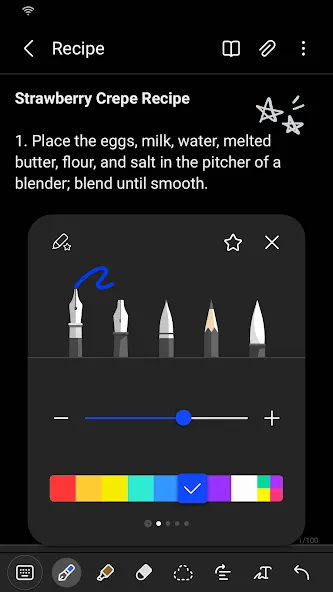
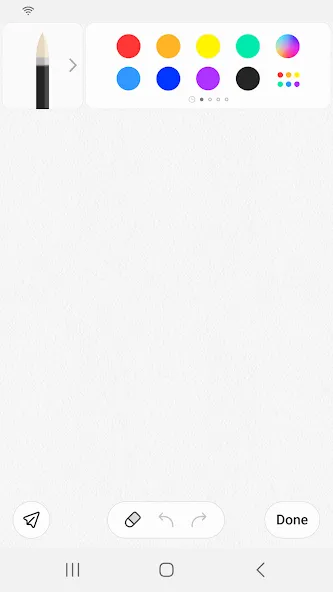
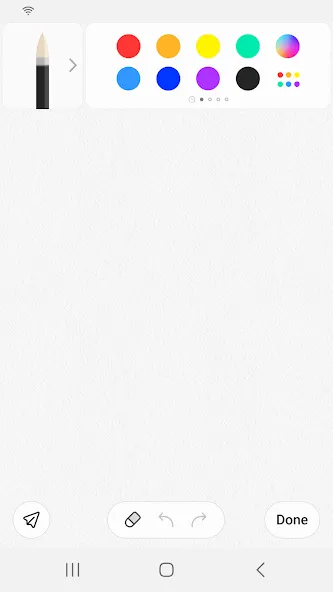
Samsung Notes is a note-taking application designed for the Android operating system. It offers a wide range of features, including the ability to record audio while taking handwritten notes—converting that audio into part of your note. You can choose from various writing tools and customize the color and thickness of your strokes. An eraser tool is available for removing specific content, and you can also import existing notes or other files for further editing. Additionally, the app includes AI-powered features that can summarize long notes and help you keep your content organized.
Features
Protect your notes.
From the home screen, tap the "More options" icon in the top-right corner, select "Settings," and then choose "Lock notes."
Set your preferred locking method and password.
To secure an individual note, tap the "More options" icon while viewing that note and select "Lock note."
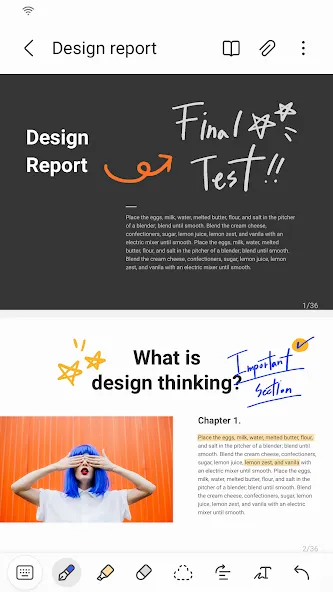
Create handwritten notes.
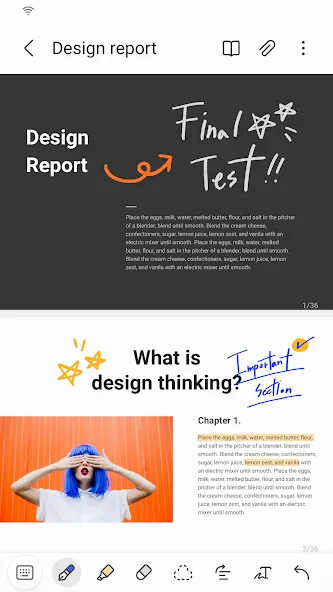
Tap the handwriting icon while taking notes; your handwriting will appear directly on the note.
Add photos.
Tap the photo icon within a note to take a new picture. You can also import, tag, and edit existing photos.
Add audio recordings.
Tap the recording icon while taking notes to capture audio and create notes that include sound.
Experiment with various writing tools.
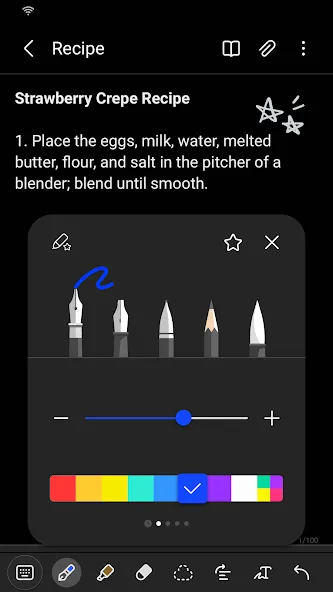
Tap the pen icon while taking notes to access a variety of tools—such as fountain pens, pencils, and highlighters—with customizable colors and stroke thicknesses.
Use the eraser tool to select and remove specific content.
You can import notes and memos created in other applications. Use the "Smart Switch" feature to bring in data from S Note or Memo apps saved on other devices. You can also import previously created notes and memos by signing in with your Samsung account.
Usage
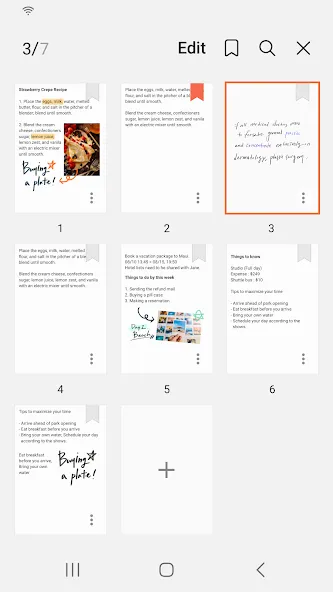
Using Samsung Notes is straightforward—simply open the app via its shortcut on your home screen or from your app drawer (depending on how you installed it). Your existing notes are displayed in chronological order; tap any note to edit it. If you don’t have any notes yet, you can create a new one by tapping the "+" button located in the bottom-right corner of the main screen. Once in edit mode, a variety of options become available depending on the type of content you are inputting (e.g., plain text, rich text, or a drawing canvas). To share your finished work, tap the share icon in the top-right corner and follow the prompts to select your preferred output method. Options include sending directly via instant messaging apps like WhatsApp or Line, uploading to cloud storage services such as Dropbox or Google Drive, or exporting as a file (e.g., PDF or MS Word .docx).
Pros and Cons
Pros:
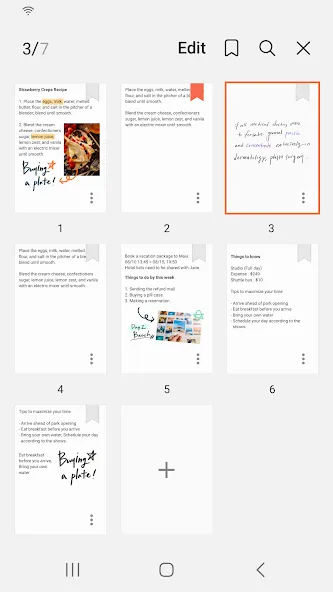
Supports diverse note-taking formats—including text, handwriting, drawings, image annotations, and voice recordings—making it suitable for a wide range of scenarios.
Equipped with a comprehensive suite of tools, such as various brushes, color blending, selection tools, and an eraser, catering to both writing and creative tasks.
Offers synchronization via Samsung Cloud and supports importing data from S Note and Memo, ensuring seamless continuity across devices.
Includes practical features like PDF insertion (with support for signing documents), image cropping, and the ability to open two notes simultaneously.
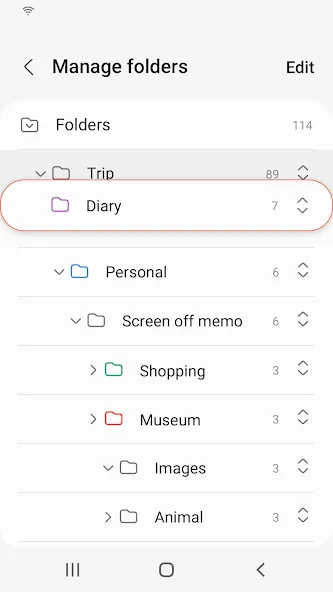
Provides note-locking and password protection, making it secure for storing sensitive content.
Cons:
Synchronization and certain data transfer features are heavily dependent on a Samsung account and the Samsung Cloud ecosystem.
Due to the extensive feature set, new users may need some time to familiarize themselves with the various tools and options.
User Reviews
It’s hard to put into words exactly why it’s so good—it just is. The drawing experience is actually better than drawing directly on a standard note page; because every stroke is an independent object, you can adjust individual elements later. For instance, you can move a drawing to another page and then bring it back to layer it over something else. You could, for example, draw an outline, apply color, temporarily move the color block aside, shift the outline to a different page and back again, and then place it back on top of the color. I find it very useful. It’s great for storing information that’s easy to forget—like passwords for Google, WeChat, or QQ accounts—as well as for saving articles. A couple of suggestions: 1) It would be helpful to be able to rename the app; the current name doesn’t really hint at the kind of content I store in it. 2) Adding a categorization feature (e.g., "Passwords," "Articles," etc.) would be a great improvement.
It’s excellent—I personally love it. I use it daily to jot down all sorts of things—quite a lot, actually! Searching through past entries is also very convenient.
It’s more than sufficient for basic note-taking. While the handwriting interface can feel a bit cramped on a phone screen, it’s absolutely perfect when used on a Samsung tablet with an S Pen—especially now that it’s integrated with Samsung’s new AI features.
Conclusion
Samsung Notes makes it easy to jot down notes or even sketch out ideas with your fingertips. With its wide array of tools and options, you can go beyond simple note-taking to creatively design and organize your content just the way you like. It’s a highly recommended alternative, especially if you’re looking for a more feature-rich note-taking app.
More Information
- Size:106.60MB
- Version:4.9.06.8
- Requirements:Android
- Package Name:com.samsung.android.app.notes
- Signature:575d16e4354f57778cb45c1320924300
Related topics
-
Feeling that there aren’t enough hours in the day? That you’re fighting a losing battle with your agenda? That each time you look up from your desk another year has rolled by? Well don’t worry, you’re not alone, and in today’s hyperconnected world, people are busier than ever before. On Android, there are countless productivity apps to help take control of your time and make your work more efficient. From a simple plugin for Chrome to a full-fledged app, picking the right productivity apps on Android can mean the difference between having a clear to-do list at the end of the day or having it overflowing with missed deadlines and projects that are off schedule. Productivity apps aren’t just about work, though. Using a productivity app in your personal life can keep you on top of deadlines for vacations, home repairs, and other family responsibilities.
-
![Samsung Notes]()
Samsung Notes
-
![PayByPhone]()
PayByPhone
-
![Basecamp]()
Basecamp
-
![mParivahan]()
mParivahan
-
![Plantix]()
Plantix
-
![QRQR]()
QRQR
-
![magicplan]()
magicplan
-
![Google Assistant]()
Google Assistant
-
-
Office Apps is a comprehensive and user - friendly platform that aggregates a wide array of office - related applications, catering to the diverse needs of modern professionals, students, and anyone who engages in office - based tasks. Whether you're working on a crucial business project, preparing academic papers, or handling daily administrative work, this aggregation page serves as your one - stop - shop.
-
![Samsung Notes]()
Samsung Notes
-
![PayByPhone]()
PayByPhone
-
![Basecamp]()
Basecamp
-
![mParivahan]()
mParivahan
-
![Plantix]()
Plantix
-
![QRQR]()
QRQR
-
![magicplan]()
magicplan
-
![Google Assistant]()
Google Assistant
-
-
The complete collection of office software is compiled based on user needs and referencing the popularity of major computer application stores. This collection selects various useful computer office software for users from multiple aspects such as office suite, communication and collaboration, email management, note management, cloud storage, download and decompression, etc. These software can meet your various document processing needs, making your team collaboration smoother, and conveniently managing your emails and keeping various meeting records. Download various materials and documents needed for office work. This collection of office software commonly used by professionals can meet all needs. Welcome to download and experience it!
-
![Samsung Notes]()
Samsung Notes
-
![PayByPhone]()
PayByPhone
-
![Basecamp]()
Basecamp
-
![mParivahan]()
mParivahan
-
![Plantix]()
Plantix
-
![magicplan]()
magicplan
-
![Google Assistant]()
Google Assistant
-
![CamScanner]()
CamScanner
-






Latest Updated


Popular Apps






Popular News
More+-
![Tomie Wants to Get Married Full Walkthrough, All Choices and Ending Guide]()
Tomie Wants to Get Married Full Walkthrough, All Choices and Ending Guide
2026-05-22
-
![Karryn’s Prison Gameplay Walkthrough & Strategy Guide]()
Karryn’s Prison Gameplay Walkthrough & Strategy Guide
2025-10-28
-
![Life in Santa County Game Guide & Complete Walkthrough]()
Life in Santa County Game Guide & Complete Walkthrough
2025-10-28
-
![Dreams of Desire Complete Walkthrough and Game Guide]()
Dreams of Desire Complete Walkthrough and Game Guide
2025-10-28
-
![Era Hunter Gameplay Guide & Full Walkthrough]()
Era Hunter Gameplay Guide & Full Walkthrough
2025-10-28




