

Writer Plus
Download for Android This app is available for Android only.- Category:Tools
- Rating:
- Language:English
- Updated:2026-11-27
Screenshots
Introduction
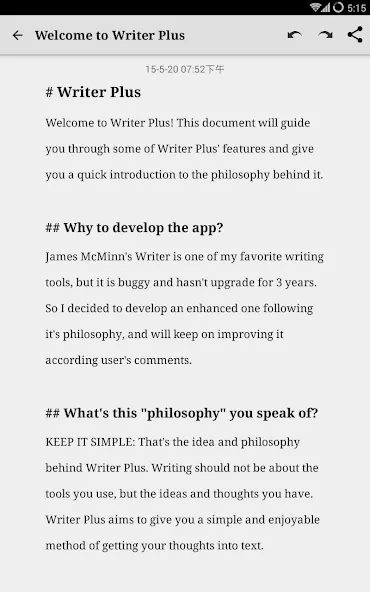
Writer Plus is a note-taking software specially created for writing enthusiasts. It not only supports Bluetooth keyboards, but also provides users with a series of shortcut keys to quickly record their inspirations. The software provides users with different usage modes according to different environments, and the progress will be synchronized with each other when users log in on mobile phones and tablets, allowing users to start your creation no matter where they are. The software supports multiple languages and is optimized for mobile devices to make it more power-saving. It also automatically saves users' writing records so that users can create with peace of mind.
Features of Writer Plus:
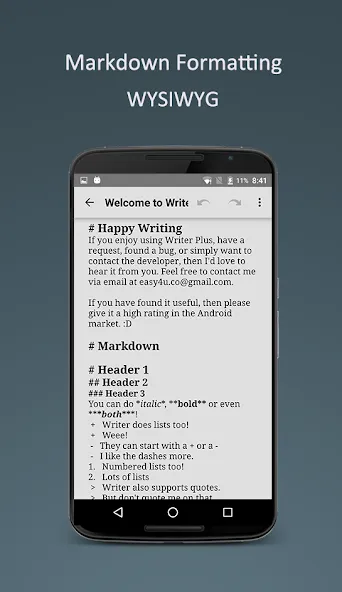
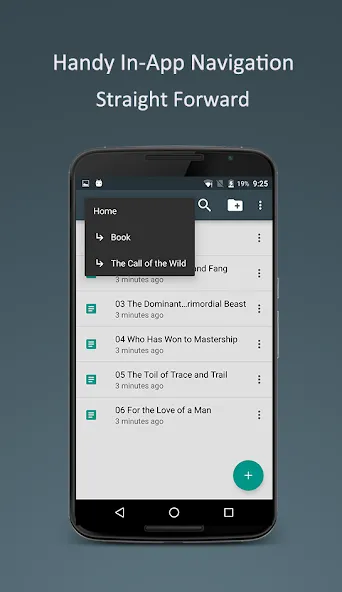
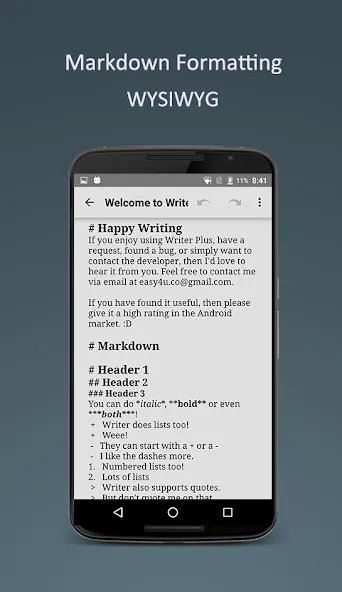
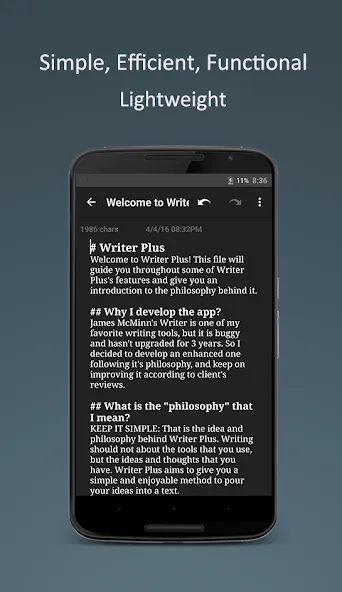
Simplicity Without Compromise: The core philosophy of Writer Plus is to keep things simple, providing a streamlined experience for writers who want to focus solely on their content creation. Despite its minimalist design, this app delivers robust functionalities, such as markdown support, which enables efficient text formatting. Users can easily open, edit, and save plain text files while taking advantage of folder support and various keyboard shortcuts that enhance productivity.
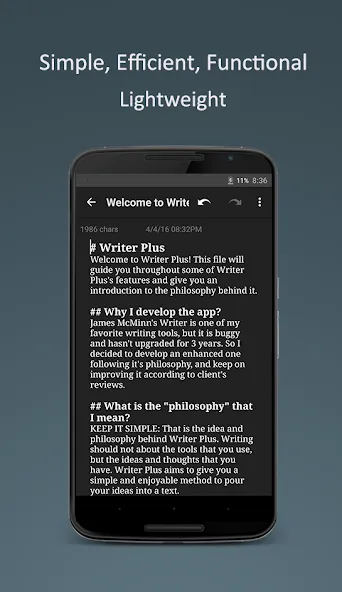
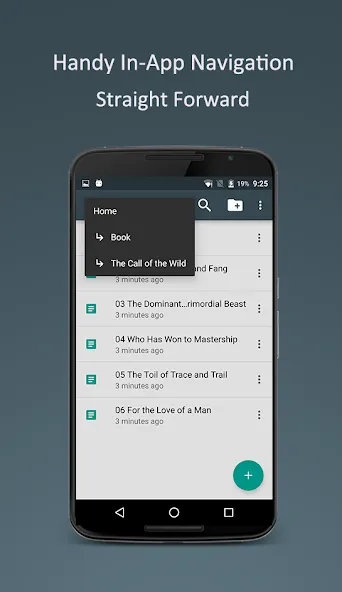
Optimized Performance and Features: Writer Plus is built to be lightweight and battery-friendly, ensuring it operates smoothly without demanding excessive system resources. Its stability and high performance make it a reliable choice for quick and efficient writing. Key features include word and character count, undo and redo functions, and a share option, all wrapped in a sleek Android Material UI design. Additionally, the app supports night mode, right-to-left language orientation, and multiple languages, broadening its accessibility and usability.
Enhanced Usability: You can seamlessly integrate Writer Plus with a Bluetooth keyboard, utilizing a range of editing shortcuts to enhance your writing efficiency. This application is entirely free, offering significant advantages without any cost. Transition confidently to its latest version, as migration ensures data safety by moving files to a secure folder. Whether you are an aspiring writer or a seasoned professional, Writer Plus provides the essential tools to transform your creative ideas into well-structured text effortlessly.
User Reviews of Writer Plus:
I've been using this app for years and I love it. I really appreciate it for the simplicity, the many useful functions, like choosing the font type and size, the night mode, folder making etc, and the fact that it's add free. The only disadvantage is the lack of backup or sync option with any cloud, Disk, or Dropbox. If I loose my phone, I loose all my work. Please, take adding that option into consideration and I'll definitely give 5 stars.
The app is amazing. So many features, supports long texts and many files/folders. It has everything you might need to write whatever you want. :) It would be great though, if the Developer could add the "start where you left off" option. I think one of the previous versions had something like it (it would open text to the last place you edited something), but that doesn't work anymore. It always opens my document at the beggining and when there's a lot of text, it's a lot of scrolling to do.
I'm updating my earlier glowing review. The search bar has been added and I just have to say AWESOME job! I've tried countless word apps and this one is by far superior than any. I'm very surprised at the mere 10k download mark. Should be in the millions. It will be once the "word" gets out! PS, I hope you're making money somehow off this app, you deserve it! Edit:the cursor is no longer visible when I try to edit. I can't see it therfore have to hope I am in the right place to start typing.
I'm updating my earlier glowing review. The search bar has been added and I just have to say AWESOME job! I've tried countless word apps and this one is by far superior than any. I'm very surprised at the mere 10k download mark. Should be in the millions. It will be once the "word" gets out! PS, I hope you're making money somehow off this app, you deserve it! Edit:the cursor is no longer visible when I try to edit. I can't see it therfore have to hope I am in the right place to start typing.
Shortcuts of Writer Plus:
Ctrl + a : select all
Ctrl + c : copy
Ctrl + v : paste
Ctrl + x : cut
Ctrl + z : undo
Ctrl + y : redo
Ctrl + s : save
Ctrl + f : share
FAQs of Writer Plus:
What Is Writer Plus?
As you can pretty easily tell from the name, Writer Plus is a writing app. I know, big shock, right? Now, as I said, I’ve tried out my fair share of writing apps in my day. Some of them help give you the inspiration to write more. Others are more or less note taking apps. Writer Plus is more of a blank slate for you to write on. Like an empty notebook for you to write away. Or stare at when you have writer’s block. Either way.
How Do You Use It?
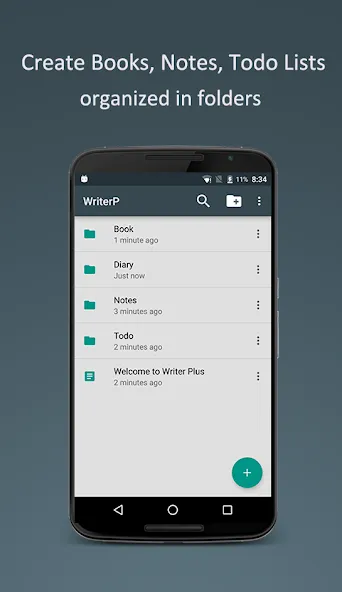
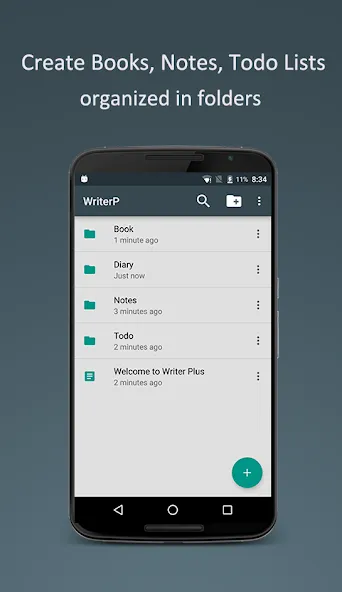
Writer Plus is all about simplicity. You begin by hitting the plus sign button to open up a new document. From there, you can name the doc by tapping on its name. After doing some writing, you can create a folder to keep these different documents in by tapping the folder button at the top of the app. And, if you want to share or save your writings, simply tap the top right area of the document and hit “Share.”
How Is The App?
Writer Plus is pretty much as basic as you can get. The app is little more than a digital notebook for you to keep all your writings. However, that’s not exactly a bad thing. Some writer may prefer something so basic, as it allows you to open your mind up completely. It’s not really my kind of writing experience, but I understand why people would enjoy it.
Conclusion:
Writer Plus turns an Android phone or tablet into a pared-back space for plain-text writing. Its distinction is restraint: folders, Markdown, document counts, and keyboard commands are present, while the page-layout controls of a traditional word processor stay out of the way.
More Information
- Size:2.22MB
- Version:1.51-2023090412
- Requirements:Android
- Package Name:co.easy4u.writer
- Signature:370eb38e53fe9d156427d75d1e586741
Related topics
-
Utility apps are indispensable in our lives, making our daily routines more convenient. To help you find these apps more easily, this site has created a collection. This collection brings together a series of practical tools covering various aspects of life, work, and education, meeting all your needs. What are you waiting for? Try these apps now and make your life easier!
-
![WiFi Master Key]()
WiFi Master Key
-
![Yoosee]()
Yoosee
-
![Droid Optimizer]()
Droid Optimizer
-
![MIUI Downloader]()
MIUI Downloader
-
![Vaulty]()
Vaulty
-
![Vysor]()
Vysor
-
![Simple Scanner]()
Simple Scanner
-
![WiFi Direct +]()
WiFi Direct +
-
-
Transform your mobile device into a powerhouse of efficiency with these handpicked essential tools. Whether you need professional-grade photo editing, seamless file organization, smart task management, or real-time weather updates, our curated selection of premium apps delivers unbeatable performance. Streamline your daily routine, automate repetitive tasks, and boost your productivity with intuitive interfaces and powerful features. Designed for both professionals and casual users, these editor-approved applications will revolutionize how you work and play. Don't settle for an ordinary phone - upgrade your digital experience today and unlock your device's full potential!
-
![WiFi Master Key]()
WiFi Master Key
-
![Yoosee]()
Yoosee
-
![Droid Optimizer]()
Droid Optimizer
-
![MIUI Downloader]()
MIUI Downloader
-
![WiFi Direct +]()
WiFi Direct +
-
![Writer Plus]()
Writer Plus
-
![Whiteboard]()
Whiteboard
-








Latest Updated


Popular Apps








Popular News
More+-
![Tomie Wants to Get Married Full Walkthrough, All Choices and Ending Guide]()
Tomie Wants to Get Married Full Walkthrough, All Choices and Ending Guide
2026-05-22
-
![Karryn’s Prison Gameplay Walkthrough & Strategy Guide]()
Karryn’s Prison Gameplay Walkthrough & Strategy Guide
2025-10-28
-
![Life in Santa County Game Guide & Complete Walkthrough]()
Life in Santa County Game Guide & Complete Walkthrough
2025-10-28
-
![Dreams of Desire Complete Walkthrough and Game Guide]()
Dreams of Desire Complete Walkthrough and Game Guide
2025-10-28
-
![Era Hunter Gameplay Guide & Full Walkthrough]()
Era Hunter Gameplay Guide & Full Walkthrough
2025-10-28




