

Intra
Download for Android This app is available for Android only.- Category:Tools
- Rating:
- Language:English
- Updated:2026-11-29
Screenshots
Introduction
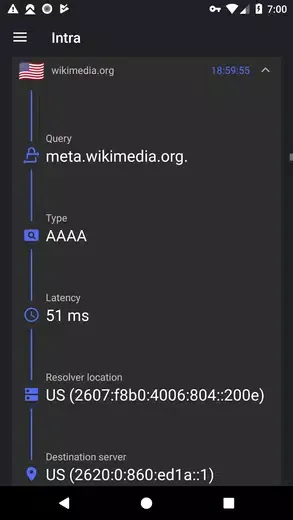
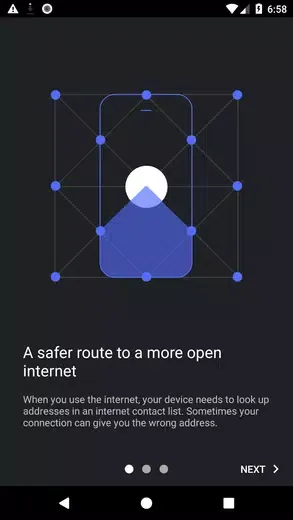
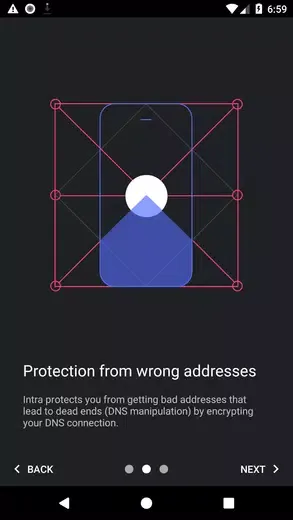
Intra is a security tool designed specifically for Android devices. It offers robust, tamper-resistant DNS encryption, enabling users to bypass DNS-based censorship and access a wide range of restricted websites. With Intra, users can easily access system-wide DNS protection with a single click through a simple and user-friendly interface, preventing network service providers or attackers from redirecting you to fake or invalid locations. It is important to note, however, that while this encryption prevents DNS queries from being tampered with or intercepted during transmission, it does not block all forms of online tracking.
Highlights:
Bypass DNS‑based censorship to reach blocked news and social apps.
Encrypt DNS queries with DNS‑over‑HTTPS to prevent tampering.
One‑tap, always‑on protection with minimal speed impact.
Privacy‑friendly design: no tracking of apps or visited sites.
Flexible provider choice and per‑app bypass when needed.
Features:
At this time, it's only compatible with the Cloudflare and Google DNS services, but future updates will add new services.
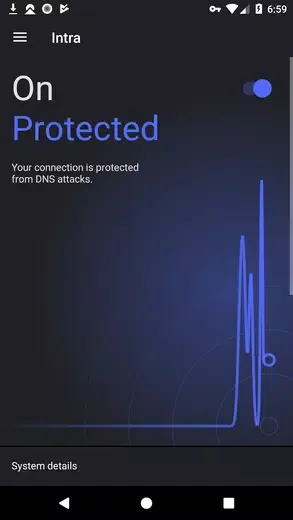
Once you've activated Intra, the app will protect your DNS and redirect it through a secure connection. This way, you can considerably reduce the possibilities of accessing a website you didn't mean to or having your browser get blocked or monitored.
Intra is a tool with some useful features and a simple and effective presentation. Any user can start to use it without any problems in a matter of seconds.
Tips and Tricks:
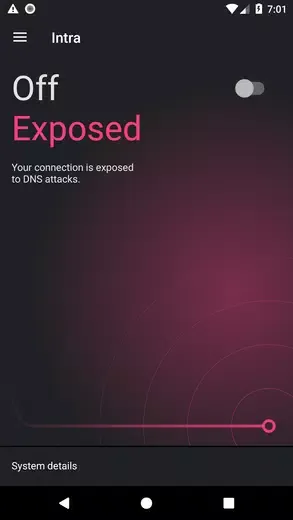
Open Intra and tap the main switch to turn protection on. When prompted, grant the VPN permission so Android can apply the DNS changes.
Keep the default DNS provider or tap Settings to choose a different resolver. You can select a preset or enter a custom URL from your organization.
Return to the main screen to confirm the connection is active. The status indicator shows whether encrypted DNS is currently in use.
If an app has trouble connecting, go to the per app settings and exclude that app. Test it again, then reenable protection for other apps.
Visit a site that previously failed to load to confirm access. If the issue remains, try switching DNS providers or check if the block is not DNS based.
Pros & Cons:
Pros
Effective against DNS tampering and basic censorship
Easy one‑tap setup and quick start
Minimal speed impact with no data caps
Privacy‑friendly and open source
Custom DNS and per‑app bypass support
Cons
Not a full VPN; other traffic unencrypted
Cannot defeat advanced IP or DPI blocking
Some apps may require per‑app disable
Final Words:
But the best part is that it is super easy to use. All you need to do is open the app, use the button on the main screen to activate it, and forget about it. Moreover, according to the app's developers, it does not slow your connection down or limit your use of data; you won't even notice you are using it. Additionally, this is an open-source project developed by Jigsaw. According to the company, its function is to offer users a safer way to access and navigate the Internet.
More Information
- Size:11.91MB
- Version:1.5.1
- Requirements:Android 5.0+
- Package Name:app.intra
- Signature:9f5f08e05992c3d1e3621879b8741cdc
Related topics
-
Transform your mobile device into a powerhouse of efficiency with these handpicked essential tools. Whether you need professional-grade photo editing, seamless file organization, smart task management, or real-time weather updates, our curated selection of premium apps delivers unbeatable performance. Streamline your daily routine, automate repetitive tasks, and boost your productivity with intuitive interfaces and powerful features. Designed for both professionals and casual users, these editor-approved applications will revolutionize how you work and play. Don't settle for an ordinary phone - upgrade your digital experience today and unlock your device's full potential!
-
![AyuGram]()
AyuGram
-
![GIPHY]()
GIPHY
-
![Kiren by F-Secure]()
Kiren by F-Secure
-
![Google Recorder]()
Google Recorder
-
![WiFi Master Key]()
WiFi Master Key
-
![Yoosee]()
Yoosee
-
![Droid Optimizer]()
Droid Optimizer
-
![Zalith Launcher]()
Zalith Launcher
-
-
With the development of mobile hardware and software, many practical tool software have emerged, covering a wide range of aspects and becoming a good helper for everyone in work and life. Today, the editor provides you with a list of useful tool software downloads. These tools are not particularly complex types, and after reading them, everyone can quickly learn how to use them. Proper use can bring great convenience to life and work.
-
![GIPHY]()
GIPHY
-
![Kiren by F-Secure]()
Kiren by F-Secure
-
![Google Recorder]()
Google Recorder
-
![WiFi Master Key]()
WiFi Master Key
-
![Zalith Launcher]()
Zalith Launcher
-
![MIUI Downloader]()
MIUI Downloader
-
![Vaulty]()
Vaulty
-
![Simple Scanner]()
Simple Scanner
-











Latest Updated







Popular Apps








Popular News
More+-
![Tomie Wants to Get Married Full Walkthrough, All Choices and Ending Guide]()
Tomie Wants to Get Married Full Walkthrough, All Choices and Ending Guide
2026-05-22
-
![Karryn’s Prison Gameplay Walkthrough & Strategy Guide]()
Karryn’s Prison Gameplay Walkthrough & Strategy Guide
2025-10-28
-
![Life in Santa County Game Guide & Complete Walkthrough]()
Life in Santa County Game Guide & Complete Walkthrough
2025-10-28
-
![Dreams of Desire Complete Walkthrough and Game Guide]()
Dreams of Desire Complete Walkthrough and Game Guide
2025-10-28
-
![Era Hunter Gameplay Guide & Full Walkthrough]()
Era Hunter Gameplay Guide & Full Walkthrough
2025-10-28




