
VlogNow
Download for Android This app is available for Android only.- Category:Photography
- Rating: 4.7
- Language:English
- Updated:2026-08-27
Screenshots
Introduction
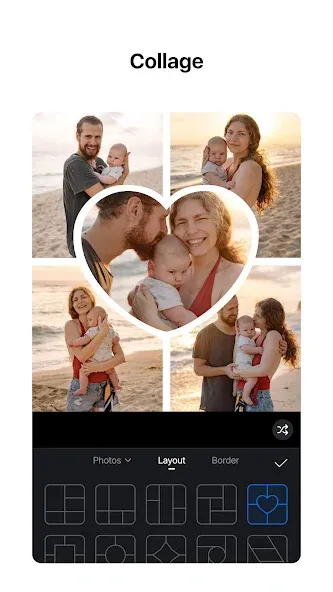
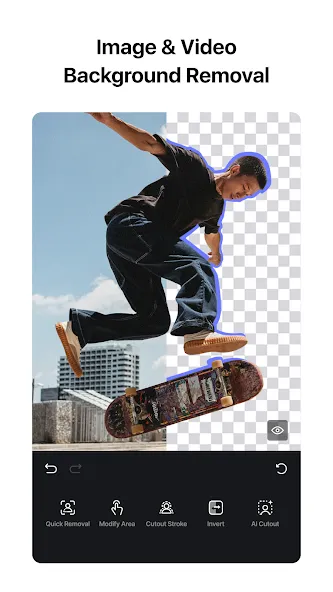
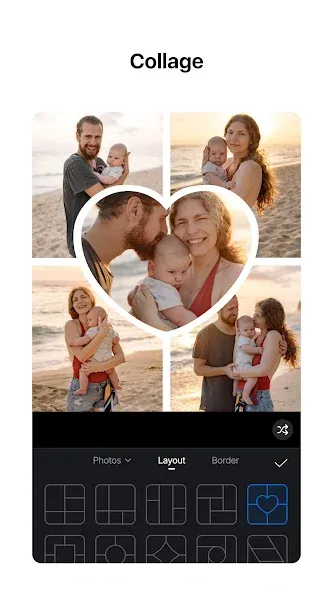
VlogNow is a photo and video editing software with numerous templates to choose from. With just a few clicks, users can collage photos into captivating stories and earn likes from other users. For editing, users can easily trim, overlay, and keyframe videos, adjust brightness, color, and saturation, and add filters, effects, transitions, and music to create high-quality video works. With the help of AI technology, users can generate corresponding video clips simply by inputting their ideas or uploading partial images and videos, saving time. Users can also upload their own created filters and templates for reuse or sharing, encouraging likes from others.
Features of VlogNow:
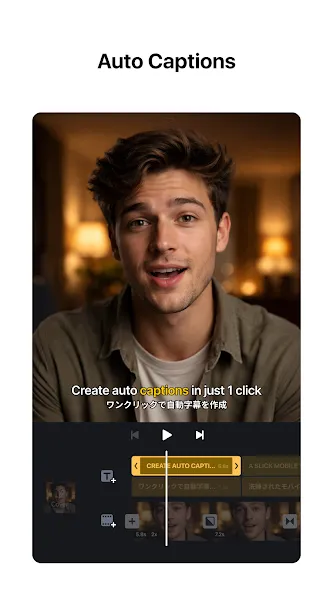
Titles, Subtitles, and On-Screen Text: VlogNow includes a robust subtitle and text system. You can add title cards at the beginning of your video, layer text over scenes, and keep separate subtitle tracks aligned with your audio.The editor lets you customize font, color, and size, so text can match your branding or the tone of the clip. Combined with voiceovers and music markers, this text system is useful for tutorials, vlogs, and any video where readable captions are a priority.
Saving, Exporting, and Sharing: Once your edit is finished, you can keep the project stored inside VlogNow or export the result as an MP4 video to your device’s gallery. One major advantage is that the app does not add a watermark to your exports, which is still relatively rare in free mobile editing tools.From there, you can share your video to major platforms such as YouTube, X, or Facebook using built-in options. VlogNow also offers its own social feed where you can publish short videos and browse what others have created, which can help spark ideas for your next project.
Performance, Stability, and Safety: Overall stability is generally solid, but there are some caveats. Several users note that recent updates have slowed the app compared to earlier versions. Preview playback in particular can stutter when scrubbing through clips, which makes timing fine edits slightly harder. Reported glitches are not constant, yet performance is an area where the app could improve.From a security standpoint, VlogNow is generally regarded as safe when obtained through reputable app stores. As with any tool that handles personal media and online sharing, you should stay mindful of what you upload and how you manage privacy settings.
Highlights of VlogNow:
Multi track timeline with precise control: VlogNow uses a timeline that lets you place video, images, text, and audio on separate tracks. You can reorder clips by dragging them and make fine timing changes down to 0.05 seconds. Edits are non destructive, so undo and redo returns you to earlier versions without losing work. This setup is friendly for beginners and still flexible for experienced editors, also known as VlogNow users.
Keyframing, speed curve, and advanced motion tools: You can animate properties with keyframes to control position, scale, opacity, and more across time. Speed Curve supports time remapping for smooth slow motion or ramped speed changes. Reverse, zoom, freeze frame, transitions, and picture in picture help you build sequences that match your storyboard. These tools work together, so you can combine motion with timing edits without switching apps.
Color grading with filters and LUT import: For color work, VlogNow includes filters for quick looks and supports LUT import in .cube format. This lets you apply consistent film style grading across multiple clips. You can adjust tone and color to balance different shots and keep a clean result. With LUTs and filters available, it is easier to match footage from various cameras.
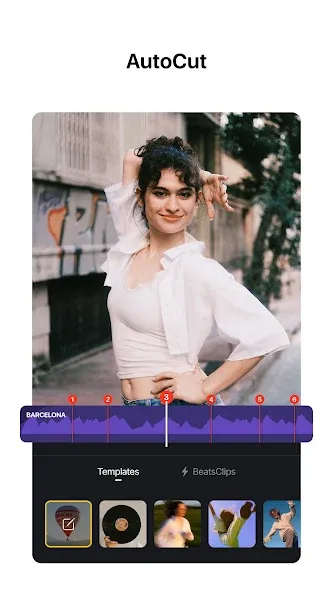
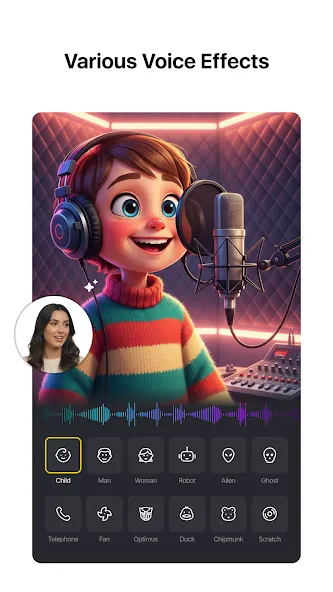
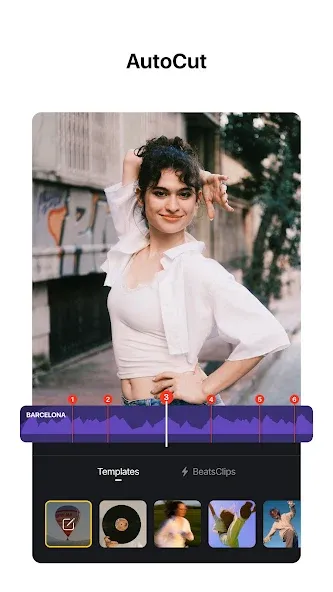
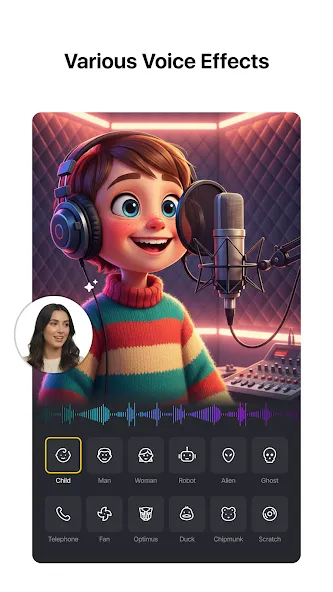
Audio tools and AI assisted text: VlogNow adds beat markers so you can align cuts to music without guessing. You can record voice over directly in the timeline and adjust levels to keep speech clear. Auto Text Caption converts speech to on screen text, which saves time on subtitles. Text to Speech offers multiple AI voices for narration, so you can produce drafts even when recording is not possible.
Materials, templates, export, and project protection: Import fonts and stickers through common channels such as WiFi, messaging apps, or zip files, then keep assets organized in the material library. Templates help you save and share repeatable edits for fast setup on new projects. When you export, VlogNow supports custom settings up to 4K at 60 FPS, and HDR workflows are available for supported footage. Protection Mode secures drafts and templates to reduce the risk of unwanted changes when collaborating.
User Reviews of VlogNow:
This is actually the best editor I have found, and thank god for that. So many were unavailable on mobile or had a watermark or like 'only 2 drafts for free'. I don't think I'll even need 100 drafts, lol. Now, I will say that the app is laggy, and I don't mean it in the way of, 'It will crash on me 30+ times for a 2 and 40 second video' I mean it as if you are using a lot of overlays it might take a moment to actually move to where you need it to, but that's the only thing. Love this so much!
Of the 256 apps on my phone, this is by far my favourite of all. Super easy to navigate, it's not ad intrusive, and you can make incredible videos with it! Best of all, it's absolutely free! It reminds me of a late 90s PC program. It's basic, but at the same time, packed with a heap of features! I've made a lot of corporate videos with it and use it everyday for my Amazon vine reviews. Absolutely love it! The devs have done a remarkable job with this app.
I like this editing app. Its better than the other ones and its pretty easy and nice to get around. I think it just needs some more options and, for some reason I cant move the slider on the FX tab? Dont know if its on my end but I am not too worried about it. I also like it because everything is not locked behind a paywall (pro) so please try not to put everything in pro (or add a standard mode that you have to pay for as well.)
I hope this helps everyone looking into this app! This app is amazing for video editing. It doesn't use AI unless you want it to, and they give you 100 free videos you can edit before having to buy anything. They allow you to fully try out the app, having everything unlocked. They have ads like every app, but I rarely see them (I've had maybe 2 since I had the app). I tried so many apps looking for something like this. Please don't change anything.
FAQs of VlogNow:
How should I add a photo or video that users need to replace?
Add the item using [Frame] under [Elements]. Media placed in a Frame is automatically selected as user-replaceable when you create the template, which makes the replacement setup faster and easier to review.
Why are Graphics not automatically selected as replaceable?
Graphics are normally treated as part of the template design, such as decorations, labels, or visual accents. Because they are usually intended to remain unchanged, VlogNow does not automatically select them as user-replaceable when the template is created.
When should I use Flow to create a template?
Use Flow when the template depends on a visual layout, such as a poster, collage, cover, invitation, grid, or multi-page design. You can build the structure with [Frame], [Layout], and [Grid], then let users replace the placeholder media with their own photos or videos. When you select [Make a video with VlogNow], the Flow design is converted into a video project that you can continue editing and publish as a VlogNow template.
Which BeatsClips option should I use?
Use [BeatsClips] > [From Music] when the template should follow a music track. Use [From Short Video] when you have an existing video or screen recording and want to recreate its timing.
How can I create a compact BeatsClips template for sharing?
Start with [BeatsClips] > [From Music], select a focused section of around 10 to 15 seconds, and add user-replaceable photos or videos with [Frame]. Avoid unnecessary media, layers, or beat points, then preview the template with replacement media before publishing.
Conclusion:
VlogNow, sharing videos to YouTube and other social media platforms is as easy as a few taps on your phone. Just edit the videos and directly share them on all social platforms such as Facebook, Instagram, and Twitter.
More Information
- Size:305.93MB
- Version:2.18.0
- Requirements:Android
- Votes:388
- Package Name:com.frontrow.vlog
- Signature:a556375331ff8105b3b5e256a6614e2e
Related Versions



Related topics
-
AI Photo Editing Apps - encompassing both image generation and enhancement tools - utilize cutting-edge machine learning algorithms to produce, refine, or transform visuals using text prompts, uploaded images, or artistic preferences. These powerful applications are reshaping digital art, photography, and media production by streamlining sophisticated processes such as professional-grade retouching, artistic style replication, and completely AI-generated artwork. By combining automation with creative control, they empower users to achieve stunning results with unprecedented speed and precision.
-
![Perfect Me]()
Perfect Me
-
![SnapEdit]()
SnapEdit
-
![VIMAGE]()
VIMAGE
-
![VlogNow]()
VlogNow
-
![Lightroom]()
Lightroom
-
![Adobe Lightroom]()
Adobe Lightroom
-
![FaceApp Pro]()
FaceApp Pro
-
![AI Mirror AI Art Photo Editor]()
AI Mirror AI Art Photo Editor
-
-
Transform your smartphone into a powerful editing studio with the best video editing apps for Android! Whether you're a content creator, social media enthusiast, or just looking to polish personal videos, these apps offer professional-grade tools right at your fingertips. Enjoy intuitive interfaces, advanced features like multi-track editing and filters, and seamless exporting options - all optimized for mobile devices. Download now and start creating stunning videos anytime, anywhere!
-
![Funimate]()
Funimate
-
![Beat.ly]()
Beat.ly
-
![VlogNow]()
VlogNow
-
![Dream Face]()
Dream Face
-
![VN - Video Editor & Maker]()
VN - Video Editor & Maker
-
![Faceplay Face Swap Video]()
Faceplay Face Swap Video
-
![NodeVideo]()
NodeVideo
-
![Edits Video Editor]()
Edits Video Editor
-
-
Video Editor is a powerful software tool designed for crafting, refining, and enhancing video content. It enables users to transform raw footage into compelling visual narratives or effective communication platforms. As digital media continues to evolve, video editing has grown in significance - no longer just a professional necessity but also an accessible skill for everyday creators. Modern editing tools now offer intuitive interfaces, AI-powered features, and cross-platform compatibility, making high-quality video production achievable for both experts and casual users alike.
-
![Vidmix]()
Vidmix
-
![Funimate]()
Funimate
-
![VlogNow]()
VlogNow
-
![Vivavideo]()
Vivavideo
-
![Faceplay Face Swap Video]()
Faceplay Face Swap Video
-
![NodeVideo]()
NodeVideo
-
![Edits Video Editor]()
Edits Video Editor
-
![Storybeat]()
Storybeat
-

















Latest Updated



Popular Apps








Popular News
More+-
![Tomie Wants to Get Married Full Walkthrough, All Choices and Ending Guide]()
Tomie Wants to Get Married Full Walkthrough, All Choices and Ending Guide
2026-05-22
-
![Karryn’s Prison Gameplay Walkthrough & Strategy Guide]()
Karryn’s Prison Gameplay Walkthrough & Strategy Guide
2025-10-28
-
![Life in Santa County Game Guide & Complete Walkthrough]()
Life in Santa County Game Guide & Complete Walkthrough
2025-10-28
-
![Dreams of Desire Complete Walkthrough and Game Guide]()
Dreams of Desire Complete Walkthrough and Game Guide
2025-10-28
-
![Era Hunter Gameplay Guide & Full Walkthrough]()
Era Hunter Gameplay Guide & Full Walkthrough
2025-10-28




