

Luminar
Download for Android This app is available for Android only.- Category:Photography
- Rating: 4.6
- Language:English
- Updated:2026-10-03
Screenshots
Introduction
Luminar is a photo editing tool designed for Android devices that is incredibly easy to use. Its built-in AI features create a user-friendly experience, offering capabilities such as skin smoothing, blemish removal, and facial feature enhancement for portraits. The app supports exporting photos in various formats and includes an extensive library of filters covering a wide range of themes. Users can fine-tune images using precise adjustment tools for contrast, saturation, and clarity. Luminar is free to download and utilizes multiple AI-driven features to help users quickly achieve their desired results; whether you are a beginner, an experienced editor, or someone with no prior technical expertise, you can easily edit and enhance your images.
Features
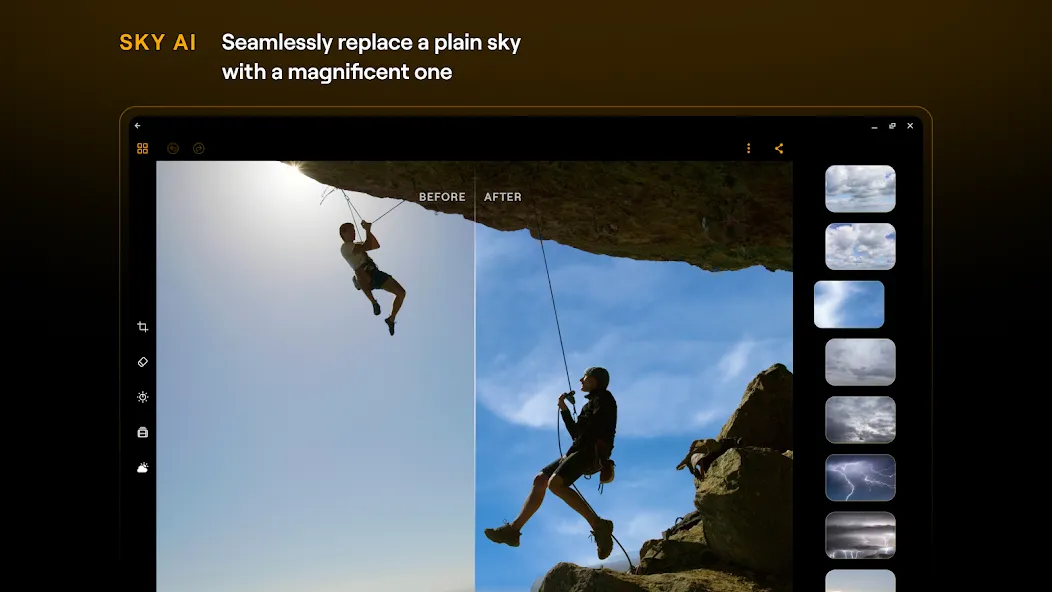
Smart AI Sky Replacement: Instantly swap a gloomy sky for a magnificent sunset or a brilliant blue horizon with just one click. AI automatically masks the horizon for seamless blending.
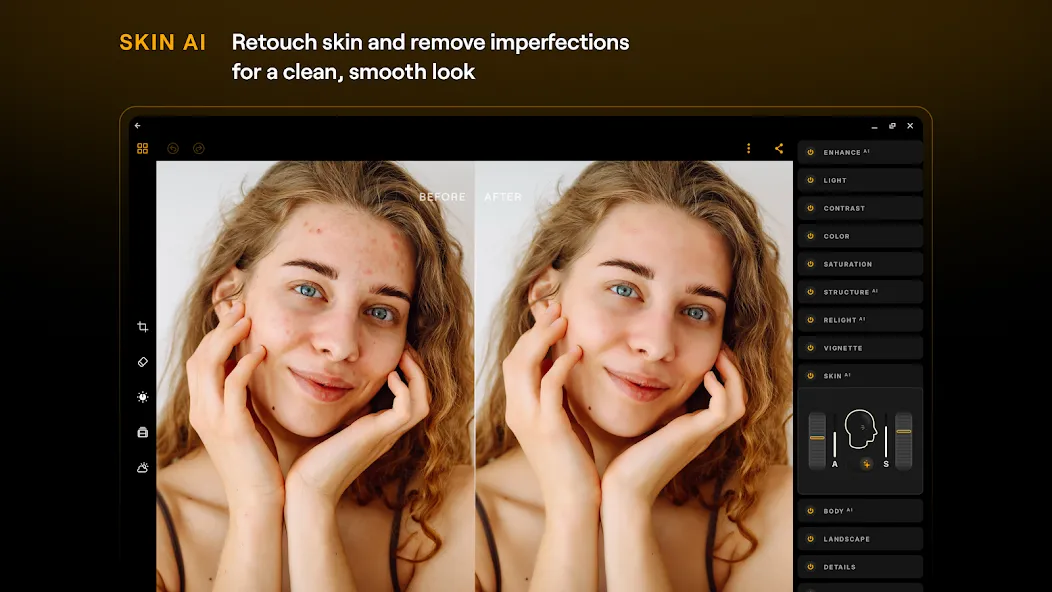
Flawless Skin Retouching: Create studio-quality portraits using advanced retouching tools to smooth skin, remove blemishes, and naturally enhance facial features.
Professional Lighting Control: Take command of the lighting in every photo. Adjust exposure, shadows, and highlights, or re-light the scene to simulate a professional studio environment.
Full RAW Support: Edit with the highest quality. Our app supports RAW files, ensuring you preserve every detail, dynamic range, and color nuance captured by your camera's sensor.
Extensive Creative Filter Library: Access a vast collection of stylized filters and artistic effects covering diverse themes to discover your unique visual aesthetic.
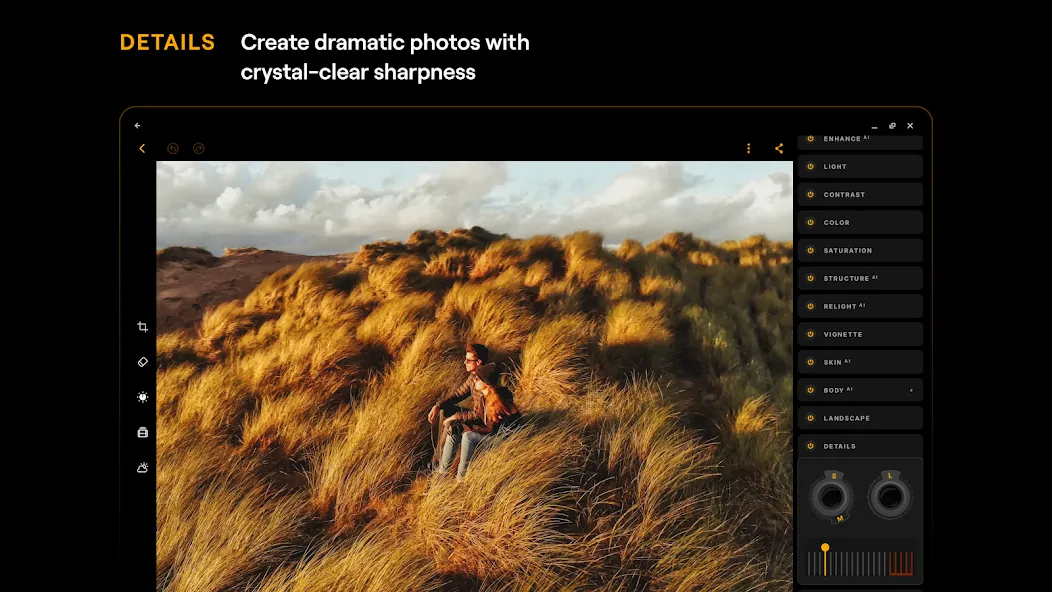
Precision Adjustment Tools: Fine-tune your images using professional-grade sliders for contrast, saturation, sharpness, and color temperature.
FAQS
Q: Is it free to use?
A: The app offers some free features, but advanced tools require a subscription or a lifetime license.
Q: Can I use Luminar on Chromebooks?
A: Yes, the app is optimized for both Android and ChromeOS with Android Runtime support.
Q: Does the app support RAW files?
A: Yes, Luminar allows you to edit RAW images directly on your device for maximum quality.
Q: How can I cancel my subscription?
A: You can manage and cancel subscriptions anytime from your Google Play Account Settings.
Advantages
EnhanceAI — improve color, tone, and clarity with one slider
SkyAI — realistic sky replacement for dramatic photography edits
RelightAI — rebalance lighting and exposure after the photo is taken
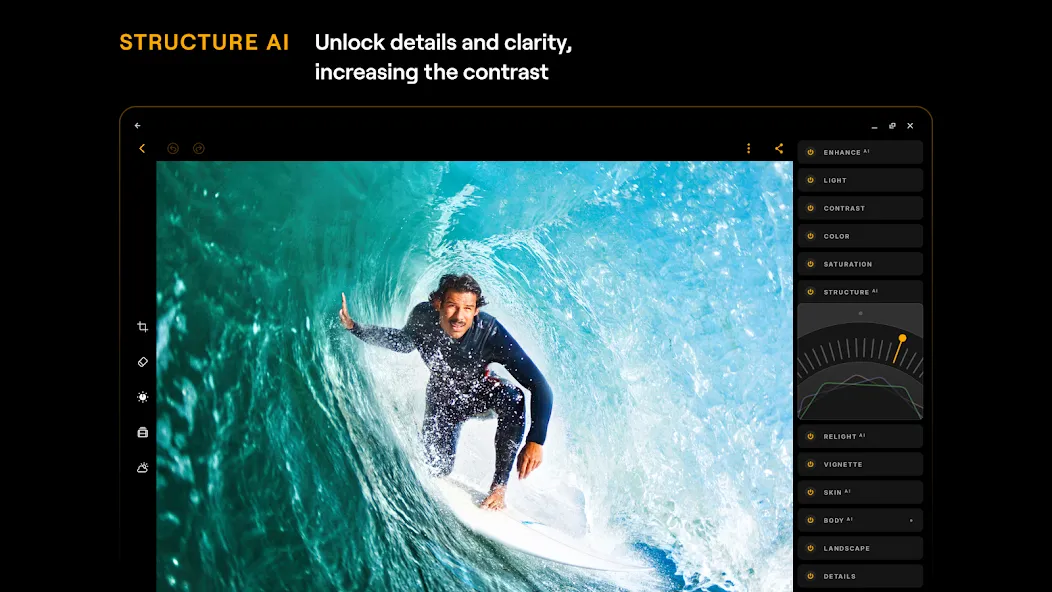
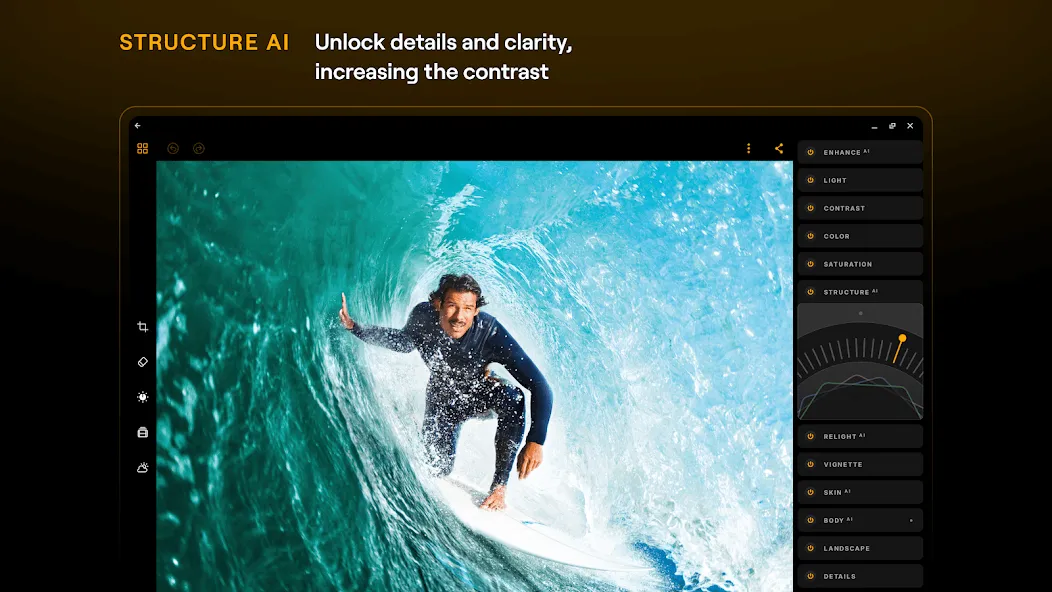
StructureAI — enhance texture, details without harsh sharpening
SkinAI — smooth skin, remove blemishes, acne, and wrinkles naturally
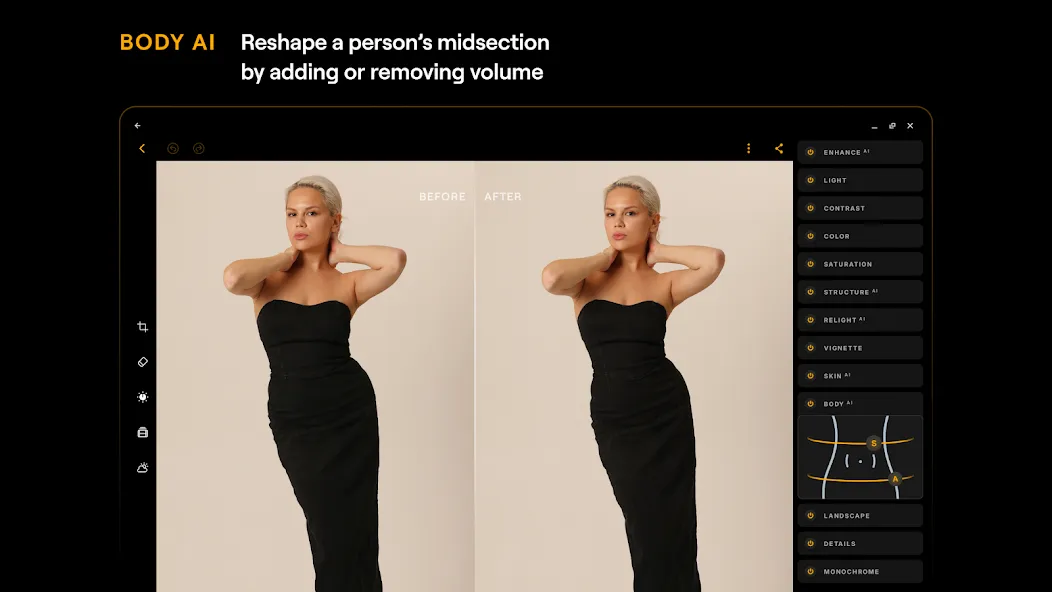
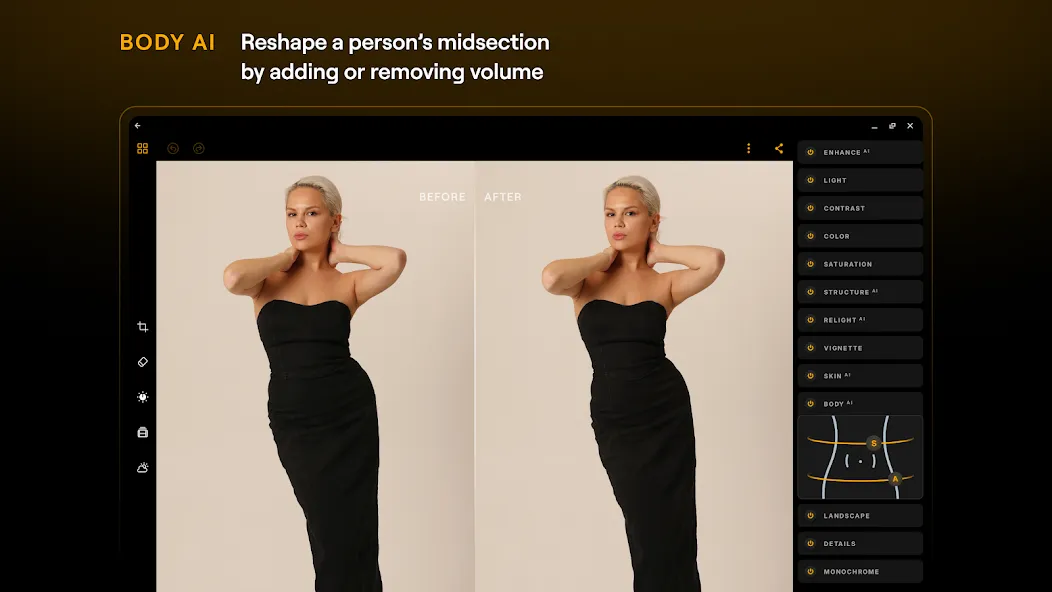
BodyAI — subtly reshape body proportions for realistic photo retouching
User comments
I had a problem with my App not working on Android after an update and reached out to the developer, and I'm delighted to say they responded quickly, kept me informed and provided a newer version on Google Play to fix the issue. Brilliant customer service and I'm so pleased this App is working again. It's fabulous for photo editing in fact it's now the only one I use on my phone and the results are great! Thank you for resolving so quickly.
Luminar has a really nice range of editing tools. I especially like how the AI features make it easier to enhance lighting, colors, and details without having to adjust everything manually. The interface feels modern, and there are enough advanced options for more detailed photo editing too.
There's a lot to this app and that's the amount that just might be able to put Lightroom under the table. After purchasing the lifetime app I really started diving into the ins and outs of light, color, contrast and filtering. I noticed that the saturation is very strong in this app and if you're not careful it can be a bit overwhelming as the color will truly saturate. I would honestly recommend that anybody on any level of photography use this program for truly magnificent results.
Summarize
Luminar delivers an all-in-one solution for photo editing and enhancement, designed specifically for Android and ChromeOS users. With its intuitive interface and AI-powered tools, it transforms the editing process into a seamless and highly creative experience. Tailored for anyone from beginners to more seasoned editors, Luminar allows you to refine your images with ease, offering precise adjustments and smart automation.
More Information
- Size:171.46MB
- Version:3.2
- Requirements:Android 11+
- Votes:554
- Package Name:com.skylum.luminar
- Signature:317732467a06a20a88b118c1533aa7e7

Related topics
-
Welcome to our image editing apps! Perfect for beginners and pros alike, they make photo enhancement easy. Use PicsArt to crop, adjust colors, and apply filters. Remove backgrounds instantly with Remove.bg. Get creative with layers and advanced tools on Adobe Photoshop Express. Start transforming your images today!
-
![LoFi Cam]()
LoFi Cam
-
![Bleach Bypass]()
Bleach Bypass
-
![Luminar]()
Luminar
-
![WOMBO Dream]()
WOMBO Dream
-
![Snapster]()
Snapster
-
![Autodesk Pixlr]()
Autodesk Pixlr
-
-
Visuals serve as a primary gateway for players to engage with games, where distinctive art direction immediately captures attention and creates lasting impressions. An unconventional aesthetic not only stands out in crowded markets but also enhances immersion and emotional connection. When executed with creativity and polish, striking visuals elevate gameplay into a memorable artistic experience. That's why titles with truly exceptional art styles deserve recognition - they offer both visual delight and meaningful interactive expression that resonates with players long after the session ends.
-
![HD Camera]()
HD Camera
-
![Scrolling Text Banner]()
Scrolling Text Banner
-
![Bleach Bypass]()
Bleach Bypass
-
![Luminar]()
Luminar
-
![Love Text Pics]()
Love Text Pics
-
![B612]()
B612
-
-
AI Photo Editing Apps - encompassing both image generation and enhancement tools - utilize cutting-edge machine learning algorithms to produce, refine, or transform visuals using text prompts, uploaded images, or artistic preferences. These powerful applications are reshaping digital art, photography, and media production by streamlining sophisticated processes such as professional-grade retouching, artistic style replication, and completely AI-generated artwork. By combining automation with creative control, they empower users to achieve stunning results with unprecedented speed and precision.
-
![AI Anime]()
AI Anime
-
![Prompt Seen]()
Prompt Seen
-
![Luminar]()
Luminar
-
![WOMBO Dream]()
WOMBO Dream
-
![ReLens Camera]()
ReLens Camera
-
![Pic Collage]()
Pic Collage
-
![Bigjpg]()
Bigjpg
-










Latest Updated






Popular Apps








Popular News
More+-
![Tomie Wants to Get Married Full Walkthrough, All Choices and Ending Guide]()
Tomie Wants to Get Married Full Walkthrough, All Choices and Ending Guide
2026-05-22
-
![Karryn’s Prison Gameplay Walkthrough & Strategy Guide]()
Karryn’s Prison Gameplay Walkthrough & Strategy Guide
2025-10-28
-
![Life in Santa County Game Guide & Complete Walkthrough]()
Life in Santa County Game Guide & Complete Walkthrough
2025-10-28
-
![Dreams of Desire Complete Walkthrough and Game Guide]()
Dreams of Desire Complete Walkthrough and Game Guide
2025-10-28
-
![Era Hunter Gameplay Guide & Full Walkthrough]()
Era Hunter Gameplay Guide & Full Walkthrough
2025-10-28




