

LumaFusion Pro
Download for Android This app is available for Android only.- Category:Photography
- Rating: 4.7
- Language:English
- Updated:2026-10-02
Screenshots
Introduction
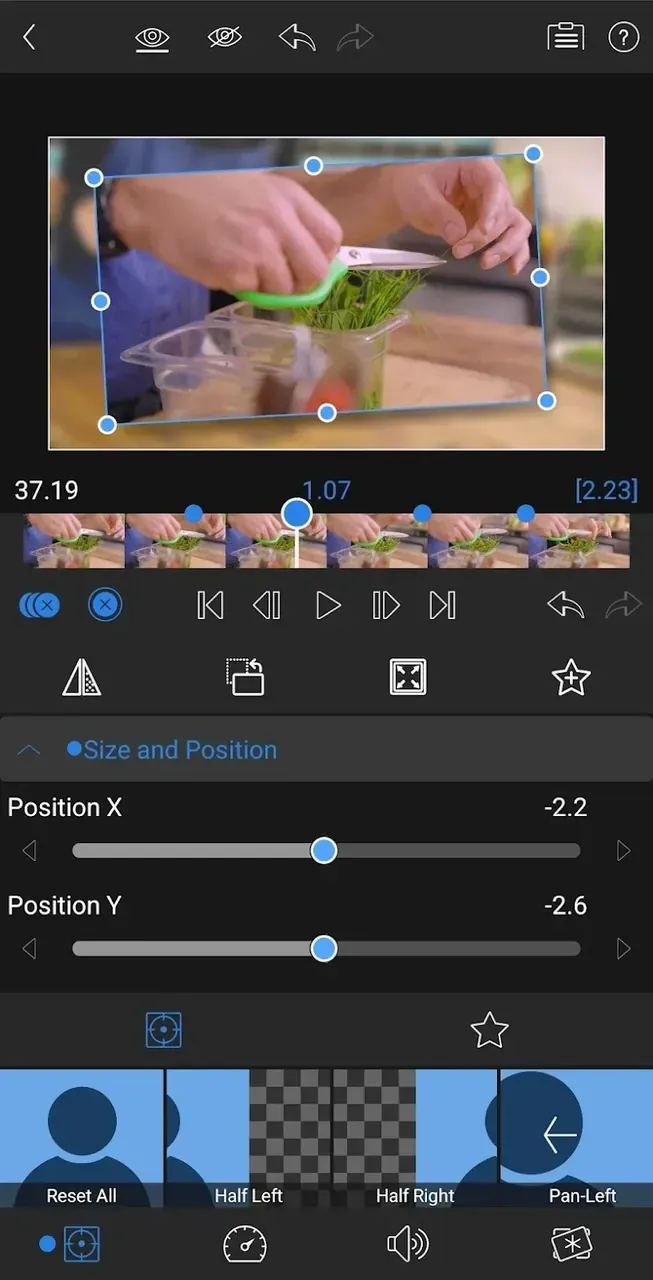
LumaFusion Pro is a user-friendly video editing tool that allows you to import video files in various formats and adjust parameters such as color, brightness, and image composition. You can enhance your videos with keyframe animations, stylized filters, special effects, music, and subtitles to create impressive content, then easily export it to your device or social media platforms. The software offers even more capabilities; for instance, you can use the built-in equalizer to fine-tune audio—enhancing vocals and sound effects—to meet diverse creative needs. Furthermore, the software is continuously updated and optimized, with new editing tools and assets regularly released to keep the experience fresh and exciting for users.
Features of LumaFusion Pro:
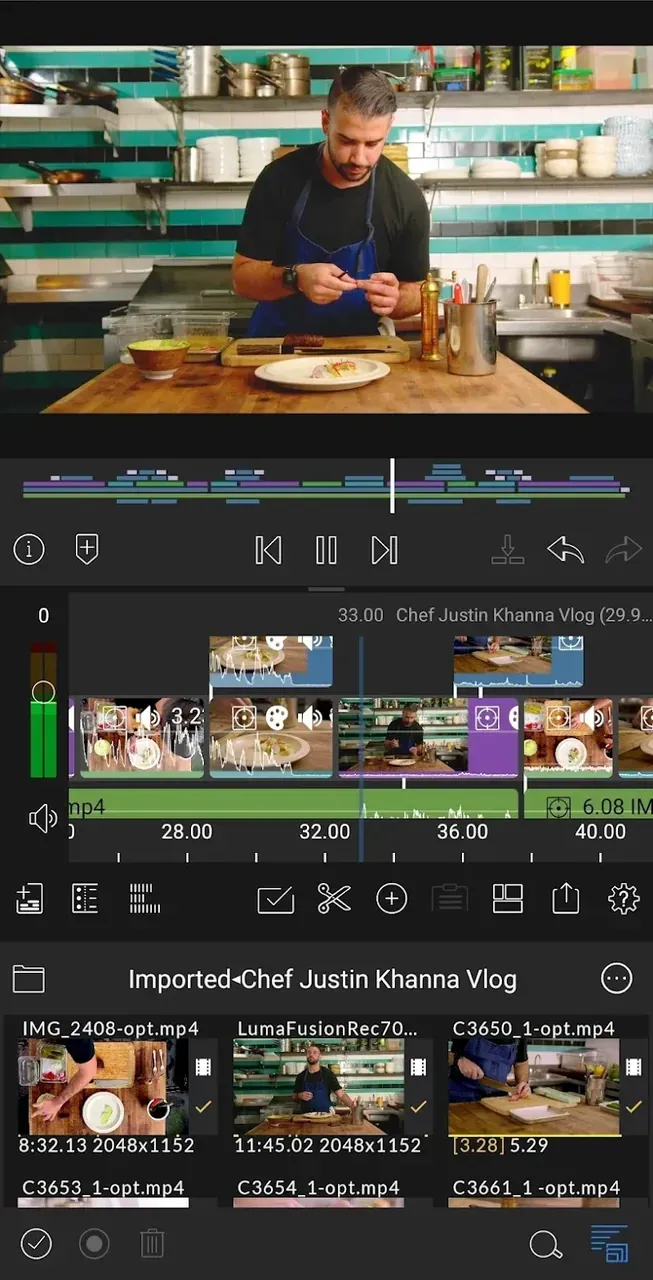
Professional Multi-Track Editing: Utilize up to 6 video and audio tracks for complex layering, plus 6 additional audio tracks for professional sound design, music beds, and voiceovers.
Advanced Color Grading & LUT Support: Access a full suite of color correction tools. Use built-in presets or import custom .cube or .3dl LUTs to achieve that perfect cinematic aesthetic for your footage.
Flexible Media Management: Easily organize and access media from your internal storage, cloud services like Google Drive and Dropbox, or even directly from external SSDs.
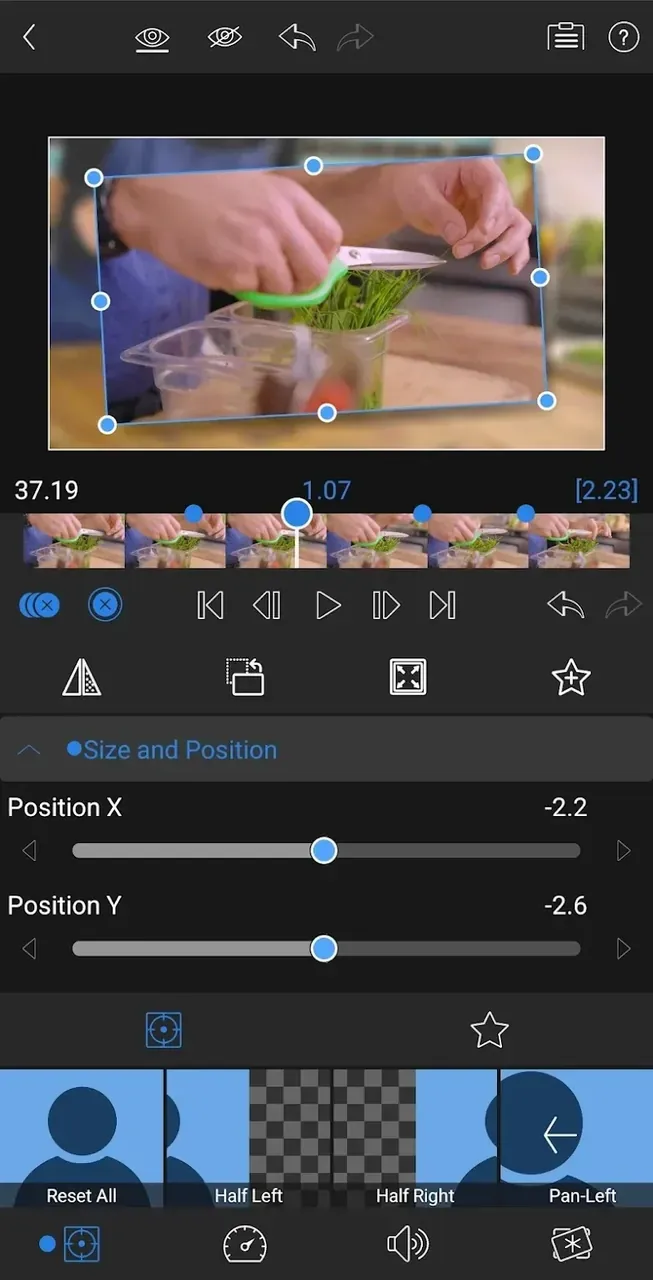
Precise Keyframe Animation: Animate any property—from position and scale to opacity and effects—with total precision using the dedicated keyframe editor for fluid, professional motion.
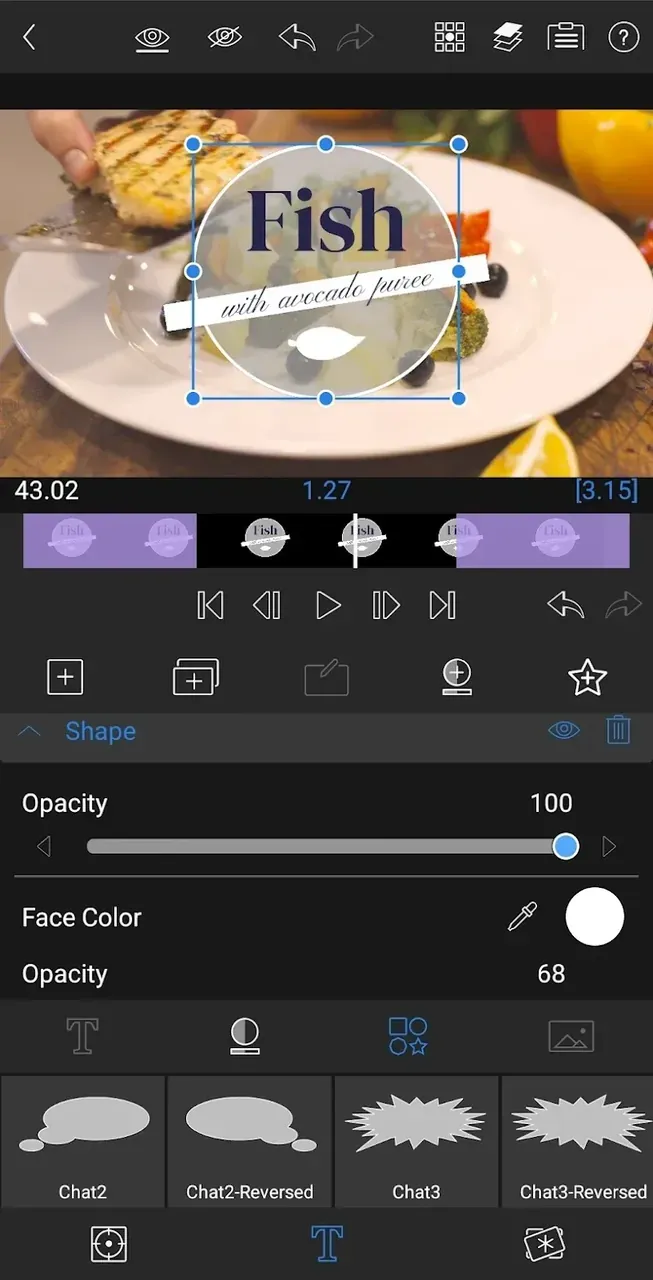
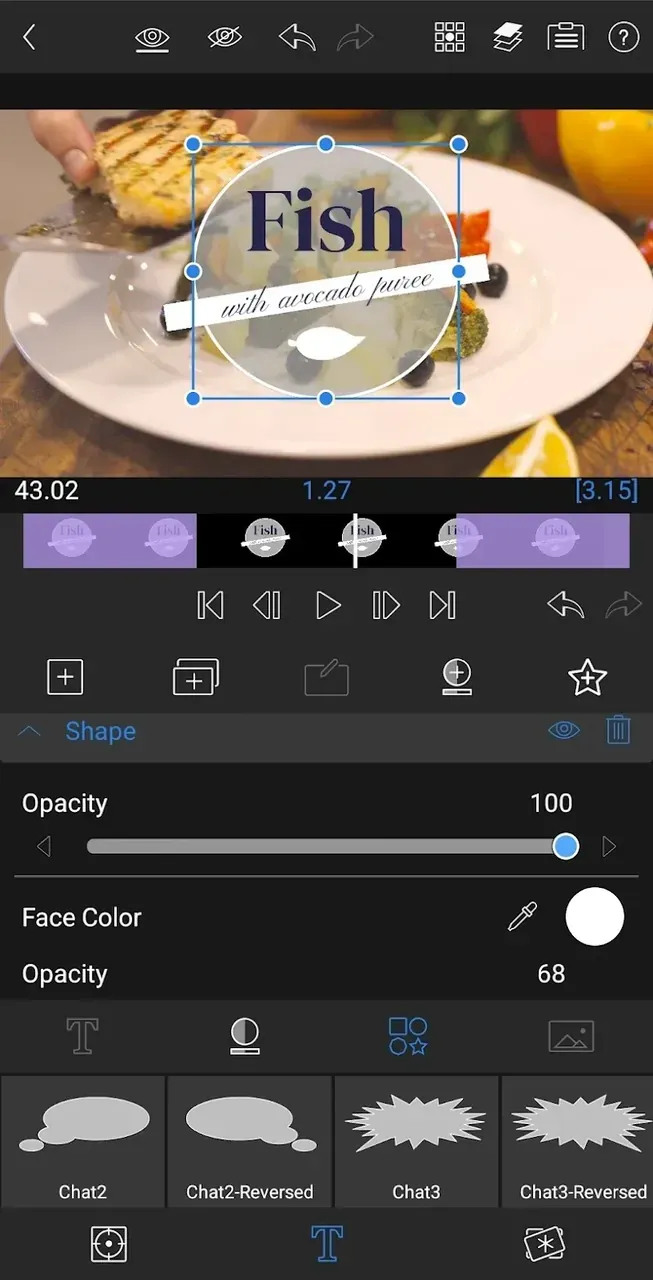
Sophisticated Titling & Graphics: Create multi-layer titles with custom fonts, shapes, and images. Import your own brand assets to ensure every video reflects your unique style.
High-Performance Exporting: Share your projects in up to 4K resolution at various frame rates (up to 60fps) and high bitrates, ensuring your content is optimized for YouTube, Instagram, or the big screen.
Functions of LumaFusion Pro:
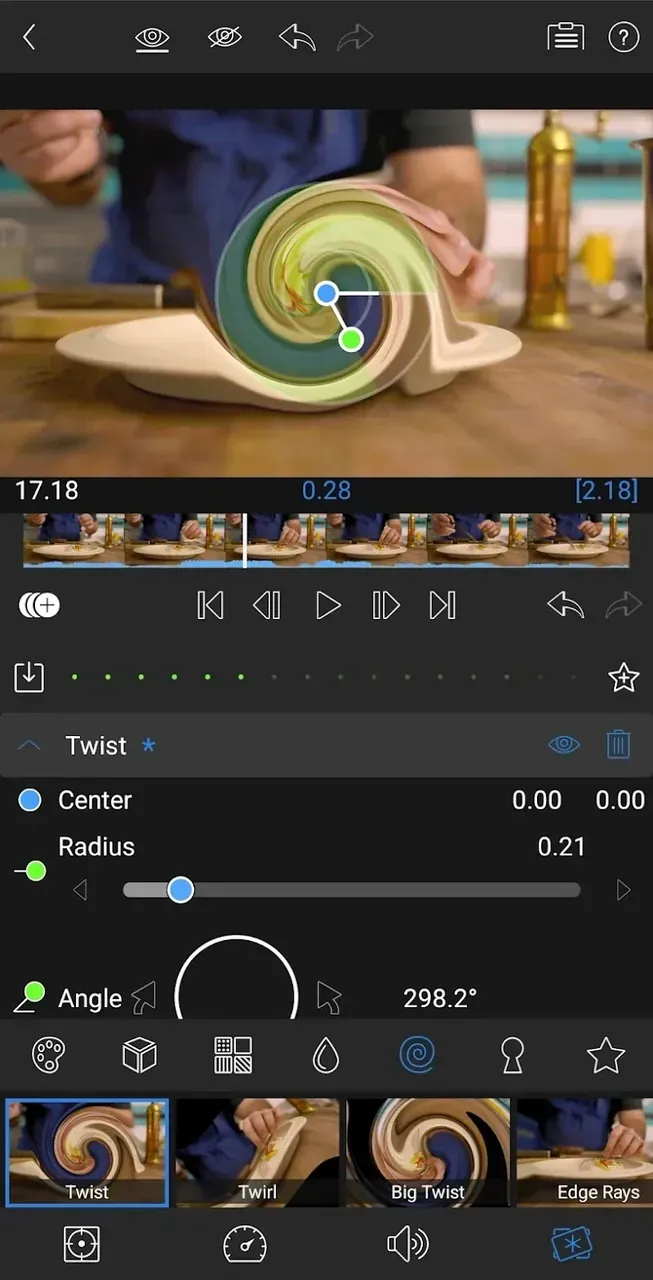
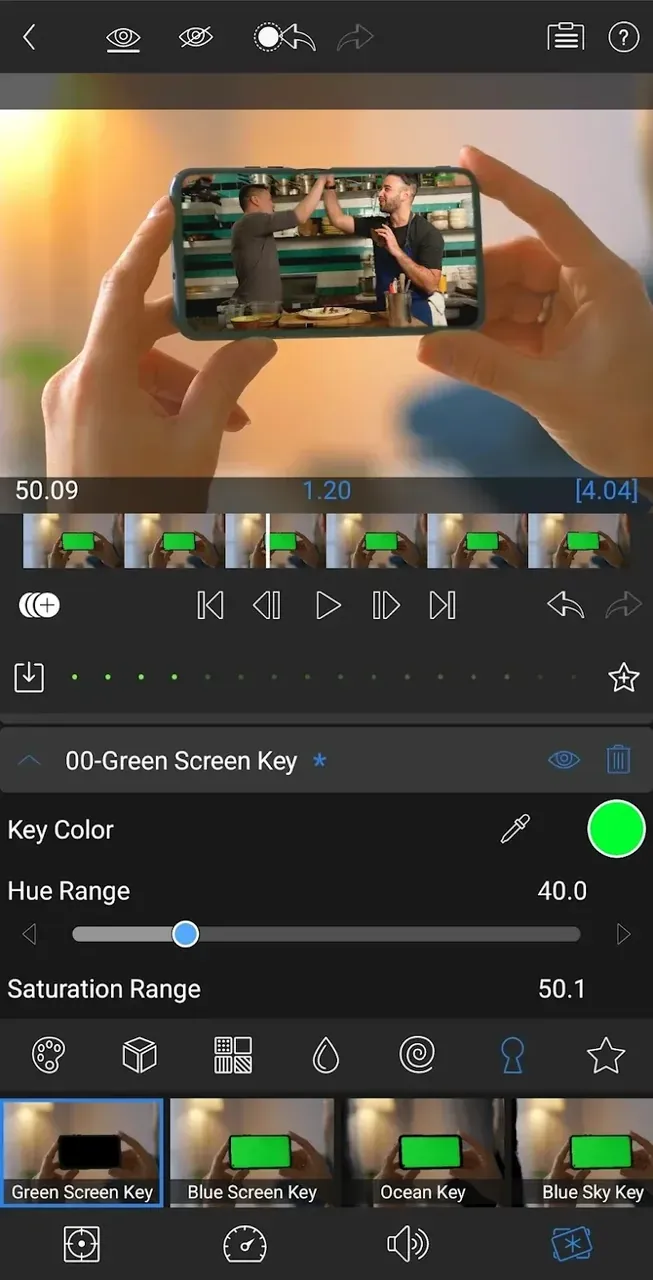
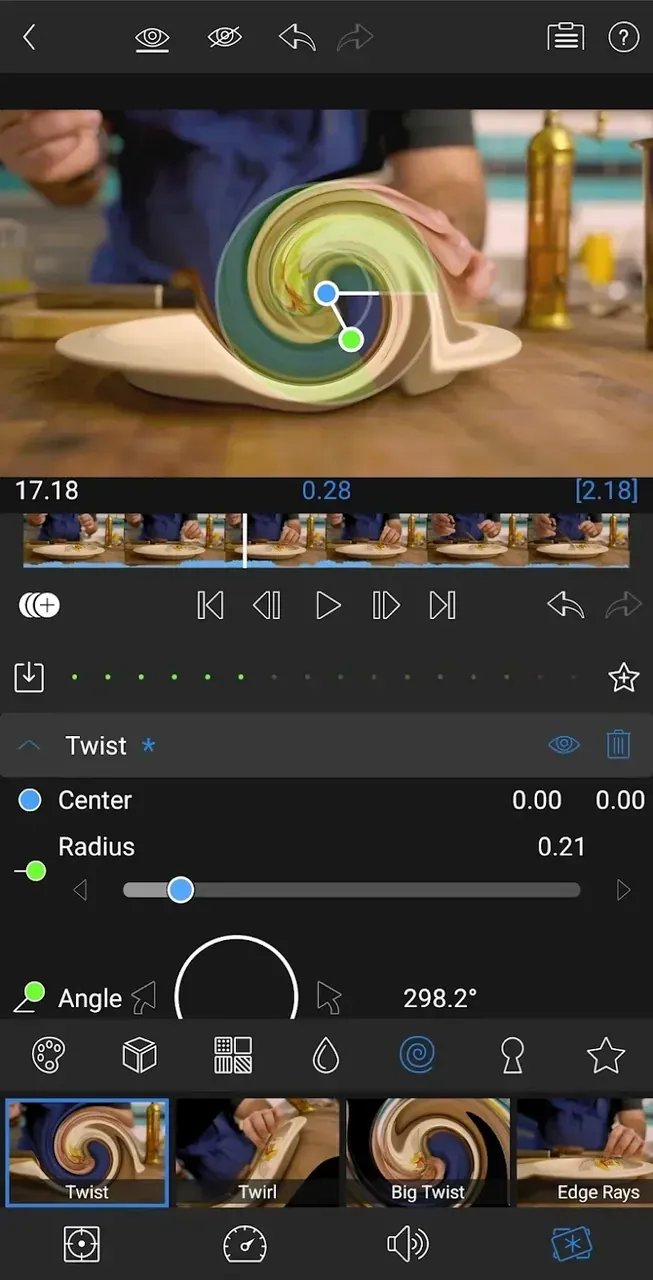
Vast Library of Effects and Transitions: Enhance your videos with a wide range of built-in effects, transitions, and animations. From simple fades to complex transformations, LumaFusion Pro provides tools that cater to diverse editing needs.
Advanced Color Correction: Achieve cinematic quality with the app’s comprehensive color grading options. Adjust brightness, contrast, saturation, and apply LUTs (Look-Up Tables) to give your videos a professional finish.
Frame Rate Options: Choose from multiple frame rates to match your footage and achieve the perfect look for your videos. LumaFusion Pro supports different frame rates, making it suitable for any project.
Audio Mixing and Editing: LumaFusion Pro allows for multi-layer audio tracks and offers an array of audio editing features including audio keyframing, EQ, and effects. Whether you want to add a soundtrack, adjust levels, or fine-tune sound effects, this app has you covered.
Powerful Media Management: Import and organize your media files with ease. The app supports a variety of file types, enabling users to work with videos, images, and audio from different sources, including cloud storage services.
User Reviews of LumaFusion Pro:
Wherever you are on your filmmaking journey, LumaFusion meets you there. This multitrack video editor offers pros the features rarely found in an iPad app, all accessible through an intuitive touch interface that even beginners can get the hang of.
I’ve had the iPhone 8 since it came out and I’ve enjoyed using LumaFusion to take advantage of the 4K 60fps videos I’ve captured. I’ve tried all the other editing apps out and nothing is comparable to what LumaFusion offers. I can’t afford computer programs to edit my videos and this app was well worth the cost. I mostly enjoy how organized and simple they keep their vast editing options. Ever since switching to LumaFusion, I’ve really grown my hobby and passion in video editing, mainly because I have the freedom to create what I want. My video hobby has led me to upgrading to the iPhone 12pro camera benefits. However the app could use some improvements. It would be nice to see more transitions. Also opening up verified/ partnered third-party add-ons could improve the app on its own (ex. Transitions, Text fonts, effects, etc). Also the iPhone 12 pro line up now records Dolby vision videos and I’m sure future iPhones will be doing the same, likely with higher FPS. That being said, it would be great to see LumaFusion incorporate specific Dolby vision editing into their app. I’m not knowledgeable in how that works, but it would be cool being able to break down a Dolby vision video and see what’s behind the new technology. That being said, I’d be willing to pay an extra $5 bundle to access that kind of editing software. I’m also curious if LumaFusion could offer any low light LiDAR post production benefits. Aside from the lack of transitions, third-party add-ons, and Apple’s new technology, LumaFusion remains a top-tier editing software in the palm of your hand.
This app is powerful, the amount of stuff you can do on it still surprises me, and I’ve had it for a little over 2 years. I find Luma easy to use and fun to work with, I’ve even done stuff on Luma that you wouldn’t even think of doing on just a video editing app. I have used it for editing photos, compressing videos for faster transferring speeds, I even pared it up with Procreate and made a cool little cartoon animation! It’s truly powerful.If I were to recommend something to the creators of Luma Fusion I would say if you guys can add more editing layers. 6 layers for video plus another 6 for audio is good enough for a high quality edit, but if you figured out a way to add double or even triple the amount for just the video side, you would by far would have the most powerful editing software for iOS and iPad OS. With that many editing layers you can make complex animations with great quality. I understand the limitations of older iPhones and iPads but if you made it a feature for the M1 and M2 lineup of iPads, you would be far ahead of any video editing software on the AppStore platform. Anyways thank you for making a really solid video editing software!
FAQs of LumaFusion Pro:
How do I log out of YouTube in LumaFusion Pro?
To log out of YouTube in LumaFusion Pro, select the button at the bottom-right corner of the Movie Info (YouTube) export menu. This will be the best method if the desire is to only sign out of YouTube without having to reset to default settings.
Should I delete and reinstall my LumaFusion Pro app if there there is a problem?
If you can't open LumaFusion Pro or if you are having other issues, do not delete the app. Deleting the app will delete all of the projects. If you don’t have them backed up anywhere, you will lose everything. If you are having issues with LumaFusion Pro, please contact us by using the Email Support button below.
What steps should I take if my projects disappear?
If you have deleted the app and reinstalled it, all data in LumaFusion Pro, including projects, will be deleted. The only way to recover in this case is to restore from a backup of your iOS device. This article from Apple describes how to restore a backup.If you haven't deleted the app, we have found that sometimes this can happen if your iOS device storage is nearly full. Your projects aren't really gone in this case. The following steps will usually resolve the problem:Free up as much storage as possible. Restart your iOS device.Restart LumaFusion Pro.Import a Project Backup using the Project Manager.
Why am I seeing a "Cannot Verify LumaFusion Pro Purchase" message?
If you are encountering an “Unable to Verify Purchase” message when attempting to export, we suggest updating to the latest versions of your operating system and LumaFusion Pro (if needed). This was a previously known issue that has since been fixed, and ensuring that your device is fully updated should prevent the message from reoccuring.
Final words:
Whether you're a professional video editor or simply looking to create high-quality videos for personal use, Lumafusion Pro is the perfect mobile application. Its powerful features and intuitive design make video editing simple, fast, and easy. Download it to create irresistible content now.
More Information
- Size:36.14MB
- Version:4
- Requirements:Android 4.0+
- Votes:149
- Package Name:com.luma.fusion.video.maker
- Signature:4c00806bbfec7ebafed5c1880f59f954
Related Versions
-
 Download
Version:1.0.68.4Size:55.1MB
Related topics
-
Transform your smartphone into a powerful editing studio with the best video editing apps for Android! Whether you're a content creator, social media enthusiast, or just looking to polish personal videos, these apps offer professional-grade tools right at your fingertips. Enjoy intuitive interfaces, advanced features like multi-track editing and filters, and seamless exporting options - all optimized for mobile devices. Download now and start creating stunning videos anytime, anywhere!
-
![Scrolling Text Banner]()
Scrolling Text Banner
-
![Movie Booth FX-special effects]()
Movie Booth FX-special effects
-
![C Template]()
C Template
-
![Reels & Story Maker Storybeat]()
Reels & Story Maker Storybeat
-
![Lomotif]()
Lomotif
-
![Flipagram]()
Flipagram
-
![LumaFusion Pro]()
LumaFusion Pro
-
-
Video Editor is a powerful software tool designed for crafting, refining, and enhancing video content. It enables users to transform raw footage into compelling visual narratives or effective communication platforms. As digital media continues to evolve, video editing has grown in significance - no longer just a professional necessity but also an accessible skill for everyday creators. Modern editing tools now offer intuitive interfaces, AI-powered features, and cross-platform compatibility, making high-quality video production achievable for both experts and casual users alike.
-
![C Template]()
C Template
-
![Lomotif]()
Lomotif
-
![Flipagram]()
Flipagram
-
![LumaFusion Pro]()
LumaFusion Pro
-
![Prisma]()
Prisma
-
![MSQRD]()
MSQRD
-
![Gore Scrolling]()
Gore Scrolling
-
![YouCut]()
YouCut
-
-
Mobile video editing tools are highly popular, with complete functions and professional tools that provide a strong atmosphere for various materials. Rich video templates can be operated with just one click, saving time and without too high a threshold. So what are the free versions of mobile video editing software? Editing software should have high popularity, but most of them require membership. Next, I recommend several platforms that can be used for free.
-
![C Template]()
C Template
-
![Lomotif]()
Lomotif
-
![LumaFusion Pro]()
LumaFusion Pro
-
![Prisma]()
Prisma
-
![MSQRD]()
MSQRD
-
![YouCut]()
YouCut
-
![Video.Guru]()
Video.Guru
-
![Vidmix]()
Vidmix
-










Latest Updated







Popular Apps








Popular News
More+-
![Tomie Wants to Get Married Full Walkthrough, All Choices and Ending Guide]()
Tomie Wants to Get Married Full Walkthrough, All Choices and Ending Guide
2026-05-22
-
![Karryn’s Prison Gameplay Walkthrough & Strategy Guide]()
Karryn’s Prison Gameplay Walkthrough & Strategy Guide
2025-10-28
-
![Life in Santa County Game Guide & Complete Walkthrough]()
Life in Santa County Game Guide & Complete Walkthrough
2025-10-28
-
![Dreams of Desire Complete Walkthrough and Game Guide]()
Dreams of Desire Complete Walkthrough and Game Guide
2025-10-28
-
![Era Hunter Gameplay Guide & Full Walkthrough]()
Era Hunter Gameplay Guide & Full Walkthrough
2025-10-28




