

AadhaarFaceRd
Download for Android This app is available for Android only.- Category:Productivity
- Rating:
- Language:English
- Updated:2026-11-17
Screenshots
Introduction
AadhaarFaceRD is a productivity tool designed for the Android operating system. It enables users to integrate facial recognition services into various applications. Utilizing advanced intelligent algorithms, the software ensures the security of user information while streamlining the facial recognition process to allow for the rapid capture of facial data. Furthermore, the software is integrated with Aadhaar services, allowing various enterprises and organizations to utilize its facial authentication capabilities. This functionality can be embedded into applications used for a wide range of transactions, simplifying the identity verification process for users. The software is designed to be intuitive and easy to use, ensuring a seamless experience for all users.
Features
Facial Recognition Made Simple
AadhaarFaceRD simplifies the process of verifying user identity through facial recognition. By eliminating the need for traditional methods—such as fingerprint scanning or one-time passwords (OTPs)—the application enables secure, contactless authentication, thereby enhancing the user experience and reducing the risk of fraud.
Secure and Reliable Verification
Security is paramount. AadhaarFaceRD employs advanced encryption and biometric matching algorithms to ensure the accuracy and integrity of the verification process. This minimizes the risk of unauthorized access and protects sensitive user data.
Seamless Integration with Aadhaar Services
The application integrates seamlessly with existing Aadhaar-based services, allowing businesses and government agencies to rapidly deploy facial authentication. This integration streamlines workflows and improves the overall efficiency of the Aadhaar ecosystem.
Accessible to Everyone, Everywhere
AadhaarFaceRD promotes inclusivity by providing an alternative authentication method for individuals who may face challenges with traditional biometric approaches. Its ease of use ensures that a broader range of people can access essential services.
Enhanced User Experience and Convenience
AadhaarFaceRD offers a fast and convenient way to verify identity, significantly improving the user experience. By removing cumbersome procedures, the application allows identity verification to be integrated seamlessly into various types of transactions.
Usage
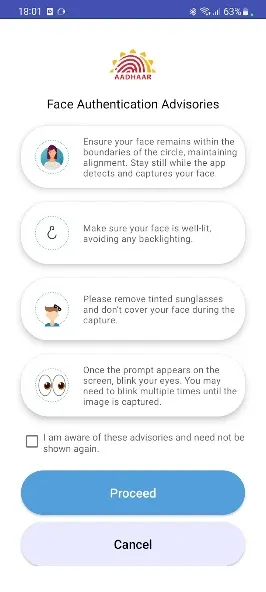
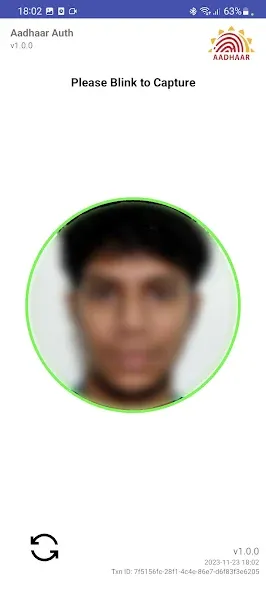
Open an application that requests Aadhaar-based facial authentication and proceed until the application prompts you to perform the facial verification. When prompted, grant the necessary camera access permissions so that the partner application can invoke AadhaarFaceRD for real-time face capture.
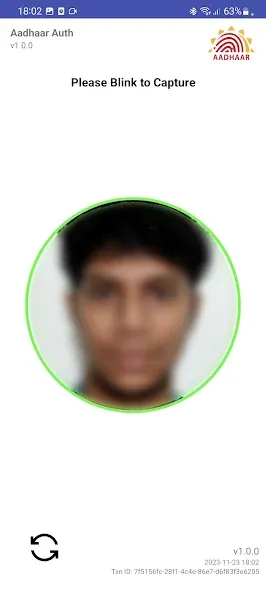
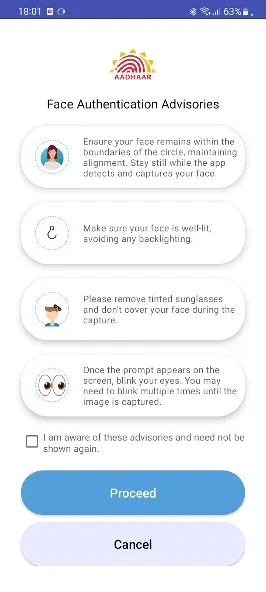
Keep your phone steady while the capture screen is active, and ensure your face is clearly visible in a well-lit environment.
Follow the on-screen prompts provided by the partner application—for example, looking toward the camera or retrying if a capture attempt fails.
Once face capture is complete, return to the service application and wait for it to display the verification results or the next steps.
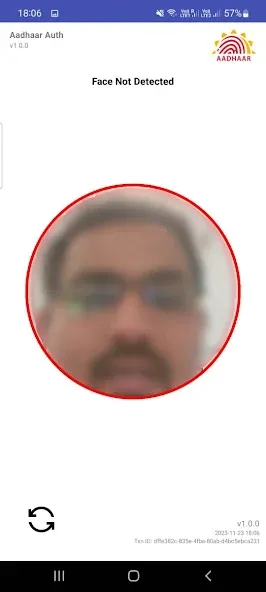
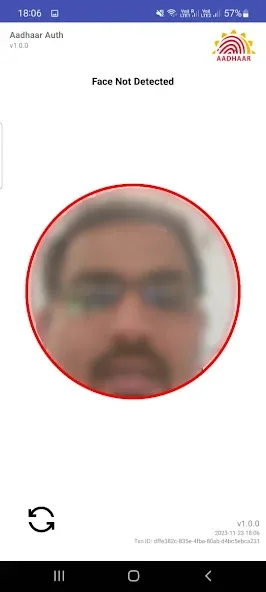
If the initial capture attempt fails, adjust the lighting, clean your camera lens, and retry when prompted by the service application. Avoid moving the phone significantly during the capture process, as the application requires a clear, real-time image of your face for Aadhaar authentication.
Pros and Cons
Pros:
Enables Aadhaar-based face authentication for participating services.
Simple camera-based capture process (including blink detection).
Automatically launches when invoked by a compatible AUA (Authentication User Agency) or KUA (KYC User Agency).
Cons:
No app icon or standalone troubleshooting interface.
Fully dependent on compatible Aadhaar-based services.
FAQs
What is the primary purpose of AadhaarFaceRD?
AadhaarFaceRD provides face authentication for Aadhaar-based services, offering a secure and convenient alternative to traditional biometric methods.
How secure is the face recognition process?
The application employs advanced encryption and biometric matching algorithms to ensure a high level of security and protect user data from unauthorized access.
Can AadhaarFaceRD be used with existing Aadhaar services?
Yes, AadhaarFaceRD is designed to integrate seamlessly with existing Aadhaar-based services, enabling fast and efficient face authentication.
Conclusion
AadhaarFaceRD is designed to enhance the security and convenience of Aadhaar-based authentication. By leveraging face recognition technology, it streamlines the verification process, providing a faster, more secure, and more convenient experience for both users and service providers. This application represents a significant step toward digital empowerment, offering a reliable and user-friendly method for identity verification.
More Information
- Size:74.36MB
- Version:1.3.9
- Requirements:Android
- Package Name:in.gov.uidai.facerd
- Signature:5f2b751346c93969bbad5ce9360d9884
Related topics
-
Feeling that there aren’t enough hours in the day? That you’re fighting a losing battle with your agenda? That each time you look up from your desk another year has rolled by? Well don’t worry, you’re not alone, and in today’s hyperconnected world, people are busier than ever before. On Android, there are countless productivity apps to help take control of your time and make your work more efficient. From a simple plugin for Chrome to a full-fledged app, picking the right productivity apps on Android can mean the difference between having a clear to-do list at the end of the day or having it overflowing with missed deadlines and projects that are off schedule. Productivity apps aren’t just about work, though. Using a productivity app in your personal life can keep you on top of deadlines for vacations, home repairs, and other family responsibilities.
-
![AadhaarFaceRd]()
AadhaarFaceRd
-
![Microsoft 365 Copilot]()
Microsoft 365 Copilot
-
![WPS Office]()
WPS Office
-
![Milkshake]()
Milkshake
-
![CutList Optimizer]()
CutList Optimizer
-
![Orgzly]()
Orgzly
-
![Code Studio]()
Code Studio
-
![SmartLinx Go]()
SmartLinx Go
-
-
Office Apps is a comprehensive and user - friendly platform that aggregates a wide array of office - related applications, catering to the diverse needs of modern professionals, students, and anyone who engages in office - based tasks. Whether you're working on a crucial business project, preparing academic papers, or handling daily administrative work, this aggregation page serves as your one - stop - shop.
-
![AadhaarFaceRd]()
AadhaarFaceRd
-
![Ana Muhtarif Al Khat]()
Ana Muhtarif Al Khat
-
![Microsoft 365 Copilot]()
Microsoft 365 Copilot
-
![HP Smart]()
HP Smart
-
![WPS Office]()
WPS Office
-
![Milkshake]()
Milkshake
-
![Resilio Sync]()
Resilio Sync
-
![Orgzly]()
Orgzly
-
-
The complete collection of office software is compiled based on user needs and referencing the popularity of major computer application stores. This collection selects various useful computer office software for users from multiple aspects such as office suite, communication and collaboration, email management, note management, cloud storage, download and decompression, etc. These software can meet your various document processing needs, making your team collaboration smoother, and conveniently managing your emails and keeping various meeting records. Download various materials and documents needed for office work. This collection of office software commonly used by professionals can meet all needs. Welcome to download and experience it!
-
![AadhaarFaceRd]()
AadhaarFaceRd
-
![Ana Muhtarif Al Khat]()
Ana Muhtarif Al Khat
-
![HP Smart]()
HP Smart
-
![WPS Office]()
WPS Office
-
![Milkshake]()
Milkshake
-
![Resilio Sync]()
Resilio Sync
-
![CutList Optimizer]()
CutList Optimizer
-
![Code Studio]()
Code Studio
-









Latest Updated

Popular Apps








Popular News
More+-
![Tomie Wants to Get Married Full Walkthrough, All Choices and Ending Guide]()
Tomie Wants to Get Married Full Walkthrough, All Choices and Ending Guide
2026-05-22
-
![Karryn’s Prison Gameplay Walkthrough & Strategy Guide]()
Karryn’s Prison Gameplay Walkthrough & Strategy Guide
2025-10-28
-
![Life in Santa County Game Guide & Complete Walkthrough]()
Life in Santa County Game Guide & Complete Walkthrough
2025-10-28
-
![Dreams of Desire Complete Walkthrough and Game Guide]()
Dreams of Desire Complete Walkthrough and Game Guide
2025-10-28
-
![Era Hunter Gameplay Guide & Full Walkthrough]()
Era Hunter Gameplay Guide & Full Walkthrough
2025-10-28




