

WiFiman
Download for Android This app is available for Android only.- Category:Tools
- Rating:
- Language:English
- Updated:2026-11-26
Screenshots
Introduction
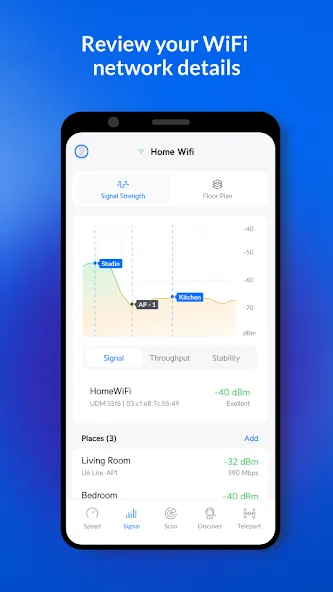
WiFiman is a powerful Wi-Fi analysis tool. It offers a range of features—including network activity monitoring, software updates, network blocking, speed testing, and data usage tracking—that make managing your hotspots and Wi-Fi networks simpler and easier. With WiFiman, users can access detailed information about their Wi-Fi signal, such as signal strength, IP address, MAC address, and DNS address. Additionally, the app allows you to monitor your data consumption and identify which applications are using the most data.
Main Tools:
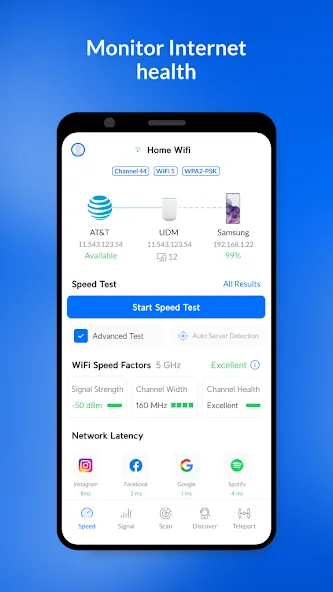
Speed test. Test the speed of the connection from your wifi network.
Status. Analysis of the device from which we are consulting the information, including channel, wifi signal, DNS server, manufacturer and name.
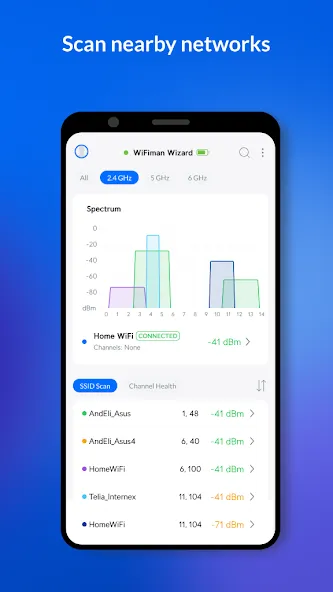
Wireless. Detects all wifi networks and Bluetooth devices in the area, their channels, gigahertz and MAC.
Discovery. Discovers all devices connected to the same wifi network, showing their name, IP address and port scanning function.
Features:
Detect available WiFi networks and Bluetooth LE devices instantly.
Scan network subnets for additional details on detected devices, such as Bonjour, SNMP, NetBIOS, and Ubiquiti discovery protocols.
Connect to your UniFi network remotely via Teleport - a free, zero-configuration VPN.
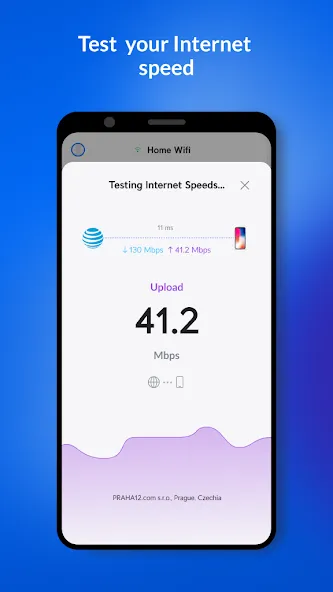
Conduct download/upload speed tests, store results, compare network performance, and share insights with others.
Relocate your access points (APs) to nearby data channels to instantly increase signal strength and reduce traffic volume.
Test the connection speed between your UniFi Dream Machine or UDM Pro and mobile devices.
See enhanced details about all of the Ubiquiti devices on your network (UniFi, AmpliFi, AirMAX, EdgeMAX, EdgeRouter, EdgeSwitch, UISP, AirCube, AirFiber).
Pros & Cons:
Pros
Free and ad-free, with a privacy-friendly approach to Wi-Fi signal measurement
Clear, intuitive interface that is easy to navigate and read
Comprehensive network details, including signal strength, channel, ping latency, and packet loss
Useful for optimizing Wi-Fi coverage and extender or mesh placement
Built-in speed tests with result history and sharing
Robust device and port scanning using multiple discovery protocols
Extra value for UniFi and other Ubiquiti devices, including Teleport VPN and UDM/UDM Pro speed tests
Cons
Many advanced metrics may feel excessive for very casual users
Some of the richer device detail features primarily benefit Ubiquiti hardware owners
Changelog:
Improvements
Users with sufficient permissions can now use Teleport directly without an invitation link, even if they are not Owners.
Improved various translations.
Bugfixes
Fixed an issue that caused incorrect channel bandwidth information to appear for the 6 GHz spectrum on some phones.
Conclusion:
Among its key features, WiFiman allows users to explore nearby Wi-Fi channels, identify connected devices on their network using multiple protocols, and conduct speed tests to monitor internet performance. The app provides essential details such as IP address, signal strength, and packet loss, along with advanced tools like a network analyzer and port scanner. Overall, WiFiman is an essential tool for optimizing home and office networks.
More Information
- Size:63.24MB
- Version:2.14.0
- Requirements:Android 12.0+
- Package Name:com.ubnt.usurvey
- Signature:bca6e0d3dea4d7e184d95859df69f1e5

Related topics
-
Utility apps are indispensable in our lives, making our daily routines more convenient. To help you find these apps more easily, this site has created a collection. This collection brings together a series of practical tools covering various aspects of life, work, and education, meeting all your needs. What are you waiting for? Try these apps now and make your life easier!
-
![Yoosee]()
Yoosee
-
![Vaulty]()
Vaulty
-
![Google Allo]()
Google Allo
-
![Edge Screen]()
Edge Screen
-
![WiFiman]()
WiFiman
-
![OpenSignal 4G WiFi Maps & Speed Test]()
OpenSignal 4G WiFi Maps & Speed Test
-
![G-NetTrack]()
G-NetTrack
-
![Homestyler]()
Homestyler
-
-
With the development of mobile hardware and software, many practical tool software have emerged, covering a wide range of aspects and becoming a good helper for everyone in work and life. Today, the editor provides you with a list of useful tool software downloads. These tools are not particularly complex types, and after reading them, everyone can quickly learn how to use them. Proper use can bring great convenience to life and work.
-
![Vaulty]()
Vaulty
-
![Google Allo]()
Google Allo
-
![Edge Screen]()
Edge Screen
-
![WiFiman]()
WiFiman
-
![G-NetTrack]()
G-NetTrack
-
![Homestyler]()
Homestyler
-
![Screen Off]()
Screen Off
-








Latest Updated


Popular Apps








Popular News
More+-
![Tomie Wants to Get Married Full Walkthrough, All Choices and Ending Guide]()
Tomie Wants to Get Married Full Walkthrough, All Choices and Ending Guide
2026-05-22
-
![Karryn’s Prison Gameplay Walkthrough & Strategy Guide]()
Karryn’s Prison Gameplay Walkthrough & Strategy Guide
2025-10-28
-
![Life in Santa County Game Guide & Complete Walkthrough]()
Life in Santa County Game Guide & Complete Walkthrough
2025-10-28
-
![Dreams of Desire Complete Walkthrough and Game Guide]()
Dreams of Desire Complete Walkthrough and Game Guide
2025-10-28
-
![Era Hunter Gameplay Guide & Full Walkthrough]()
Era Hunter Gameplay Guide & Full Walkthrough
2025-10-28




