

Adobe Photoshop Lightroom CC
Download for Android This app is available for Android only.- Category:Photography
- Rating:
- Language:English
- Updated:2026-11-25
Screenshots
Introduction
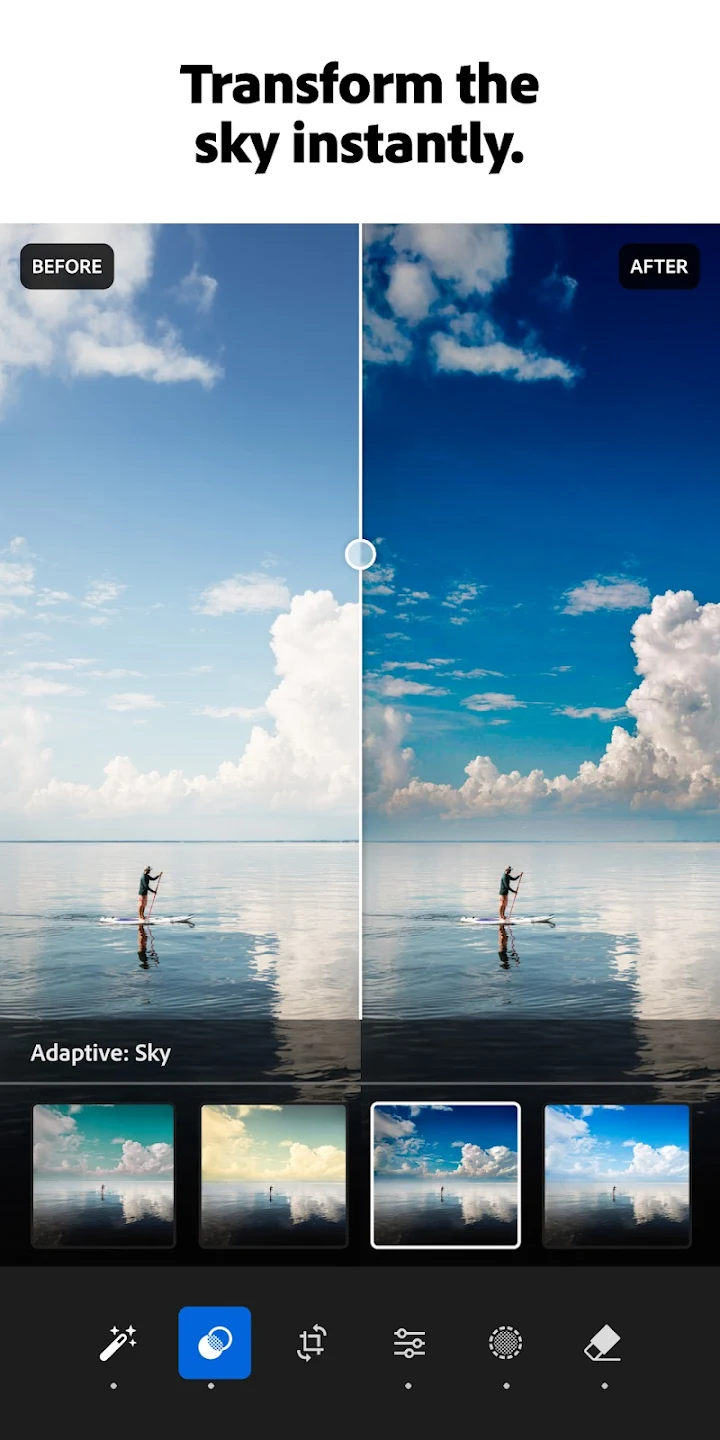
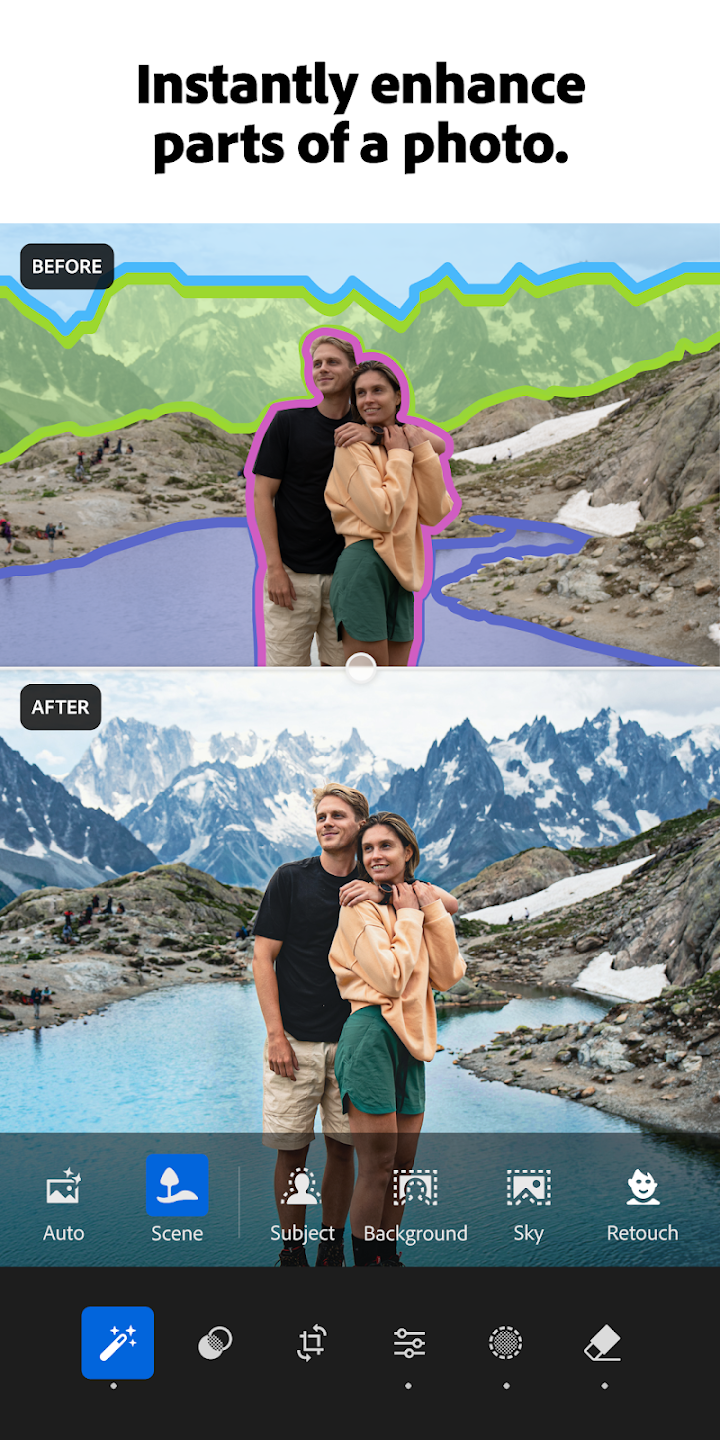
Adobe Photoshop Lightroom CC is a photo editing application designed specifically for mobile devices. This application offers powerful editing tools that perfectly blend manual adjustments with automated assistance, helping users create better video works anytime, anywhere. With Adobe Photoshop Lightroom CC, users can use AI-powered masking to automatically identify subject lines and other elements, and then complete all editing with minimal steps. Additionally, the app offers cross-device synchronization, where your editing history, presets, and albums are all linked to your account, and changes made on the mobile device can be synchronized to the desktop and web versions.
Highlights:
It's a mobile version of an industry-standard Adobe program
Includes a powerful photo management component
Capable of editing and applying photo filters to captured images
Syncs automatically with the desktop edition
Uses a streamlined user interface
Features:
Retouch your photos like a pro with the best Adobe Lightroom presets
From the Adobe Lightroom interface, you have easy access to a section where you can easily add free presets to your photos. This kind of filters, created by other users, allow you to effortlessly enhance the appeal of all your photos. And, if you need it, you also have the option to create a Adobe Lightroom preset from scratch, defining parameters and saving each retouching process your images undergo to apply the same again later without wasting time.
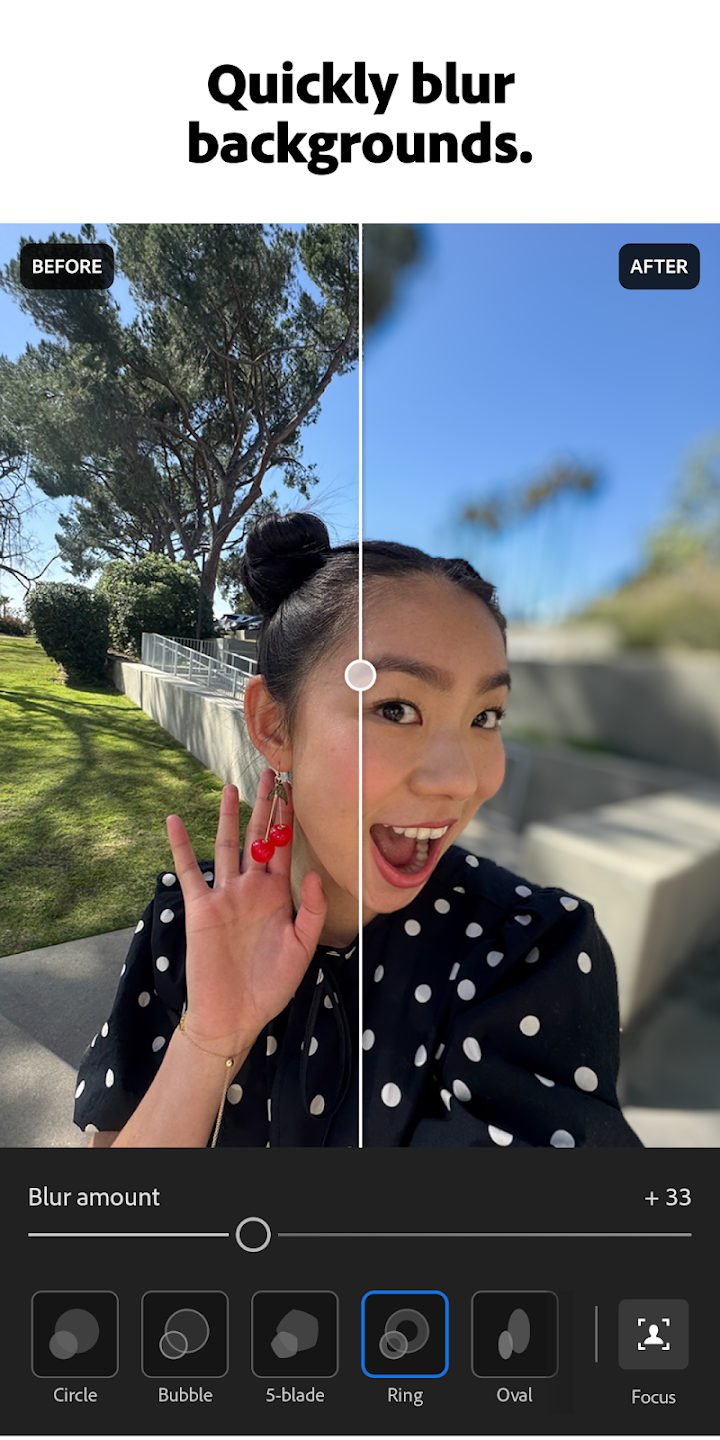
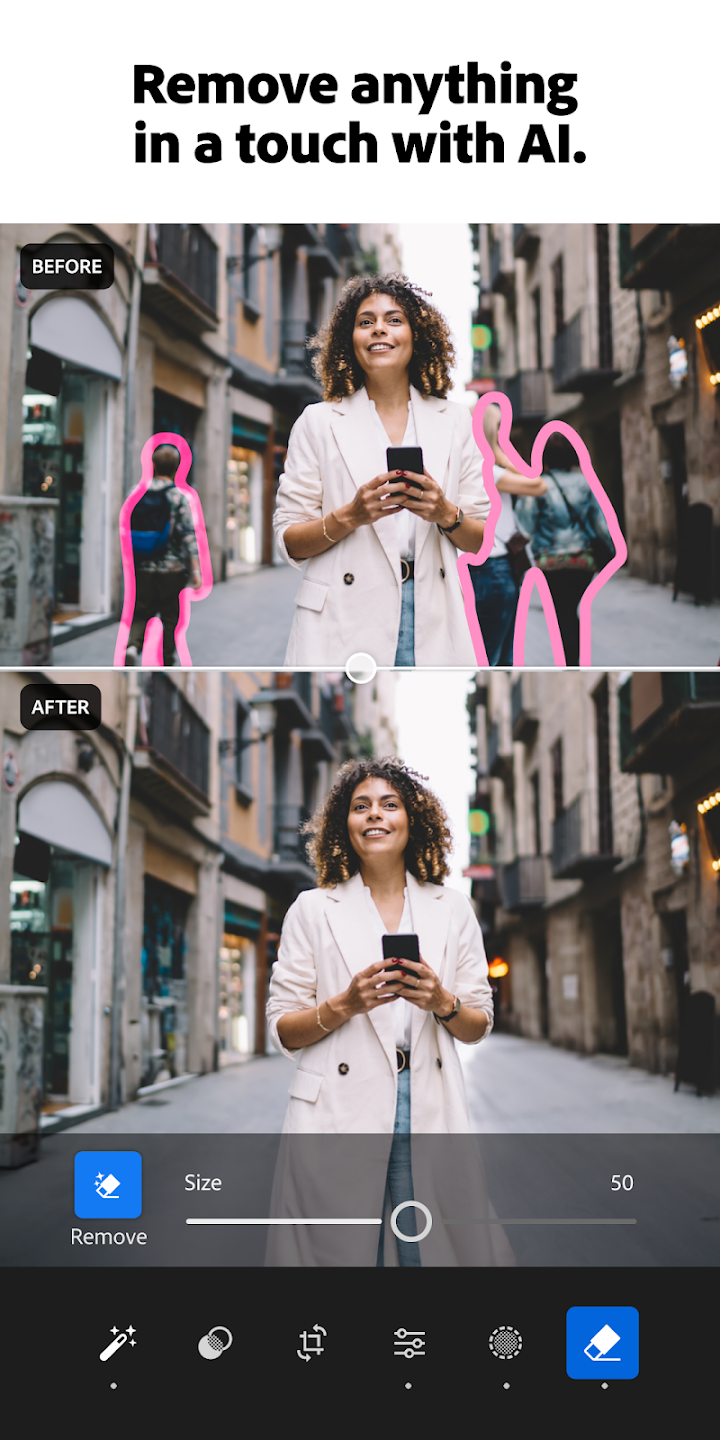
Utilize AI to blur backgrounds or remove elements
As you might expect, with Adobe Lightroom you can harness the potential of AI to retouch your photos. Specifically, you can blur backgrounds to create a professional bokeh effect or use the "Generative Remove" tool to erase unwanted objects and distractions from your frames with a single tap.
My experience using Adobe Lightroom on Android
When I installed Adobe Lightroom on my POCO F5, I found a comprehensive photo editor to add a professional touch to the photos I captured with my Panasonic GH5 camera. I was able to sign in with my Google account in seconds, and then I immediately imported an image gallery with no trouble at all. As I edited a photo as a test, I played around with the crop tool to freely adjust the geometry and try out different aspect ratios until the subject was perfectly framed.
Tips for Users:
Capture photos from the application and apply real-time effects.
High dynamic range (HDR) mode to automatically expand the exposure range.
Presets to apply settings automatically whilst taking a photo.
Wide range of photo editing tools that allow us to enhance images in a matter of seconds.
Advanced editing of the tone curve to modify the color, exposure, hue, and contrast.
Batch editing of large albums.
Selective adjustment of any part of an image.
Online storage of images making the most of the features of Creative Cloud.
Share images on Instagram, Facebook, Twitter, and Flickr.
FAQs:
Who uses Adobe Photoshop Lightroom?
While most experienced artists and businesses will prefer the program’s desktop version, the Android application has become quite popular among freelancers and budding artists who need an editing tool on the go. Adobe Lightroom is a useful tool to many individuals, from Instagram influencers, wedding photographers, portrait photographers, to creative designers; they all need a powerful image organizer.
Where can you run this program?
Adobe Lightroom is available on multiple platforms such as smartphones for Android and iOS devices, and operating systems for Windows and Mac. Thus, making this photo editor a universal tool that anyone can use.
What are the drawbacks?
While Adobe Photoshop Lightroom is free, you need a Creative Cloud account. Some people also consider the limited storage space to be a deterrent. Another drawback is the lack of support for importing VSCO presets and improper synchronization of collections. However, comparing these minor drawbacks vs the benefits, the Adobe Photoshop Lightroom is still more powerful than other software in this category and proves to be a preferred choice among creative users.
Final Words:
Create new folders, reorganize them, append labels and groups. Alternatively, a demanding and busy program user can opt to automatically group a series of images. The metadata recorded in each image is used to carry out this function, with shutter speeds, white balance settings, and photo filters topping the list of possible auto-grouped possibilities. AI-powered search and face recognition also help find and categorize a series of images. Albums and keyword tags provide more ways to keep a collection organized.
More Information
- Size:107.83MB
- Version:12.0.02
- Requirements:Android 8.0+
- Package Name:com.adobe.lrmobile
- Signature:775445fd9040b37fc6a85c9ae1af0db8
Related Versions





Related topics
-
Visuals serve as a primary gateway for players to engage with games, where distinctive art direction immediately captures attention and creates lasting impressions. An unconventional aesthetic not only stands out in crowded markets but also enhances immersion and emotional connection. When executed with creativity and polish, striking visuals elevate gameplay into a memorable artistic experience. That's why titles with truly exceptional art styles deserve recognition - they offer both visual delight and meaningful interactive expression that resonates with players long after the session ends.
-
![Simple Gallery]()
Simple Gallery
-
![Pitu]()
Pitu
-
![Face Dance]()
Face Dance
-
![Krita]()
Krita
-
![Adobe Photoshop Lightroom CC]()
Adobe Photoshop Lightroom CC
-
![NOMO CAM Mod]()
NOMO CAM Mod
-
![AI Gallery]()
AI Gallery
-
![X PhotoKit]()
X PhotoKit
-
-
AI Photo Editing Apps - encompassing both image generation and enhancement tools - utilize cutting-edge machine learning algorithms to produce, refine, or transform visuals using text prompts, uploaded images, or artistic preferences. These powerful applications are reshaping digital art, photography, and media production by streamlining sophisticated processes such as professional-grade retouching, artistic style replication, and completely AI-generated artwork. By combining automation with creative control, they empower users to achieve stunning results with unprecedented speed and precision.
-
![Face Dance]()
Face Dance
-
![Adobe Photoshop Lightroom CC]()
Adobe Photoshop Lightroom CC
-
![AI Gallery]()
AI Gallery
-
![Pixelcut AI]()
Pixelcut AI
-
![starryai]()
starryai
-
![YouCam Enhance]()
YouCam Enhance
-
![Magicface-AI Face Swap]()
Magicface-AI Face Swap
-
![Enhance Photo Quality, Upscale]()
Enhance Photo Quality, Upscale
-
-
Enhance your photos effortlessly with the best free photo editing apps for Android! Whether you want to apply stunning filters, adjust brightness and contrast, remove blemishes, or create professional-quality edits, these apps offer powerful tools at your fingertips. From simple one-tap enhancements to advanced editing features like background removal and AI-powered effects, you can transform your images with ease. Explore a wide range of user-friendly and feature-rich apps, all available for free download. Start editing and make your photos stand out today!
-
![Simple Gallery]()
Simple Gallery
-
![Pitu]()
Pitu
-
![Krita]()
Krita
-
![Adobe Photoshop Lightroom CC]()
Adobe Photoshop Lightroom CC
-
![NOMO CAM Mod]()
NOMO CAM Mod
-
![X PhotoKit]()
X PhotoKit
-
![PicCut]()
PicCut
-
![Funimate Video Editor & Maker]()
Funimate Video Editor & Maker
-











Latest Updated




Popular Apps






Popular News
More+-
![Tomie Wants to Get Married Full Walkthrough, All Choices and Ending Guide]()
Tomie Wants to Get Married Full Walkthrough, All Choices and Ending Guide
2026-05-22
-
![Karryn’s Prison Gameplay Walkthrough & Strategy Guide]()
Karryn’s Prison Gameplay Walkthrough & Strategy Guide
2025-10-28
-
![Life in Santa County Game Guide & Complete Walkthrough]()
Life in Santa County Game Guide & Complete Walkthrough
2025-10-28
-
![Dreams of Desire Complete Walkthrough and Game Guide]()
Dreams of Desire Complete Walkthrough and Game Guide
2025-10-28
-
![Era Hunter Gameplay Guide & Full Walkthrough]()
Era Hunter Gameplay Guide & Full Walkthrough
2025-10-28




