
YouCam Enhance
Download for Android This app is available for Android only.- Category:Photography
- Rating:
- Language:English
- Updated:2026-11-16
Screenshots
Introduction
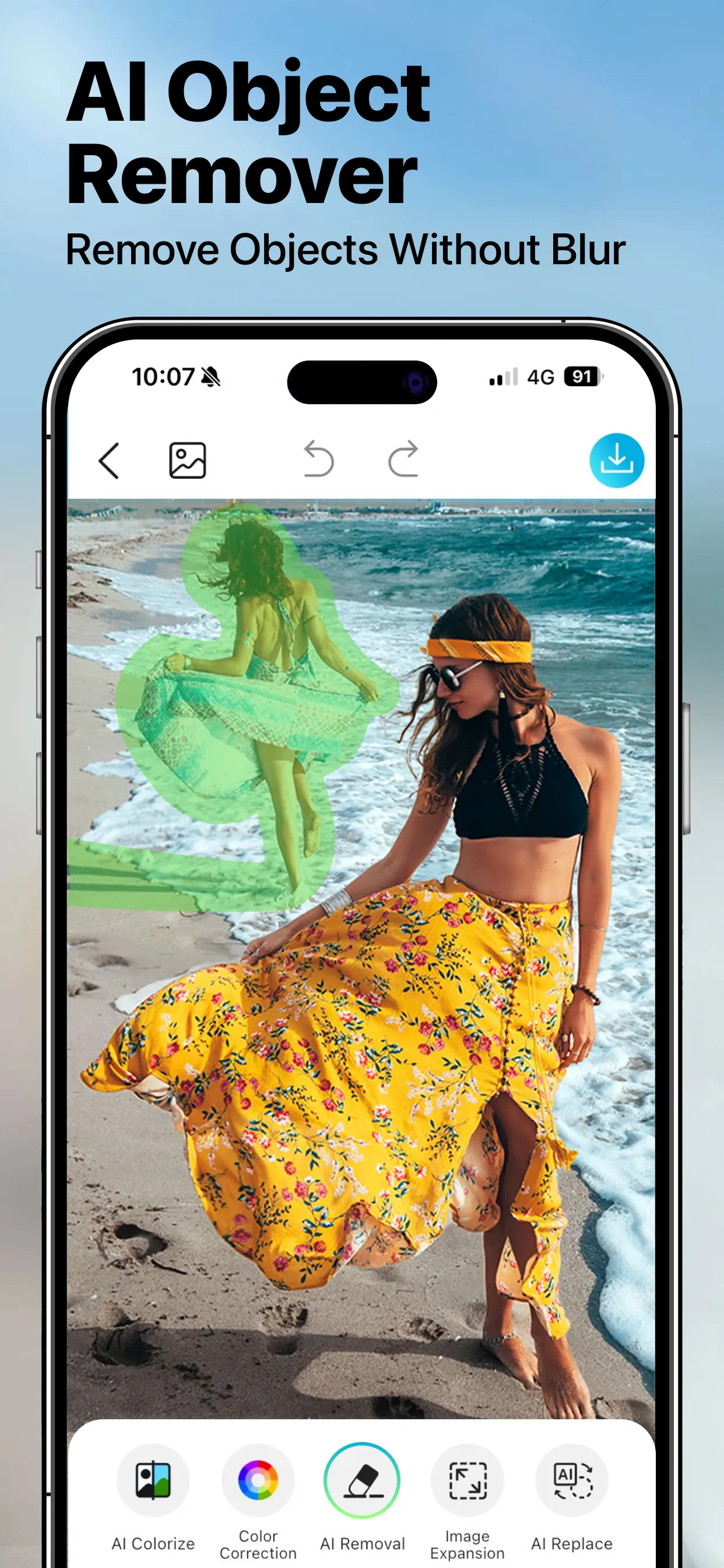
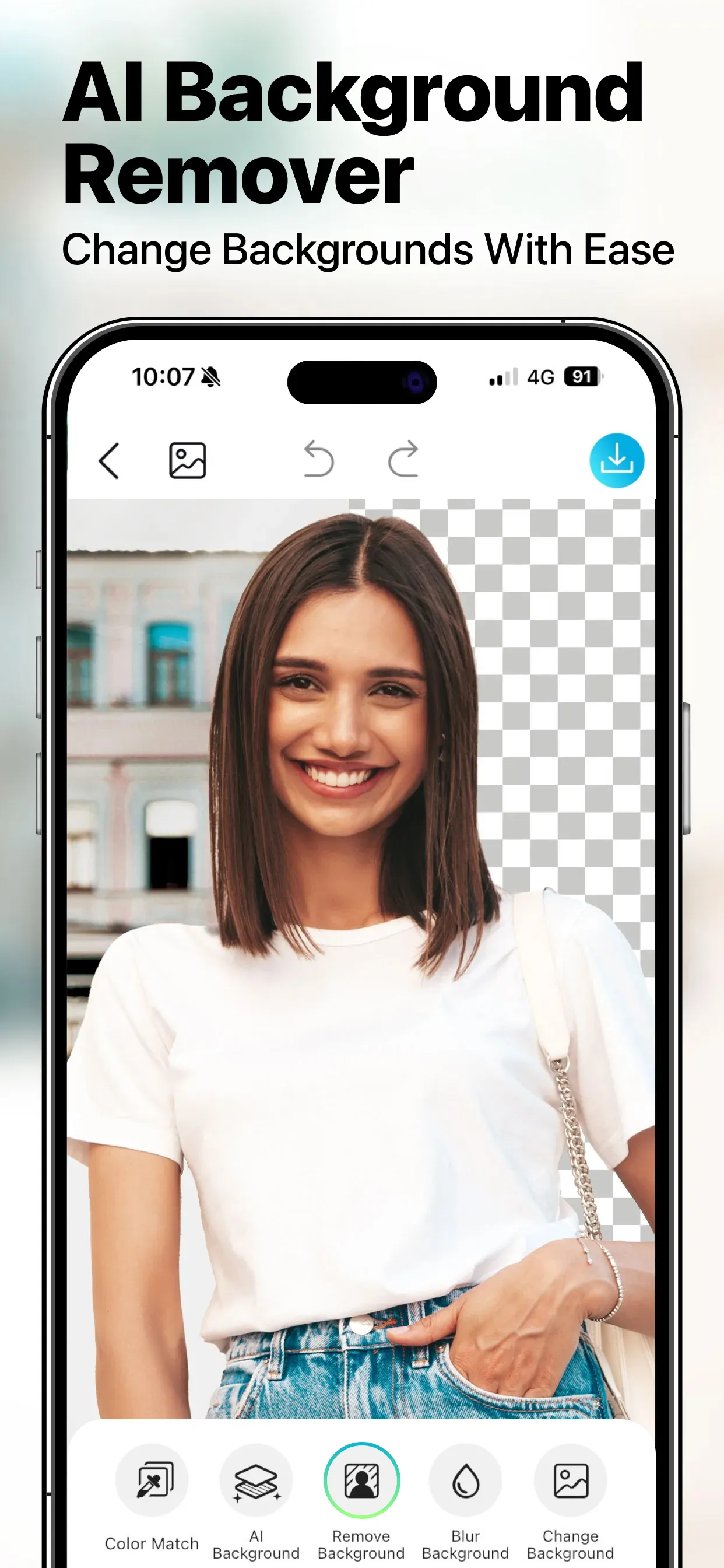
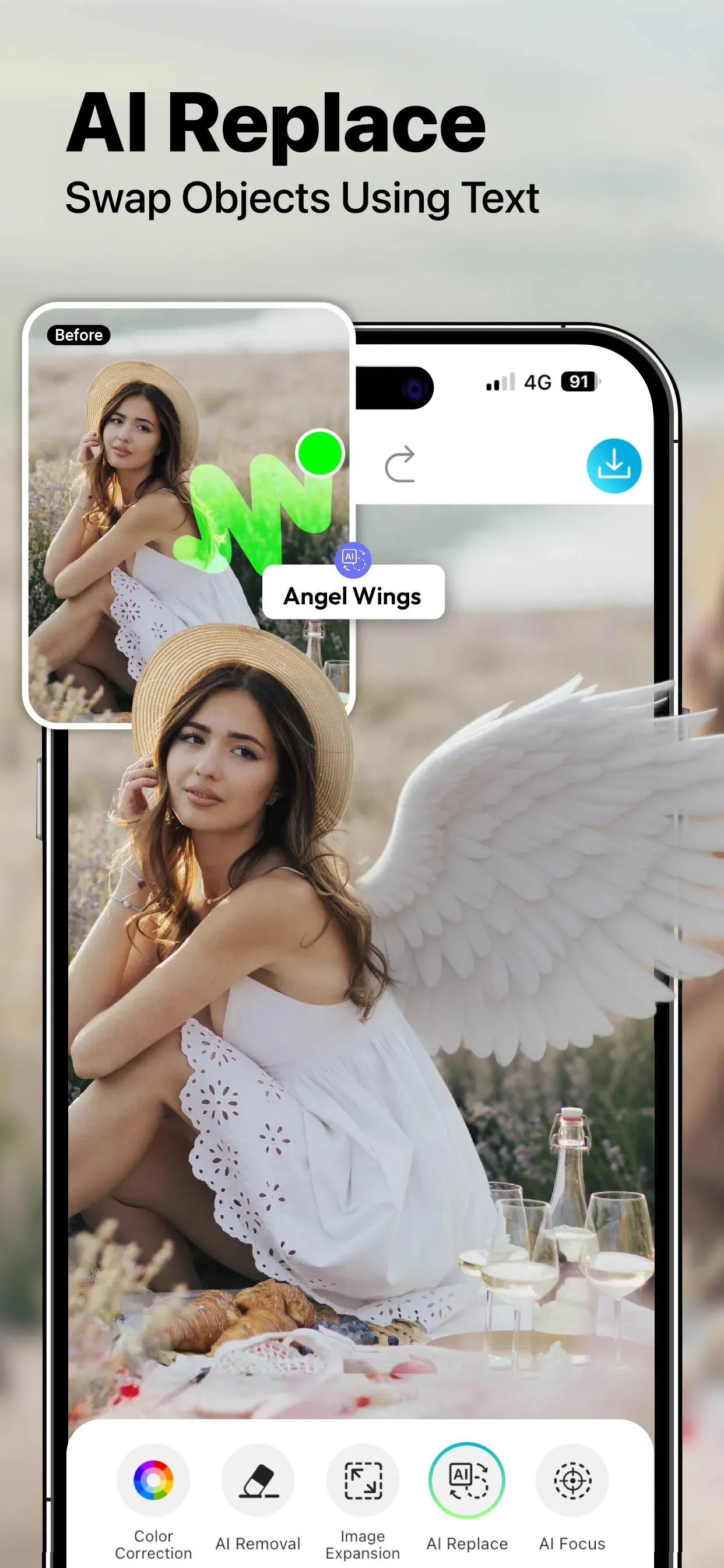
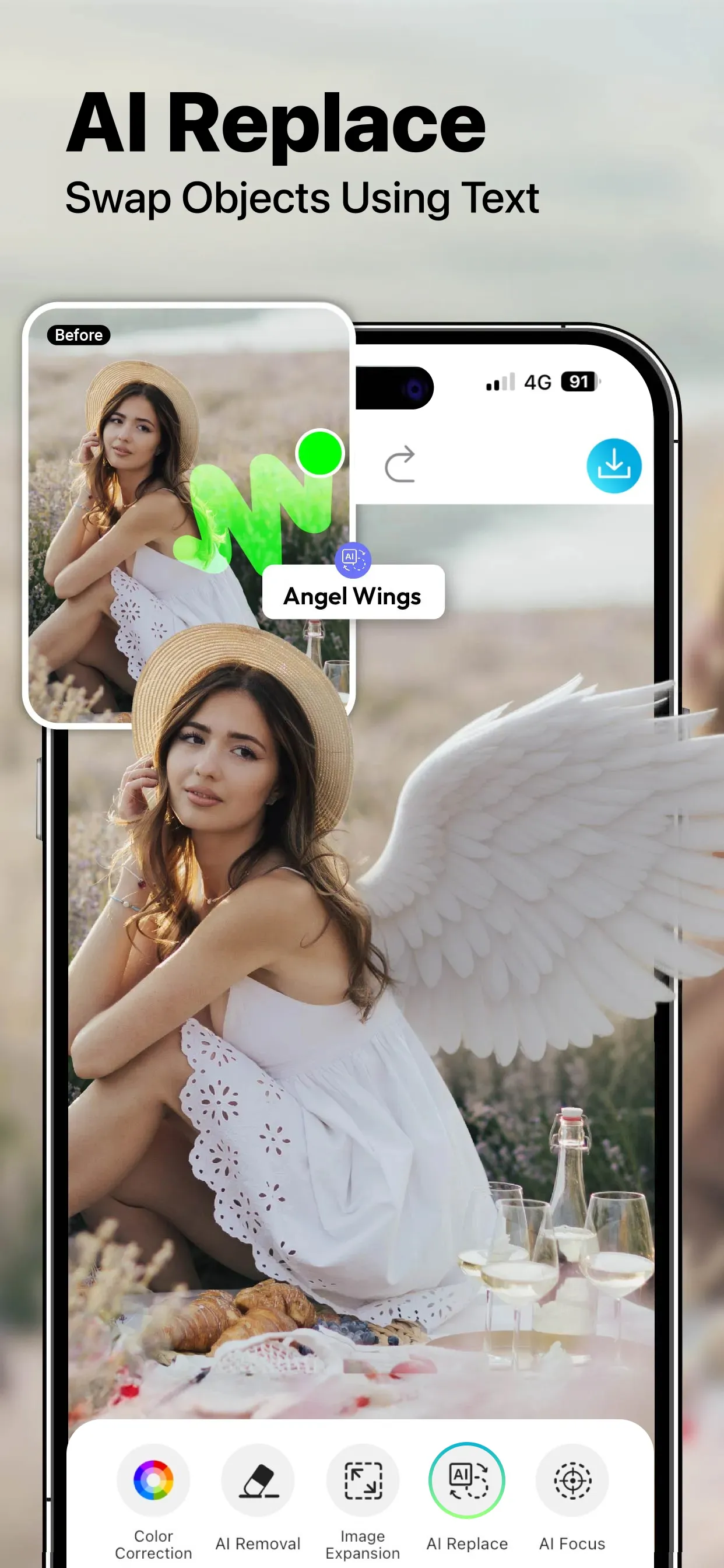
YouCam Enhance is a highly powerful photo and video editor. Equipped with advanced, cutting-edge AI technology, it enables users to restore old photographs and sharpen blurry images, breathing new life into cherished memories. The software also features AI-powered colorization and lighting correction, ensuring excellent results for photos taken under various lighting conditions. Additionally, it supports AI video generation and face-swapping—tasks that can be accomplished using just a single portrait photo. The tool also offers capabilities for removing unwanted objects from images and replacing backgrounds to suit a wide range of user needs. When editing videos, users can leverage AI to enhance clarity and toggle between vertical and horizontal aspect ratios. Furthermore, the software includes an AI chat assistant; simply input your basic requirements, and it will help you carry out the necessary edits.
Features
High-Precision AI Photo Editor and Enhancer
AI Photo Restoration and Deblurring: Fix blurry photos, remove scratches, and restore authentic facial details. Whether you need a quick touch-up or a deep reconstruction, you can achieve natural, high-fidelity results.
AI Colorization and Lighting Correction: Bring black-and-white photos to life with vibrant colors, or automatically adjust dim or overexposed images to achieve optimal exposure, contrast, and quality.
Smart Retouching and Facial Editing: Use advanced retouching tools to smooth skin, reshape facial features, and create a natural lifting effect.
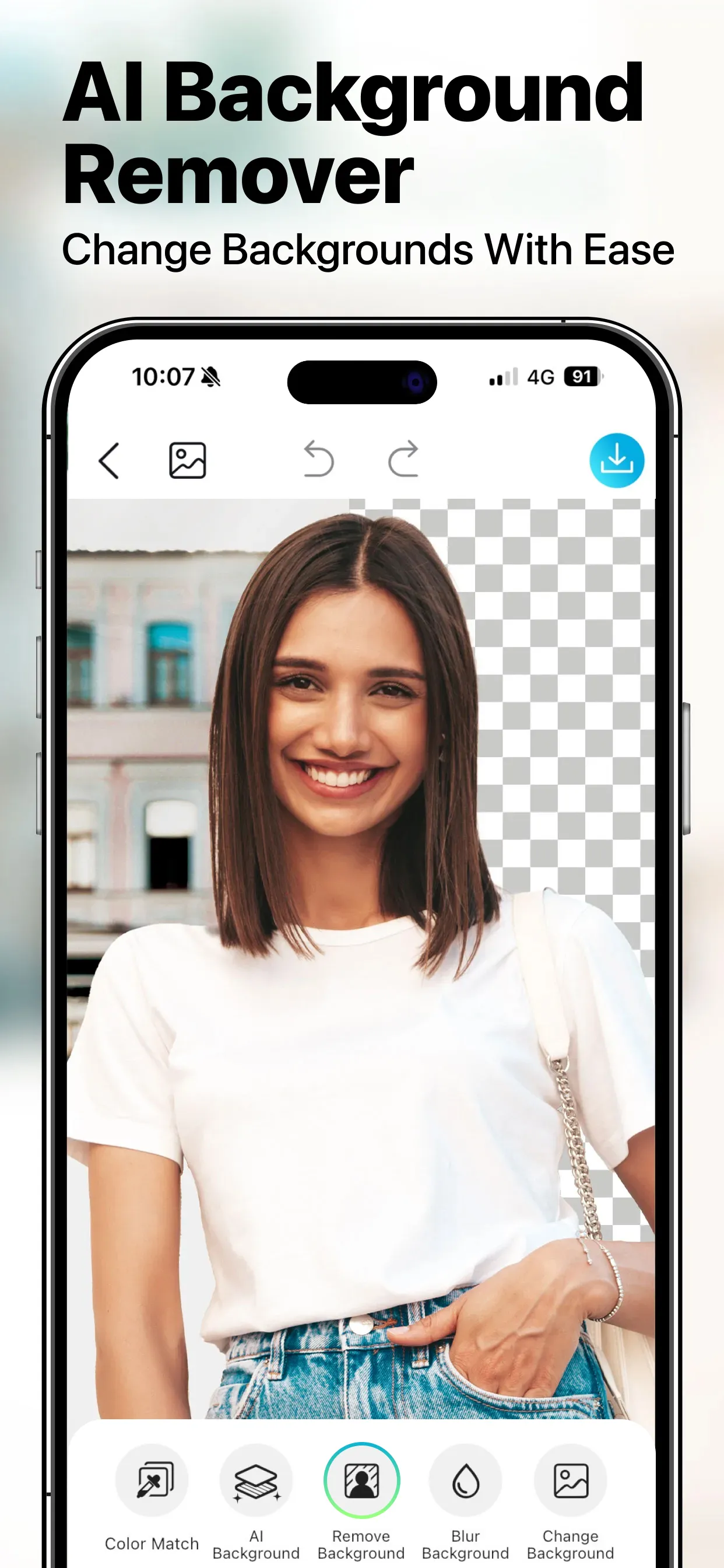
Object and Background Removal: Easily erase unwanted people or clutter. Use AI text prompts to instantly replace backgrounds or generate entirely new ones.
Image Expansion and Resizing: Extend photo margins and resize the canvas to fit platforms like Instagram, TikTok, YouTube, or Pexels without sacrificing clarity.
Custom Filter and Effect Creator: Apply curated photo filter presets or extract color palettes from your favorite images to build a custom aesthetic theme.
Professional AI Video Editor and Quality Enhancer
AI Video Enhancement and Sharpening: Boost video clarity up to 4K resolution, remove compression noise, and balance low-light exposure with precise, one-tap adjustments.
AI Video Reframing: Reframe vertical videos into widescreen, convert landscape videos into vertical Reels, or seamlessly resize content to fit square social media feeds.
Advanced Video Restoration and Denoising: Eliminate heavy noise from low-light footage and repair artifacts in damaged frames.
AI Face Swapping: Perform high-fidelity face replacements within video sequences, ensuring realistic alignment.
Intelligent AI Agents and Generative AI Tools
Chat-Based AI Editing Assistant: Execute quick photo editing tasks—such as resolution enhancement or lighting correction—using simple text prompts.
AI Image Generator (Text-to-Image & Image-to-Image): Transform text prompts into artwork, or convert existing photos into sketches, cartoons, or stylized digital art.
AI Video Generator (Text-to-Video & Image-to-Video): Turn written scripts or static images into dynamic, cinematic video sequences.
Multi-AI Engine Integration: Powered by leading AI models, including GPT Image 2.5, YouCam Image 2.0, Nano Banana 2, Seedream 5.0 Lite, Flux.2 Pro, Wan 2.7, Seedance 2.5, Kling 3.0 Omni, Sora 2, Google Veo 3.1, and Hailuo 02.
FAQs
Can you really generate an AI video from just a single photo?
Absolutely! You can use our animation feature to transform a static photo into a video. The AI analyzes the depth of field and the subjects within the image to create realistic motion—such as flowing water, drifting clouds, or subtle, cinematic camera movements—perfect for crafting eye-catching social media content.
Is my data secure? Do you use my photos to train AI models?
We take your privacy very seriously. We do not use your personal photos or uploaded content to train AI models without your consent. All files are processed securely on our servers and are automatically deleted after a short period.
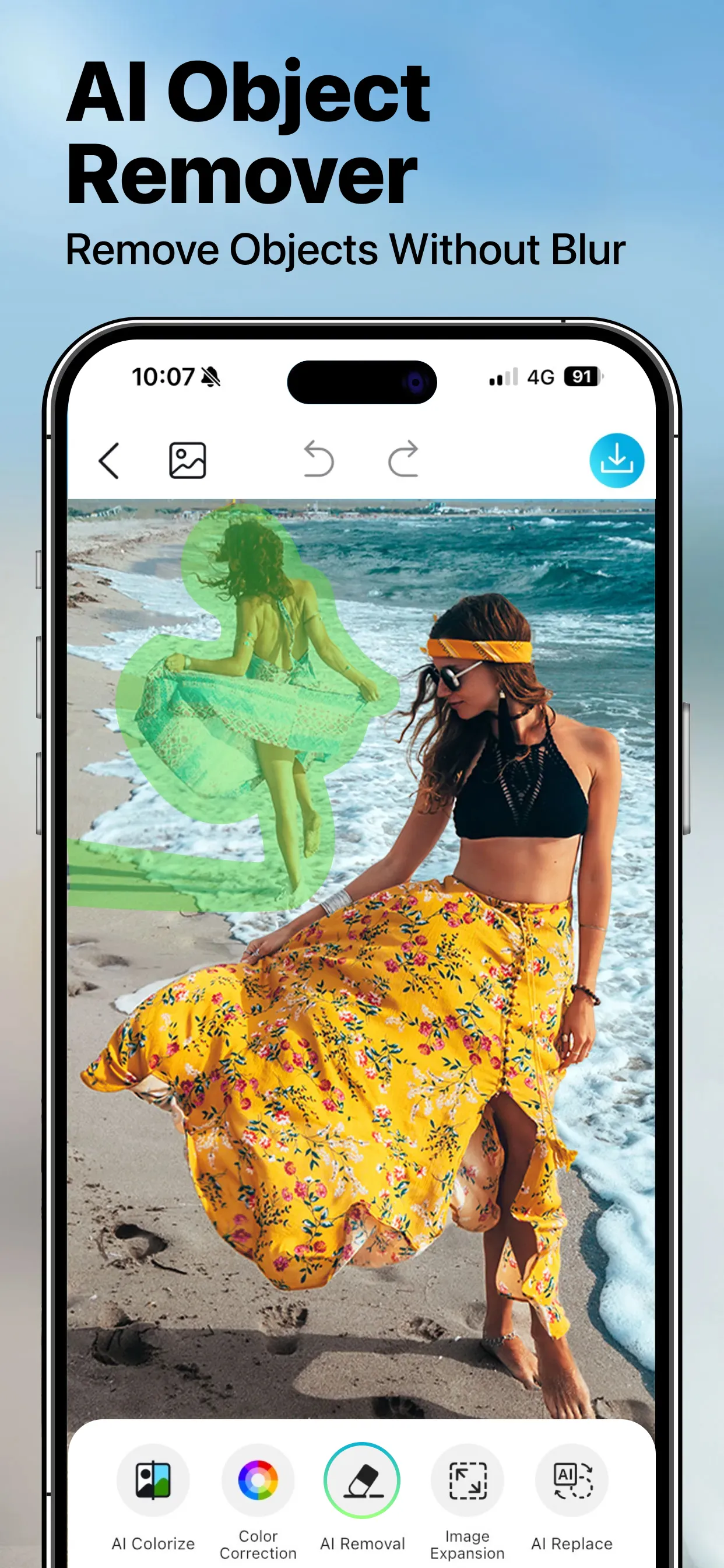
How can I use AI to remove unwanted people or objects from a photo?
You can easily remove objects from your photos using our automated AI object removal tool. Simply brush over the unwanted person, text, or distracting element, and the AI will erase it while intelligently reconstructing the background texture and lighting for a natural, clean result.
User Reviews
I had an old, very blurry photo of my grandmother from the 70s. I tried several other AI apps, but they either made her look like a plastic doll or just didn't work at all—this tool is the only one that actually does the job. It sharpened her features without making it look fake. Now, I finally have a clear photo to keep on my desk.
I finally managed to get a great shot in front of the Eiffel Tower, but there was a huge tour group standing right behind me. The object removal feature handled it in just seconds—it wiped them all out completely, leaving no trace that anyone had ever been there. The background looks perfectly natural, with no blur or awkward artifacts.
The "expand image" feature is a total lifesaver. I often take photos that are framed too tightly, but this tool automatically extends the background—perfect for converting shots into a square format or an aspect ratio suitable for Stories—all without compromising image quality. It’s so much faster than editing them manually!
Conclusion
Make your photo editing experience faster and more efficient with YouCam Enhance. Its intuitive features and AI-powered tools allow you to easily restore cherished memories or transform casual snapshots into stunning, high-definition images—ensuring all your visual needs are met with satisfying results.
More Information
- Size:109.15MB
- Version:1.41.2
- Requirements:Android
- Package Name:com.perfectcorp.yce
- Signature:e9abf858d98576dd28a04f7b1df31af2
Related topics
-
Visuals serve as a primary gateway for players to engage with games, where distinctive art direction immediately captures attention and creates lasting impressions. An unconventional aesthetic not only stands out in crowded markets but also enhances immersion and emotional connection. When executed with creativity and polish, striking visuals elevate gameplay into a memorable artistic experience. That's why titles with truly exceptional art styles deserve recognition - they offer both visual delight and meaningful interactive expression that resonates with players long after the session ends.
-
![YouCam Enhance]()
YouCam Enhance
-
![PicMonkey]()
PicMonkey
-
![GCamera]()
GCamera
-
![AniDub Max]()
AniDub Max
-
![Photo Lab PRO Picture Editor]()
Photo Lab PRO Picture Editor
-
![Kwiky]()
Kwiky
-
![Memes]()
Memes
-
![PREQUEL]()
PREQUEL
-
-
AI Photo Editing Apps - encompassing both image generation and enhancement tools - utilize cutting-edge machine learning algorithms to produce, refine, or transform visuals using text prompts, uploaded images, or artistic preferences. These powerful applications are reshaping digital art, photography, and media production by streamlining sophisticated processes such as professional-grade retouching, artistic style replication, and completely AI-generated artwork. By combining automation with creative control, they empower users to achieve stunning results with unprecedented speed and precision.
-
![YouCam Enhance]()
YouCam Enhance
-
![Magicface-AI Face Swap]()
Magicface-AI Face Swap
-
![Enhance Photo Quality, Upscale]()
Enhance Photo Quality, Upscale
-
![FaceFlip]()
FaceFlip
-
![Kwiky]()
Kwiky
-
![Swapy]()
Swapy
-
![Face Over]()
Face Over
-
![PhotoDirector]()
PhotoDirector
-
-
Nowadays, with the popularity of intelligent technology, this new intelligent technology will provide faster content creation in daily life. In the face of today's intelligent landscape application creation, it supports the creation of text content for different themes, provides intelligent image creation and painting, and even realizes various personalized AI creation functions such as intelligent image cutout. In terms of using intelligent tools, you can gain more information, knowledge and inspiration. The editor recommends the following popular AI creation tools for you to experience the help that intelligent AI brings to different scenarios such as life, work, and study.
-
![YouCam Enhance]()
YouCam Enhance
-
![Enhance Photo Quality, Upscale]()
Enhance Photo Quality, Upscale
-
![Snap Pro]()
Snap Pro
-
![Kwiky]()
Kwiky
-
![Swapy]()
Swapy
-
![Photo Lab Picture Editor art]()
Photo Lab Picture Editor art
-
![Da Vinci Eye]()
Da Vinci Eye
-
![Kafios]()
Kafios
-











Latest Updated



Popular Apps







Popular News
More+-
![Tomie Wants to Get Married Full Walkthrough, All Choices and Ending Guide]()
Tomie Wants to Get Married Full Walkthrough, All Choices and Ending Guide
2026-05-22
-
![Karryn’s Prison Gameplay Walkthrough & Strategy Guide]()
Karryn’s Prison Gameplay Walkthrough & Strategy Guide
2025-10-28
-
![Life in Santa County Game Guide & Complete Walkthrough]()
Life in Santa County Game Guide & Complete Walkthrough
2025-10-28
-
![Dreams of Desire Complete Walkthrough and Game Guide]()
Dreams of Desire Complete Walkthrough and Game Guide
2025-10-28
-
![Era Hunter Gameplay Guide & Full Walkthrough]()
Era Hunter Gameplay Guide & Full Walkthrough
2025-10-28




